
Automate sales prospecting before you hire another SDR

What are you still doing by hand?
One click, no email required.
🔍
Start with stage 1. Sourcing and enrichment take the research off your hands.
🔔
Start with stage 2. Buying signals tell you who to open with today.
🔁
Start with stage 3. Sequences run the follow-up so you stop tracking it.
Pick one and we'll take you straight there 👇
Prospecting automation hands three jobs to software: finding the accounts that match who you sell to, working out which of them deserve a message this week, and sending the first touch plus the follow-ups. You keep the angle and you keep the conversation. Everything else on this page describes those three jobs and what each one costs.
We priced sixteen tools against their own published pages in August 2026, added up three complete stacks, and set the annual total against what a junior hire costs. If you'd rather skip the reading, the buttons above route you to whichever stage still eats your Tuesdays.
Stop guessing who is in market
Gojiberry tracks more than 30 buying signals and tells you which companies are worth an email today, and why.
Start free on your marketTable of contents
- What prospecting automation takes off your plate
- Stage 1: get your list without doing the research
- Stage 2: find out who is worth writing to today
- Stage 3: send and follow up without touching it
- Hand the conversation back before you lose the deal
- The 16 best sales prospecting automation tools in 2026
- We put all 16 side by side for you
- Skip stages 1 and 2 with Gojiberry
- What you'll pay to automate all three stages
- How to pick a tool without wasting your budget
- The 6 mistakes that kill your automated prospecting
- Research a prospect in 6 minutes with the 2-2-2 rule
- Run your process through the 5 P's before you automate it
- What people ask us before they automate
What sales prospecting automation takes off your plate
Sales prospecting automation covers the research, the prioritizing and the sending. A database turns your target definition into a list of named people. A signal tool tells you which of those people changed something this month. A sequencer sends the first message and the follow-ups on a timer and stops when somebody answers. Every one of those three jobs is something a rep does by hand today, and every one of them scales badly.
Where prospecting stops and sales automation starts
The boundary is the first reply. Everything before it belongs on this page. Everything after it, meaning pipeline stages, CRM hygiene and meeting booking, belongs to B2B sales automation and to a completely different set of tools. If you get no conversations, you have a prospecting problem. If you get conversations and lose track of them, you have a pipeline problem. Teams that buy the wrong one spend six months fixing a system that wasn't broken.
Stage 1: get your list without doing the research
This is the Tuesday afternoon with fourteen tabs open, typing company names into column A. Automation replaces the typing, and it leaves the judgement with you. You still write the definition of a good account. The software then finds everyone who matches it and fills in the columns.
Find the companies worth your time
Start from a written description of who buys: headcount band, country, industry, and one or two things that must be true about how they operate. A database turns that into a filtered list in a few clicks and exports it or pushes it to your CRM.
The trap is volume. A filter returning 40,000 companies feels like progress and gives you a list nobody can work. Tighten it until the count looks uncomfortably small. Two hundred accounts you understand beat five thousand you've never opened. For the wider category rather than the three databases below, we went through the field in our guide to AI tools for sales prospecting.
Find the person who signs
A company on a list isn't a prospect. You need the person whose budget the problem lands in, and in a twenty-person company that's rarely the tidiest job title. Every database here filters contacts inside an account by seniority, department and function, so you go from company to named human without opening a single profile.
Two people per account is where most small teams land: the one who owns the problem and the one above who signs. Write to the owner. The second contact exists so a holiday or a resignation doesn't kill the account.
Get their email without hunting for it
Enrichment fills in the address and the direct line. The tools that do it well run a waterfall: they ask one provider, and when that provider returns nothing they ask the next, until somebody has the address. Clay built its name on this. Hunter and Lusha run a narrower version for a fraction of the price.
Then verify, every time. Your list decays while you work it, and HubSpot's own research puts B2B database decay at roughly 2.1 percent a month, which is about 22.5 percent a year. A list you built in January is a fifth wrong by December. Budget verification as its own line rather than assuming the database handles it.
Stage 2: find out who is worth writing to today
You now have a list where everyone matches on paper. That says nothing about timing, and timing decides most of your reply rate. Out of two hundred accounts, maybe eleven are thinking about the problem this month. Stage 2 finds the eleven.
The signals that tell you to write today
A buying signal is something that happened recently, in public, and that changes what your prospect worries about this week. Somebody took over a team. A company raised a round. A job posting went live for the role that covers the problem you solve. Somebody left a comment under a competitor's post.
Each of those hands you a first line that couldn't have been written to anyone else, which is the whole difference between an email that gets read and one that goes in the bin. We wrote up the ones that hold in practice in 13 intent signals to find high-intent leads without cold outreach. Pick two you can spot every week and ignore the rest until those two run themselves.
Score your prospects without a data team
Scoring sounds like it needs a data scientist. It needs a spreadsheet and a decision. Give each account a fit score from your criteria, add points for each signal in the last fortnight, sort the column. Whatever sits at the top is this week's queue.
The tools further down do this automatically and let the score decay as signals age. The hand-built version works fine at two hundred accounts and falls apart at two thousand, which is usually the week teams start paying for it. Wispra now sources 60 percent of its weekly demos from intent signals instead of a static list, and they describe the switch in their case study. Run it by hand first so you know what you're buying.
Your list matched on paper. Now check the timing
We watch the market for you, filter every match against your ICP, and hand you the accounts that moved this week.
See who to open with todayStage 3: send and follow up without touching it
This is the stage everybody automates first and the one that matters least. A sequencer sends, waits, sends again, notices the reply and stops. It can't rescue a message written to the wrong person. What it can do is stop you forgetting the day-seven follow-up, which is where a good share of replies live.
Personalize without writing each one
Variables handle the mechanical part: first name, company, title. They personalize nothing, because your prospect already knows their own name. The email is carried by its first line, and that line has to name something that happened to them.
The workable middle is one written opening per prospect over a fixed body. That's about ninety seconds each when the signal is already in front of you, and it produces something a person answers. We keep a set sorted by trigger in our cold email templates. Automate the body and write the opening yourself.
Combine email and social without looking like spam
Two channels beat one, and two channels on their own timers beat both firing at once. The sequence that works looks slow written down: a profile view, an email two days later, a connection request, then a second email. Every touch has a reason and none of them lands on the same morning.
Social platforms punish volume far harder than email does. Keep each account under about twenty invitations a day, expect that a sending account can be restricted, and never run your only company profile through an automation tool. Treat any social account you automate as one you could lose.
Let automation handle your follow-ups
Four touches over about three weeks, each on a different angle, then you stop. The sequencer runs the timing so nobody keeps a list of who owes what, and it kills the sequence the second somebody replies. That single behavior is what the subscription buys.
Set the daily send limit low and leave it. Warm the mailbox for two or three weeks, send from a domain that isn't the one your invoices go out on, and configure SPF, DKIM and DMARC before anything leaves. Google now holds bulk senders to a spam complaint rate under 0.3 percent. Three complaints in a thousand is the whole margin, and no sequencer survives crossing it.
Hand the conversation back before you lose the deal
Automation stops at three places, and each one is obvious the moment you name it.
- 💬A real reply. Somebody wrote you a sentence rather than an out-of-office. A person answers from their own mailbox, the same day.
- 🚫An objection. They pushed back on the premise, the timing or the product. An automated answer to an objection reads as a machine that wasn't listening.
- 💰Anything about price. The moment money enters the thread, a human takes it. No branch, no clever condition.
The teams who get burned here don't have bad copy. They left the machine running one message past the point where it should have handed over, and turned a warm reply into a closed door.
The 16 best sales prospecting automation tools in 2026
How we tested these 16 tools
Over the last fortnight of August 2026 we opened every vendor's own pricing page, recorded the entry rate together with the billing period it assumes, and captured the screen. We tried the self-serve products, read the documentation on credit systems and sending limits, and went through public reviews for the two that publish nothing. Where two sources disagreed on a live rate, the page says so instead of picking one. We pay for the tools we use, and no vendor read a word of this before publication.
One thing you won't find here: a scorecard of measured reply rates across sixteen tools on an identical list. We haven't run that test, and an invented percentage would be worth less than this sentence admitting it. Gojiberry is our own product and it appears in the list below, flagged every time. When we run the reply-rate test, the numbers land on this page.
(prices move fast in this category. Clay replaced its entire self-serve line on 11 March 2026 and half the comparison pages on the internet still quote the retired tiers.)
3 tools that build your list
Apollo
Apollo puts a contact database, a browser extension, a dialer and a sequencer behind one login, which is why small teams reach for it first. You filter, reveal the contacts and send from the same screen.
What its neighbours don't do is hand you the whole motion at this price. The thing to watch is the credit pool: reveals, exports and enrichments all draw from an annual allowance, and heavy outbound empties it well before the renewal date.
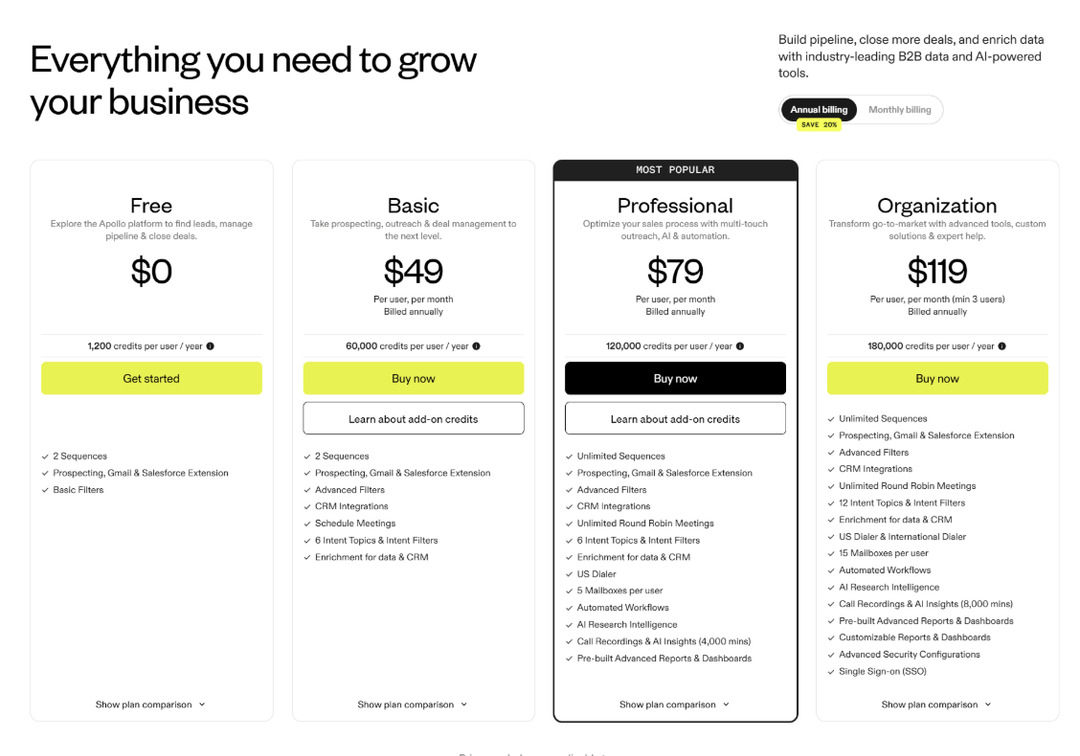
Price: free plan, then Basic at 49 dollars per user per month billed annually, Professional at 79 and Organization at 119 with a three-seat minimum. Monthly billing runs roughly 20 percent higher.
ZoomInfo
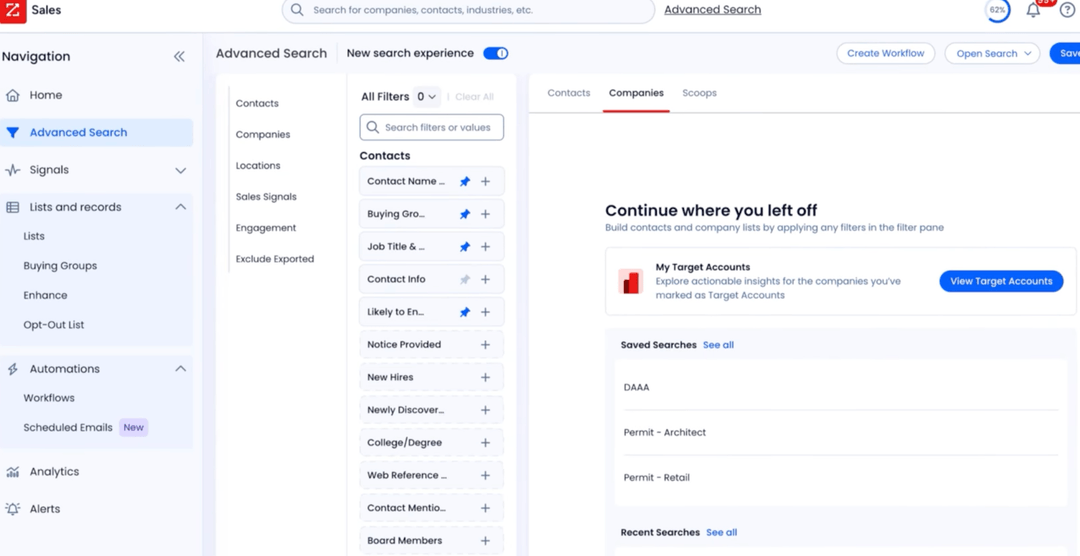
ZoomInfo holds the largest B2B database in the category and the deepest set of North American direct dials. It also carries intent data, visitor identification and an orchestration layer, so enterprise teams buy it as a platform and not as a list.
What separates it from Apollo is the scale of the data and the scale of the contract. It sells annually through a sales process, with credit volumes negotiated account by account. For a team of two to ten people, the shape is wrong before the price even comes up.
Price: ZoomInfo publishes no rates. Its pricing page states that cost is consumption-based and quoted per organization, on annual contracts with no monthly option.
Cognism
Cognism is the European answer to ZoomInfo, and its case rests on compliance and phone accuracy. Diamond Data is a set of mobile numbers a human has called to confirm, and the platform scrubs against do-not-call registers before a number reaches your rep.
Nothing else here covers EMEA at that quality with sourcing terms written into the contract. If your reps dial into France, Germany or the Nordics, that's the reason people pay for it.
Price: Cognism publishes no rates. Every deal is quoted after a demo, built from a platform access fee plus per-seat licensing, on annual contracts only.
3 tools that fill in the missing emails
Clay
Clay looks like a spreadsheet and behaves like a workflow engine. Each column calls a provider, an API or an AI prompt, and you chain them so a row that arrives as a company name leaves as a scored contact with a verified address and a written opening.
Nothing else on this list runs a waterfall across more than 150 providers in one table. You pay for it in setup time, and in a credit system that now splits into Data Credits for the data and Actions for the work the platform does.
Price: free plan, then Launch at 185 dollars a month on monthly billing and about 167 billed annually, Growth at 495 monthly and about 446 annually, Enterprise from 30,000 dollars a year. The old Starter, Explorer and Pro tiers closed to new customers in March 2026.
Hunter
Hunter finds and verifies work email addresses and does very little else. Give it a domain and it returns the pattern and the people. Give it a name and a company and it returns the address with a confidence score.
Where it differs from its neighbours is the billing unit: one shared credit pool instead of a seat, so your whole team works off a single plan. No tier carries phone numbers, which is the gap to plan around if anyone on the team dials.
Price: free plan with 50 credits a month, then Starter at 49 dollars a month on monthly billing or 34 billed annually, Growth at 149 monthly or 104 annually, Scale at 299 monthly or 209 annually. Annual takes 30 percent off every tier.
Lusha
Lusha built its name on phone numbers and on an extension that reveals a contact while you sit on their profile. It now carries buying signals and a light sequencer too, though the database is what people pay for.
Against Hunter it wins on phone data. Against Cognism it wins because you can sign up with a card. A phone reveal costs five credits where an email costs one, so a calling motion drains an allowance five times faster than an email one.
Price: free plan with 40 credits a month, then Starter at 49.90 dollars a month on monthly billing or 37.45 annually, Pro from 69.90 monthly or 52.45 annually, Premium from 399.90 monthly or 299.95 annually, Scale on quote.
3 tools that tell you who to write to
Gojiberry
Gojiberry is an AI-powered multichannel prospecting platform. It tracks more than 30 buying signals across the socials and the web, surfaces the leads who are actively looking right now, and triggers personalized outreach across several channels. Every account arrives with the signal that produced it attached, so the reason to write turns up with the contact.
Nothing else in this category sits at this price with self-serve signup. Common Room opens an order of magnitude higher and needs a sales call. Come to us instead when five hundred accounts all look equally plausible and only fifty of them are live. We don't send at volume, so a stage 3 tool still sits next to us.
Price: free start with no card, then Pro at 99 dollars a month on monthly billing with 2 social senders, and a custom tier above it.
Common Room
Common Room collects signals from everywhere your buyers appear, including community platforms, your product, your website and social, then resolves all of it onto one person record. For teams running community-led growth it draws the most complete picture available.
No other tool here unifies product usage, community activity and company data in a single identity graph. The price puts it out of reach below roughly twenty people, and Zoom announced an agreement to acquire the company in July 2026, so the packaging may shift.
Price: Essential at 2,500 dollars a month billed annually, which is 30,000 dollars a year. Advanced and Enterprise are quote-only. Figures of 1,000 to 2,100 dollars a month still circulating online describe a retired tier.
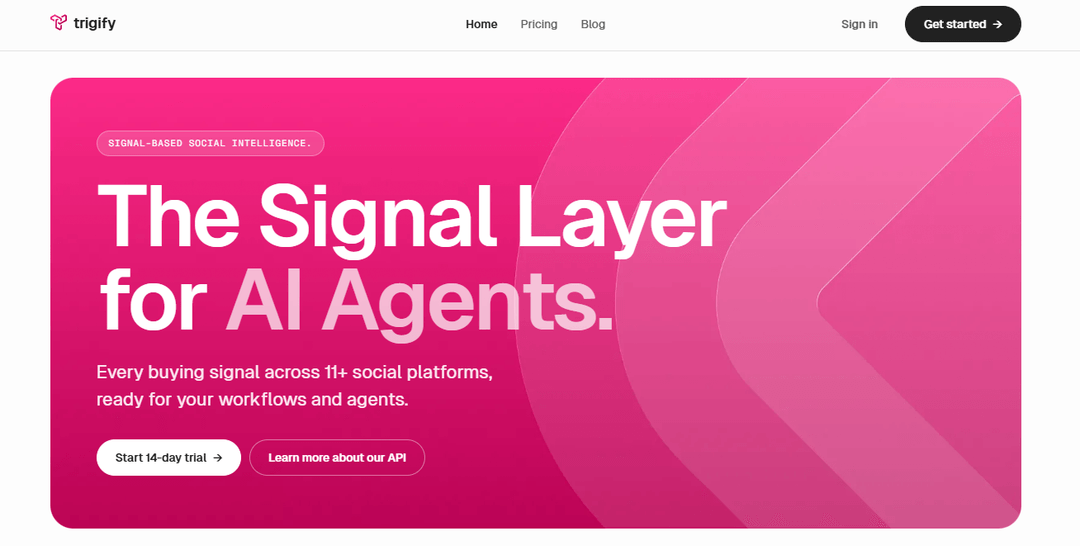
Trigify
Trigify listens to social platforms for engagement: who reacted to a competitor's post, who commented on a category topic, who joined a conversation about your category. It resolves each engager to a person, enriches them and pushes them into Clay, a CRM or an outreach tool.
Against Common Room it trades breadth for focus and for a price a three-person team can sign off. Its plan names changed during 2026, so any page still listing Essential, Growth and Scale is describing the legacy line. If it looks close without quite fitting, we went through the field in Trigify alternatives.
Price: Starter at 40 dollars a month and Max at 199 dollars a month on monthly billing, Enterprise on quote, with a 14-day trial. Annual carries a discount the vendor doesn't publish as a rate.
3 tools that send and follow up for you
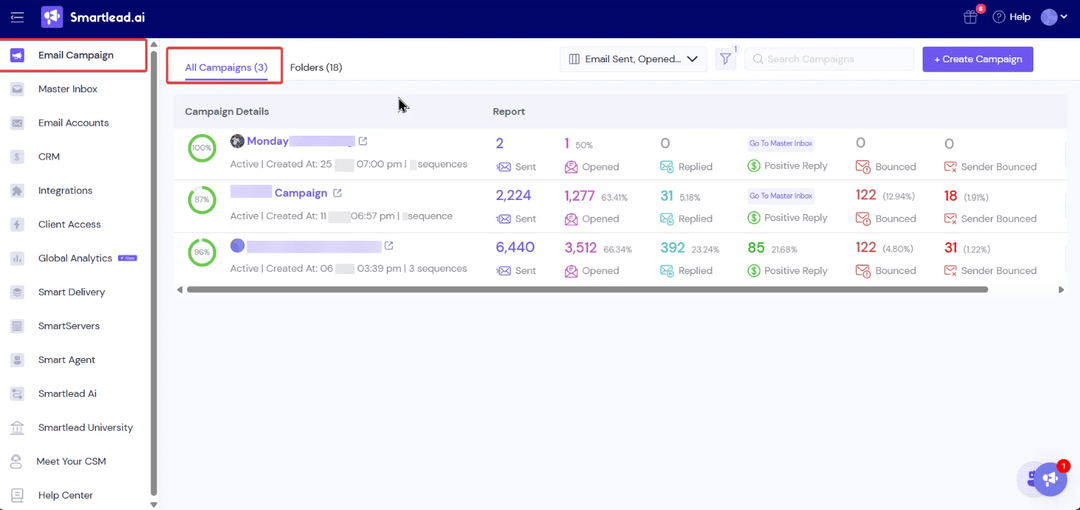
Smartlead
Smartlead connects an unlimited number of mailboxes on every plan, warms them all, rotates sending across them and drops every reply into one master inbox. It's built for people running many domains, which is why agencies live in it.
Nothing else gives you white-label client portals and a full API under a hundred dollars. The entry tier locks out the API and the CRM, so teams doing real volume land on Pro rather than Base within the first month.
Price: Base at 39 dollars a month, Pro at 94, Unlimited Smart at 174 and Unlimited Prime at 379, all on monthly billing, with roughly 17 percent off annually. Agency client workspaces cost 29 dollars each per month below the top tier.
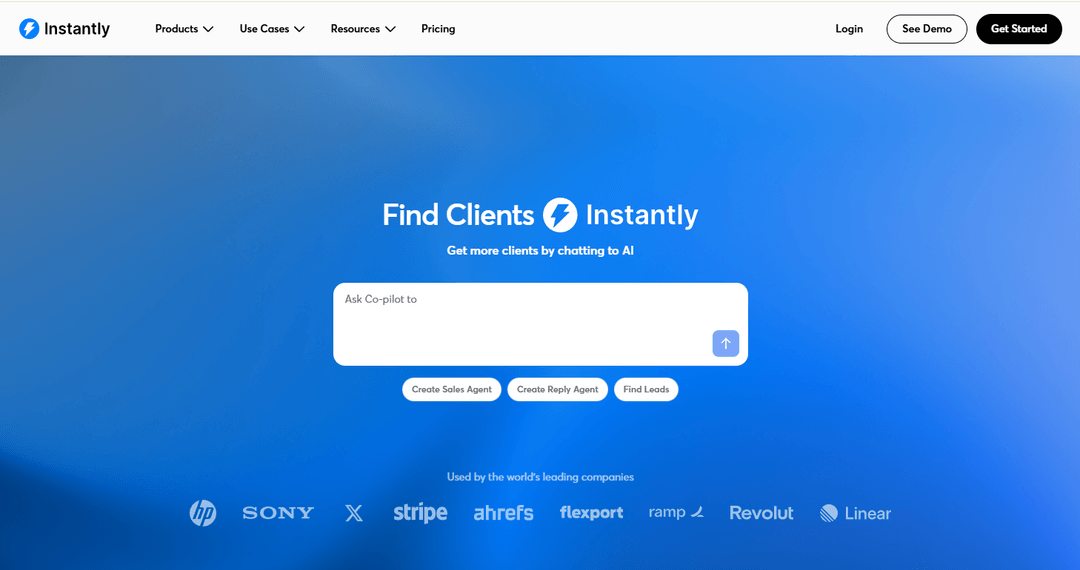
Instantly
Instantly prices by sending volume instead of by seat, so a team of twenty pays what a team of five pays on the same tier. Unlimited mailboxes and unlimited warmup come with every plan, and the reply inbox handles high volume without falling over.
Model one thing before you buy: Instantly sells three products separately. Outreach is the sending engine, the lead database is its own subscription and the CRM is a third. The advertised entry price covers sending alone. If that modular structure is what puts you off, we priced the field in Instantly alternatives.
Price: Growth at 47 dollars a month on monthly billing or 37.60 annually, Hypergrowth at 97 monthly, Light Speed at 358 monthly, Enterprise on quote. The lead database and the CRM bill on top.
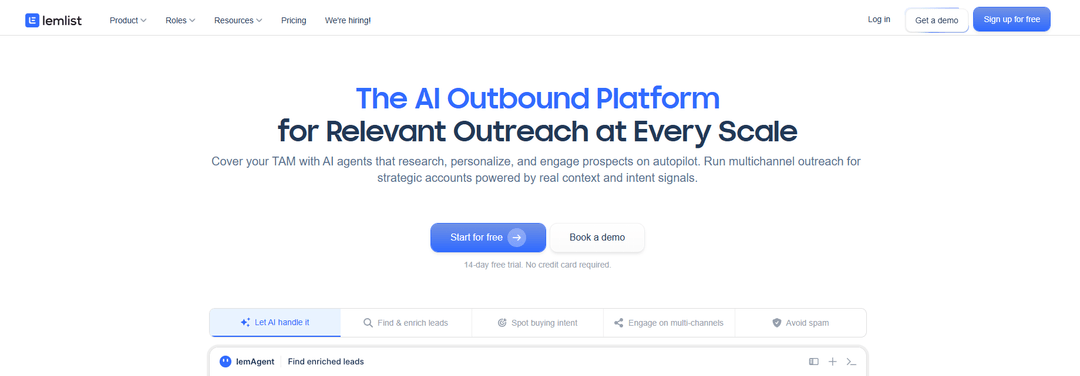
Lemlist
Lemlist is the most polished sequencer of the three and the only one that treats email, social steps and calls as parts of one visual sequence. Lemwarm, its warmup network, is included on every paid plan rather than sold as an add-on.
Its neighbours can't match the personalization layer, which puts a prospect's name or site into an image or a video inside the message itself. It bills per user, so the invoice climbs with headcount where a flat-rate tool wouldn't.
Price: Email Pro at 79 dollars per user per month on monthly billing or 63 annually, Multichannel Expert at 109 monthly or 87 annually, Enterprise on quote. Extra sending addresses cost about 9 dollars per mailbox per month.
2 tools that run your social outreach
PhantomBuster
PhantomBuster runs more than a hundred small automations it calls Phantoms, covering social platforms, Sales Navigator, Google Maps and a long tail of other sources. You chain them into a flow and it bills for the time the machines spend running, not for seats or contacts.
No other tool here covers that breadth of sources. The billing unit catches people out, because 20 execution hours on the entry tier works out at about forty minutes a day across every automation you've switched on.
Price: Starter at 69 dollars a month, Pro at 159 and Team at 439, all on monthly billing, with about 20 percent off annually, taking them to roughly 56, 127 and 351. The tiers were renamed during 2026, so older pages use different labels for the same amounts.
HeyReach
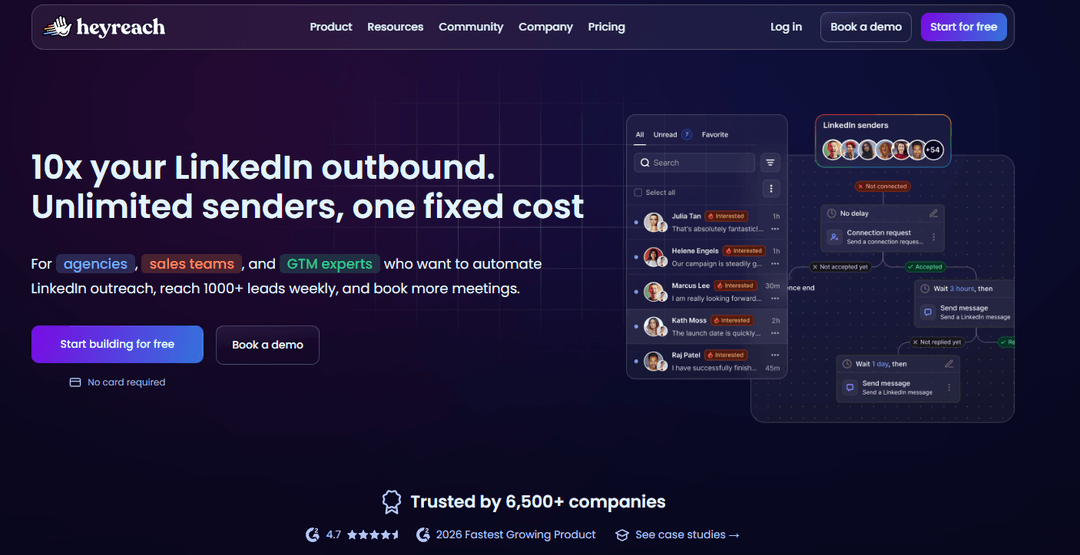
HeyReach charges per sending account instead of per user, so teammates, VAs and clients all sit inside one subscription for nothing while the sender accounts carry the cost. Campaigns rotate across every connected account and replies land in a single inbox.
Against PhantomBuster it does one channel properly instead of ten roughly. It holds no email database, so enrichment comes from elsewhere. We put the per-sender model against the field in HeyReach alternatives.
Price: Growth from 79 dollars per sender per month on monthly billing and about 59 annually, Agency at 999 dollars a month for a sender bundle, Unlimited above that. Published rates moved during 2026 and sources disagree on the current Growth figure, so check the pricing page before you sign.
2 tools that mix email and social
La Growth Machine
La Growth Machine is French, GDPR-native and built around identities instead of seats. An identity is one sending persona with its own accounts and mailboxes, and the sequence builder runs social steps, email, calls and X from one canvas, with voice notes available as a step.
Its neighbours don't ship enrichment inside the sequence, so a lead enters with a name and leaves with a verified address without a second subscription. The identity model bites as you grow, because every rep needs one of their own.
Price: Basic at 60 euros per identity per month, Pro at 120 and Ultimate at 120, all on monthly billing, with Custom from 150 euros a month. Annual billing gives roughly two months free.
Salesforge
Salesforge runs email and social outreach from one flat subscription, with unlimited mailboxes, unlimited senders and unlimited users on the upper tier. It sells its own sending infrastructure alongside, so domains, mailboxes and warmup arrive from the same vendor.
Against La Growth Machine the difference is the billing model, because nothing multiplies as you add people or senders. Agent Frank, its autonomous outbound agent, is a separate line and a much larger one.
Price: Pro at 40 dollars a month billed annually and 48 on monthly billing, Growth at 80 annually and 96 monthly, with a 14-day trial. Agent Frank starts at 499 dollars a month.
We put all 16 side by side for you
Ranked for a sales team of two to ten people, which is who this page is written for. We put ourselves at the top and you should read that as the bias it is. Everything below rank one is ordered by how much a small team gets for the money. Where a vendor discounts annual billing, the figure shown is the monthly one, because that is what you pay if you leave after two months.
Skip stages 1 and 2 with Gojiberry
You've now seen all sixteen. Here's where we sit, and where we don't.
We surface the accounts that are in market now, check each one against your ICP before it reaches you, and enrich them into your CRM. That collapses finding and prioritizing into one subscription at 99 dollars a month. Stage 1 and stage 2, one invoice, no sales call.
We don't send at volume. No mailbox rotation, no warmup network, no social automation. A stage 3 tool sits next to us and the grid above is where you pick it. We'd rather write that here than have you discover it in week two.
The narrow version of our pitch: if your list is fine and your problem is follow-ups falling through the cracks, buy a sequencer and skip us entirely. Come to us instead when a list that matched on paper tells you nothing about this week.
Wispra
Sixty percent of weekly demos now come from intent signals instead of a static list.
Mindflow
Reply rate up 31 percent after switching outbound to intent-based targeting.
GTE Localize
More than 100 meetings booked after moving from email blasts to intent-led outreach.
Baur Software
Network doubled by scaling authentic outreach instead of raising send volume.
See your first leads before you pay anything
The free plan hands you real accounts with the signal that triggered each one. No card and no call.
Get your first leads for freeWhat you'll pay to automate all three stages
Nobody on the first page of results adds this up. They list fifteen or nineteen tools with individual prices and never say what a working setup costs. Here are three stacks, priced from the published rates above.
The cheap stack
Apollo Basic for the list
Hunter Starter for verification
Smartlead Base for sending
147 dollars a month on monthly billing, about 115 a month on annual, so 1,380 dollars a year.
The mid stack
Apollo Professional for the list
Clay Launch for enrichment
Instantly Hypergrowth for email
HeyReach Growth for one sender
460 dollars a month on monthly billing, about 383 a month on annual, so 4,596 dollars a year.
The Gojiberry route
Gojiberry Pro for stages 1 and 2
Instantly Growth for sending
No separate database subscription
146 dollars a month on monthly billing, about 137 with Instantly annual, so 1,639 dollars a year.
Run the math for a team of three
RepVue's verified compensation data puts the median United States SDR at a 60,000 dollar base salary and 85,000 dollars on target, across more than 8,000 submissions (RepVue SDR salary data). That's cash compensation alone, before employer taxes, a laptop, a manager's attention and three to five months of ramp.
The mid stack costs about 8 percent of that base salary for a year. The cheap stack costs about 2 percent. Tools have never been the expensive part of prospecting. The expensive part is the person deciding where your reps spend Monday, and that's the job you're choosing between hiring for and automating.
(before you conclude the software wins: the stack does none of the calling, none of the qualifying and none of the objection handling. Different job, smaller invoice.)
How to pick a tool without wasting your budget
Five checks, in this order. Run them on every candidate before a card comes out, because the ranking you get from a feature grid rarely survives contact with your own list.
Check 01
Start with the data and not the feature list
Every demo shows you the interface. Ask for a sample instead: hand over fifty companies from your real target market and see what comes back.
A tool covering 80 percent of your market beats one covering 40 percent, whatever the feature grid says. Test on your list, never on theirs.
Check 02
Check how much personalization you can automate
Merge fields are table stakes and they personalize nothing. What matters is whether the tool can pull a dated fact into the message: a signal, a line from something they published, a change in their situation.
When the answer is no, you're buying a mail merge and you'll write the openings yourself. Fine outcome, as long as you priced it that way.
Check 03
Look at deliverability before you send at scale
Three questions for any sending tool. Does warmup come included or as an add-on? Can it rotate across several mailboxes? Will it let you cap the daily send per mailbox at a number you choose?
Then budget separately for domains, mailboxes and verification. The subscription is usually the smallest line in the sending budget.
Check 04
Compare pricing at your real prospecting volume
Entry prices exist to be compared and they aren't what you pay. Take your monthly numbers, contacts revealed, emails sent, accounts running, and price every candidate at that volume.
Watch the billing unit too: per seat, per identity, per sender, per credit or per execution hour. Two tools at the same headline rate diverge fast once the team hits six people.
Check 05
Make sure your team can switch the automation off
You need a stop button a non-technical person can find under pressure: pause one prospect, pause a campaign, and stop everything at once when a customer replies to something they should never have received.
Check that replies kill the sequence automatically, and check what the tool counts as a reply. Anything that keeps sending after an out-of-office will embarrass you in front of a customer.
The 6 mistakes that kill your automated prospecting
Six, in the order they usually happen. The first two cost you a quarter. The last four cost you a channel, an account or a customer.
Mistake 01
Automating before you know who you sell to
Automation multiplies whatever you feed it, including a vague target definition. If you can't write your ICP in three sentences, no tool here rescues the campaign. Send fifty by hand first and watch which ones get answered.
Mistake 02
Building a huge list instead of a good one
Ten thousand contacts feels like progress and produces a reply rate that rounds to zero. It burns domain reputation and credits at the same time. Cut until every account left could plausibly buy this quarter.
Mistake 03
Sending AI messages that read like AI
Your prospects recognize the shape of a generated email in about a second. The tells are an opening that would fit a hundred people and a closing line asking for fifteen minutes. Draft with AI and rewrite the opening yourself, every time.
Mistake 04
Automating your social account until it gets restricted
Platforms detect patterns, not intent. Twenty a day from a warm account passes unnoticed. Eighty from a new one is a restriction waiting to happen, and cookie-based tools carry more risk than cloud ones because they act through your live session.
Mistake 05
Letting bots handle conversations that need a person
The three stopping points from earlier are the whole rule: a real reply, an objection, anything about price. Teams lose more deals to one automated message too many than they ever lose to answering slowly.
Mistake 06
Measuring your activity instead of your pipeline
Emails sent, connections made and open rates all move when you push harder, and none of them says whether the motion works. Track replies, qualified conversations and opportunities created. Open rates stopped carrying information once mail providers started pre-loading images.
Research a prospect in 6 minutes with the 2-2-2 rule
Six minutes, split three ways, and you stop when the timer goes. Research expands to fill whatever space you give it, and the eleventh minute has never produced a better opening line than the fifth.
Two minutes on the company. What they sell, who to, and what changed recently. Homepage, pricing page, news or press section. You're hunting for a fact with a date attached.
Two minutes on the person. Their role, how long they've held it, what they publish. Profile plus their last few posts. You want to know what they're measured on and how they talk about it.
Two minutes on what changed. A round, a job posting, a launch, a new market, a reaction to something a rival published. This becomes your first line, and the other four minutes exist to support it.
Automation covers the first two blocks almost entirely. A database hands you the firmographics and the role without a tab opening, and enrichment fills the rest. The third block is the one worth a human, and it's the one a signal tool puts in front of you before you start. Run the whole thing by hand for a week first, because six minutes times fifty prospects is the number that tells you whether you have a tooling problem or a headcount one.
Run your process through the 5 P's before you automate it
Several versions of this framework circulate and none of them is official. The one quoted most often runs Purpose, Preparation, Personalization, Perseverance and Practice. Use it as a check and not as a definition, because automating a broken process scales the break.
Purpose
Can you say what a campaign is for in one sentence, and name the number that tells you it worked?
(if the answer is "more leads", stop here)
Preparation
Is your ICP written down, and does your list match it, or does it match whatever the filter returned?
(check twenty rows by hand)
Personalization
Does every message carry a fact about that person you couldn't have written about anyone else?
(their name is not a fact about them)
Perseverance
Do you have four follow-ups written, each on a different angle, and a defined point where you stop?
(the fifth message converts almost nobody)
Practice is the fifth, and it's the one automation makes possible. Once the sending runs itself, the hours you get back go into rewriting the openings that failed and testing the next set. If you can't answer the first four questions, buying a tool this month makes you wrong faster and at greater volume.
Why we built a signal tool rather than another sender
Roman spent his days prospecting on the socials before Gojiberry existed. He'd open a list of accounts that all matched on paper, then go looking by hand for the one thing that made any of them worth a message this week: a new role, a funding round, a comment under a competitor's post. Finding it took an afternoon. Writing the email took four minutes.
Coco.ai was where that habit turned into a method. We kept watching the same pattern hold, that the accounts worth writing to had done something recently and nothing in the stack surfaced it. So we built the part we were doing by hand, and left the sending to the tools that already do it well.
What people ask us before they automate
How do you automate sales prospecting?
In three stages. Stage 1 builds the list: a database turns your ICP into a filtered set of accounts and named contacts, then an enrichment tool fills in verified addresses.
Stage 2 picks out this week's queue, by tracking buying signals such as job changes, funding rounds, hiring posts and competitor engagement, then scoring accounts on fit plus recency.
Stage 3 sends the first message and the follow-ups on a timer and stops the sequence when somebody replies. You keep the opening line and you keep the conversation. Start with whichever stage costs you the most hours this week instead of buying all three at once.
What is the difference between sales automation and sales prospecting automation?
Prospecting automation covers everything before the first reply: finding accounts, enriching contacts, spotting signals, sending the first touch. Sales automation covers everything after it: pipeline stages, CRM updates, meeting booking, quotes, forecasting.
The reply is the boundary, and the tools rarely overlap. A sequencer won't manage your pipeline and a CRM won't find you accounts.
Most teams feel one of the two more than the other. No conversations means a prospecting problem. Conversations you keep losing track of means a pipeline problem.
Can AI automate B2B prospecting?
It handles the research and the drafting well. AI reads a company site, summarizes what a prospect publishes, scores accounts against your criteria and produces a first draft in seconds, which covers most of the hours.
It handles judgement badly. It can't tell you whether a signal means somebody is in market or merely curious, and left alone it writes openings that read as generated.
The split that works today is AI for research and prioritizing, a human for the opening line and every reply. Anyone selling a fully autonomous version is selling volume, and volume is the thing that stopped working.
Can automation get your social account restricted?
Yes, and planning for it is the difference between an inconvenience and a lost channel. Automating a social platform goes against its terms of service, so this is risk management, not safety.
Keep a single account under about twenty invitations a day, ramp a new one slowly across several weeks, and prefer cloud-based tools over extensions that act through your live session cookie. Never run your only account or your company page through an automation tool.
Teams that keep a separate prospecting account lose nothing important the day a restriction lands.
Does automated prospecting work for a team of three?
It works better at three than at thirty, because the point is buying back hours nobody has. The mistake small teams make is buying the full stack in one go.
Start with one tool for the stage that costs you the most time. Days lost building lists means stage 1. A list you can't prioritize means stage 2. Follow-ups falling through the cracks means stage 3.
On budget, a working three-stage setup runs from about 147 dollars a month at the cheap end to about 460 at the mid end on monthly billing. That's a fraction of a junior hire, and it does a fraction of the job.
How long before automated prospecting produces meetings?
Six to ten weeks in most cases, and the first three of those go to warmup and not to sending. A new mailbox climbing from twenty emails a day to a working volume takes two to three weeks on its own, and the first replies arrive during the fourth.
Signal-based stages move faster because there's no infrastructure to warm. Point a signal tool at your market and the first queue of accounts arrives the same day, which is why teams under pressure often buy stage 2 before stage 3.
What takes longest is the feedback loop. You need roughly two hundred sends per variant before a reply rate means anything, so plan the first quarter as calibration, not as pipeline.
Automate the part that decides everything else
Gojiberry tracks more than 30 buying signals and hands you the accounts worth writing to this week, so your sequences land on people who care.
Start for free See what teams did with it