
10 best email outreach automation tools in 2026 and what they cost

Infrastructure calculator
How many emails do you want to send a day?
emails per day
To send 1,000 emails a day safely you need around 25 inboxes across 9 domains, and 2 to 3 weeks of warm-up before you send anything.
We count 40 emails a day per inbox and three inboxes per domain. And that's before you write a word or find anyone worth writing to 😅
Table of contents
- What these tools do for you
- Some of these tools give you contacts and some don't
- The 10 best email outreach automation tools in 2026
- What these tools really cost you
- Let one agent find your leads and write the emails
- How to send 1,000 emails without Gmail blocking you
- No tool can promise you the inbox
- Fix your list before your copy with the 30/30/50 rule
- Don't buy the sender before you know where your list comes from
- Where automation stops and you take over
- What people ask us before they automate their outreach
What these tools do for you
An email outreach automation tool runs a sequence in your place. You load a list, write a first email and two or three follow-ups, connect your sending inboxes, and the tool spaces the sends across the week, stops the sequence the moment someone replies, and drops every reply into one inbox.
Most of them do three more things around that: they warm your inboxes, rotate the sending across them so no single address carries the whole volume, and verify addresses before you touch them. That covers the mechanics. If you want help with the words themselves, our email subject line generator gives you openers to test.
Some of these tools give you contacts and some don't
This is the line that decides your bill, and most comparisons skip it. Four of the ten tools below hand you a contact database. The other six expect you to arrive with a list.
Gojiberry, Apollo, Snov.io and Amplemarket include the data. Instantly, Smartlead, Woodpecker, GMass, Saleshandy and Lemlist sell you the sending, and the contacts arrive from somewhere else: a second subscription, a credit pack, an export you built by hand.
What that changes in practice: Instantly Growth costs $47 a month, and Instantly Credits, the lead database, costs its own subscription on top. Two lines, not one. Saleshandy prices its Lead Finder as a separate product from its outreach plan. Woodpecker and Lemlist bundle a small credit allowance and sell you more when you finish it. So when you compare $39 against $99, you are often comparing half a setup against a whole one.
It also changes your week. A sender with no data waits for you every Monday. Somebody has to open Sales Navigator, build the segment, export it, verify it and upload it before anything sends. That hour belongs in the price too.
The 10 best email outreach automation tools in 2026
How to read this table. Every figure comes from the vendor's own pricing page, checked on 30 August 2026. The entry price column shows the cheapest paid plan on monthly billing, with the annual equivalent next to it, because half the confusion on this query comes from pages that quote annual rates without saying so. Apollo and Amplemarket meter per user. Everyone else meters volume.
How we tested them and when we checked the prices
We opened all ten pricing pages ourselves on 30 August 2026 and wrote down the monthly rate, the annual rate and the unit the meter runs on. We took nothing from another comparison post, because the figures circulating on this query disagree by 20 to 30 percent, and the reason is almost always an annual price quoted as if it were monthly.
We judged three things: whether the tool hands you contacts or waits for you to bring them, what one working setup costs at a real volume rather than at the entry tier, and what each tool does that its neighbours do not. We pay for the tools we write about. No vendor read a word of this before publication.
What we did not do: run ten parallel campaigns on an identical list and score the reply rates. We have not run that test, and an invented percentage would be worth less than this sentence admitting it. So you will find no benchmark we cannot source and no score out of ten. Gojiberry is our own product, it gets the same two paragraphs as everyone else, and we state its volume limit in plain terms further down.
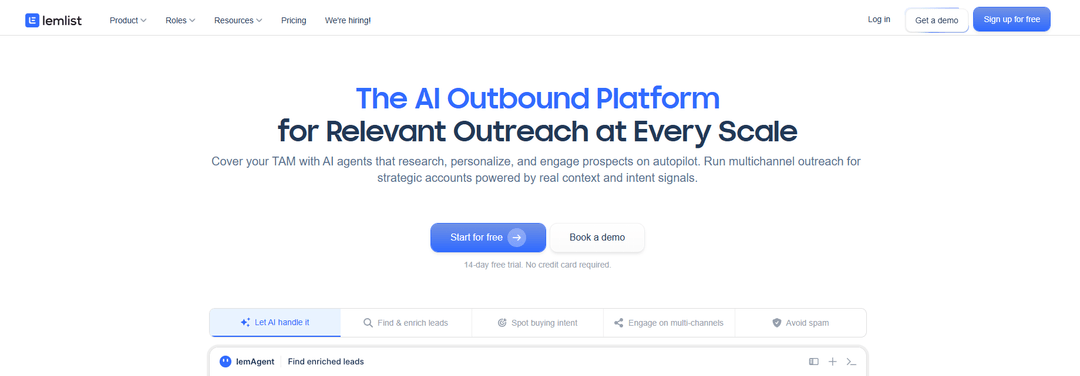
Gojiberry
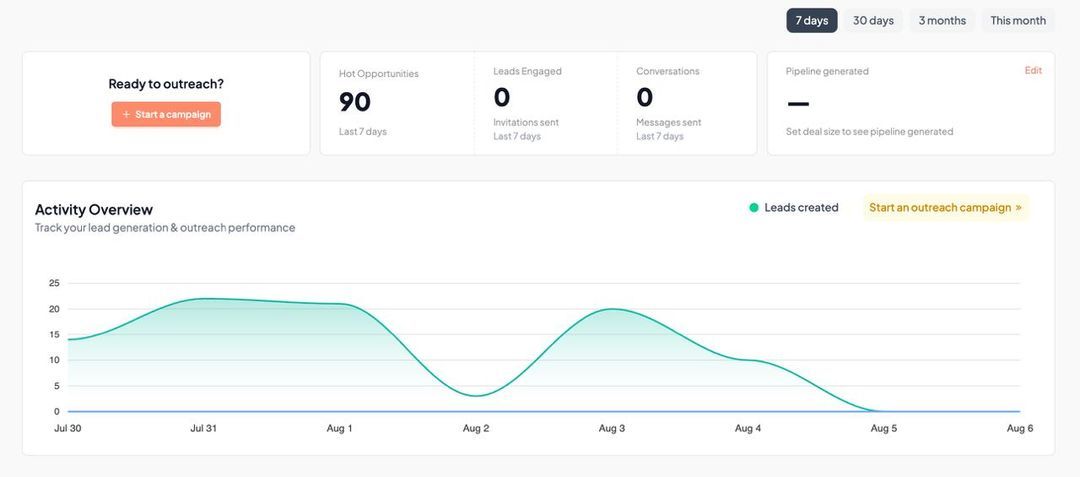
Brings you contacts. Gojiberry reads your website, works out what you sell and who you sell it to, then watches for accounts showing buying signals and adds lookalikes of the people who already convert. It scores each prospect, writes the copy, contacts them across email and social, and drafts your replies in one inbox. Copywriting, sequencing, signal tracking and lead finding sit inside the same subscription.
Price. Pro is $99 a month, billed monthly: two agents prospecting around the clock, up to 1,800 prospects contacted a month, email waterfall enrichment across 15 or more data providers, smart scoring, Copilot mode, and CRM, API and MCP integrations. The Custom plan adds senders across every channel for teams of five and up. A free plan lets you start without a card. Read the 13 intent signals we watch if you want the mechanics.
Instantly
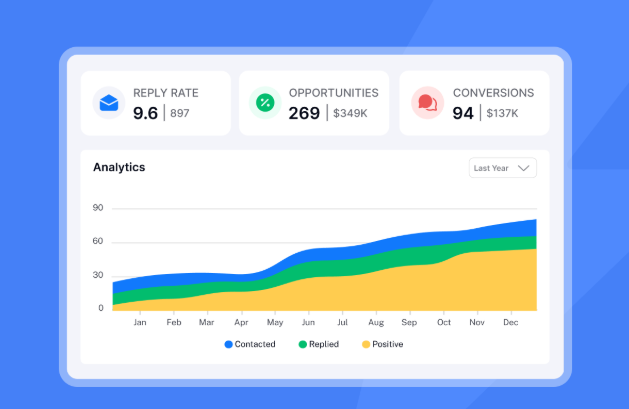
Does not bring you contacts on the sending plan. Instantly splits its product in two: Outreach handles the inboxes, warm-up and campaigns, and Instantly Credits sells you the lead database as its own subscription. The sending side is the strongest argument here, because every tier includes unlimited email accounts and unlimited warm-up, so the meter runs on emails and contacts rather than on people. A team of twenty pays the same as a team of five.
Price. Outreach Growth is $47 a month on monthly billing, or $37.60 a month on annual, with 5,000 emails and 1,000 contacts. Hypergrowth is $97 a month, Light Speed $358, and Enterprise runs on a quote. Annual billing takes roughly 20 percent off. Add Credits and the real invoice starts nearer $94. If you want the field around it, we mapped the best Instantly alternatives separately.
Smartlead
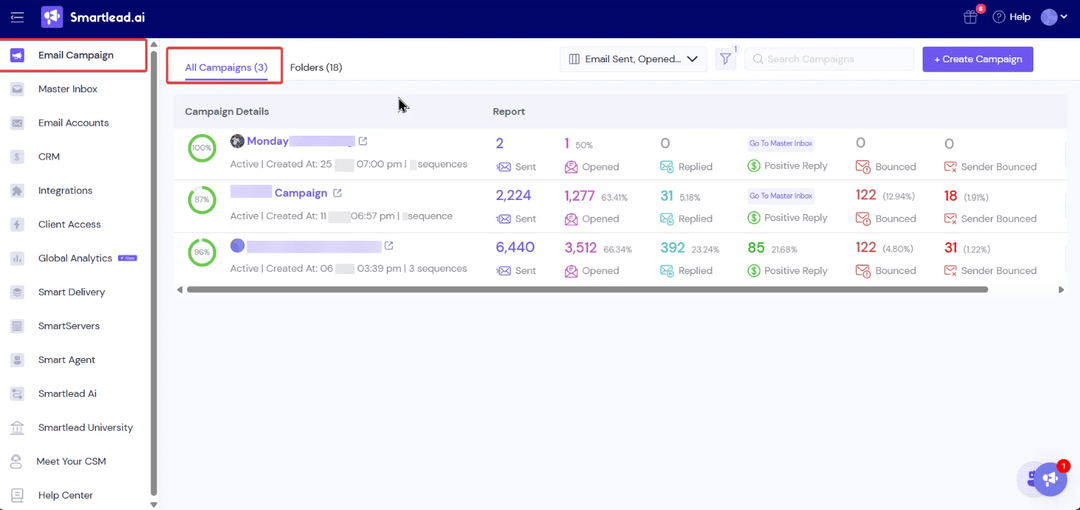
Does not bring you contacts. Smartlead sells sending infrastructure at agency scale and nothing pretends otherwise. Unlimited mailboxes and warm-up on every tier, rotation across all of them, one master inbox for the replies, and white-label client portals so each client logs into something that looks like yours. That last piece is the reason agencies pick it over Instantly, and it costs $29 a month per client workspace.
Price. Base is $39 a month on monthly billing with 2,000 leads and 6,000 sends, Pro is $94, Unlimited Smart is $174 and Unlimited Prime is $379. Annual billing takes about 17 percent off every tier. The head to head with its closest rival sits in Smartlead vs Instantly.
Woodpecker
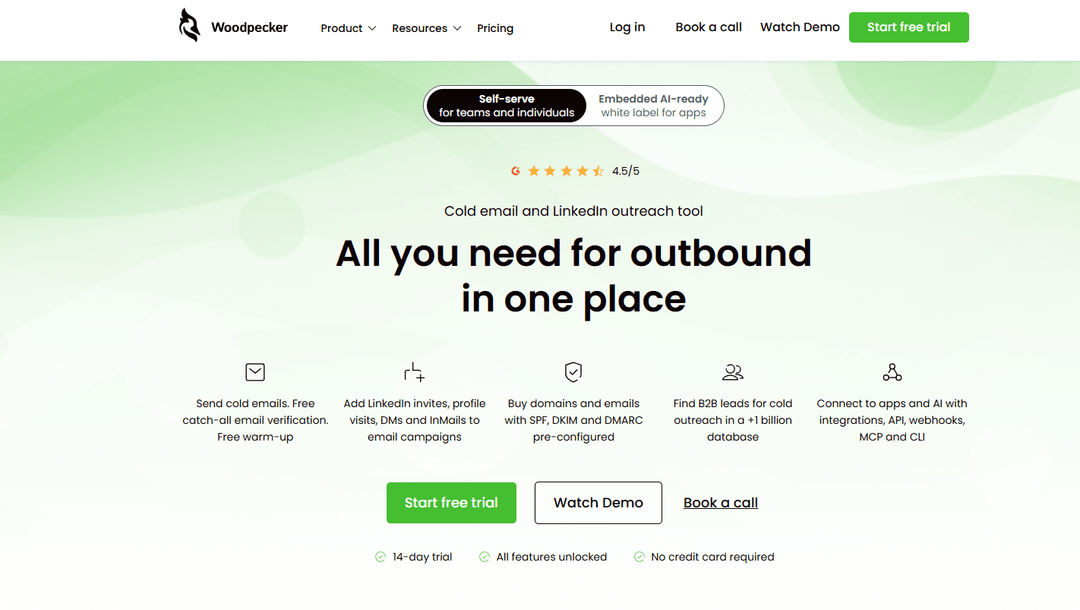
Brings you a small credit allowance. Woodpecker includes Lead Finder credits in the bundle and sells more when you finish them, so it sits between the two camps. What separates it from everything else here is the meter: you pay for contacted prospects, not for seats or mailboxes. One prospect who receives a five-step sequence counts once, and the counter resets every month. Unlimited email accounts and unlimited team members come with it.
Price. The entry plan is $35 a month on monthly billing for 500 contacted prospects, dropping to around $24 a month on annual. Above that the meter scales with your volume rather than jumping between named tiers. Several add-ons sit outside the base price: LinkedIn outreach per connected account, extra warm-up slots, the integrations and API pack, and an agency panel billed per active client. Below a few hundred prospects a month this is one of the cheapest tools in the category. Above that, the arithmetic turns against it.
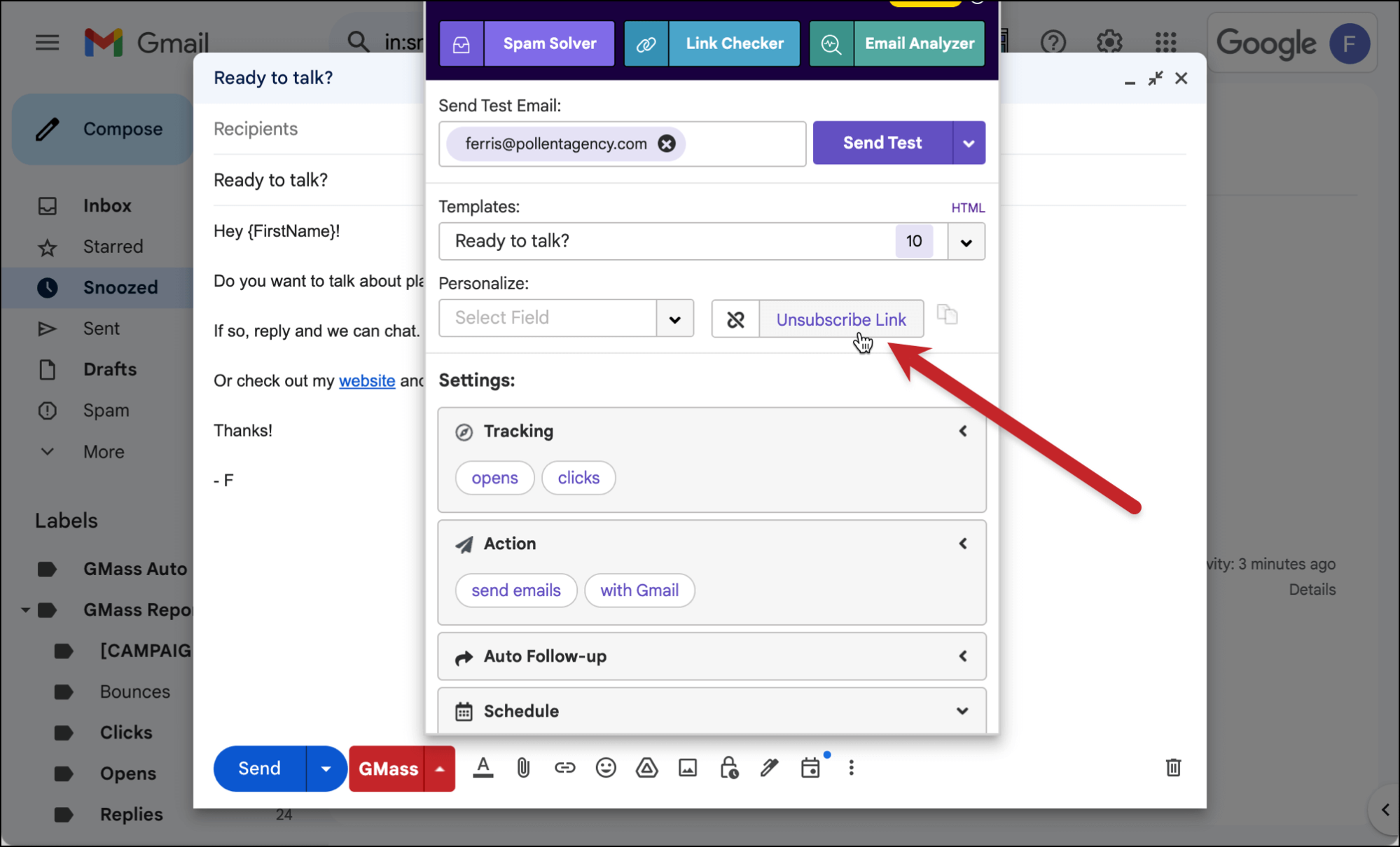
GMass
Does not bring you contacts. GMass is a Chrome extension that turns Gmail into a mail merge tool. Your campaigns send from your real Gmail address, your list comes from a Google Sheet, and the whole thing lives inside an interface you already know. Nothing else on this page has a setup time measured in minutes. The top tier adds MultiSend, which rotates sending across several Gmail accounts.
Price. GMass raised its prices on 1 January 2026. Standard is $29.95 a month on monthly billing, or $20.75 a month on annual. Premium is $39.95 monthly and $29.08 annual. Professional is $59.95 monthly and $49.92 annual. Team plans start at $175 a month for five users. The ceiling is not the software: Gmail caps you at 500 sends a day on a personal account and 2,000 on Workspace, whatever you pay GMass.
Apollo
Brings you contacts, and leads with them. Apollo is a database with sequencing attached rather than a sender with data attached, and the order matters. You search a contact pool of more than 200 million records, filter, reveal and push straight into a sequence. A dialer with call recording arrives at the Professional tier. The catch is the credit system: revealing a verified email costs one credit, a phone number costs eight, and credits do not roll over.
Price. A free tier exists and covers evaluation. Basic is $59 per user per month on monthly billing, or $49 on annual. Professional is $99 monthly and $79 annual. Organization is $149 monthly and $119 annual with a three-seat minimum, which puts its real entry near $357 a month. Annual billing takes roughly 20 percent off, and every seat pays full price. The full breakdown sits in our Apollo pricing guide.
Saleshandy
Sells the contacts as a separate subscription. Saleshandy's Lead Finder is its own product with its own price, and the outreach plans include only a small starting credit grant. What you get for the low sticker is a competent email-first sender: unlimited connected mailboxes on every tier, sender rotation, warm-up, verification and inbox placement testing during live campaigns rather than only during warm-up.
Price. Outreach Starter is $36 a month on monthly billing, or $25 a month on annual, with 2,000 active prospects. Pro is $99 monthly and $69 annual. Scale is $199 monthly and $139 annual. Annual billing takes around 30 percent off, which is the steepest discount on this page and the reason its headline figure looks lower than Smartlead's. Budget the Lead Finder as a second line if you plan to prospect inside the tool.
Snov.io
Brings you contacts, and verifies them. Snov.io bundles the finder, the verifier and the sender on one credit balance, which suits a founder who would rather manage one subscription than three. Every paid plan carries unlimited seats and unlimited sender accounts, so a five-person team pays what a solo founder pays. Two quotas run at once though: credits for finding and verifying, recipients for sending.
Price. Starter is $39 a month on monthly billing with 1,000 credits and 5,000 recipients. Pro starts at $99 a month for 5,000 credits and climbs with the credit pack you pick. Annual billing takes roughly 25 percent off. A free Trial plan renews 50 credits every 30 days, which is enough to see the interface. LinkedIn automation sits outside every plan at $69 a month per connected account.
Lemlist
Sells the contacts as credits. Lemlist gives you access to a lead database and meters it, so heavy prospecting means buying more. The product itself sells personalisation: custom images with the prospect's logo in them, video thumbnails, and LinkedIn, calls and SMS in the same sequence as the email. Nobody else on this list matches the personalisation assets.
Price. Lemlist reshuffled its plans during 2026. The Email plan is now $69 a month per workspace on monthly billing, or $55 annual, with unlimited users and a 50,000 email monthly cap. Multichannel is $109 per user per month, or $87 annual, with unlimited sends. Enterprise runs on a quote from five seats. Watch the switch: the moment you need LinkedIn, the billing flips from one workspace price to a price per person, and a three-person team goes from $69 to $327 a month.
Amplemarket
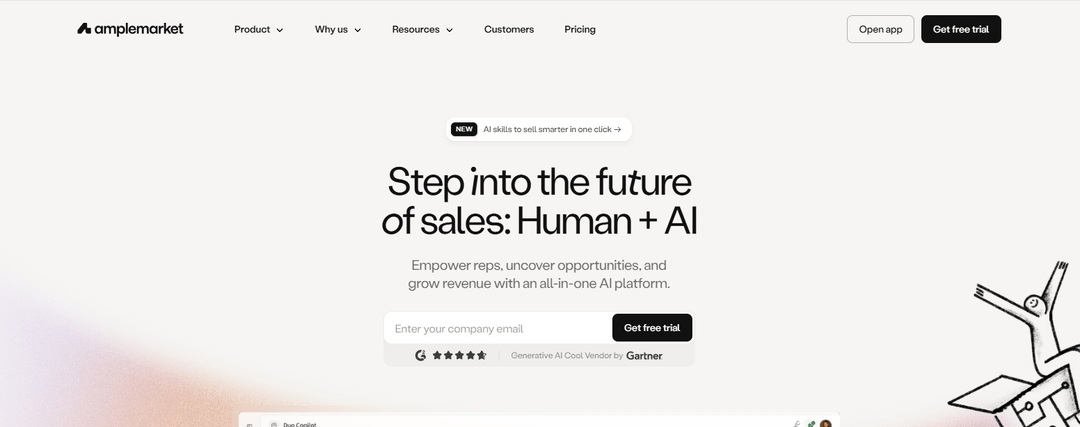
Brings you contacts. Amplemarket is the closest thing here to what Gojiberry does, and the most expensive: a database of more than 200 million contacts, buying signals, AI agents that research and draft, multichannel sequencing and deliverability tooling in one contract. Teams that buy it usually cancel three or four other subscriptions on the same day.
Price. The Startup plan is $600 a month on an annual term and includes two users, which works out at $300 per seat. Growth includes four users and Elite includes ten, both on a quote. Amplemarket publishes no monthly billing option, so the smallest commitment you can make is $7,200 for a year. That price puts it outside the reach of most teams reading this page, which is worth saying plainly rather than burying.
What these tools really cost you
Every page on this query prices the tools one by one. Nobody adds up a working setup. Here are three, at published prices, for one person doing real outbound.
Instantly Hypergrowth
$1,164 a year
$931.20 a year
Instantly Hypergrowth and Apollo Professional
$2,352 a year
$1,879.20 a year
Gojiberry Pro
$1,188 a year
Two things fall out of that. The middle row is what most teams end up with, and it costs roughly twice the row above it, because the sender and the database are two products with two invoices. And the second seat changes everything: Apollo bills per user, so two people on Professional is $198 a month on monthly billing while the Instantly line stays flat.
What none of these three lines include
The mailboxes themselves. The calculator at the top of this page told you how many inboxes your volume needs. Every one of them is a Google Workspace or Microsoft 365 seat you pay for separately, at roughly $6 to $7 a month each, plus a few dollars a year per domain.
At 1,000 emails a day that is 25 inboxes and 9 domains, so add $150 to $175 a month to whichever row you picked, before the software.
Your sequencer is only as good as your list
Gojiberry reads your website, finds the accounts showing buying signals, writes to them across email and social, and drafts your replies.
Get your first leads for freeLet one agent find your leads and write the emails
You have seen the ten and you have seen the real cost. Here is where we sit in it.
Gojiberry runs the whole sequence of decisions, in order. It reads your website and works out what you sell and who buys it. It watches for the signal: a job change, a funding round, a hire, an interaction with a competitor. It picks the accounts that match your ICP and scores them, so you see the strong ones first. It writes the message with the signal that triggered it. It sends across email and social. Then it drafts your reply when someone answers, and puts every conversation in one inbox.
Pro costs $99 a month and contacts up to 1,800 prospects a month with two agents running around the clock. Email waterfall enrichment pulls addresses from 15 or more data providers. The Custom plan adds senders across every channel for teams of five and up.
The honest limit is volume, not capability. 1,800 prospects a month is not agency-scale infrastructure, and if you push 100,000 emails a month you want Smartlead, not us. We are built for a founder or a sales team of two to ten, where the ceiling is the hour nobody has on Monday morning rather than the sending.
Gojiberry is backed by Y Combinator, used by more than 2,000 teams, rated 4.8, and made and hosted in the EU.
What that looks like for a customer
Louis Debusschere at Wipra runs this motion and books 15+ demos a week from it. That is his number, published on our site with his name and his company on it, and we have not rounded it up.
Two agents prospecting for you from 99 dollars
Up to 1,800 prospects contacted a month, each one with the signal that triggered it. No card to start.
Get your first leads for freeHow to send 1,000 emails without Gmail blocking you
Start with the arithmetic from the calculator at the top. Keep one inbox under 40 sends a day, put no more than three inboxes on a domain, and 1,000 emails a day means around 25 inboxes across 9 domains. There is no configuration that gets you around that, and no plan you can buy that changes it.
Then five steps, in this order.
- 🌐Buy separate domains. Never send cold volume from the domain your customers and your invoices depend on. Use lookalikes of your main domain and keep the real one clean.
- 🔥Warm every inbox for two to three weeks. Every tool on this page includes warm-up. Turn it on the day you create the mailbox, not the day you launch.
- 🔑Authenticate with SPF, DKIM and DMARC on every sending domain. This takes twenty minutes in your DNS and it is the single cheapest thing you will do for deliverability.
- 📈Ramp slowly. Start each inbox around 10 sends a day and climb over two weeks. Providers watch the shape of the curve, not only the total.
- ✅Verify the list before you send. Bounces damage a domain faster than anything else you control, and every tool here either includes verification or sells it.
No tool can promise you the inbox
Read any pricing page on this list and you will find deliverability presented as a feature you buy. Some of it is. Here is the honest split.
What a platform controls
Authentication, sending pace, rotation across inboxes, warm-up, list verification and the unsubscribe mechanism.
What it cannot control
Complaints from people you wrote to, stale data, a domain you already burned, and the receiving provider's final filtering decision.
Where the line falls
The tool handles the mechanics. Whether people want your email decides the rest, and no vendor can sell you that.
One number worth knowing if you scale: Google applies extra requirements to anyone sending 5,000 or more messages a day to Gmail accounts. SPF and DKIM, a DMARC record, valid forward and reverse DNS, TLS, one-click unsubscribe, and spam complaints kept below 0.30 percent in Postmaster Tools. Those are Google's own published email sender guidelines, and they apply whatever software you send with.
Fix your list before your copy with the 30/30/50 rule
People ask about this rule on every cold email query and nobody answers it. It splits where your result comes from: 30 percent from the list, 30 percent from the offer, 50 percent from the timing and the relevance of writing to that person now. Some versions swap the middle two.
Treat it as a rule of thumb rather than research. We have seen no study behind those numbers and we are not going to pretend otherwise. What survives the arithmetic is the part that matters: better targeting beats better wording every time, and the hours you spend rewriting a subject line for a list of the wrong people return nothing.
So spend your effort in that order. Get the list right, get the offer right, then write. When you reach the writing, our cold email templates give you twelve openers built around a specific trigger rather than a first name variable.
Don't buy the sender before you know where your list comes from
Three checks, in this order, before you put a card down.
- 🔍Where do the contacts come from? If the answer is "you upload them", you are buying half a setup. Price the other half now, not in month two.
- 💳What does this tool refuse to do without a second subscription? Data, LinkedIn, white label, API access and extra warm-up slots all sit outside the base price on at least one tool here.
- 📊What does the total look like at your real volume? Not at the entry tier. Take the number you typed into the calculator, count the inboxes it needs, add the mailbox cost and then compare.
Where automation stops and you take over
Three moments, and they are not negotiable.
A real reply. The second a human writes back with a real sentence, the sequence stops and you answer. Every tool here does the stopping. You do the answering. Our follow-up email generator covers the touches before that point, not after it.
An objection. Somebody tells you they already use a competitor, or that the timing is wrong. Nothing automated has enough context to answer that well, and the attempt reads as automated to the person on the other end.
Anything about price. The moment money enters the thread, a person takes the keyboard. That is the conversation you ran the whole campaign to get.
What people ask us before they automate their outreach
How do I automate my email outreach?
Four pieces, in order. Buy separate sending domains and create your inboxes on them. Warm every inbox for two to three weeks. Build a list and verify it. Then connect the inboxes to a sequencer, write a first email and two or three follow-ups, and let the tool space the sends and stop on reply.
The order matters more than the tool. People usually buy the sequencer first and discover the domain and list work afterwards, which costs them a fortnight.
What's the best tool for email outreach?
It depends on whether you arrive with a list. If you have the contacts and want volume, Instantly at $47 a month or Smartlead at $39 give you unlimited inboxes and no per-seat fee. If you want the database in the same subscription, Apollo at $59 per user or Snov.io at $39 cover both.
If the problem is that nobody on your team has time to build the list every week, that is where Gojiberry sits, at $99 a month flat with up to 1,800 prospects contacted.
Can I automate outreach without buying a database?
Yes, and plenty of teams do. Every sender on this page accepts a CSV, so an export from Sales Navigator, a conference list or your own CRM works fine. Verify it before you send.
The cost moves rather than disappearing though. You save the data subscription and you spend the hours instead, every week, and the quality of the list becomes whatever the person building it had time for that Monday.
How many emails a day can I send safely?
Around 40 a day from one inbox, once that inbox has warmed for two to three weeks. Past that, providers start throttling you and your reputation drops before your reply rate does.
So the volume you want decides your infrastructure, not your plan. 1,000 a day means roughly 25 inboxes across 9 domains. The calculator at the top of this page does the arithmetic for whatever number you have in mind.
Will automated emails land in spam?
Not because they are automated. They land in spam because the domain is new and unwarmed, the authentication is missing, the list bounces, or too many people mark the message as unwanted.
Fix the first three yourself with SPF, DKIM, DMARC, warm-up and verification. The fourth is not a technical problem: it means you wrote to people who had no reason to hear from you.
Do I need a separate warm-up tool?
No. Instantly, Smartlead, Woodpecker, Saleshandy, Snov.io and Lemlist all include warm-up in the subscription, and Instantly and Smartlead put no limit on how many inboxes you warm.
Standalone warm-up tools made sense when senders charged extra for it. In 2026 you are usually paying twice for the same thing.
Can one tool find the leads and write to them?
Four on this page do both: Gojiberry, Apollo, Snov.io and Amplemarket. The difference between them is what triggers the outreach. Apollo and Snov.io give you a database to search, so you still decide who and when. Gojiberry and Amplemarket watch for a signal and bring you the account with the reason attached.
The price gap is large. Amplemarket starts at $600 a month on an annual term for two users. Gojiberry Pro is $99 a month, billed monthly.
Stop filling the sequencer yourself
Gojiberry finds who to write to, writes it, sends it and prepares the reply. You show up for the meeting.
Get your first leads for free
More High-Intent Leads = Your New Growth Engine.
Start Now and Get New High Intent Leads Delivered Straight to Slack or Your Inbox.