
n8n vs Make for AI Agents: Complete Comparison & Implementation Guide 2025

Choosing the right automation platform for your AI agents is a high-impact decision. It's the kind of foundational choice that dictates your team's speed, scalability, and ultimately, how much you can innovate. Get it right, and you’re flying. Get it wrong, and you’re stuck in the mud. 😫
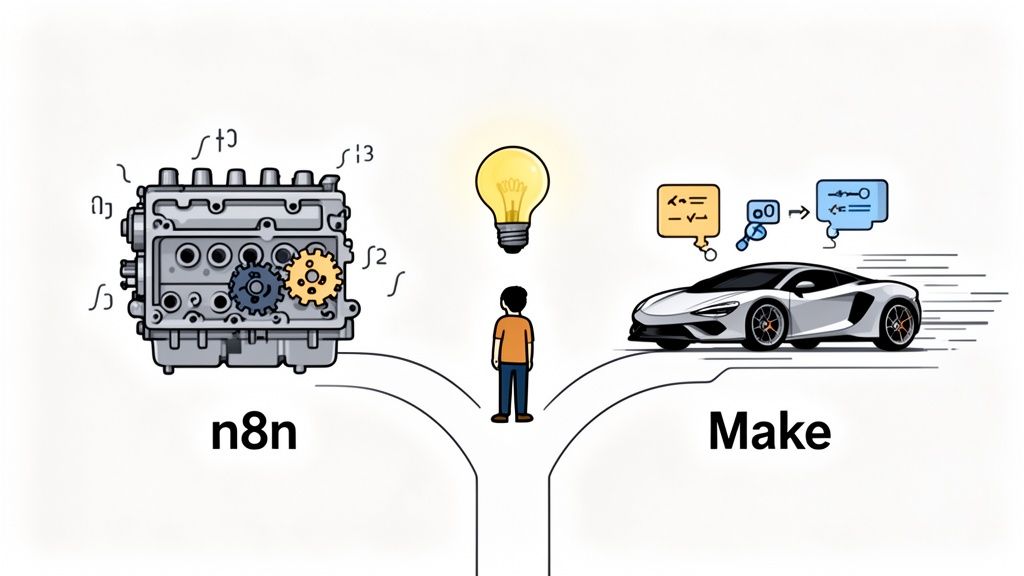
You're at a critical juncture, looking at two of the heavyweights: n8n and Make. The good news? Both are powerful tools. The challenge? They’re built for fundamentally different constraints and mindsets. One is a high-performance engine you can tune yourself; the other is a sleek, ready-to-drive sports car.
This guide cuts through the marketing fluff to give you a straight-up, practical comparison based on real-world use cases and feedback from teams in the trenches. We’ll pit n8n’s developer-centric flexibility against Make’s rapid, no-code deployment model across 15+ criteria.
Here's what you'll learn:
- -Features: How their workflow builders and automation primitives really compare for building agents.
- -Pricing: The true cost of each platform, including the hidden costs of operations and maintenance.
- -Performance: Which platform holds up when your task volume explodes from 100 to 100,000 executions.
- -AI Agent Capabilities: Which one truly enables autonomous, multi-step agents versus simple, linear automations.
- -Best Fit: A clear framework to decide which tool is right for your team's skillset and goals.
And here’s a little teaser: what if there was a third option that takes the best of both approaches? Platforms like gojiberry.ai are purpose-built for AI agent outcomes, especially in sales, offering a faster path to results. Ready to dive in? Let's go.
What Are n8n and Make?
Before we get into the weeds, let's get a feel for the two main players. Think of it this way: are you building a custom 4x4 overland rig for a specific expedition, or do you need a reliable, fully-loaded SUV for a cross-country road trip? Both get you there, but the journey—and what you can do along the way—is totally different.
n8n Overview
n8n is an open-source, developer-first automation tool. Its entire philosophy revolves around flexibility, control, and extensibility. The killer feature? The ability to self-host. This gives you complete command over your data, security, and infrastructure—a non-negotiable for businesses handling sensitive client data.
Core Strengths:
- -Self-Hosting: Run it on your own servers for maximum control and data privacy.
- -Developer Flexibility: Code nodes (JavaScript/Python) let you write custom logic directly into your workflows.
- -Extensibility: If an integration doesn't exist, you can build it.
Best For:
Technical teams, developers, and businesses with strict data compliance needs who require deep customization for their AI agent training. Based on community feedback, it’s the go-to for complex, multi-step automations that visual-only tools struggle with. With over 45,000 GitHub stars, it has serious credibility. You can explore more stats on the user bases of n8n vs Make to see its market position.
Make Overview
On the other side of the ring is Make (formerly Integromat), a cloud-native, no-code platform. Its mission is to make automation accessible to everyone through a polished, intuitive visual interface. Speed is the name of the game here.
Core Strengths:
- -No-Code Visual Builder: One of the most intuitive drag-and-drop interfaces on the market.
- -Massive Integration Library: Over 1,700 pre-built app connectors ready to go.
- -Fast Setup: Users report being able to get from an idea to a live automation in hours, not days.
Best For:
Marketing teams, RevOps professionals, and founders who want to launch automations quickly without writing code. It’s a powerhouse for streamlining SaaS workflows and is a fantastic platform for AI agent automation when you're primarily connecting popular cloud services.
Feature Comparison Matrix
Alright, let's get granular. How do n8n and Make stack up feature-for-feature when building AI agents? This is where their core philosophies really come to light.
Core Features
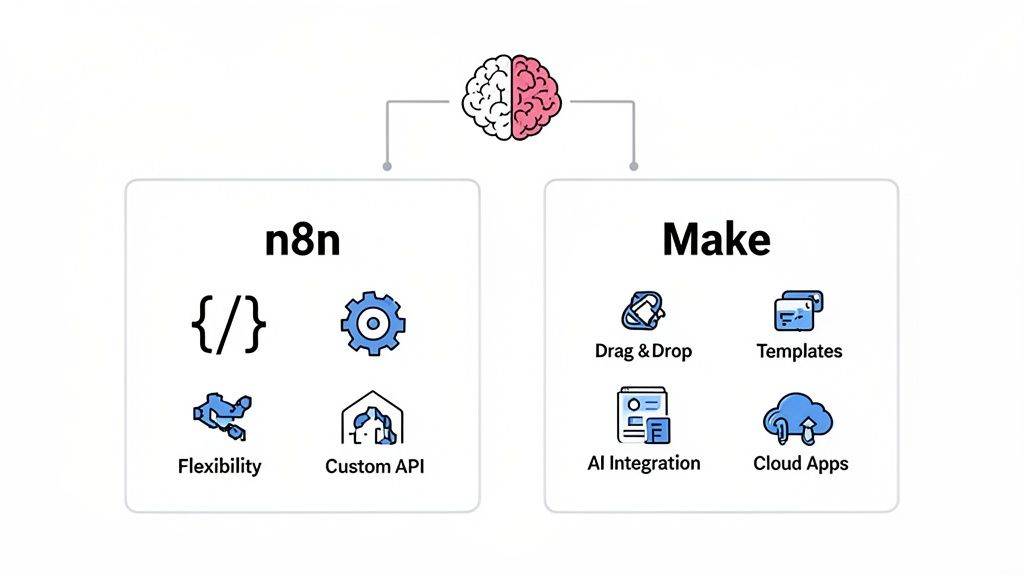
Both platforms provide the essentials: a workflow builder, triggers, branching logic, and retry mechanisms. But the implementation is night and day.
- -n8n: Its node-based canvas feels like a developer's flowchart. It exposes JSON data flow between nodes, which is powerful but can be intimidating for newcomers.
- -Make: Its visual interface with animated data "bubbles" is incredibly intuitive. It abstracts away the complexity, making it easy to see how information moves through a scenario.
| Feature | n8n | Make | Best For |
|---|---|---|---|
| Workflow Builder | Node-based, exposes raw data. | Visual drag-and-drop modules. | n8n: Technical control. Make: Speed & ease. |
| Automation Primitives | Granular control over triggers, branching, retries. | Intuitive visual routers and error handling. | n8n: Complex logic. Make: Standard workflows. |
For a deeper dive into how these features apply to sales, check out our guide on AI SDR software.
AI Agent Capabilities
This is where the real battle is fought. Building an AI agent is more than just a single API call.
- -n8n: Users report n8n is superior for building stateful, autonomous agents. Code nodes and LangChain integrations allow for memory, multi-step reasoning, and interaction with local models.
- -Make: Marketers find Make excellent for stateless AI tasks like content generation or summarization using pre-built modules for OpenAI, Anthropic, etc. Building true memory requires workarounds with data stores.
| Feature | n8n | Make | Best For |
|---|---|---|---|
| AI Integrations | Deep, code-level access to AI models & frameworks. | Polished, pre-built modules for major AI providers. | n8n: Custom, stateful AI SDR agents. Make: Fast, stateless AI tasks. |
| Agent Autonomy | High. Can build complex reasoning loops. | Medium. Better for linear, trigger-action flows. | n8n: Autonomous decision-making. Make: Task automation. |
Integration Ecosystem
An automation tool is only as good as what it can connect to.
- -n8n: Strong library, but its true power is extensibility. A developer can build a custom connector for any API.
- -Make: Massive library of over 1,700 official app integrations and templates, making it a king of SaaS AI agent automation.
| Feature | n8n | Make | Best For |
|---|---|---|---|
| Native Integrations | Good, with a focus on developer tools. | Excellent, with a focus on business/SaaS apps. | n8n: Technical stacks. Make: Marketing/Sales stacks. |
| Custom Connectors | Can build custom nodes with JavaScript/TypeScript. | Relies on generic HTTP/API modules. | n8n: Unique integrations. Make: Standard API connections. |
Developer Experience
How does it feel to actually build on these platforms?
- -n8n: Praised for its excellent documentation and strong, technical community on GitHub and forums. The debugging experience is granular, letting you inspect raw data at every step.
- -Make: Known for a vast template library and a business-user-focused community. Debugging is visual but can sometimes hide the root cause of complex data issues.
| Feature | n8n | Make | Best For |
|---|---|---|---|
| Learning Curve | Steeper. Assumes some technical knowledge. | Gentle. Designed for non-developers. | n8n: Teams with dev resources. Make: Anyone. |
| Debugging | Powerful, data-level inspection. | Visual, scenario-level inspection. | n8n: Complex data issues. Make: Simple flow errors. |
For those looking to build from scratch, understanding the developer experience is key for effective AI agent training.
Pricing Comparison
Let's talk money. 💰 The number on the pricing page is rarely the full story. To make the right decision, you need to understand the fundamental difference in how n8n and Make charge for their services.
n8n Pricing
n8n offers a generous free tier, especially for self-hosting, which is a huge draw. When you move to their cloud plans, the pricing model is primarily based on workflow executions.
- -What it means: A single execution is one full run of your workflow, from trigger to finish. Whether that workflow has 5 steps or 50, it counts as one execution.
- -Good for: Complex, multi-step agents that don't run constantly. Think deep lead enrichment that runs a few hundred times a day.
Make Pricing
Make also has a free plan, but its paid tiers are built around operations.
- -What it means: An operation is a single action a module performs. A simple agent that triggers, calls an OpenAI API, and updates a CRM has already used three operations.
- -Good for: Simple, high-frequency tasks. But for a complex AI agent that loops, uses routers, and makes multiple API calls, operations can add up fast.
Cost Analysis by Project Size
How does this play out in the real world?
- -Small Projects ($0–$100/mo): Both platforms are fantastic here. The free tiers are generous enough for early experiments and low-volume automations.
- -Medium Projects ($100–$500/mo): This is where the difference becomes stark. An agent running 1,000 times a month is 1,000 executions in n8n. If that same agent performs 20 operations per run (a realistic number), you're looking at 20,000 operations in Make, which could easily push you into a higher-tier plan.
- -Large Projects ($500+/mo): At scale, n8n's self-hosting can be a massive cost-saver, but you have to factor in server and maintenance costs. With Make, the biggest risk is bill shock from overages if you exceed your operations limit. This is a critical part of your ROI analysis.
Hidden Costs
Don't forget the invisible price tags:
- -Learning Time: How many hours will your team spend getting proficient? This is a real cost.
- -Integration Time: Building custom connectors in n8n takes developer hours.
- -Maintenance Overhead: Self-hosting n8n isn't "set it and forget it." Make's cloud platform has zero maintenance overhead.
Effective growth hacking requires a clear understanding of your total cost of ownership before you commit to an automation platform.
Performance & Scalability
An AI agent that can't handle pressure is a liability. When your prospecting engine scales from 100 to 10,000 tasks a day, will your platform keep up or crumble? Let's look at how n8n and Make perform under load. 🌡️
Execution Speed
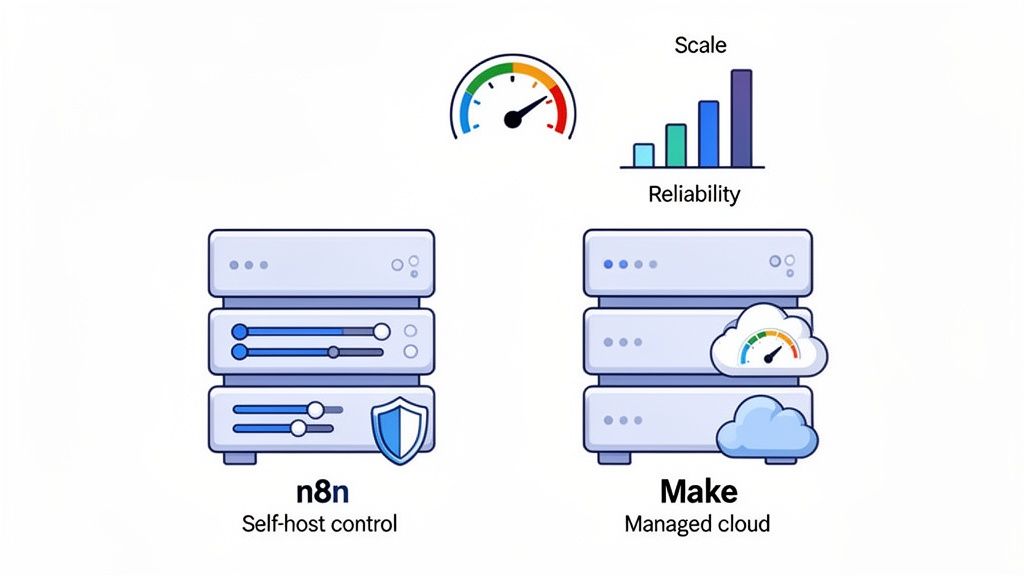
- -n8n Performance: With n8n, you're in the driver's seat. Performance is directly tied to your hosting infrastructure. On a powerful server, complex workflows with heavy data processing will fly. On an under-resourced one, they'll crawl. Users report that node complexity, especially with custom code, is the biggest factor.
- -Make Performance: As a managed SaaS, Make's performance is generally consistent. However, it's not infinite. Users find that very complex scenarios with dozens of modules can introduce noticeable latency. You are also subject to their operational limits and potential throttling.
Scalability
What happens when you need to 10x your volume?
- -n8n Scaling: This is a technical exercise. Scaling means adding more worker instances and setting up a queuing system like Redis (horizontal scaling). It offers virtually limitless scalability but requires serious DevOps expertise.
- -Make Scaling: This is a commercial and architectural challenge. You scale by upgrading your plan for more operations and higher concurrency. Architecturally, the goal is to design hyper-efficient scenarios to minimize operation counts and keep costs from spiraling. For more on this, check out our guide on SaaS automation.
Reliability & Uptime
An agent that crashes is worse than no agent at all.
- -Error Handling in n8n: Offers incredibly granular control. You can build custom error workflows, implement sophisticated retry logic with exponential backoff, and pipe logs to any monitoring service. This developer-first approach allows for extremely robust recovery mechanisms.
- -Error Handling in Make: Also very capable, with automatic retries and custom error-handler routes. It's more than sufficient for most business needs but lacks the low-level, code-like control of n8n.
Building reliable AI agent automation is non-negotiable.
Resource Usage
- -CPU/Memory (n8n): If you self-host, this is your responsibility. Heavy workflows can be resource-intensive.
- -API Rate Limits: Both platforms can hit API rate limits of external services. Proper error handling and rate-limiting patterns are crucial.
- -Concurrent Executions: Make limits concurrency based on your plan. With n8n, your infrastructure determines your concurrency limits. This is a key factor in AI agent training and deployment.
AI Agent Capabilities Comparison
Okay, let's zoom in on the main event: building AI agents. This is more than just connecting to an API; it’s about creating systems that can reason, remember, and act autonomously.
n8n AI Agent Features
n8n is a playground for developers building custom AI.
- -AI Integration Options: Beyond standard OpenAI/Anthropic nodes, it has deep integrations with frameworks like LangChain and supports connections to local models. This is huge.
- -Autonomy Level: High. The ability to use code nodes and build complex loops allows for agents that can perform multi-step reasoning and self-correct.
- -Memory/State Handling: You can build sophisticated memory systems using databases or even in-memory stores, giving your agents true context and statefulness. This is what separates simple automation from genuine AI SDR agents.
Make AI Agent Features
Make excels at making AI accessible for business tasks.
- -AI Modules: Its pre-built AI modules are fantastic for stateless tasks: classify an email, summarize a document, generate a social media post.
- -Autonomy Level: Medium. It's better suited for linear, trigger-action-reaction sequences. Building true autonomy is possible but often feels like a workaround.
- -Memory/State Patterns: You can simulate memory using Make's Data Stores, but it’s less flexible and more cumbersome than the code-first approaches available in n8n for your automation platform.
Custom AI Agent Development
What does it actually take to build a custom agent?
- -n8n Approach: This is a code-first, flexible approach. You have the full power of JavaScript/Python at your fingertips. The time-to-deploy is longer, but the ceiling of what you can build is much higher.
- -Make Approach: This is a no-code + HTTP + data stores approach. You can get a powerful "agent-like" workflow up and running much faster, but you might hit limitations when you need truly custom logic.
The choice here directly impacts your timeline for AI agent training.
The gojiberry.ai Advantage
While n8n and Make are powerful generalist tools, they require you to be the architect. What if you could skip the build and go straight to the outcome?
- -Purpose-Built for Sales: Gojiberry.ai is designed specifically for AI agents in sales automation. No need to reinvent the wheel.
- -Pre-built, Outcome-Driven Workflows: Instead of building from scratch, you deploy pre-configured playbooks designed to generate leads.
- -Faster Deployment + Better Results: This focused approach means you get the power of a custom agent with the speed of a no-code tool. It’s the fast track to a powerful AI SDR software solution.
Integration Ecosystem
An automation platform is only as strong as its network. Let's compare how n8n and Make connect to the tools you already use.
n8n Integrations
- -Breadth + Extensibility: n8n has a solid library of native integrations, with a strong focus on developer tools, databases, and core business apps. Its real superpower, however, is extensibility. A competent developer can build a custom connector for any API, documented or not.
- -API Docs Approach: The community-driven nature means documentation for integrations can vary, but the core platform docs are excellent.
Make Integrations
- -Breadth + Templates: Make's library is massive, boasting over 1,700 official integrations, primarily focused on SaaS and marketing platforms. Its template library is a huge advantage, letting you start with a pre-built workflow for common tasks.
- -Custom Connectors & HTTP: While less flexible than n8n's code nodes, Make's universal HTTP module is very powerful for connecting to any REST API.
CRM Integration
For sales automation, this is non-negotiable. Both platforms have strong integrations with Salesforce, HubSpot, Pipedrive, and other major CRMs.
- -Best Practices: The key to success is not just connecting but implementing best practices for data mapping, deduplication, and routing logic to ensure your CRM stays clean. This is where a dedicated AI SDR software can provide a significant advantage.
AI Integration
- -OpenAI / Anthropic / Custom Models: Both can connect to major LLM providers. n8n makes it easier to connect to custom or self-hosted models via its flexible HTTP node and code capabilities.
- -Governance: A critical, often overlooked aspect. With n8n, you can build your own versioning and governance for prompts directly in your workflow logic, which is crucial for serious AI agent training.
Use Cases & Real-World Examples
Theory is great, but what does this look like in practice? Let's walk through a common sales automation use case on both platforms.
Sales Automation with n8n
n8n is a powerful, developer-friendly automation platform that allows you to build highly customized AI-driven workflows. It shines when you need full control over logic, data processing, and integrations—especially for complex prospecting or enrichment scenarios.
Use Case 1: Community Signals → Lead → Personalized Outreach
Goal
Build an autonomous agent that scans online communities (Reddit, niche forums, Slack groups, etc.) to detect buying signals, enrich the lead, and prepare a personalized outreach message.
How it works
- -A scheduled trigger regularly scans targeted communities for specific keywords or topics.
- -An AI model analyzes the content to determine whether the post shows real buying intent.
- -When intent is detected, the workflow enriches the lead using multiple data providers (company data, role, social profiles, etc.).
- -Another AI step generates a highly personalized outreach message that references the original post and the enriched context.
- -Finally, the lead and the drafted message are pushed into the CRM for follow-up.
Result
You get a fully custom prospecting engine that surfaces opportunities your team would never find manually—because no human can monitor hundreds of communities 24/7.
This is the kind of workflow where n8n really shines: flexible, powerful, and deeply customizable—but clearly built for technical teams.
Use Case 2: HubSpot → Enrichment → AI Personalization → HubSpot
Goal
Automatically personalize new inbound or imported contacts before they enter your sales sequences.
How it works
- -A new contact is detected in HubSpot.
- -The workflow enriches the contact with company and role data using an enrichment provider.
- The enriched data is sent to an AI model to generate a personalized opening line.
- -That personalized line is written back into HubSpot as a custom field.
- -The contact is then enrolled into an existing outbound sequence.
Result
A fast, efficient AI-driven personalization workflow that improves reply rates without adding manual work for your sales team.
This kind of setup can be built quickly in n8n, but still requires some technical understanding of APIs, data mapping, and workflow logic.
Use Case 3: Website Scraping → Decision Makers → Email Discovery
Goal
Create an agent that scans a list of company websites, identifies key people from “About” or “Team” pages, and finds their professional email addresses.
How it works
- -The workflow visits each target website.
- -It parses the pages to identify relevant roles (e.g., Head of Sales, CTO, VP Marketing).
- -It then enriches those profiles using external data sources to find verified contact details.
- -The results are structured and sent to your CRM or prospecting system.
Result
An extremely powerful lead generation machine—but also a code-heavy and maintenance-heavy setup, best suited for technical teams who need full control over edge cases and data quality.
Lead Prospecting with Make
Make (formerly Integromat) takes a very different approach. It’s designed for speed, simplicity, and visual workflow building—perfect for business teams who want results fast without writing code.
Use Case: Google Sheets → Clearbit → Salesforce
Goal
Turn a simple lead source (like a spreadsheet or form) into an enriched, CRM-ready pipeline.
How it works
- -New rows appear in Google Sheets.
- -The workflow sends the data to an enrichment tool like Clearbit.
- -The enriched lead is automatically pushed into Salesforce (or another CRM).
Result
A clean, fast-to-deploy prospecting automation that works perfectly for standard use cases. No code, no infrastructure, no complexity—just a visual flow that gets the job done.
Learning Curve & Support
n8n: Learning Curve
- -Getting started: More technical, especially if you self-host
- -Best for: Developers and technical teams comfortable with APIs, JSON, and custom logic
- -Documentation: Very thorough and developer-focused
- -Community: Strong GitHub and forum presence
- -Best resources: Official docs, technical tutorials, automation-focused YouTube channels
Make: Learning Curve
- -Getting started: Extremely fast—many users build their first useful automation in under an hour
- -Interface: Fully visual and intuitive
- -Documentation: Large knowledge base and huge template library
- -Community: Large, business-user oriented
- -Best resources: Make University, templates, and no-code YouTube tutorials
Customer Support
n8n & Make
Both platforms offer tiered support depending on your plan (community, email, dedicated support).
Response times and depth of help vary based on subscription level.
The gojiberry.ai Support
gojiberry.ai goes beyond technical support:
- -Onboarding and playbook configuration
- -Strategic guidance on prospecting workflows
- -Continuous optimization focused on sales outcomes
The positioning is clear: not just a tool provider, but a growth partner, not just another AI SDR software vendor.
The gojiberry.ai Approach
Prospecting-First Workflows
Instead of giving you a box of parts, gojiberry.ai gives you the finished engine:
- -Pre-built, battle-tested prospecting playbooks
- -No need to design or maintain automation infrastructure
- -Everything optimized around one goal: generating high-quality B2B leads
Better Outcomes
Because the platform is purpose-built for prospecting:
- -Lead quality is higher
- -Time-to-value is much faster
- -Conversion to meetings and opportunities is better than with generalist tools
When to Use n8n vs Make vs gojiberry.ai
Choose n8n If…
- You need self-hosting for security or compliance
- Your team has developers and wants full control
- Your workflows are complex, multi-step, and logic-heavy
- You integrate with internal systems or obscure APIs
Choose Make If…
- -You prefer no-code or low-code tools
- -Speed of implementation is your top priority
- -You mainly connect popular SaaS tools
- -You want a managed, cloud-first platform with zero maintenance
Choose gojiberry.ai If…
- -Your main goal is B2B lead generation, not building automation
- -You want ready-to-use prospecting workflows
- -You care more about results than infrastructure
- -You want a solution focused on outcomes, not just features
The Hybrid Approach
Many teams combine tools:
- -Make for SaaS triggers
- -n8n for complex custom processing
- -gojiberry.ai for the entire prospecting layer
This hybrid stack gives you flexibility and performance for a serious AI agent automation strategy.
Conclusion
You now have a clear framework for choosing between n8n vs Make vs gojiberry.ai:
- -n8n = maximum control for technical teams
- -Make = speed and simplicity for business teams
- -gojiberry.ai = fastest path to real B2B pipeline results
If your goal isn’t to build automation but to build pipeline, a purpose-built platform is the rational choice.
gojiberry.ai lets you skip the complexity and go straight to results.

More High-Intent Leads = Your New Growth Engine.
Start Now and Get New High Intent Leads Delivered Straight to Slack or Your Inbox.