
LinkedIn Sales Navigator Free Trial: How to Get Started & Best Alternatives

Ever feel like you're prospecting with one hand tied behind your back on the standard LinkedIn platform? You're not alone. 🤔 Sales pros know there's a better way to find and connect with ideal leads, but that LinkedIn Sales Navigator price tag can make anyone hesitate.
This is exactly why the 30-day free trial is such a golden opportunity. It’s your completely risk-free chance to test-drive one of the most powerful B2B prospecting tools available and see if it’s genuinely right for your team—and your budget.
But here’s the thing: just signing up isn’t enough. You need a plan.
This guide is your playbook for turning that one-month trial into a real, pipeline-generating engine. We'll walk you through exactly how to activate your LinkedIn Sales Navigator free trial, what features to stress-test, and how to stack it up against top alternatives so you can make a smart, data-driven decision before your 30 days are up.
Here’s what you’ll learn:
- -How to activate the free trial, step-by-step.
- -What crucial features to test to measure real-world value.
- -Which top alternatives might be a better fit for your specific needs.
Ready to get started? Let’s dive in.

What Is the LinkedIn Sales Navigator Free Trial?
So, what exactly do you get with this trial? Think of it as an all-access pass to see if Sales Navigator can truly transform your prospecting efforts.
- -Duration: You get a full 30 days of free access to the platform.
- -Features Included: The trial typically grants you full access to the Sales Navigator Core plan. This means you can use all the key features, from advanced search filters to InMail credits, without any major limitations.
- -Eligibility Requirements: The Sales Navigator free trial is generally available to LinkedIn members who haven't had a paid Sales Navigator subscription or participated in a free trial within the last 12 months. Your eligibility may also depend on your region and account history.
- -Credit Card Requirement: Yes, a credit card is required to start the trial. This is for verification and to handle the automatic upgrade if you decide to continue after the 30 days. Don't worry—you won't be charged if you cancel before the trial period ends.
- -What Happens After the Trial? If you don't cancel, your account will automatically upgrade to a paid monthly subscription. LinkedIn is pretty good about sending reminders, but it’s always wise to set your own calendar alert a few days before the trial expires. Any leads and lists you save will be waiting for you if you upgrade, but you'll lose access if you cancel.
How to Get the LinkedIn Sales Navigator Free Trial
Ready to get your hands on it? Activating the trial is a straightforward process. Just follow these five simple steps.
- -Step 1: Check Your Eligibility. First, make sure you meet the criteria. As a rule of thumb, if you haven't subscribed or trialed the tool in the past year, you're likely good to go.
- -Step 2: Go to the Sales Navigator Page. Head directly to the official Sales Navigator page on LinkedIn.
- -Step 3: Click “Start Free Trial”. You’ll see a prominent call-to-action button to begin the trial. Click it to proceed.
- -Step 4: Complete Account Setup. You'll be asked to select the Core plan for your trial and enter your credit card information for verification.
- -Step 5: Start Prospecting! Once your details are confirmed, you'll be redirected to your new Sales Navigator dashboard. The 30-day clock starts now. 🚀
This simple flow chart gives you a quick visual of the key steps to get your trial started right.

What’s Included in the Free Trial
During your 30-day trial, you get to experience the full power of the Sales Navigator Core plan. This isn't a watered-down version; it's the real deal.
Here’s a look at the key features you can test:
- -Full Feature Access: You get to explore tools like AccountIQ for company insights and Message Assist for AI-powered personalization suggestions.
- -Advanced Search Filters: This is the heart of Sales Navigator. You gain access to over 50 advanced filters, allowing you to pinpoint your ideal customer profile (ICP) with incredible precision.
- -CRM Integrations: The trial lets you connect Sales Navigator to popular CRMs like Salesforce and HubSpot, so you can test how well it fits into your existing tech stack.
- -InMail Credits: You receive a monthly allotment of InMail credits (typically 50 for the Core plan) to contact prospects outside your network directly.
- -Saved Searches & Alerts: Create and save hyper-targeted searches for your key accounts and leads, and receive real-time alerts on job changes, company news, and other buying signals.
- -Lead Recommendations: The platform’s algorithm suggests new leads and accounts based on your activity and saved preferences.
While the trial is comprehensive, be mindful of the InMail credit limits. They reset monthly, so use them wisely on your highest-value prospects.
How to Maximize Your 30-Day Free Trial
A month can fly by. To get a true sense of value, you need a structured plan. Here’s a week-by-week breakdown to make every day count.
Week 1: Setup & Exploration
Your first week is all about building a solid foundation.
- -Do: Dive into your Sales Preferences to dial in your ICP. This tells the algorithm who to recommend.
- -Do: Get familiar with the dashboard and build 3-5 initial lead and account lists based on your top-tier targets.
- -Don't: Just poke around aimlessly. Be intentional about learning the core features, especially the advanced search filters.
Week 2: Active Prospecting & Outreach
Now it's time to put the tool to work.
- -Do: Use your saved searches to find new, high-quality leads. Start sending a few personalized InMail messages and track your response rates.
- -Do: Pay close attention to the lead recommendations. Is the AI serving up relevant prospects?
- -Don't: Blast generic messages. Test the personalization features to see if they genuinely improve engagement. To get even more efficient, you can explore ways to automate LinkedIn Sales Navigator.
Week 3: Integration & Workflow Testing
This week is about one question: does this make my life easier?
- -Do: Connect Sales Navigator to your CRM. Test the data sync—is it seamless, or a manual headache?
- -Do: Try to live in the platform for a few days. See if it naturally becomes part of your daily prospecting routine.
- -Don't: Treat it as a separate tool. A great platform that doesn't fit your workflow is just expensive shelfware.
Week 4: Measurement & Decision
The final week is all about the numbers.
- -Do: Analyze your results. How many quality conversations did you start? How many meetings did you book? Calculate a potential ROI.
- -Do: Gather feedback from your team if they were also part of the trial.
- -Don't: Rely on a gut feeling. Use the data you've gathered to make a confident, informed decision before the trial ends.
Free Trial Checklist: What to Test
To make your evaluation systematic, here’s a 10-point checklist of things to stress-test during your Sales Navigator 30 day trial:
- Advanced Search Filters: Can you consistently build hyper-targeted lists that match your ICP using the 50+ filters?
- Lead Recommendations: How relevant and high-quality are the leads the platform suggests?
- Account Insights: Does it give you a clear view of decision-makers and company growth signals?
- CRM Integration: How smoothly does it sync with your CRM? Does it save you time?
- Message Assist: Is the AI-powered personalization genuinely helpful, or too generic?
- Sales Assistant: Are the real-time alerts (job changes, company posts) actionable?
- InMail Effectiveness: What is your reply rate? Is it better than your cold email outreach?
- Mobile App Usability: Can you effectively prospect on the go?
- Customer Support: Try asking a question. Is the support responsive and helpful?
- ROI Potential: Based on your trial activity, can you build a business case for the cost?
LinkedIn Sales Navigator Pricing After the Trial
If you’re loving the results, the next logical question is: what does this cost? The LinkedIn Sales Navigator cost is structured in tiers.
- -Core (Standard): Around $99/month. This is the plan for individual sales professionals.
- -Advanced (Team): Typically $149/month. It adds team collaboration features and deeper integrations.
- -Advanced Plus (Enterprise): Custom pricing. This is for large organizations that need advanced CRM syncing and enterprise-grade tools.
Pro Tip: Paying annually can often reduce the monthly cost by up to 25%, so it's a great option if you're ready to commit.
When thinking about cost, don't just look at the subscription fee. Frame it as a cost-per-lead. If Sales Navigator helps you close just one extra deal per year, does it pay for itself?
Free Trial vs Paid Plans
So, what's the difference between the trial and a full subscription?
The trial gives you the full experience of a paid plan, but only for 30 days. The primary difference is the commitment. Once you upgrade, you have sustained access and can build your prospecting engine for the long term.
| Aspect | Free Trial (Core) | Paid Plan (Core) | Paid Plan (Advanced) |
|---|---|---|---|
| Duration | 30 Days | Monthly/Annually | Monthly/Annually |
| Advanced Search | ✅ | ✅ | ✅ |
| InMail Credits | 50 | 50/month | 50/month |
| Lead Recommendations | ✅ | ✅ | ✅ |
| Team Collaboration | ❌ | ❌ | ✅ (TeamLink) |
| CRM Integration | ✅ | ✅ | ✅ (Advanced) |
| Price | $0 | ~$99/month | ~$149/month |
When does it make sense to upgrade? If your trial data shows a clear increase in qualified leads and meetings booked, upgrading is a smart move. For teams, the Advanced plan's collaboration tools can often justify the higher price point.
Free & Paid Alternatives to Sales Navigator
Sales Navigator is a beast, but it’s not the only tool in the sales tech jungle. Depending on your budget, team size, and specific needs, an alternative might be a better fit. Let's look at a few strong contenders.
1. GojiberryAI
- -Overview & Best For: GojiberryAI is an AI-powered sales intelligence platform best for teams that want to act on real-time buying signals, not just search a static database. It focuses on identifying high-intent leads based on triggers like job changes, new funding, and tech stack updates.
- -Key Features: AI-driven lead recommendations, buying signal alerts, verified contact data, and deep CRM integration.
- -Pricing: Starts with a free tier and has paid plans starting around $49/month.
- -Pros & Cons vs. Sales Navigator: Users report GojiberryAI provides more actionable, timely insights than Sales Navigator's native alerts. However, Sales Navigator has the advantage of being built directly on LinkedIn's massive user database.
- -Free Trial: Offers a free plan to get started.
2. ZoomInfo
- -Overview & Best For: A data behemoth, ZoomInfo is best for enterprise teams that need a vast, accurate B2B contact and company database for multi-channel outreach (email, phone, social).
- -Key Features: Enormous contact database, org charts, intent data, and advanced filtering.
- -Pricing: Custom enterprise pricing, typically starting in the five-figure range annually.
- -Pros & Cons vs. Sales Navigator: ZoomInfo's data is broader and often includes direct dials and verified emails, but it lacks the deep, real-time social context of LinkedIn. It’s also significantly more expensive.
- -Free Trial: Offers a limited free trial.
3. Lusha
- -Overview & Best For: Lusha is a popular choice for sales reps and recruiters who need to quickly find verified email addresses and direct phone numbers for prospects. It’s great for enriching existing lead lists.
- -Key Features: Browser extension for finding contacts on LinkedIn and company websites, API for data enrichment, and a credit-based system.
- -Pricing: Offers a free plan with a few credits per month; paid plans are competitively priced.
- -Pros & Cons vs. Sales Navigator: Lusha is a data enrichment tool, not a prospecting platform. It complements Sales Navigator well but doesn't replace its search and discovery capabilities.
- -Free Trial: Has a free starter plan.
4. Apollo.io
- -Overview & Best For: Apollo is an all-in-one sales intelligence and engagement platform, ideal for SMBs and startups looking for a single tool for lead generation, sequencing, and analytics.
- -Key Features: B2B database, email sequencing, call analytics, and a robust rules engine.
- -Pricing: Offers a generous free tier and affordable paid plans, making it very accessible.
- -Pros & Cons vs. Sales Navigator: Apollo combines data and outreach in one platform, which can be more cost-effective. However, its data is sourced from multiple places, whereas Sales Navigator's is native to LinkedIn and often more up-to-date for job roles.
- -Free Trial: Offers a free plan with email credits.
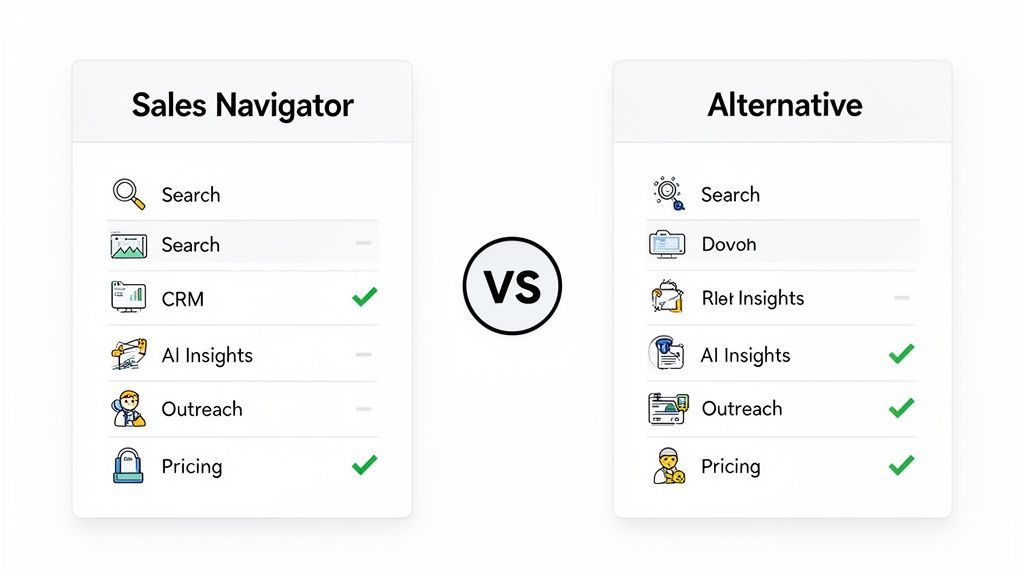
Comparison Table: Sales Navigator vs Alternatives
Here’s a quick-glance comparison to help you see how these tools stack up.
| Feature | LinkedIn Sales Navigator | GojiberryAI | ZoomInfo | Apollo.io |
|---|---|---|---|---|
| Primary Use Case | LinkedIn Prospecting | Buying Signal Intelligence | B2B Data Enrichment | All-in-One Sales Platform |
| Advanced Filters | ✅ (Excellent) | ✅ (Signal-based) | ✅ (Excellent) | ✅ (Good) |
| CRM Integration | ✅ | ✅ | ✅ | ✅ |
| AI Features | Basic (Suggestions) | ✅ (Intent & Triggers) | ✅ (Intent Data) | ✅ (Sequencing) |
| Outreach Tools | InMail Only | N/A | Email, Phone | Email, Phone |
| Free Trial/Tier | 30-Day Trial | ✅ (Free Tier) | ✅ (Limited Trial) | ✅ (Free Tier) |
| Best For | Sales teams living on LinkedIn | Teams focused on high-intent leads | Enterprise teams needing mass data | SMBs wanting an all-in-one tool |
After the Free Trial: What’s Next?
The trial is over, and you've got the data. What's your next move? You essentially have four options.
- Upgrade to a Paid Plan: If you saw a clear ROI and it integrated smoothly into your workflow, this is the logical next step.
- Switch to an Alternative: Perhaps you found that a tool like GojiberryAI gave you better buying signals, or Apollo.io offered a more budget-friendly all-in-one solution.
- Combine Sales Navigator with Other Tools: Many high-performing teams pair Sales Navigator's search power with a signal intelligence tool to get the best of both worlds: broad reach and precise timing.
- Stick with Free Tools Only: If your budget is tight, you can piece together a process using free LinkedIn tools and other free alternatives. This requires more manual work but can be effective. Explore some top free LinkedIn lead generation tools to see what's possible.
FAQ: Common Questions About the Free Trial
Still have a few questions? Let's clear them up.
Can I extend the LinkedIn Sales Navigator free trial?
Unfortunately, the 30-day trial period is fixed and generally cannot be extended. You'll need to make your decision within that timeframe.
Do I really need a credit card for the free trial?
Yes, a valid credit card is required to sign up. LinkedIn uses it for verification and to automatically roll you into a paid plan if you don't cancel before the trial ends.
What happens to my saved leads and lists after the trial?
If you cancel, you will lose access to all your saved leads, account lists, and saved searches within the Sales Navigator platform. If you upgrade, everything will be right where you left it.
Can I sign up for multiple free trials?
LinkedIn's policy is typically one free trial per user per year. Attempting to use different email addresses to get multiple trials may violate their terms of service.
Is there a promo code or referral for free access?
Occasionally, LinkedIn runs special promotions or partners with other companies to offer extended trials, but the standard public offer is the 30-day trial.
How easy is it to cancel after the trial?
Canceling is straightforward. You can manage your subscription directly from your LinkedIn settings. Just be sure to cancel before the 30th day to avoid being charged.
Making a Smart Decision
The LinkedIn Sales Navigator free trial is more than just a demo; it's a 30-day window to prove the tool's value for your unique sales process. By following a structured plan—setting it up correctly, actively prospecting, testing integrations, and measuring your results—you can walk away with a clear, data-backed answer.
Ultimately, the goal is to find the right tool that helps you connect with the right buyers at the right time. Whether that's Sales Navigator, an AI-powered alternative like Gojiberry.ai, or a combination of both, a strategic trial period is the best way to invest your budget wisely.
Ready to see if it’s the right fit for you? Start your 30-day free trial of Sales Navigator today and put it to the test.

More High-Intent Leads = Your New Growth Engine.
Start Now and Get New High Intent Leads Delivered Straight to Slack or Your Inbox.