
LinkedIn Sales Navigator Features: The Complete Breakdown & Comparison

Ever feel like you're hunting for a needle in a haystack on regular LinkedIn? Sales Navigator has 50+ advanced features that most users never discover, leaving tons of value on the table. It's an incredible tool, but the sheer number of options can feel overwhelming, making it tough to know which ones will actually move the needle for your pipeline.
This is the exact problem this guide solves. We're going to pull back the curtain on every LinkedIn Sales Navigator feature, from the foundational search tools to the brand-new AI assistants.
What you'll learn in this complete breakdown:
- -A clear explanation of all core, AI, and hidden features.
- -Practical use cases and actionable steps for each tool.
- -Best practices (the do's and don'ts) to maximize your results.
- -Honest comparisons to regular LinkedIn and other sales tools.
Let's dive in. 👇
Overview: What Is LinkedIn Sales Navigator?
Think of Sales Navigator as upgrading from a paper map to a real-time, satellite-guided GPS for your sales pipeline. It’s a dedicated platform, separate from your personal feed, designed for sales pros, founders, and B2B marketers who need to get way more strategic than just sending random connection requests.
Its core purpose is to help you pinpoint the right prospects with incredible precision, keep an eye on important company changes, and start meaningful conversations with decision-makers. It turns LinkedIn's massive professional network into a focused, actionable sales intelligence database.
Who Should Use It?
So, is it actually worth it for you? For certain roles, it's pretty much non-negotiable in today's B2B world:
- -Sales & Business Development Reps (SDRs/BDRs): These folks live and breathe prospecting. The advanced search and lead list features are the lifeblood of their targeted outreach.
- -Account Executives (AEs): AEs rely on it for deep account mapping, helping them identify every key player in a target company and find warm introduction paths.
- -Founders & Small Business Owners: When you're wearing a dozen hats, time is everything. Sales Navigator helps you cut through the noise and quickly identify ideal customers.
- -Sales Managers & Leaders: They use the team-focused features to see what’s working, manage territories, and ensure reps are focused on high-value activities.
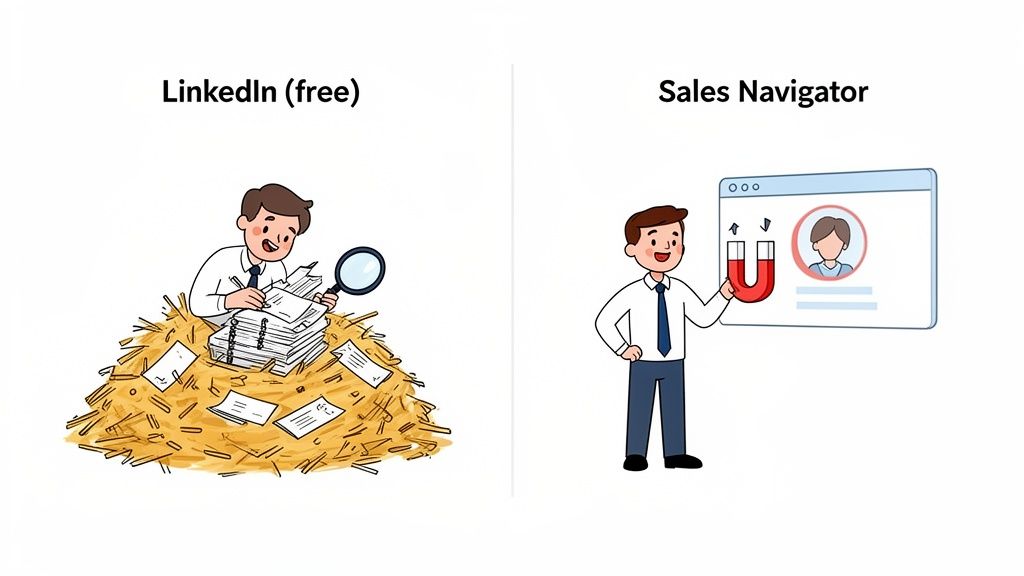
This visual from LinkedIn does a great job of showing how it separates the "prospecting" world from the "networking" world.
Key Benefits Overview
Compared to using the free version of LinkedIn, Sales Navigator delivers three main advantages:
- Precision Targeting: With over 50 advanced filters, you can find exactly the right people at the right companies.
- Actionable Insights: It provides real-time alerts on job changes, company news, and other buying signals.
- Efficient Workflow: It streamlines prospecting with tools like saved searches, lead lists, and CRM integrations, keeping you focused and organized.
To quickly see the difference, here’s a simple breakdown.
Sales Navigator vs Regular LinkedIn At a Glance
| Feature | Regular LinkedIn | Sales Navigator |
|---|---|---|
| Search Filters | Basic (Industry, Location, Company) | 50+ Advanced filters (e.g., Seniority, Company Headcount, Years in Role) |
| Search Visibility | Limited view of profiles outside your network (3rd+ degree) | Unlocks unlimited profile views across the entire LinkedIn network |
| Dedicated Interface | Mixed with personal feed, notifications, and content | Separate, sales-focused platform to avoid distractions |
| Lead & Account Lists | None | Create and save custom lists of leads and target accounts |
| InMail Messages | None (unless you pay for Premium) | 50 InMail credits per month (Core plan) |
| CRM Integration | None | Syncs with major CRMs like Salesforce and HubSpot |
| Real-time Alerts | Basic notifications (job changes, birthdays) | Advanced sales alerts (e.g., key decision-maker leaves, company mentions news) |
Deciding if it's right for you also means looking at the investment. To get the full picture, you'll want to check out the cost of LinkedIn Sales Navigator. But the bottom line is this: if your job revolves around finding and engaging B2B buyers, this tool was designed with you in mind.
Core Features — The Foundation
Alright, let's get into the engine room. While the new AI bells and whistles are exciting, the true power of Sales Navigator lies in its foundational prospecting features. Mastering these four pillars is the difference between random acts of outreach and building a predictable sales machine. They are the building blocks for every successful workflow.
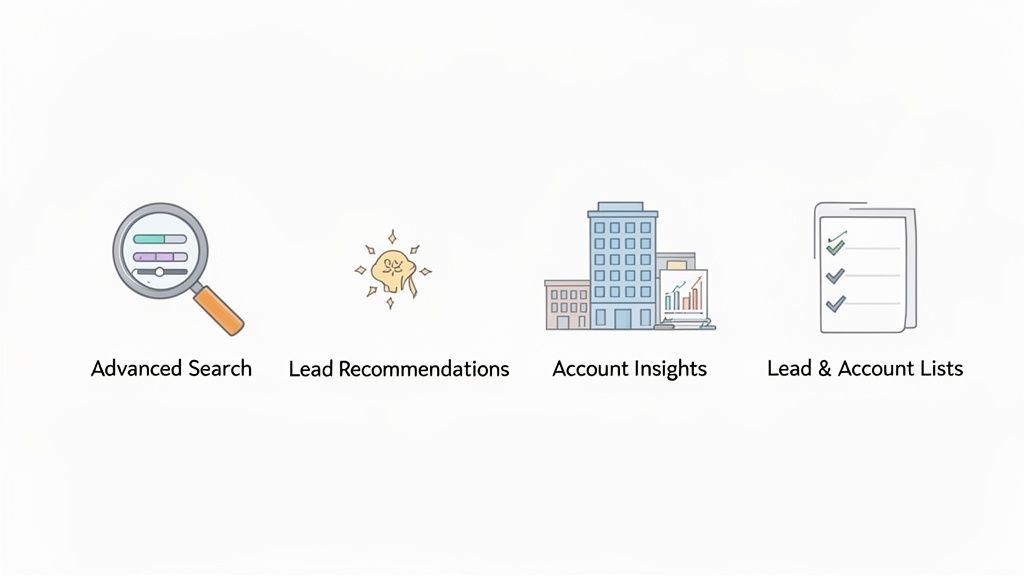
These core LinkedIn Sales Navigator features work in tandem, helping you find, organize, and understand your ideal customers with incredible detail.
Advanced Search Filters (50+ filters)
Forget the standard LinkedIn search bar. The Advanced Search is where the magic really begins, giving you over 50 filters to slice and dice LinkedIn’s entire professional network. Think of it as the control panel for pinpointing your exact Ideal Customer Profile (ICP).
You can filter by company size, role, seniority, years in current role, skills, and much more. Want to find VPs of Sales at SaaS companies with 51-200 employees who recently posted on LinkedIn about "revenue growth"? You can do that.
How to use for precise targeting:
- Start with broad filters (e.g., Industry, Geography, Company Headcount).
- Narrow down with persona filters (e.g., Function, Seniority Level, Job Title).
- Use keyword and Boolean searches (
"VP of Marketing" AND SaaS NOT Intern) for hyper-specific results. - Save your search. This is non-negotiable. It automates your prospecting by notifying you when new leads fit your criteria.
Lead Recommendations
Once you start saving leads and accounts, Sales Navigator’s AI kicks in, acting as your personal prospecting co-pilot. It analyzes your activity, saved searches, and ICP to suggest new, relevant leads you might have otherwise missed.
How the algorithm works: It looks at signals like profile similarities, your search history, and who you've recently viewed or saved. The more you use the platform, the smarter its recommendations become.
Best practices:
- -Do: Regularly review and save or dismiss recommendations. This trains the algorithm to understand what you're looking for.
- -Don't: Rely on it exclusively. Use it as a supplement to your proactive saved searches.
For a deeper dive into finding the right people, check out our guide on using LinkedIn for prospecting. This AI-driven capability has been a core part of the platform's value for years. Discover more about the history of Sales Navigator's impact.
Account Insights
Clicking on a target company brings you to the Account Insights page, which is basically your mission control for that organization. It’s where you go to stop prospecting blind and start strategizing. This dashboard reveals key decision-makers, recent company news, and even an org chart view to help you map out the power dynamics.
How to use for ABM:
- Identify the Buying Committee: Use the "All Employees" tab and filter by seniority and function to map out key stakeholders.
- Monitor Growth Signals: Keep an eye on the "Account News" section for funding announcements, expansions, or executive hires. These are perfect conversation starters.
- Find Your Way In: Look at the recommended leads to find potential champions or decision-makers you may have missed.
Lead Lists
Finding great prospects is one thing, but keeping them organized is a whole other challenge. Sales Navigator lets you create custom Lead and Account Lists to segment your pipeline, which is absolutely crucial for running targeted campaigns.
How to manage lists:
- -Create lists based on priority, industry, or campaign (e.g., "Q4 Target Accounts," "Fintech Startups," "Conference Follow-ups").
- -Add notes to each lead to track your interactions and key insights.
- -If you have a team plan, you can share lists with colleagues to collaborate on accounts.
- -Integrate with your CRM to automatically sync these lists and keep your data clean.
Ready to organize your pipeline? Start building your first targeted list today.
AI-Powered Features (New & Advanced)
It's no secret that LinkedIn is betting big on AI, and Sales Navigator is where their most interesting experiments for sales pros are happening. These aren't just minor updates; these are brand-new tools designed to slash your manual research time and shine a spotlight on opportunities. Think of this new AI suite as your intelligent co-pilot. 🤖
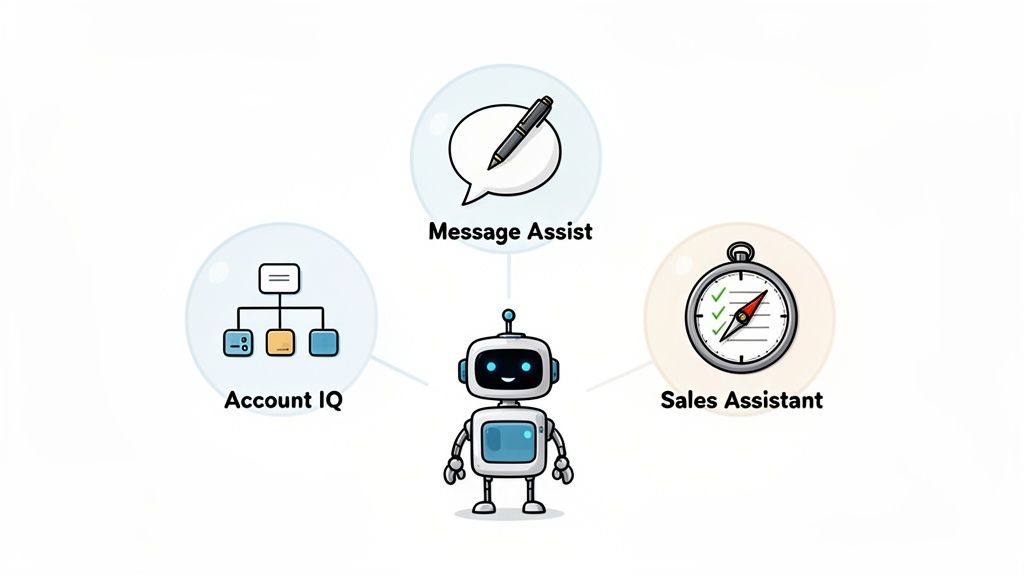
Account IQ
Imagine getting an instant cheat sheet on any target company. That’s Account IQ. It’s an AI research assistant that pulls together publicly available data from across LinkedIn and hands you a concise summary of a company's biggest priorities, challenges, and growth signals. For anyone doing account-based selling, this is a game-changer.
How to use for account-based selling:
- Open a target account page and click the "Account IQ" tab.
- Scan the AI-generated summary for keywords like "expansion," "new product lines," or "hiring surges."
- Use these insights to tailor your opening line in an InMail or connection request. Make it about them, not you.
Lead IQ
Similar to Account IQ, Lead IQ provides AI-powered intelligence, but at the individual level. It can help you quickly understand a prospect's professional journey, key skills, and recent activity.
How to use for targeting:
- Before reaching out, check Lead IQ for recent job changes or skills they've added.
- This gives you a perfect, timely reason to connect that feels natural and well-researched. For example: "Congrats on the new role as Head of Demand Gen! Saw you added 'ABM' to your skills—are you exploring new tech for that?"
Message Assist (Beta)
Currently in its Beta phase, Message Assist is LinkedIn's attempt to cure writer's block. It's an AI writing partner that suggests personalized openers for InMails and connection requests by pulling context from a prospect's profile, company page, and recent activity.
Best practices:
- -Do: Use its suggestions as a starting point or for brainstorming an angle.
- -Don't: Copy and paste the AI message directly. Always refine it with your own voice and insight to avoid sounding generic. Users report that unedited AI messages are easy to spot and can hurt response rates.
Sales Assistant (Beta)
The Sales Assistant, also in Beta, acts like an AI-powered tap on the shoulder. It’s designed to flag timely opportunities and suggest your next best action right within your workflow, such as reconnecting with a lead who just started a new role or highlighting a new executive who joined a target account.
The power of these Sales Navigator new features really hinges on the quality of your saved lead and account lists. The more context you feed the AI, the smarter its suggestions will be. While these built-in tools are incredibly promising, many top-performing teams also bring in specialized platforms for an extra edge. You can explore some of the best AI tools for sales to see how they compare.
Engagement Features
Finding the right people is just step one. How do you actually start a conversation that leads somewhere? Sales Navigator gives you a few powerful tools to cut through the noise and engage prospects directly.
InMail Messaging
Think of InMail as your VIP pass straight into a prospect's inbox. It’s a premium feature that lets you message anyone on LinkedIn, even if you’re not connected. The Core plan starts you off with 50 credits per month. Best part? If you get a response within 90 days, you get that credit back.
Best practices:
- -Do: Keep it short (<100 words), personalize the subject line, and focus on their potential needs. Mentioning a mutual connection or a recent company achievement can dramatically increase response rates.
- -Don't: Send a generic, copy-and-paste template. Decision-makers can sniff out a lazy pitch a mile away.
- -Typical Response Rates: While industry benchmarks vary, well-crafted InMails often see response rates between 10-25%, significantly higher than typical cold email campaigns.
Direct Messaging
Once you're connected with a lead, you can use the standard LinkedIn messaging interface. Sales Navigator keeps a clean history of your conversations, helping you track every touchpoint.
Best practices:
- -Do: Use messaging for follow-ups and nurturing the relationship.
- -Don't: Pitch immediately after they accept your connection request. Start with a simple "Thanks for connecting!" and add value over time.
Connection Requests
Even a simple connection request is an engagement feature. With Sales Navigator, you can add a personalized note to every request you send.
Best practices:
- -Do: Always add a short, personalized note explaining why you want to connect. Reference a shared interest, mutual connection, or recent post.
- -Don't: Use the note to sell. The goal is to get the connection, not close the deal.
- -Acceptance Rate Benchmarks: Personalized requests can see acceptance rates of 30-50% or higher, compared to under 10% for blank requests.
For a deeper look at these tactics, read more about these engagement tactics and their impact.
CRM Integration Features
Nobody enjoys the soul-crushing task of manually copying lead info from LinkedIn into their CRM. It's tedious, and it's where mistakes happen. Sales Navigator solves this by connecting directly with major CRMs, turning two platforms into one cohesive workspace. This is a critical set of Sales Navigator CRM integration features.
Supported CRM Integrations
Sales Navigator plays nicely with the industry's biggest players. The deepest, most seamless integrations are built for:
It also offers connections for other popular platforms like HubSpot and more through partner applications. You can learn more about the specifics on the official Sales Navigator CRM integration page.
Lead Sync & Automation
This is where the real time-saving happens. Once connected, you can sync leads and accounts from Sales Navigator directly to your CRM with a single click. This eliminates manual data entry and ensures your records are always up-to-date.
How it works in practice:
- Connect your CRM in the Sales Navigator settings.
- When you find a new lead or account, click the "Save to CRM" button.
- Sales Navigator automatically creates a new lead/contact/account record in your CRM, pre-populating it with key data from their LinkedIn profile.
Activity Tracking
One of the most powerful—and strangely underused—features is automated activity tracking. Sales Navigator can log your interactions like sent InMails, notes, and connection requests directly to the lead or contact record in your CRM.
This creates a perfect, hands-free timeline of every touchpoint. Your manager gets a clear picture of your activity, you have an accurate record of every conversation, and the whole team stays in the loop. It’s what turns your CRM from a dusty database into the living system of record it was meant to be.
Analytics & Reporting Features
You can't improve what you don't measure. Sales Navigator includes a suite of analytics and reporting tools to help you and your team understand what's working, what's not, and where to focus your efforts for better results.
Performance Metrics
For individual users, Sales Navigator tracks key performance indicators (KPIs) to help you gauge the effectiveness of your prospecting efforts.
Key metrics to track:
- -Leads Generated: How many new prospects are you adding to your lists?
- -InMail Response Rates: Are your messages landing or falling flat?
- -Conversion Metrics: How many saved leads are turning into connections or meetings? (This often requires CRM integration for full visibility).
- -Social Selling Index (SSI): A score from LinkedIn that measures your effectiveness at establishing your professional brand, finding the right people, engaging with insights, and building relationships.
Team Analytics
For sales managers, the team dashboards (available on Advanced and Advanced Plus plans) provide a bird's-eye view of your entire team's activity and performance.
Key reporting capabilities:
- -Team Dashboards: See aggregate data on searches, profile views, leads saved, and InMails sent.
- -Individual Rep Performance: Drill down to see how each member of your team is using the platform.
- -Benchmarking: Compare performance across your team to identify top performers and coaching opportunities.
Custom Reports
The Advanced Plus plan unlocks the ability to create custom reports. This allows you to dig deeper into the data, export it for further analysis, and share key insights with leadership to demonstrate the ROI of your sales efforts.
Mobile App Features
Prospecting doesn't stop when you step away from your desk. The Sales Navigator mobile app (for iOS and Android) is a powerful tool for keeping your pipeline warm and acting on opportunities in real-time.
iOS & Android Apps
The mobile app is designed for action and engagement, not heavy-duty list building. Think of it as your on-the-go prospecting command center.
Key app functionality:
- -Run Searches & Save Leads: Find and save new prospects directly to your lists from your phone.
- -Send InMails & Messages: Respond to prospects and keep conversations moving while you're out of the office.
- -Real-Time Notifications: Get instant alerts when a prospect changes jobs, views your profile, or engages with your content. This is arguably the app's most powerful feature, allowing you to be the first to reach out at the perfect moment.
- -Offline Access: Some information is cached for offline viewing, so you can prep for a meeting even without a solid connection.
While you'll still want a desktop for complex searches and admin tasks, the mobile app ensures you never miss a critical buying signal.
Comparison: Sales Navigator Features vs Alternatives
So, how does Sales Navigator stack up against the competition and even its free counterpart? Let's break it down.
Sales Navigator vs Alternatives
While Sales Navigator is the leader in leveraging LinkedIn's data, other tools have carved out niches by focusing on specific areas like data enrichment or multi-channel outreach.
Based on user feedback and market analysis, here’s a factual look at how they compare:
| Feature | LinkedIn Sales Navigator | ZoomInfo | Seamless.AI | Apollo.io |
|---|---|---|---|---|
| Lead Database | Excellent (LinkedIn Network) | Excellent (B2B contacts) | Very Good | Very Good |
| Search Filters | Best-in-class (50+ professional) | Strong (firmographics & technographics) | Good | Strong |
| Data Accuracy | Very High (user-updated) | High (verified) | Varies | Varies |
| AI Features | Growing (Account IQ, etc.) | Strong (intent data) | Basic | Strong (sequencing) |
| CRM Integration | Excellent (native) | Excellent | Good | Excellent |
| Ideal Use Case | Relationship-based selling, ABM | Data enrichment, high-volume outreach | Quick contact info retrieval | All-in-one sales engagement |
- -Unique to Sales Navigator: Unmatched access to LinkedIn's real-time professional data, relationship mapping (TeamLink), and native engagement tools (InMail).
- -Where alternatives outperform: Tools like ZoomInfo and Apollo often provide more direct contact info (emails, phone numbers) and more robust multi-channel sequencing features.
Sales Navigator vs Regular LinkedIn
Is the paid version really worth it? For serious sales professionals, the answer is almost always yes.
| Feature | Regular LinkedIn | Sales Navigator |
|---|---|---|
| Primary Goal | Networking & Career Building | Prospecting & Pipeline Building |
| Search Limit | Restricted monthly searches | Unlimited searches |
| Profile Views | Limited visibility outside network | Unrestricted visibility |
| Lead Organization | None | Custom Lead & Account Lists |
| Direct Messaging | Connections only | InMail to anyone |
| Sales Alerts | Basic | Advanced buying signals |
When to use each:
- -Use Regular LinkedIn to build your personal brand, share content, and engage with your existing network.
- -Use Sales Navigator for focused, disciplined prospecting and account management.
The two work best when used together. A strong personal brand on regular LinkedIn makes your Sales Navigator outreach far more effective.
New Features in 2026
LinkedIn is constantly evolving Sales Navigator, with a heavy focus on AI and automation. Here are the key new and upcoming features to watch in 2025:
- -Account IQ (latest): Now fully rolled out, providing AI-powered summaries of target accounts.
- -Lead IQ (latest): AI-driven insights on individual prospects to help you personalize outreach.
- -Message Assist (beta): AI suggestions for writing InMails and connection requests. User feedback suggests it's a great starting point but requires human refinement.
- -Sales Assistant (beta): Proactive recommendations for next best actions based on signals from your saved leads and accounts.
- -Upcoming Features: Based on public roadmaps and industry signals, expect deeper AI integration for predicting buyer intent and more advanced team collaboration tools.
Hidden Features & Advanced Tips
Ready to go from proficient to power user? Here are a few lesser-known features and tips that can give you a serious edge. 😉
- -Advanced Boolean Search: Go beyond simple keywords. Use operators like
NOTto exclude irrelevant titles (e.g.,"Marketing Director" NOT "Assistant"),ORto combine similar titles, and parentheses()to group terms. This cleans up your search results dramatically. - -"Posted on LinkedIn" Filter: Want to find active, engaged prospects? Use this filter to find people who have posted content in the last 30 days. They're more likely to be responsive.
- -TeamLink for Warm Intros: Don't just look at your own connections. TeamLink shows you which prospects are connected to your colleagues, creating an instant warm introduction path. This can make your outreach up to 5x more effective.
- -Saved Search Alerts: This is prospecting on autopilot. Instead of running the same search every week, save it and let Sales Navigator email you a list of new people who match your criteria.
For sales pros looking to find more efficient ways to prospect, it's also worth checking out other free LinkedIn lead generation tools that can complement your paid subscriptions. Furthermore, for power users looking to maximize efficiency, exploring ways to automate LinkedIn Sales Navigator can significantly boost your outreach efforts.
Feature Adoption: Which Features Actually Work?
With so many tools, which ones deliver the highest ROI? Based on user data, benchmarks, and market feedback, here's what actually moves the needle:
- -Most Effective Feature: Advanced Search & Saved Searches. This is the foundation. Top performers spend the most time refining their search criteria because it has the biggest downstream impact on lead quality.
- -Highest-ROI Feature: CRM Integration. The time saved by eliminating manual data entry and the value of clean, centralized data provide a massive return.
- -Most Underused Feature: TeamLink. Many sales reps still default to cold outreach, leaving the gold mine of their company's collective network untapped.
- -Feature Worth the Learning Curve: Account Insights & Mapping. It takes time to thoroughly map out a buying committee within a target account, but this strategic work is what leads to larger, more successful deals.
📌 FAQ – LinkedIn Sales Navigator Features
What is LinkedIn Sales Navigator used for?
LinkedIn Sales Navigator is a B2B prospecting and sales intelligence tool designed to help sales teams find, target, and engage decision-makers using advanced filters, lead lists, and real-time insights.
How many features does Sales Navigator have?
Sales Navigator offers 50+ advanced features, including advanced search filters, lead and account lists, InMail messaging, CRM integrations, AI tools like Account IQ and Lead IQ, and sales alerts.
What are the most important Sales Navigator features?
The most impactful features are Advanced Search & Saved Searches, Lead & Account Lists, CRM Integration, InMail messaging, and Account Insights for account-based selling.
What are the new AI features in Sales Navigator?
New AI features include Account IQ (AI company summaries), Lead IQ (AI insights on prospects), Message Assist (AI writing suggestions), and Sales Assistant (next-best-action recommendations).

More High-Intent Leads = Your New Growth Engine.
Start Now and Get New High Intent Leads Delivered Straight to Slack or Your Inbox.