
How to Create an AI Agent: Step-by-Step Guide (2026)

Building an AI agent sounds complicated—something reserved for developers with years of experience, right? 🤨 Well, it’s easier than you think. Thanks to a new wave of powerful no-code platforms, you can now build a sophisticated AI assistant in about 30 minutes.
The rapid growth of no-code tools has put AI agents within reach for everyone. Just a few years ago, this was pure sci-fi for most sales teams. Today, it’s a weekend project. The biggest hurdle isn't the tech anymore; it's finding a simple, practical guide that cuts through the jargon.
That's where this guide comes in. I'm going to walk you through a step-by-step guide to build your AI agent in 30 minutes, with a concrete outcome: a LinkedIn outreach assistant that generates leads for you.
Ready to build something genuinely useful? Let’s dive in.
What You’re Going to Build
Before we get into the how-to, let's get clear on what you'll have at the end of this tutorial. We’re not just talking theory here; you’re going to build a dedicated LinkedIn prospecting AI agent. Think of it as your own tireless, digital sales development rep working for you 24/7. 🤖
This agent's job is simple but powerful: to send perfectly crafted, personalized messages to your ideal customers on LinkedIn, sparking conversations that lead to real business opportunities.
Here are the target benchmarks for your new AI agent (think of these as goals, not guarantees):
- Daily Outreach: A safe and effective starting point is around ~50 personalized messages per day.
- Reply Rate: With a well-segmented list and strong copy, users often see reply rates around ~15%.
- Lead Flow: With consistent outreach, this can translate into ~50 warm leads per month.
- Setup Time & Cost: You can get the initial setup done in about 30 minutes, and the platform we’ll use, Gojiberry, is free to start.
This isn’t just about sending more messages; it's about starting better conversations, automatically. Sound good? Let's pick our tools.
Step 1: Choose Your Platform
The platform you choose is the foundation for your AI agent. It’s the workshop where you'll assemble all the parts, and your choice here dictates how quickly you can go from an idea to a fully functioning prospecting machine.
Thankfully, there are several excellent no-code platforms out there. For creating an AI agent, some of the most discussed options include:
- n8n + ChatGPT: This combo is a powerhouse for technical users who want maximum control. It’s incredibly flexible, but the learning curve is steeper. Ideal for those who love to tinker and build complex, multi-step workflows. This is a great agent IA n8n solution for developers.
- Make + ChatGPT: Often hitting the sweet spot between ease of use and capability, Make is a favorite among marketers. Its visual workflow builder is intuitive, making it a balanced choice for sophisticated automations. Many consider it a top agent IA make option.
- Zapier + ChatGPT: Famous for its simplicity, Zapier is fantastic for straightforward, A-to-B automations. However, for the dynamic, multi-faceted LinkedIn outreach we’re aiming for, it can sometimes feel a bit limited.
- Gojiberry: This platform is purpose-built for LinkedIn outreach, making it the most direct path for our specific goal. It's a specialized tool designed to do one thing exceptionally well.
For this guide, we will use Gojiberry. Here’s why it’s the perfect choice for this 30-minute challenge:
- No-Code Interface: It's designed for non-technical users. If you can use a CRM, you can use Gojiberry.
- LinkedIn Specialization: The platform is tuned for LinkedIn workflows, from message personalization to safety protocols.
- Security Posture: It's built to respect LinkedIn's terms of service by mimicking natural human behavior—a critical feature for sustainable outreach.
- French Support: For many users, having local language support is a significant advantage.
- Free to Start: You can build, test, and prove your agent works before committing. This is a solid way to create an agent IA gratuit.
Decision made. Let's get our hands dirty with Gojiberry.
Step 2: Prepare Your Prospect List
Your AI agent is a powerful engine, but it needs the right fuel. In this case, that fuel is a high-quality, segmented prospect list. A killer message sent to the wrong person is just noise. 🤫
So, where do you find the right people?
- LinkedIn Search & Sales Navigator: LinkedIn's own tools are your best starting point. Sales Navigator, in particular, is the gold standard for its advanced filtering capabilities.
- Hunter.io: An excellent tool for finding and verifying professional email addresses to enrich your contact data.
- RocketReach: A massive B2B contact database perfect for pulling emails, phone numbers, and detailed profiles.
The real magic happens when you segment. Don't just grab a huge, unfiltered list. Get specific!
- By Role: VP Sales, Sales Manager, Recruiter
- By Industry: Tech, Finance, E-commerce
- By Company Size: Startup, SMB, Enterprise
- By Geography: France, Europe, Worldwide
How big should your list be? For your first campaign, start focused:
- Minimum: 100 prospects to get initial data.
- Optimal: 500–1,000 for a meaningful A/B test.
- Maximum: Cap initial tests at 5,000 to analyze results before scaling.
Finally, you need to format your list correctly. Export your data into a CSV file with these specific columns: firstName, lastName, company, linkedinURL, and email.
Here’s a quick example:
firstName,lastName,company,linkedinURL,emailJean,Dupont,TechCorp,linkedin.com/in/jeandupont,jean@techcorp.comMarie,Martin,FinanceInc,linkedin.com/in/mariemartin,marie@financeinc.com
A clean CSV is the secret to seamless personalization. Get this right, and the next steps are a breeze. ✅
Step 3: Create Your Personalized Message
Let’s be honest: we all get those generic, robotic outreach messages, and they go straight to the trash. The key to breaking through the noise is personalization at scale. Your goal is to write a template that feels like you typed it just for them.
The secret? Personalization variables. These are simple placeholders that your AI agent swaps with real data from your prospect list.
{{firstName}}{{lastName}}{{company}}{{title}}{{yourName}}
A great outreach message is short, direct, and follows a simple structure:
- Personalized Opener: Show you did your homework.
- Value Proposition: In 2-3 lines, explain how you help companies like theirs.
- Clear CTA: Ask for one specific thing (e.g., a "quick chat").
- Signature: A real name builds trust.
Here's a copy-ready template you can adapt:
Hi {{firstName}},
I noticed you’re {{title}} at {{company}}.We help teams like yours increase sales by 40% by automating LinkedIn outreach.
Would you be open to a quick chat?
{{yourName}}
Best Practices & Mistakes to Avoid
Writing good copy is an art, but these rules will boost your reply rates:
Do this ✅
- Keep it short: 100–150 words is the sweet spot.
- Personalize: Use variables to show it’s not a blast.
- One clear CTA: Ask for a call or demo directly.
- A/B test: Always test 2-3 versions of your message and keep the winner.
Don't do this ❌
- Write a novel: Long messages get ignored.
- Be generic: A "spray and pray" approach never works.
- Have a vague CTA: "Let me know what you think" is weak. Be direct.
Remember, the goal of the first message isn't to close a deal; it's to start a conversation. Spark curiosity, and you'll get replies.
Step 4: Configure Your AI Agent in Gojiberry (Exact Steps)
Alright, it's time to bring your agent to life. We’re about to turn your strategy into a live, lead-generating machine inside Gojiberry. This is the core of our agent IA tutoriel.
Here's the click-by-click sequence:
1. Create a Gojiberry Account
- Go to
gojiberry.ai. - Click “Sign Up” and enter your email and password.
- Confirm your email, and you're in!
2. Import Your List
- In your dashboard, go to the “Campaigns” section and click “New Campaign”.
- Upload the CSV file you prepared earlier.
- Map the columns: This is critical. Match your CSV headers (
firstName,company, etc.) to Gojiberry’s fields. - Validate the data to ensure everything looks correct.
3. Create Your Message
- Navigate to the “Messages” tab and click “New Message.”
- Paste your brilliant template into the editor.
- Double-check that you’ve inserted the personalization variables correctly (e.g.,
{{firstName}}).
4. Configure TimingThis step is vital for effectiveness and safety. You want your agent to mimic human behavior.
- Campaign name: "Tech VP Sales Prospecting"
- Messages/day: 50
- Start time: 9:00 AM
- End time: 5:00 PM
- Days: Mon–Fri
- Delay: 3 minutes (average delay between messages)
These settings ensure a steady, professional, and safe outreach cadence.
5. Launch the CampaignIt's go-time! 🚀 Do one final review of everything: your list is mapped, your message is personalized, and your timing is set.
- Click the “Launch Campaign” button.
- A final confirmation will pop up. Click it.
Congratulations! Your AI agent is now active and working for you.
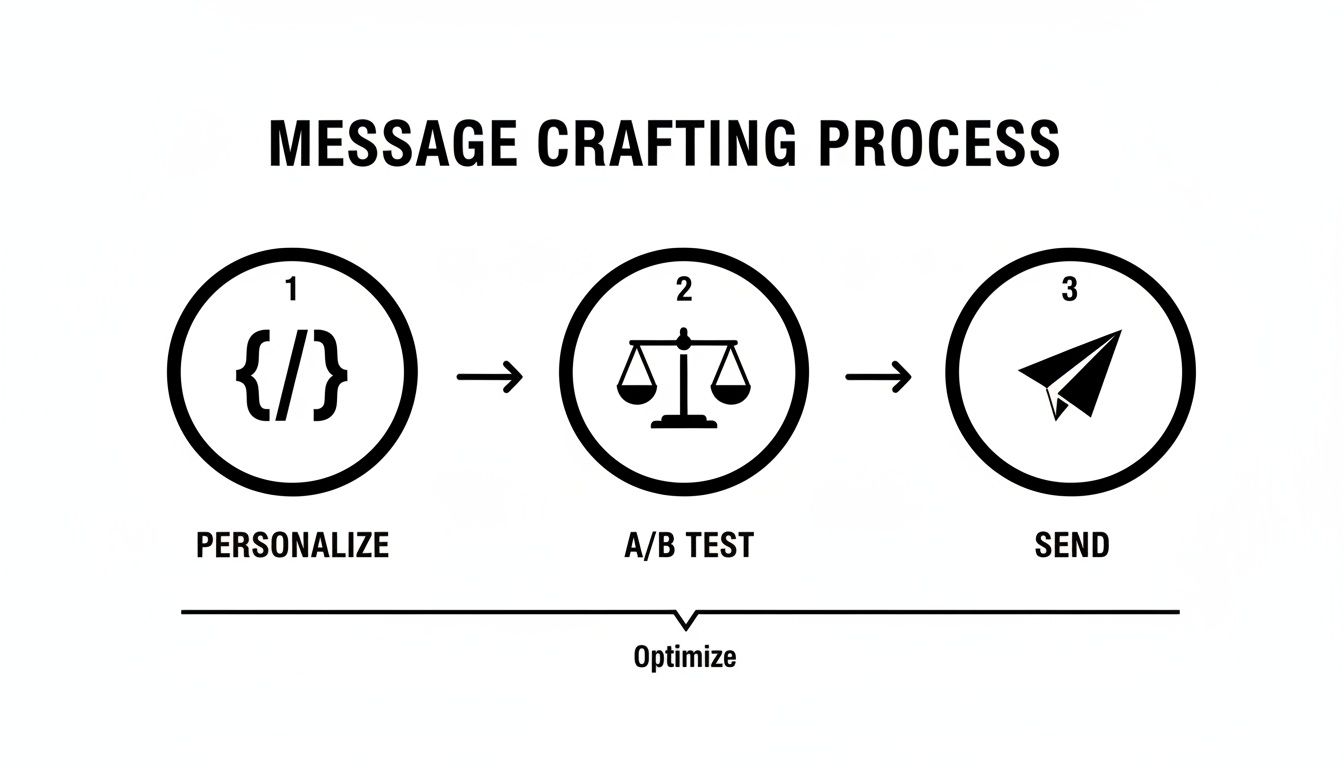
Step 5: Track and Optimize
Launching your AI agent is just the beginning. Now it's time to monitor its performance and make smart tweaks to improve results. This isn't a "set it and forget it" tool; think of it as a new team member that needs coaching.
Your Gojiberry dashboard is your mission control. Focus on these key metrics:
- Messages Sent: The baseline of your agent's activity.
- Reply Rate: The best indicator of message-market fit.
- Conversion Rate: How many replies turn into booked calls?
- ROI (Return on Investment): The ultimate bottom line.
Illustrative Results:
- Messages sent: 500
- Replies: 75 (15%)
- Calls booked: 15 (20% of replies)
- Deals closed: 3 (20% of calls)
- ROI: 600% (based on 3 deals x €10k / €5k campaign cost)
Here are simple rules for optimizing your agent:
- Reply rate < 10%? → Change your message. It's not resonating.
- Conversion rate < 15%? → Improve your follow-up process.
- ROI < 200%? → Revisit your targeting and audience.
Use your A/B testing workflow to continuously improve. Test message A vs. message B, keep the winner, and repeat the process weekly. This cycle of review and refinement is what turns a good campaign into a great one.
Common Mistakes to Avoid (With Fixes)
Even with the best tools, it's easy to make a few common mistakes. Here’s a quick guide to sidestep them:
- ❌ Generic messages → ✅ Personalize with variables like
{{firstName}}and{{company}}. - ❌ Too many messages/day → ✅ Cap it at 50/day to keep your account safe.
- ❌ No follow-up → ✅ Follow up with interested prospects after 7 days.
- ❌ Wrong audience → ✅ Segment your list by role, industry, and company size.
- ❌ No clear CTA → ✅ Ask for a specific action, like a call or a demo.
- ❌ No tracking → ✅ Rely on the Gojiberry dashboard (and your CRM) to monitor performance.
Avoiding these pitfalls will put you miles ahead of the competition.
Pre-Launch Checklist
Before you hit that launch button, run through this quick checklist. ✅
- 100+ prospects prepared and cleaned in a CSV.
- Personalized message written and proofread.
- Variables like
{{firstName}}mapped correctly. - Timing set (max 50 messages/day, Mon–Fri, 9 AM–5 PM).
- Safety limits respected.
- CRM ready to track replies and leads.
- Follow-up plan defined for positive responses.
- Ready to launch!
Mini Case Study: AI Agent in Action (Timeline)
What does success look like in the real world? Here’s an illustrative timeline of a typical campaign rollout.
- Day 1: Create the agent and set up the campaign (30 minutes).
- Day 2: Launch the campaign with an initial list of 100 prospects.
- Days 3–7: The agent sends 50 personalized messages per day, hitting its stride.
- Week 2: Replies start coming in, and the follow-up process begins.
Results Over Time:
- Week 1: 5 new leads
- Week 2: 10 new leads
- Week 3: 15 new leads
- Month 1: 50 new leads
Cost & ROI Framing:With a platform cost of around ~€100/month, generating 50 qualified leads presents a massive ROI potential. Even if only a few of those leads convert, the campaign can easily achieve a ~500% ROI or more, depending on your average deal size.
Ready to build your AI agent?
You've seen how simple it can be to create an AI agent in just 30 minutes. With a no-code tool like Gojiberry, you can automate your outreach, generate consistent leads, and focus on what you do best: closing deals.
You get:
- A true no-code interface
- Fast setup (under 30 minutes)
- Quick results and a clear ROI
👉 Try Gojiberry for free — build your AI agent now
The platform includes an AI agent template, a build guide, and 24/7 support to ensure you succeed.
You now have the complete 5-step process to create your own AI agent. The key takeaway is that you can build an agent in ~30 minutes and start generating consistent outreach without any technical skills. Don't wait for the competition to catch up. Why not start this week?
FAQ
Is it safe to use an AI agent on LinkedIn?
Yes, if you use the right platform. Safety comes down to mimicking human behavior. Platforms like Gojiberry are designed with this in mind, using strict daily limits (around 50 messages/day) and randomized delays between actions. This approach helps you operate within LinkedIn's rules and protects your account. The goal is sustainable outreach, not risky, high-volume spam.
How technical do I need to be to create an AI agent?
Not at all. The beauty of modern no-code platforms is that they handle all the complexity for you. If you can use a spreadsheet or set up a social media profile, you have all the technical skills required. The entire process is visual, using menus and drag-and-drop interfaces, so you can focus on your strategy instead of wrestling with code.
What kind of results can I expect in the first month?
While results vary, a realistic goal for the first 30 days is to establish a consistent flow of conversations. By sending 50 messages a day, you'll reach roughly 1,000 prospects in a month. With a solid message and a good list, aiming for a 10-15% reply rate is achievable, which translates to 100-150 new conversations. From there, booking your first 10-15 qualified meetings is a great initial benchmark.

More High-Intent Leads = Your New Growth Engine.
Start Now and Get New High Intent Leads Delivered Straight to Slack or Your Inbox.