
How to Automate LinkedIn: Step-by-Step Guide for Sales Teams

Spending 10+ hours a week on LinkedIn outreach? Grinding away on manual prospecting feels like you’re on a hamster wheel, right? You pour hours into finding the right people, crafting the perfect connection request, and then juggling all the follow-ups. It's a ton of activity that rarely delivers the results you need.
This is where smart automation for LinkedIn changes the game. And let's be clear: this isn't about spamming everyone with a pulse. It’s about using intelligent software to handle the tedious, repetitive work, reducing that 10-hour grind to just 1-2 hours a week. This frees you up to actually focus on building relationships and closing deals.
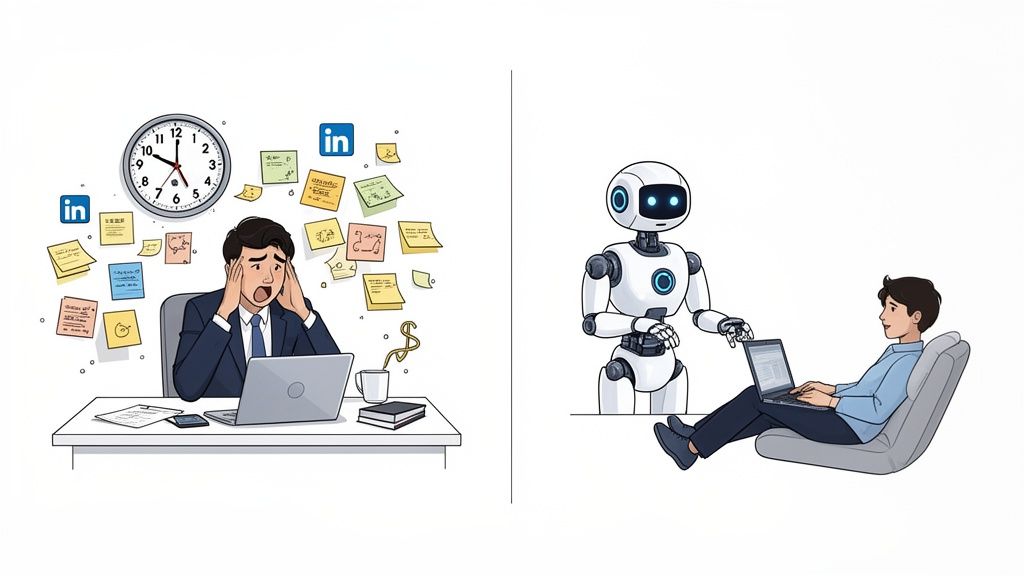
We're not talking about those awful, generic bots that tarnish your reputation. 🚩 This guide is about a strategic system that uses sophisticated LinkedIn automation software to do the heavy lifting—think of it as putting your top-of-funnel on a very smart autopilot.
In this guide, you’ll learn:
- The three core types of automation you can start using today.
- Five real-world use cases that top-performing teams depend on to fill their pipeline.
- A step-by-step process for launching your first automated outreach campaign from scratch.
👉 Want to see what modern, cloud-based LinkedIn automation looks like? Take a look!
What Is LinkedIn Automation?
Let’s get one thing straight. When we talk about "LinkedIn automation," we’re not talking about clumsy, spam-bots from a decade ago that blasted thousands of people with the same terrible message. If that’s what comes to mind, it's time for an update. 🙅♂️
Today's LinkedIn automation is a whole different ballgame. Think of it as a highly efficient virtual assistant that works 24/7 to handle the tedious parts of B2B prospecting. It’s a smart system designed to send connection requests, follow up with thoughtful messages, and even interact with a prospect's content to warm them up before you ever step in.
Technically, these tools simulate human actions by pulling in custom details like {{first_name}} and {{company_name}} and, crucially, adding randomized delays between every single action. This ensures every touchpoint feels completely natural. The goal isn't to spray and pray; it's to systematically start genuine conversations at a scale you could never manage manually.
Now, what about LinkedIn’s official stance? Their terms of service prohibit third-party automation. But in reality, modern, cloud-based tools are built with safety as a priority. Unlike old, risky browser extensions, they operate from a dedicated IP address and are engineered to mimic human behavior, staying well within LinkedIn’s activity limits. When used responsibly, they're a standard part of the B2B sales toolkit.
Why Automate LinkedIn?
So, why are so many sales teams turning to automation for LinkedIn? It’s about building a predictable, scalable pipeline that actually works. 📈
Manual outreach is a roller coaster. You have good days and bad days, leading to inconsistent results. Smart automation smooths out those peaks and valleys, acting as your always-on, top-of-funnel machine that engages prospects even when you're busy closing deals or sleeping.
Here are the key benefits:
- Quantified Time Savings: Teams report saving 10-15 hours per week, per rep. That’s time you can re-invest into high-value activities like discovery calls and demos.
- Consistency Benefits: Automation never has an "off" day. It ensures every lead gets the right follow-up at the right time, so no opportunities fall through the cracks.
- Scale Without Hiring: A single sales rep can manage personalized conversations with over 1,000 prospects every month. That’s the kind of volume that used to require a whole team of BDRs.
- Better Data & Tracking: Stop guessing what works. Automation tools provide hard data on connection acceptance rates, message replies, and sequence performance, so you can A/B test and optimize your approach.
- Competitive Advantage: While your competition is stuck in the copy-paste grind, your team is building relationships and booking meetings at a pace they can't match. Based on industry reports, this can lead to a 60-70% reduction in cost-per-lead (CPL).
Types of LinkedIn Automation
LinkedIn automation isn't one-size-fits-all. The most successful sales teams strategically blend three distinct types to create an outreach system that feels personal and drives results. 🤝
Connection Automation
Think of this as your digital handshake. Connection automation handles the initial outreach by sending personalized connection requests to your ideal prospects at a scale you could never manage by hand.
- What it does: Sends connection requests to a targeted list of prospects.
- Best practices: The goal is to curate a high-quality network. Keep your connection note short, non-salesy, and focused on a commonality.
- Limits & risks: The main risk is sending too many requests too quickly. A safe starting point is around 20 per day, gradually increasing as your account warms up.
- Example workflow: Build a list in Sales Navigator (e.g., "VPs of Marketing in SaaS"), write a simple note ("Hi
{{first_name}}, noticed we're both in the B2B SaaS world. Would be great to connect."), and let the tool drip them out over time.
Message Automation
Once a prospect accepts your request, LinkedIn message automation takes over. It sends a pre-planned sequence of messages to nurture the new relationship.
- What it does: Sends a series of follow-up messages to new connections over several days or weeks.
- Personalization strategies: Avoid the immediate hard pitch. The goal is to build rapport and offer value before asking for a meeting. Use custom variables beyond just their name.
- Timing considerations: Users report that sequences with 2-3 follow-ups, spaced 3-5 days apart, hit the sweet spot. It's enough to stay on their radar without being a nuisance.
- Message 1 (Day 1): "Thanks for connecting!" + an open-ended question.
- Message 2 (Day 4): Share a useful case study or blog post.
- Message 3 (Day 9): Make a soft ask for a brief call.
Engagement Automation
This is the most subtle and underutilized form of automation. Engagement automation automatically likes or comments on your prospects' posts before you ever slide into their DMs.
- What it does: Interacts with a prospect's content (likes, comments) to warm them up.
- Content types: Focus on relevant, recent posts that align with your solution.
- Frequency guidelines: A few likes or one thoughtful comment per prospect over a week is plenty.
- Example workflow: Set the tool to automatically like a prospect's most recent post. A day or two later, send your connection request. They'll recognize your name, making them far more likely to accept. Marketers find this can boost connection acceptance rates by 20-30%.
LinkedIn Message Automation
This is the core of any successful LinkedIn strategy. Getting LinkedIn message automation right means turning cold connections into warm conversations. Let's break down how to set it up for success.
How to Set Up Automated Messages
- Choose your tool: Select a reputable, cloud-based platform. Browser extensions are riskier and less reliable.
- Create message templates: Write a series of messages that build on each other. Start with a simple thank you, provide value, and then make a soft ask. Personalize each one with variables like
{{first_name}},{{company_name}}, and{{job_title}}. - Build your sequences: A typical sequence involves 3-4 steps over two weeks. Map out the timing between each message (e.g., Day 1, Day 4, Day 9).
- Test & optimize: Don't set it and forget it. Start with a small batch of prospects (50-100) to test your messaging.
- Monitor results: Track your connection acceptance rate and reply rate. If your acceptance rate is below 20% or reply rate is below 10%, it's time to tweak your messaging.
Best Practices for Message Automation
- Personalization tactics: Go beyond the basics. Mention a shared connection, a recent company announcement, or a post they wrote.
- Timing strategies: Schedule your messages to send during your prospect's business hours. Good tools let you set a specific time zone.
- Follow-up sequences: If a prospect replies, the automation should stop immediately. The goal is to start a human conversation, not have a robot talk to them.
- A/B testing: Always be testing. Try two different connection notes or two different follow-up messages to see which one performs better.
Common Mistakes to Avoid
- Generic messages: "I see you're the
{{job_title}}at{{company_name}}" is lazy and ineffective. Do your homework. - Excessive sending: Sending too many messages too quickly will get you ignored and potentially flagged.
- Ignoring LinkedIn limits: Stick to the recommended daily maximums for messages and connection requests.
- Not tracking metrics: If you don't track your results, you're flying blind. You'll never know what's working and what isn't.
👉 Ready to launch your first automated LinkedIn sequence? Start building campaigns with gojiberry.ai.
Automate LinkedIn Outreach
A smart outreach strategy isn't just about sending messages. It's a multi-step process that combines connection requests, follow-ups, and engagement to build a relationship first. Here's how to structure your autopilot for LinkedIn.
Connection Request Automation
This is the top of your funnel. The goal is a high acceptance rate.
- Safe automation methods: Use a cloud-based tool with randomized delays. Start with a low daily volume (20/day) and gradually increase.
- Daily limits: LinkedIn has a weekly connection limit. Most tools recommend staying under 100-120 requests per week to be safe. Start with 20 per day.
- Personalization at scale: Your connection note should be short and about them, not you. Reference their industry, a mutual group, or a recent post.
- Acceptance rate tracking: Aim for an acceptance rate of 25% or higher. If you're below that, your targeting or your message needs work.
Multi-Step Outreach Sequences
The real magic happens in the follow-up. A well-timed sequence feels natural and persuasive.
- Day 0: Send connection request.
- Day 1: If accepted, send Message 1 (Thanks + Question).
- Day 4: Send Message 2 (Value-add, like a case study).
- Day 9: Send Message 3 (Soft CTA for a call).
Engagement Before Outreach
Want to boost your connection and reply rates? Warm up your prospects first.
- Why it works: When a prospect sees that you've liked their post or viewed their profile, your name becomes familiar. That familiarity builds trust.
- Automating likes/comments: Set your tool to automatically like a prospect's recent, relevant post a day or two before you send a connection request.
- Relationship-first approach: This signals that you're interested in them as a professional, not just as a sales target.
- Conversion impact: Teams that use an engagement-first strategy often report a 2-3x increase in positive replies compared to a cold outreach approach.
LinkedIn Automation Best Practices
Ready to put this all into practice? Follow these guidelines to get great results while keeping your account safe and your reputation stellar. ✨
Safety Guidelines
- LinkedIn rules: Respect the platform. Don't spam, and don't send an overwhelming number of requests.
- Connection Requests: Start with 20/day, max out around 80-100 per week.
- Messages: Keep it under 100 per day.
- Profile Views: Stay below 150 per day.
Personalization at Scale
- Variables: Use standard fields like
{{first_name}},{{company_name}}, and{{job_title}}. - Segmentation: Don't run one massive campaign. Segment your audience into smaller, highly-targeted lists (e.g., by industry, company size, or geography).
- Dynamic content: Advanced tools allow for "if/then" logic. For example: "If
{{industry}}is 'SaaS', then insert this sentence..." - Testing: Continuously A/B test your personalization to see what resonates. Does mentioning a mutual connection work better than mentioning their company? Test it!
Monitoring & Optimization
- Connection acceptance rate (Goal: >25%)
- Message reply rate (Goal: >15%)
- Positive reply rate (Goal: >5%)
LinkedIn Automation Tools Overview
Now that you know HOW automation works, it's time to think about the TOOLS. The market is full of options, from simple browser extensions to powerful cloud-based platforms. How do you choose?
A quick comparison table can help frame your thinking:
Tool TypePrice RangeSafety LevelBest ForBrowser Extension$0 - $50/moLowIndividuals testing the waters with a high risk tolerance.Cloud-Based Tool$50 - $150/moHighSales teams and agencies needing safety, scale, and reliability.All-in-One Platform$150+/moHighLarge teams wanting advanced features like A/B testing and CRM integration.
When selecting a tool, consider these criteria:
- Safety: Is it cloud-based with a dedicated IP?
- Features: Does it support multi-step sequences and advanced personalization?
- Usability: Is the interface intuitive?
- Support: Do they offer responsive customer support?
Ready to choose a tool? See our complete comparison of 25+ LinkedIn automation tools to find the perfect fit for your team.
Common Mistakes & How to Avoid Them
Even with the best tools, it's easy to make mistakes. Here are the most common pitfalls and how to steer clear of them.
- Over-automating: Problem: Automating everything, including replies, makes you sound like a robot. Solution: Automate the top of the funnel (connections, first few messages) and handle all replies manually and personally.
- Ignoring LinkedIn limits: Problem: Sending hundreds of requests a day will get your account restricted. Solution: Start slow, warm up your account, and stay within the recommended daily limits.
- Poor personalization: Problem: Using only
{{first_name}}is no longer enough. Solution: Use hyper-personalization by referencing a prospect's recent post, a shared connection, or a company event. - Not tracking results: Problem: Flying blind without data. Solution: Dedicate 30 minutes each week to review your campaign metrics and optimize what isn't working.
- Automating without strategy: Problem: Using automation as a magic bullet. Solution: Remember that automation amplifies your strategy—it doesn’t replace it. A bad message sent to 1,000 people is still a bad message.
Automation isn't about spamming; it's about systematically starting genuine conversations at a scale you could never manage manually. By blending the three types of automation—connection, message, and engagement—and following safety best practices, you can turn LinkedIn into a predictable lead generation machine.
The key takeaway? Automation amplifies a good strategy—it doesn't fix a bad one. Focus on providing value, personalizing every touchpoint, and let the technology handle the heavy lifting.
Ready to put this into action? Explore the best LinkedIn automation tools for your use case and start building your pipeline.
FAQ
Is LinkedIn automation safe in 2026?
Yes, if done correctly. The key is to use a modern, cloud-based tool that mimics human behavior and to stay within LinkedIn’s daily activity limits. Avoid cheap browser extensions, as they are far riskier and easier for LinkedIn to detect. A proper account warm-up period is also essential.
Can I get banned for using LinkedIn automation?
While LinkedIn's terms of service technically prohibit automation, an outright ban is extremely rare for users who are being smart and respectful. Account restrictions typically happen to those who are overly aggressive—sending hundreds of generic requests a day. If you act like a human, you'll be fine.
How long does it take to see results?
You can expect to see the first positive replies and leads within the first 1-2 weeks. However, building a consistent, predictable pipeline of qualified meetings usually takes around 2-3 months as you test, learn, and optimize your campaigns.
Can I automate multiple LinkedIn accounts?
Yes, most professional automation tools are designed for agencies and sales teams to manage multiple accounts from a single dashboard. This allows you to scale your outreach efforts across your entire team while maintaining centralized control and reporting.
What’s the typical ROI on LinkedIn automation?
The ROI is significant. By automating top-of-funnel tasks, sales teams often reduce their cost-per-lead (CPL) by 60–70% compared to manual outreach or paid advertising. A well-optimized campaign can generate 30-60 qualified leads per month, per sales rep, making it one of the most cost-effective B2B lead generation channels available. For more, check our LinkedIn automation tools guide.

More High-Intent Leads = Your New Growth Engine.
Start Now and Get New High Intent Leads DeliveredStraight to Slack or Your Inbox.