
AI Agent for LinkedIn: Automate Prospecting & Lead Generation

What if I told you that the top-performing sales teams are generating 5x more qualified leads on LinkedIn? 🤔 Their secret isn't working 12-hour days. It's using a smart AI agent for LinkedIn.
If you're in B2B, you're living on LinkedIn. But let's be honest: how much of your day is lost to manual prospecting? The endless scrolling, copy-pasting, and spreadsheet juggling just doesn't scale. You're putting in the hours, but the results feel random and unpredictable.
This is where an AI agent changes the game. Think of it as your 24/7 prospecting copilot. It automates the tedious work—the research, the outreach, the follow-ups—so you can focus on what you do best: building relationships and closing deals.
In this guide, you’ll learn:
- -How an AI agent for LinkedIn actually works (no magic, just smart tech).
- -The real-world benefits you can expect (like getting 10+ hours back per week).
- -How to choose the right tools and implement them safely.
- -Actionable steps to get started and avoid common mistakes.
Ready to trade the manual grind for intelligent automation? Let's dive in.
What is an AI Agent for LinkedIn?
An AI agent for LinkedIn is much more than a simple bot that automates clicks. That's old-school automation. A true AI agent is a sophisticated system that handles the entire top-of-funnel sales process on your behalf.
Think of it as your best Sales Development Rep (SDR)—one who works around the clock, never gets tired, and has an uncanny ability to spot opportunities. It's a specialized form of social media automation designed specifically for B2B sales intelligence.
Its core capabilities include:
- -Researching prospects based on buying signals (like job changes or company funding).
- -Personalizing outreach messages at scale using data from a prospect's profile.
- -Engaging with prospects through automated connection requests and follow-up sequences.
- -Qualifying leads so your sales team only talks to people who are a good fit.
Unlike traditional LinkedIn tools that require you to manually build lists and write every message, an AI agent takes on the strategic heavy lifting. Users report that the ROI isn't just about saving time; it's about building a predictable pipeline of warm, qualified leads who are genuinely interested in the conversation.
How AI Agents Work on LinkedIn
So, what's really happening behind the scenes? It’s not magic, but a smart, repeatable process that turns your LinkedIn profile into a lead-generation machine. Let's break down the step-by-step workflow.
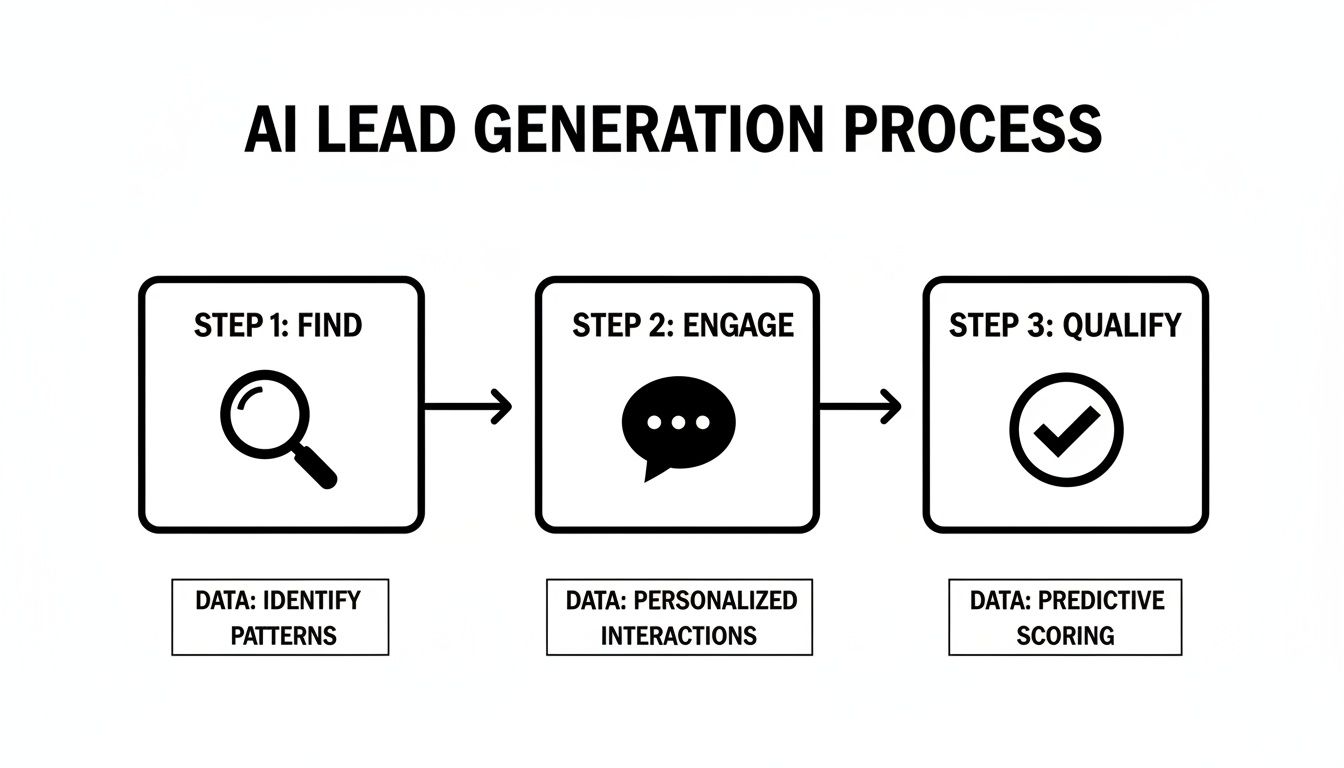
Here’s how a typical AI agent for LinkedIn prospecting operates:
- -Step 1: Research & Identify Prospects: The agent scans LinkedIn for buying signals—promotions, job changes, company news, or specific keywords in posts—to find prospects matching your Ideal Customer Profile (ICP).
- -Step 2: Enrich Contact Data: Once a potential lead is identified, the agent enriches their profile with verified contact details and company information, ensuring your data is clean and actionable.
- -Step 3: Personalize Outreach: The AI analyzes the prospect’s profile, recent activity, and work history to draft a hyper-personalized icebreaker. This moves you beyond generic, awkward opening lines.
- -Step 4: Send Connection Requests & Messages: With a relevant message ready, the agent sends the connection request and initial outreach on your behalf, kicking off the conversation in a natural way.
- -Step 5: Track Engagement & Follow-Up: The agent doesn’t stop at one message. It manages automated follow-up sequences, intelligently adjusting based on whether the prospect has replied or viewed your profile.
- -Step 6: Qualify Leads: Using AI-powered scoring, the agent determines how qualified a lead is based on their profile and engagement. This ensures your sales team spends their time on the most promising conversations.
This entire cycle automates the most tedious parts of sales so you can increase sales productivity and close more deals.
Key Benefits of AI Agents on LinkedIn
Is moving from manual methods to an AI agent really worth it? Based on feedback from hundreds of sales teams, the answer is a resounding yes. The benefits go far beyond just saving a few hours.
- -Massive Time Savings: Sales reps report saving 10+ hours per week by automating the grind of research and outreach. What would you do with that extra time?
- -Increased Lead Volume: An AI agent can reach 3-5x more prospects than a human can manually, dramatically expanding your pipeline.
- -Improved Lead Quality: By using data and buying signals for targeting, the agent focuses only on high-fit prospects, meaning fewer wasted conversations.
- -Personalization at Scale: AI can generate unique, relevant icebreakers for every single prospect, something that's impossible to do manually at scale.
- -24/7 Prospecting: Your AI agent works around the clock, finding and engaging leads even when you're offline. Your pipeline never sleeps.
- -Scalability on Demand: Need to grow your outreach? You can scale up instantly without having to hire and train more SDRs.
AI Agent Capabilities for LinkedIn
Not all AI agent LinkedIn automation tools are created equal. When evaluating options, look for a comprehensive feature set that covers the entire prospecting workflow.
Here are the key capabilities to look for:
- Lead Research & Enrichment: The ability to find prospects based on advanced filters and automatically enrich their profiles with verified data.
- Personalized Connection Requests: AI-generated icebreakers that go beyond
"{firstName}"and reference a prospect's specific activity or background. - Automated Messaging & Follow-ups: Smart sequences that can send multiple follow-ups over time and stop automatically when a prospect replies.
- Content Engagement: The option to automatically like or comment on posts from key prospects to build rapport.
- Lead Scoring & Qualification: An AI model that scores leads based on their fit and engagement level to prioritize your follow-up.
- CRM Integration & Syncing: Seamless integration with CRMs like HubSpot or Salesforce to keep all your data in one place.
- Performance Analytics: A clear dashboard that tracks key metrics like connection acceptance rate, reply rate, and meetings booked.
Top AI Agents for LinkedIn
The market for AI agent LinkedIn tools is growing, but a few platforms stand out based on user feedback and their specific strengths. Let's look at three top contenders.
Gojiberry AI
- -Best for: Quality lead generation with a focus on buying signals.
- -Key Features: Users consistently praise its advanced intent-signal tracking, which finds leads who are actively looking for solutions. The AI-powered personalization is noted for generating highly relevant icebreakers that get replies. It also features robust analytics and multi-account management.
- -Pricing: Custom plans based on team size and needs.
- -Pros: Excellent lead quality, deep personalization capabilities, strong safety features.
- -Cons: Geared more towards serious sales teams rather than casual individual users.
Expandi
- -Best for: Teams looking for a well-established tool with a wide range of automation features.
- -Key Features: Marketers find Expandi's smart sequences and image personalization features effective. It has a strong reputation in the market and offers reliable campaign management for both LinkedIn and email outreach.
- Pricing: Starts around $99/user/month.
- -Pros: All-in-one platform, good for running multiple campaigns, established player.
- -Cons: Based on user feedback, the interface can feel complex for beginners, and personalization isn't as deeply AI-driven as some newer tools.
Dripify
- -Best for: Solo entrepreneurs and small teams new to LinkedIn automation.
- -Key Features: Praised for its user-friendly interface and visual campaign builder that makes it easy to set up "drip" sequences. It allows users to create workflows based on different triggers and actions.
- -Pricing: Plans start around $59/user/month.
- -Pros: Affordable, easy to get started, visual workflow builder is intuitive.
- -Cons: Lacks the advanced AI research and hyper-personalization capabilities of more premium agents. Best for simpler outreach.
For a broader look at the landscape, check out this guide to the best AI tools for sales.
Comparison: AI Agent vs Manual Prospecting
Wondering how an AI agent for LinkedIn really stacks up against the old-school manual approach? The difference is night and day. A manual process is limited by human hours, while an AI-driven one scales with technology.

Here’s a side-by-side breakdown:
The takeaway? An AI agent doesn't replace a sales rep; it empowers them to focus on high-value conversations instead of low-value tasks.
LinkedIn Compliance & AI Agents
Let's address the elephant in the room: can using an AI agent for LinkedIn get your account banned? 🐘
The honest answer is: it's possible, but only if you're careless. LinkedIn’s rules are designed to stop spammy, low-quality bots that ruin the user experience. A well-designed AI agent, however, operates differently. It's built to mimic natural, human-like activity to stay safe.
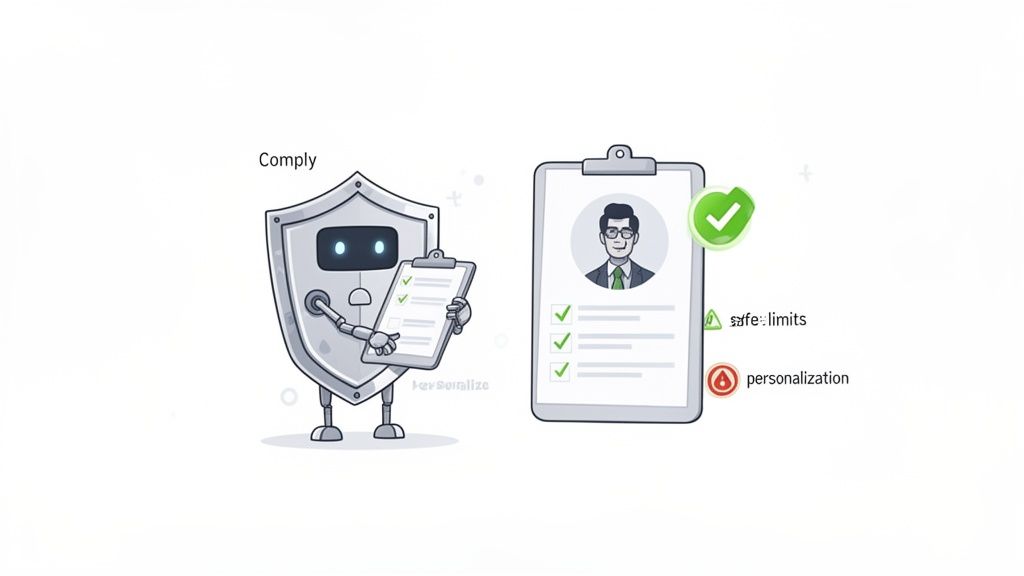
Here are the best practices for compliance:
- -Respect Rate Limits: A good agent will automatically stay within LinkedIn's daily and weekly limits for profile views, requests, and messages.
- -Prioritize Personalization: Genuinely personalized outreach doesn't feel like a bot. This is your best defense.
- -Warm Up Your Account: Slowly ramp up activity instead of going from zero to one hundred overnight.
- -Adhere to Data Privacy: Ensure your tool and processes are compliant with regulations like GDPR.
The Golden Rule: Use AI to enhance human connection, not fake it. When you follow these practices, you protect your account and your professional reputation.
Implementation Best Practices
Ready to launch your AI agent? A thoughtful plan is the key to success. Don't just flip a switch; follow these steps for a smooth and effective rollout.
- Start with a Pilot: Don't go all-in at once. Assign the AI agent to one or two reps for a test run. This allows you to fine-tune your messaging and targeting in a controlled setting.
- Set Clear Goals: What does success look like? Is it booking 10 qualified meetings per month? A 30% connection acceptance rate? Define your KPIs upfront so you know what you're aiming for.
- Train Your Team: Show your reps how the agent frees them from grunt work and tees up warm conversations. When they understand the "why," they'll be your biggest advocates.
- Monitor Performance: An AI agent isn't "set and forget." Review the analytics weekly. Are you getting replies? Are the leads a good fit? Use the data to see what's working.
- Optimize Continuously: Based on your monitoring, tweak your messaging, targeting, and follow-up strategy. This constant loop of refinement is what drives compounding results.
Common Mistakes with AI Agents on LinkedIn
Even with the best tool, it's easy to make mistakes. Here are five common pitfalls to avoid for successful AI agent LinkedIn lead generation:
- Generic Messaging: Sending the same bland message to everyone is the fastest way to get ignored. Use the AI's personalization features to the fullest.
- Ignoring Compliance: Pushing the limits to get results fast is a recipe for getting your account flagged. Play the long game.
- Poor Targeting: If you feed the agent a bad list, you'll get bad results. Spend time defining your ICP and use precise filters.
- No Follow-Up Strategy: Most meetings are booked on the 4th or 5th touchpoint. A "one and done" approach leaves money on the table.
- Inadequate Monitoring: Not checking your campaign's performance means you're flying blind and can't fix problems before they derail your efforts.
Real-World Success Stories
Still skeptical? Here’s how real companies are using AI agents on LinkedIn to drive growth.
- -Case Study 1: SaaS Company Lead Generation
- -Challenge: A SaaS startup needed to book demos with VPs of Engineering but their small sales team was buried in manual research.
- -Solution: They deployed an AI agent to identify engineers who were promoted or joined new companies. The agent sent personalized congrats messages, leading to conversations.
- -Result: They booked 25 qualified demos in the first quarter, a 300% increase over their manual efforts.
- -Challenge: A marketing agency wanted to expand into a new vertical but lacked connections and bandwidth.
- -Solution: An AI agent was used to target decision-makers in the new industry, engaging with their content before sending a connection request.
- -Result: They built a pipeline of 150+ warm leads in 60 days and closed their first two clients in the new vertical.
- -Challenge: A recruitment firm needed to find highly specialized tech talent in a competitive market.
- -Solution: The firm used an AI agent to scan for specific skills and experience on LinkedIn profiles, then automated the initial outreach.
- -Result: They reduced their time-to-hire by 40% and built a talent pipeline that continuously supplied qualified candidates.
Measuring AI Agent Success
To know if your AI agent is truly working, you need to track the right KPIs. Ditch the vanity metrics and focus on what drives revenue.
Measure these 6 things:
- Leads Generated Per Week: How many new, qualified prospects is the agent adding to your pipeline?
- Connection Acceptance Rate: What percentage of your requests are being accepted? (Aim for 30% or higher).
- Message Response Rate: Of those connections, how many are replying to your outreach? (Aim for 10-20%).
- Meetings Booked: The ultimate goal. How many qualified meetings is the agent generating for your sales team?
- Cost Per Lead: Calculate this by dividing the tool's cost by the number of leads generated.
- Return on Investment (ROI): How much new revenue is being generated from deals that started with the AI agent?
It’s Time to Build Your Automated Pipeline
Manual LinkedIn prospecting is a dead end. It’s slow, unscalable, and drains your most valuable resource: your sales team’s time.
An AI agent for LinkedIn offers a smarter way forward. It automates the entire top-of-funnel process—from research and personalization to outreach and follow-up—so your team can focus on what matters. Building relationships and closing deals.
By following the best practices in this guide, you can safely implement an AI agent, avoid common pitfalls, and build a predictable, scalable pipeline of high-quality leads.
The future of sales isn't about working harder; it's about working smarter. Are you ready to make the switch?
Ready to see how an AI-powered copilot can fill your pipeline on autopilot? GojiberryAI identifies high-intent leads and automates your outreach so you can focus on closing deals. Start your free trial today.
Frequently Asked Questions
How is an AI agent different from LinkedIn Sales Navigator?
That's a great question. They are partners, not competitors. Think of LinkedIn Sales Navigator as your high-powered map—it gives you advanced filters to manually find the perfect prospects. An AI agent for LinkedIn is the self-driving car that takes that map and handles the entire journey for you: enriching data, sending personalized messages, and managing follow-ups. The best teams use both: Sales Navigator for strategic research and an AI agent for automated execution.
What results can I realistically expect in the first 30 days?
While results vary, users often report a connection acceptance rate between 25-40% and a message reply rate of over 10% once a campaign is dialed in. The first month is primarily about calibration: testing messages, refining your target audience, and gathering data. You'll see new connections and conversations start quickly, but the real impact on booked meetings typically builds momentum in months two and three.
Can an AI agent engage with my prospects' LinkedIn posts?
Yes, the more sophisticated agents can. This is a powerful feature for "warming up" a prospect. The agent can be configured to automatically like or leave relevant, AI-generated comments on posts from key prospects. This builds rapport and keeps you top-of-mind, making your direct outreach feel less like a cold message and more like a natural continuation of a conversation. It's a key part of modern AI agent LinkedIn outreach.

More High-Intent Leads = Your New Growth Engine.
Start Now and Get New High Intent Leads DeliveredStraight to Slack or Your Inbox.