
AI SDR for Sales Teams: How to Choose, Implement & Scale in 2026

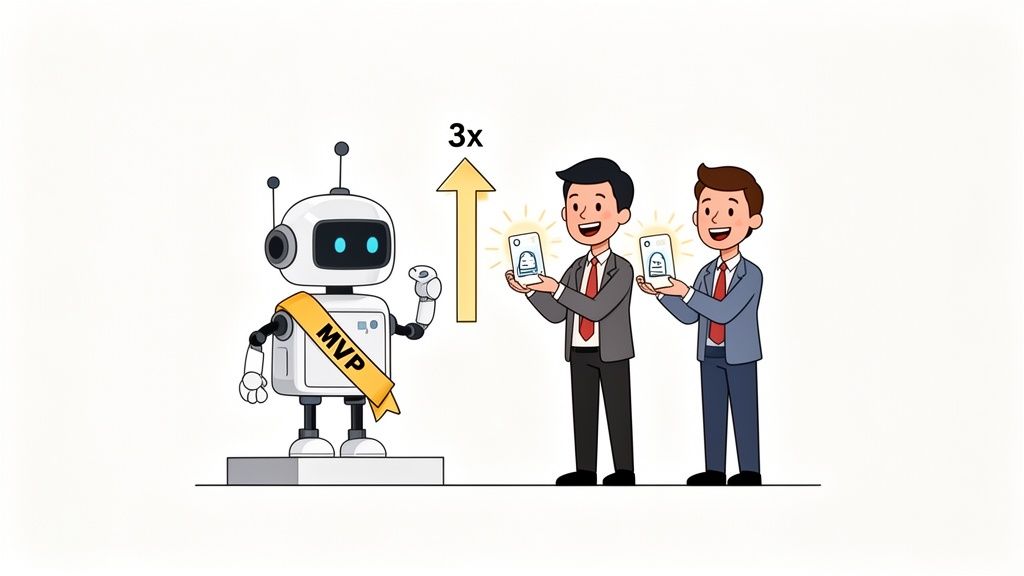
Ever wondered how some sales teams seem to have a bottomless well of qualified leads? It's not magic. Chances are, they've found their new MVP—an AI Sales Development Representative.
The results speak for themselves. Sales teams using AI SDRs are reporting up to 3x more qualified leads in just 90 days. But how do they actually pull it off?
Let's be real: manual outreach is a grind. It’s slow, exhausting, and simply doesn't scale. Your best reps are likely spending more time digging for leads than actually talking to them. The answer isn't always to just hire more people; it's about working smarter.
That’s where AI SDR for sales teams comes in. These autonomous agents automate the heavy lifting—prospecting, qualifying, and initial outreach—all while maintaining a surprisingly personal touch. They handle the grunt work so your human team can focus on closing deals.
This guide will walk you through exactly what you need to know to get started.
Here’s what you'll learn:
- -How to pick the right AI SDR tool for your specific needs.
- -A step-by-step plan to implement it without disrupting your current workflow.
- -Best practices to scale your success and build a predictable sales pipeline.
Ready to build an unstoppable sales engine? Let's dive in. 🚀
What Is an AI SDR for Sales Teams?
So, what exactly is an AI SDR? Let's cut through the noise. An AI SDR isn't just a fancy chatbot; it's an autonomous AI sales agent designed to handle the most repetitive, time-sucking parts of outbound sales.
Think of it as a digital team member that works around the clock, 24/7. Its main job is to identify and research leads matching your Ideal Customer Profile (ICP), find their contact details, and then kick off smart, multi-channel outreach campaigns.
The real power move? An AI SDR can execute highly personalized sales outreach on a scale that's simply impossible for a human to replicate. We're talking hundreds or even thousands of tailored touchpoints a day.
Common Use Cases:
- -Lead Generation: Automatically identifies and sources net-new contacts that fit your ICP.
- -Lead Qualification: Engages prospects to determine interest and readiness to buy, asking relevant questions and scoring their responses.
- -Automated Follow-up: Never lets a lead fall through the cracks with persistent, intelligent follow-up sequences.
And this isn't happening in a vacuum. A proper AI SDR plugs directly into your existing sales stack, syncing every action with your CRM—whether that's Salesforce or HubSpot.
The expected ROI can be significant, with teams often seeing a positive return within the first quarter by generating a steady stream of high-quality, sales-ready meetings for their account executives.
Why Sales Teams Need AI SDRs in 2026
Still on the fence? Adopting an AI SDR isn't just about jumping on a trend; it's about gaining a serious competitive edge. Here’s why top-performing sales teams are making the switch.
- -Market Trends are Undeniable: AI adoption is no longer a "nice-to-have." As sales team automation becomes standard, teams without it risk falling behind. Your competitors are likely already exploring these tools to move faster and more efficiently.
- -Gain a Competitive Advantage: While others are manually prospecting, your AI SDR is running thousands of personalized outreach sequences. This massive volume advantage in outbound and pipeline generation means you're talking to more qualified buyers, more often.
- -Massive Productivity Gains: Think about how much time your human SDRs spend on research, data entry, and sending initial emails. An AI SDR takes over 80% of that manual work, freeing up your team to focus on high-value activities like running demos and closing deals.
- -Incredible Cost Efficiency: Let's do the math. The cost of hiring, training, and retaining a human SDR can easily exceed $100k per year. An AI SDR delivers comparable (or even greater) output for a fraction of that cost, making it a highly efficient way to scale your pipeline without bloating headcount.
The bottom line? AI SDRs allow you to scale your outbound efforts predictably and cost-effectively, giving your team the leverage it needs to win in a crowded market.
Key Features to Look For in an AI SDR
Not all AI SDR tools are created equal. As you start evaluating platforms, you need a solid checklist to separate the truly powerful tools from the glorified email bots. What are the absolute non-negotiables for this digital sales rep to succeed?
Here's a breakdown of the key features to look for:
- -Lead Research and Enrichment: A great AI SDR doesn't just find names; it uncovers buying signals. Can it flag a recent funding announcement, a key executive's job change, or a prospect mentioning your competitor online? This is what turns a cold email into a relevant conversation.
- -Personalized Outreach at Scale: Look for platforms that go beyond
[First Name]mail merges. The best tools can dynamically generate unique email copy for each prospect based on their specific context, industry, and pain points. - -Lead Qualification and Scoring: How good is it at spotting your ideal customer? The best lead qualification AI goes beyond simple demographics, analyzing behavior and intent to score leads accurately. This ensures your human reps spend their time on conversations that are actually likely to close.
- -Seamless CRM Integration: This is a big one. The tool must play nicely with your CRM, whether it's Salesforce or HubSpot. A native, deep integration means no data gets lost, and your single source of truth stays clean and updated without manual work.
- -Analytics and Reporting: You need to know what's working and what isn't. Look for clear, intuitive reporting. Some of the best platforms now offer advanced features like AI data chat capabilities, which lets you ask questions about your data in plain English and get instant answers.
- -Ease of Use and Setup Time: Your team won't use a tool that's complicated and clunky. An intuitive interface and a quick setup process are crucial for adoption. The faster you can get campaigns live, the faster you'll see ROI.
- -Compliance and Data Security: With regulations like GDPR and CCPA, you can't afford to take risks. Ensure the platform adheres to data privacy best practices and helps you maintain compliance in your outreach efforts.
The market for AI SDRs for sales teams has ballooned to a $3.1 billion valuation for good reason. Companies are no longer settling for basic automation; they're investing in sophisticated platforms that deliver a clear, measurable return. Discover more about this trend and how teams are adapting.
Top AI SDRs for Sales Teams in 2026
So, you're ready to see what the top AI SDR platforms can do. This isn't about crowning one single "best" tool, because the right choice really depends on your team's unique needs, budget, and sales motion.
Based on extensive research, user feedback, and case studies, here are four leading contenders in the AI SDR tools space. The adoption of this tech is exploding for a reason. In fact, it's predicted that by 2026, a staggering 85% of enterprises will be using AI sales agents in some capacity. You can discover more industry insights about AI SDR adoption in this report.
1. GojiberryAI
- -Overview & Best Use Case: GojiberryAI focuses on identifying high-intent leads using real-time buying signals and then engaging them with autonomous AI agents. It's best for teams that want to move beyond cold outreach and focus exclusively on buyers who are already showing signs of being in-market.
- -Key Features: Intent data integration, autonomous multi-channel outreach, real-time lead research, deep CRM sync.
- -Pricing: Custom pricing based on pipeline goals and team size. Users report it's priced for performance, making it a strong option for teams focused on ROI.
- -Pros: Highly effective at generating qualified meetings, not just leads. Strong focus on intent data gives it a quality edge.
- -Cons: Less focused on pure volume than some competitors; it's a quality-over-quantity play.
2. Clay
- -Overview & Best Use Case: Clay is a powerful data orchestration and automation platform that allows sales teams to build highly customized prospecting workflows. It’s best for tech-savvy teams with a dedicated Sales Ops function that loves to build and tinker.
- -Key Features: Integrates with 50+ data providers, waterfall enrichment, AI-powered message generation, and spreadsheet-like interface.
- -Pricing: Starts with a free tier, with paid plans from $149/month based on credits and features.
- -Pros: Unmatched flexibility and customization. Can build virtually any prospecting workflow imaginable.
- -Cons: Can have a steep learning curve. Requires significant setup and maintenance, which may not be ideal for teams wanting an "out-of-the-box" solution.
3. Wellyx.ai
- -Overview & Best Use Case: Wellyx.ai positions itself as a fully autonomous AI SDR that handles the entire outbound process from research to meeting booking. It's best for teams looking for a hands-off solution to fill the top of their funnel.
- -Key Features: Hyper-personalization, multi-channel outreach (email, LinkedIn), conversation handling, and direct calendar booking.
- -Pricing: Pricing is not publicly listed, typically requiring a demo and custom quote.
- -Pros: Truly end-to-end automation. The platform's AI can handle back-and-forth conversations with prospects.
- -Cons: As with any fully autonomous system, users report a need to closely monitor conversations to ensure brand voice and accuracy are maintained.
4. Coldreach.ai
- -Overview & Best Use Case: Coldreach.ai is designed to automate the process of finding prospects, enriching their data, and launching email campaigns. It’s best for teams focused primarily on scaling their top-of-funnel email outreach volume.
- -Key Features: Large B2B contact database, automated email sequencing, data enrichment, and basic CRM integrations.
- -Pricing: Offers tiered plans based on the number of credits and features, starting around $99/month.
- -Pros: Very easy to get started and cost-effective for high-volume email campaigns.
- -Cons: Personalization capabilities are less advanced than others on this list. Users note it works best as a volume play rather than a highly targeted one.
For a wider look at automation in sales, you can also check out our guide on the best AI tools for sales.
Comparison Table: AI SDR Tools
| Feature | GojiberryAI | Clay | Wellyx.ai | Coldreach.ai |
|---|---|---|---|---|
| Lead Research | ⭐️⭐️⭐️⭐️⭐️ | ⭐️⭐️⭐️⭐️ | ⭐️⭐️⭐️⭐️ | ⭐️⭐️⭐️⭐️ |
| Personalized Outreach | ⭐️⭐️⭐️⭐️⭐️ | ⭐️⭐️⭐️⭐️ | ⭐️⭐️⭐️⭐️⭐️ | ⭐️⭐️⭐️ |
| Lead Qualification | ⭐️⭐️⭐️⭐️⭐️ | ⭐️⭐️⭐️⭐️ | ⭐️⭐️⭐️⭐️⭐️ | ⭐️⭐️⭐️ |
| CRM Integration | Native | API/Webhook | Native | Basic |
| Ease of Use | High | Low | Medium | High |
| Pricing | Custom | Tiered | Custom | Tiered |
| Best For | Quality Pipeline | Custom Workflows | End-to-End Automation | Email Volume |
How to Choose the Right AI SDR for Your Sales Team
Picking the right AI SDR is more than just buying software—it’s a strategic decision. Get it right, and you’ll have a pipeline-generating machine. Get it wrong, and you'll have another unused subscription. Here's a proven five-step playbook to make a smart, confident choice.
Step 1: Define Your Needs (Volume, Quality, Budget)
Before you look at a single vendor, get clear on your goals. Are you struggling with a lack of qualified meetings, or is your team just buried in manual outreach? Do you need to 10x your lead volume, or do you need fewer, better conversations? Define your budget and what a "win" looks like in 90 days.
Step 2: Audit Your Tech Stack (CRM, Email, Data Sources)
This is critical. Your AI SDR has to play nicely with the tools you already use, especially your CRM. A clunky integration that requires constant manual fixes will create more headaches than it solves. Map out your current workflow and identify where the AI SDR will plug in.
Step 3: Evaluate Key Features (Must-Haves vs. Nice-to-Haves)
It's easy to get wowed by flashy demos. Create a simple scorecard to stay objective. Split your feature list into two columns: "must-haves" and "nice-to-haves." A deep, bi-directional CRM sync might be a must-have, while advanced AI reporting could be a nice-to-have. This helps you focus on what truly matters.
Step 4: Compare Pricing and Calculate Potential ROI
Don't just look at the monthly cost. A cheaper tool that generates low-quality leads is a waste of money, while a platform that consistently books qualified meetings can pay for itself many times over. Calculate the potential ROI based on your average deal size and the number of meetings you need to hit quota.
Step 5: Request Demos and Run Trials
You wouldn't buy a car without a test drive, right? The same applies here. Get live demos from your top contenders and, if possible, run a small pilot or trial. This is your chance to see the platform in action with your own data. This hands-on approach takes the guesswork out of the equation.
Your Decision Checklist:
- - Does this tool solve our primary problem (e.g., meeting volume, lead quality)?
- - Does it integrate seamlessly with our CRM?
- - Does it have our "must-have" features?
- - Is the pricing model aligned with the value we expect?
- - Did the demo/trial prove it can deliver results?
Implementation Best Practices
Rolling out an AI SDR for your sales team isn't about flipping a switch and hoping for the best. A successful launch comes down to smart preparation and a phased approach.
Think of it as a three-stage mission: Audit, Pilot, and Scale.
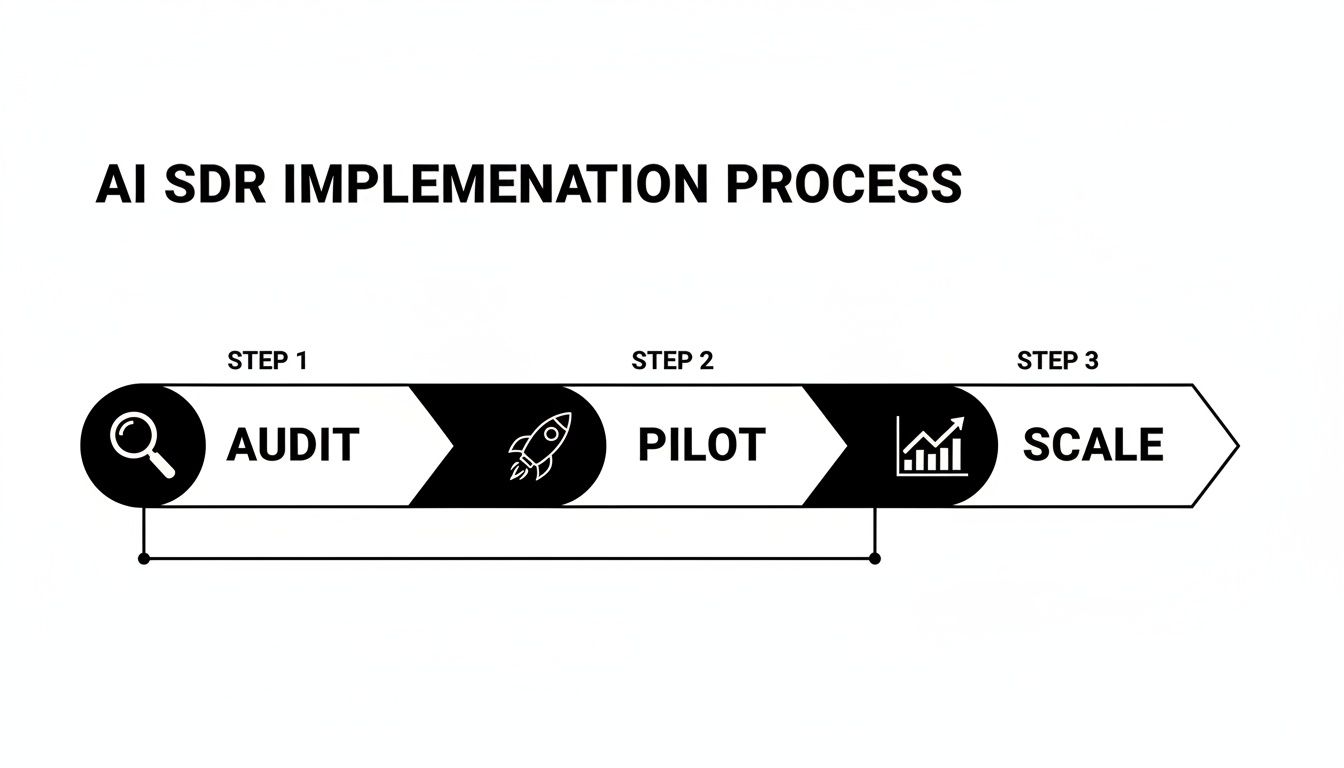
Pre-Launch: Data Audit, Team Training, CRM Setup
Before you do anything else, get your house in order. That starts with a thorough data audit of your CRM. Clean, accurate data is the fuel for any AI. Garbage in, garbage out. Next up is team training. Show your reps how this new tool makes their lives easier and helps them crush their quotas—not how it's coming for their jobs. Frame it as their new superpower.
Launch: Pilot with a Small Segment, Monitor Core Metrics
When you're ready to go live, don't go all-in at once. Start small. Run a pilot program with a select group of reps or on a single campaign. This gives you a safe space to work out the kinks without risking your entire pipeline. From day one, keep a close eye on your key metrics like response rates and lead quality.
Optimization: A/B Testing, Prompt Refinement, Team Feedback
The real magic happens after the pilot is running. Continuously A/B test different messages and tweak your AI prompts based on performance. Get constant, honest feedback from the pilot group—they’re on the front lines and will tell you what’s actually working.
Scaling: Roll Out to the Full Team, Integrate with Workflows
Once your pilot is consistently hitting its goals and the process feels seamless, you're ready for the big time. Roll the AI SDR out to the entire sales team and bake it into your standard operating procedures.
Real-World Case Studies
Theory is great, but what results are teams actually seeing? Let's look at a few examples.
Case Study 1: SaaS Startup Triples Meetings
- -Company: A B2B SaaS startup in the HR tech space.
- -Challenge: Their small sales team of three was spending over 60% of their time on manual prospecting and was struggling to book more than 5 demos per week.
- -Solution: They implemented an AI SDR focused on identifying companies that were actively hiring for roles their software supported. The AI handled all initial outreach and follow-up.
- -Results: Within 90 days, they increased their weekly demos from 5 to 18 (a 3.6x increase), leading to a 2x growth in their sales pipeline without adding any new hires.
Case Study 2: Marketing Agency Saves 20 Hours Per Rep
- -Company: A mid-sized digital marketing agency.
- -Challenge: Their SDRs were burned out from the daily grind of list building and cold emailing, leading to high turnover and inconsistent lead flow.
- -Solution: They adopted an AI SDR platform to automate lead research and the first four touchpoints of their outreach sequence. Human SDRs only stepped in once a prospect replied with interest.
- -Results: The agency saved each SDR an average of 20 hours per week. This allowed them to reallocate that time to lead nurturing and custom proposal writing, which increased their lead-to-close conversion rate by 35%.
Common Implementation Mistakes to Avoid
Ready to get started? Awesome! Just make sure you sidestep these common pitfalls.
- -Expecting Immediate Results: AI is powerful, but it's not magic. It needs time to learn and optimize. Give it at least 30-60 days to see meaningful results.
- -Poor Data Quality: Feeding your AI SDR a messy, outdated contact list is a recipe for disaster. A clean CRM is non-negotiable.
- -Ignoring Personalization: Don't just "set it and forget it." The best results come from continuously refining your messaging and targeting based on what's resonating with prospects.
- -Not Training the Team: If your human reps don't understand how the AI SDR works or how it benefits them, they won't use it effectively. Adoption is key.
- -Neglecting the Handoff Strategy: Have a crystal-clear process for when and how the AI hands a lead over to a human. A fumbled handoff can kill a warm lead instantly.
- -Over-relying on Automation: Remember, the goal is to start conversations, not just send emails. Know when it's time for a human to step in and build a real relationship.
AI SDR + Human SDR: The Winning Combination
Let’s be clear: this isn’t about replacing your sales team. It’s about making them unstoppable. The smartest sales organizations aren't debating AI versus humans; they're blending them into a single, high-performance engine.
The secret is a simple division of responsibilities:
- -AI SDR: Handles prospecting at scale, initial outreach, and the first round of qualification. It's a volume and efficiency machine.
- -Human SDR: Takes over warm, qualified leads. They focus on deep discovery, handling complex objections, and building the real relationships that close deals.
When it works, it’s a beautifully seamless handoff. The AI identifies an interested lead and books a meeting directly on your rep’s calendar. Teams that nail this hybrid model aren't just seeing small gains; some are reporting 43% higher win rates and closing deals 37% faster. You can read more about how this combination crushes benchmarks.
To make it work, you need structure. Clearly define the handoff point, integrate your workflows, and hold both AI and human reps accountable to their specific KPIs.
Measuring Success: KPIs to Track
How do you know if your AI SDR is actually working? You need to track the right metrics. Forget vanity metrics and focus on what drives revenue.
- -Lead Volume and Quality: Are you getting more leads? More importantly, are they the right leads? Track the number of Marketing Qualified Leads (MQLs) and Sales Qualified Leads (SQLs) generated.
- -Response Rate and Conversion Rate: What percentage of prospects are replying? Of those, how many are converting into meetings? This tells you if your messaging is effective.
- -Cost Per Lead/Meeting: Divide the total cost of the tool by the number of qualified leads or meetings it generates. This is your core ROI metric.
- -Time Saved Per Rep: Survey your team. How many hours are they saving each week? This is a key indicator of productivity gains.
- -ROI and Payback Period: Ultimately, it's about the money. How much new pipeline and closed-won revenue can you attribute to the AI SDR? How long did it take to pay for itself?
- -Team Adoption and Satisfaction: Is your team actually using the tool? Are they happy with the quality of leads it provides? Low adoption is a major red flag.
Build a Pipeline That Never Sleeps
The old way of doing sales—manual prospecting, endless cold calls, and burned-out reps—is officially broken. The top-performing teams of 2025 and beyond will be those that successfully blend human talent with intelligent automation. An AI SDR isn't a futuristic concept; it's a practical tool that can start filling your pipeline right now.
Here's the takeaway:
- -Define your needs first: Know what problem you're solving before you look at tools.
- -Choose a partner, not just a product: Find a tool that fits your workflow and scales with you.
- -Implement strategically: Roll it out in phases—Audit, Pilot, Scale—to ensure a smooth launch.
- -Combine AI and humans: Let the AI handle the volume so your team can focus on closing.
Ready to see how an AI SDR for your sales team can build your pipeline on autopilot? Give it a try. The right tool could be the most productive hire you make all year.
FAQ: Your AI SDR Questions Answered
What’s the difference between sales automation and an AI SDR?
That's a great question! Traditional sales team automation tools are rule-based. You tell them, "If X happens, then do Y." For example, "Send this email template 3 days after the first one." They're great for executing simple, repetitive tasks.
An AI SDR, on the other hand, is an autonomous agent. It uses generative AI to think and adapt. It doesn't just send templates; it researches a prospect, understands their context, and writes a unique, personalized email from scratch. It can even interpret replies and decide on the best next step, making it far more dynamic than older automation tools.
How does an AI SDR handle out-of-office replies or wrong-person responses?
This is where modern AI sales agents really shine. They are trained to understand the nuances of email replies.
- -Out-of-Office (OOO): The AI can parse the OOO message to see if it mentions a return date or an alternative contact. It will then automatically pause the sequence and resume it on the correct date or reach out to the recommended colleague.
- -Wrong Person: If a prospect replies, "I'm not the right person, you should talk to Jane Doe," the AI can identify the new contact, find their information, and start a new, relevant outreach sequence to them, referencing the referral.
Can I control the brand voice and tone of the AI?
Absolutely. This is a critical feature of any good AI SDR platform. During setup, you provide the AI with examples of your existing email copy, case studies, and brand guidelines. You can use prompts to instruct it to be "professional but conversational," "witty and concise," or any other tone you prefer. The best practice is to run a pilot where you review the AI's generated messages before they go out, allowing you to fine-tune its style until it perfectly matches your brand voice.

More High-Intent Leads = Your New Growth Engine.
Start Now and Get New High Intent Leads Delivered Straight to Slack or Your Inbox.