
What Is an AI Agent? Definition + 5 Concrete Examples (2026)

AI agents are about to transform how you work. But what are they, really? 🤔 It feels like the term is everywhere in 2024, with adoption set to explode through 2025. Yet, most people are still a little fuzzy on the details.
The problem is, the term gets thrown around and confused with chatbots, simple automation, and other AI tools. Are they just glorified chatbots? Or are they something more?
Stick around. You’ll get a simple definition of what an AI agent is, see how it's different from what you already know, and walk away with 5 concrete AI agent examples you can relate to. Let's clear up the confusion for good.
Definition: What Is an AI Agent?
Let’s start with a no-fluff definition.
An AI agent is an autonomous program that can make decisions and take actions without continuous human intervention.
Think of it less like a simple tool that waits for your command and more like a virtual employee that works 24/7. 🧑💻 The key here is that it does all this without you needing to constantly hold its hand.
A true autonomous agent has four core traits:
- Autonomy: It handles tasks and makes choices without needing your approval at every turn.
- Learning: It gets smarter over time by seeing what works and what doesn't.
- Decision-Making: It weighs its options and picks the next best action to achieve its objective.
- Interaction: It connects with other systems, uses APIs, and communicates with people to get the job done.
How Is an Agent Different from a Chatbot?
Many people mix up AI agents with chatbots, but they serve completely different purposes.
- A chatbot is mostly passive. It's there to answer your questions and give you information based on what you ask. It reacts.
- An AI agent, on the other hand, is active. It doesn't just talk about doing things; it actually does them. It acts.
AI Agents vs. Traditional Automation
It's also important to draw a line between AI agents and traditional automation.
- Traditional automation follows rigid, pre-set rules: "If X happens, then do Y." It's incredibly useful for repetitive tasks, but it can't adapt.
- An AI agent is flexible. This is where agents change the game. They use machine learning and natural language to manage complex workflows, a concept detailed in this guide on AI automation.
These autonomous systems can perceive their digital surroundings, make decisions, plan what to do next, and execute on those plans all by themselves, adapting on the fly as new information comes in. You can find more on this concept over at BCG.com.
How Does an AI Agent Work?
Ever wondered what’s happening "under the hood" when an AI agent gets to work? It's a lot more intuitive than you might think. Let's break down the standard agent loop in a way anyone can understand.
The AI Agent's Architecture: A 4-Step Loop
At its heart, nearly every intelligent agent operates on a straightforward cycle. It’s how the agent observes its environment, "thinks" about what it sees, and then takes action.
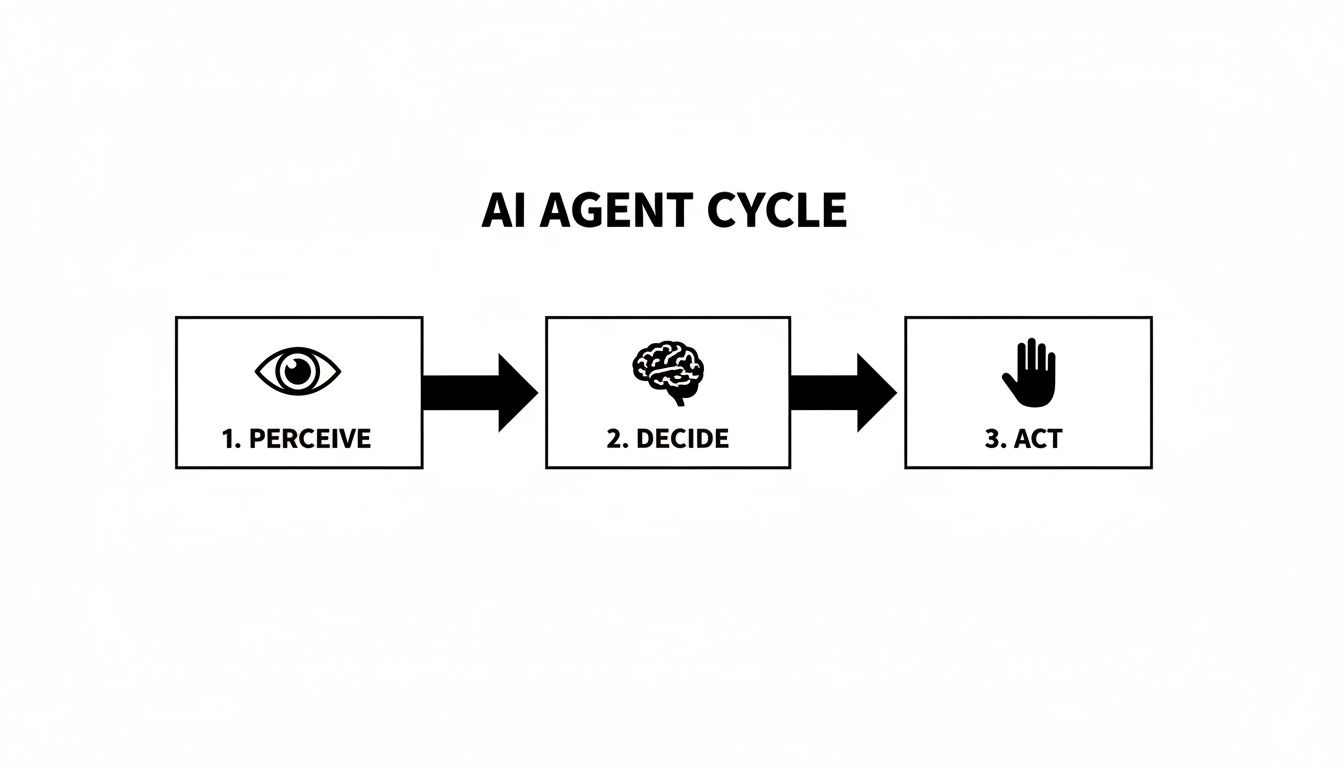
- Perception: First, the agent needs to gather information. This is its "eyes and ears." It could be receiving a new list of leads, reading an incoming customer email, or scanning a competitor's website.
- Processing: This is the "thinking" part. Using its brain—often a Large Language Model (LLM)—the agent analyzes the data, understands the context, and figures out what it all means in relation to its goal.
- Decision: The agent weighs its options and selects the best action to take next. Should it send a message now? Wait until tomorrow? Or pass the lead to a human?
- Action: Based on its decision, the agent executes a task. It uses its "hands"—the tools and APIs it's connected to—to carry out the action. This could be sending a personalized email, updating your CRM, or scheduling a meeting.
Let’s make this concrete with an outbound prospecting agent:
- Perception: The agent receives a list of prospects.
- Processing: It visits each prospect's LinkedIn profile to analyze their job title and recent posts.
- Decision: It decides if the prospect is a good fit and determines the best angle for a personalized message.
- Action: It sends a tailored connection request via LinkedIn.
The Secret Sauce: The Feedback Loop
But the real magic happens next. The process doesn't just end after the agent acts. The best agents have a feedback loop.
After sending a message, the agent observes what happens. Did the prospect reply? The agent learns from this outcome and feeds that insight back into its decision-making process for the next prospect. It’s this ability to learn and adapt that truly sets advanced agents apart.
At the end of the day, a modern AI agent is a clever combination of core technologies:
AI Agent = LLM (the brain) + Tools (the hands) + Integrations (the connections)
For example, you could combine the reasoning power of ChatGPT (the LLM) with a workflow tool like n8n and connect it to the LinkedIn API (the integration). Just like that, you’ve built a powerful outreach agent.
5 Concrete Examples of AI Agents (Process + Outcome)
Below are five examples you can picture immediately—each with a clear workflow and measurable result.
1) LinkedIn Outreach AI Agent
What it does: finds prospects, personalizes outreach, and manages follow-ups safely.
Process
- Imports a target list (Sales Nav, CSV, CRM)
- Reads each profile (role, company, signals, recent posts)
- Generates a tailored hook + message
- Sends connection requests and follow-ups
- Logs everything into CRM + tags outcomes
Typical outcome
- ~50 personalized messages/day
- ~10–20% reply rate when targeting + copy are solid
Tools
- gojiberry.ai, n8n + LLM, CRM integrations
2) Customer Support AI Agent
What it does: resolves common questions instantly and escalates complex cases.
Process
- Receives inbound email/chat ticket
- Searches knowledge base + past tickets
- Drafts accurate answer with tone guidelines
- Applies rules: refund? account issue? security? → escalate
- Updates ticket status + notes
Typical outcome
- 50–80% of Tier-1 tickets handled without a human (depending on KB quality)
Tools
- Intercom/Zendesk + LLM + internal docs
3) Content / SEO AI Agent
What it does: produces drafts (and sometimes publishes) content based on briefs and SERP patterns.
Process
- Takes keyword + intent + outline
- Analyzes competing angles + structure
- Produces draft + FAQ + internal links
- Generates metadata + content briefs for updates
- (Optional) pushes to CMS for review/publish
Typical outcome
- 1 long-form draft/day consistently (more with multi-agent setup)
Tools
- Make/Zapier + LLM + WordPress/Webflow CMS workflow
4) Sales Qualification AI Agent
What it does: qualifies leads in real time and books meetings for “hot” prospects.
Process
- Lead submits form or replies to outreach
- Agent asks 2–4 qualifying questions (budget, timeline, ICP fit)
- Scores lead (hot/warm/cold)
- Books meeting for hot leads, nurtures warm leads
Typical outcome
- Faster lead response time → higher conversion
- Sales team spends time only on qualified conversations
Tools
- CRM + calendar + email + LLM + routing rules
5) Recruiting AI Agent
What it does: screens applicants and shortlists the best matches.
Process
- Receives new applications (ATS)
- Extracts skills, experience, job-fit signals
- Compares to job requirements + must-haves
- Scores candidates + drafts outreach/rejections
- Pushes top candidates to interview stage
Typical outcome
- Massive time saved in early screening
- Consistent scoring across candidates
Tools
- ATS + LLM + email/calendar integrations
Types of AI Agents (Quick Classification)
Not all agents are equally “smart.” Here’s a practical way to think about it:
- Reactive agents: simple stimulus → response, no real planning
- Deliberative agents: plan steps toward a goal (most business agents)
- Multi-agent systems: multiple specialized agents collaborate (researcher + writer + editor + publisher)
- Fully autonomous agents: operate with high independence in complex environments (harder, higher risk)
Benefits of AI Agents (Why Teams Adopt Them)
✅ 24/7 execution (no downtime)
✅ Scales output without scaling headcount linearly
✅ Personalization at scale (messages that don’t feel templated)
✅ Consistency (process adherence, less human error)
✅ Cost efficiency (handles repetitive work cheaply)
✅ Faster response times (support + sales)
✅ Continuous improvement (feedback-driven optimization)
Challenges and Limitations (Be Honest About These)
AI agents are powerful, but not magic. 🪄 Expect:
⚠️ Upfront setup cost (tools, workflows, guardrails)
⚠️ Data quality dependence (“garbage in, garbage out”)
⚠️ Edge-case failures (nuance, sarcasm, unclear context)
⚠️ Compliance / ethics (who owns mistakes? what’s allowed?)
⚠️ Change management (team trust + training)
⚠️ Ongoing monitoring (agents are not “set and forget”)
Best practice: start small, add constraints, keep a human in the loop early.
Mini Case Study: AI Prospecting Agent (Simple, Realistic)
Initial situation: B2B startup, 0 outbound leads, founder doing manual LinkedIn outreach.
Solution: deploy an outreach agent to send 50 personalized messages/day + structured follow-ups.
Results timeline
- Week 1: 5 qualified leads
- Week 4: ~50 qualified leads
- Month 2: ~200 qualified leads (after iteration + better targeting)
Cost
- ~€100/month tools (varies by stack)
ROI logic
- Close just 1–2 deals/month → ROI can quickly exceed 500%.
Want to Build Your Own AI Agent (No Code)?
If you want to stop doing repetitive prospecting manually and launch a safe outreach agent fast, gojiberry.ai is designed for exactly that:
- simple interface
- no-code setup
- measurable results (tracking + analytics)
- safety-first pacing and limits
👉 Try Gojiberry for free — build your first AI prospecting agent now
FAQ
How is an AI agent different from an AI model like ChatGPT?
ChatGPT is mainly a brain (it reasons and writes).
An AI agent is the full system: brain + tools + integrations + memory so it can act (send, update, schedule, route).
Do I need to be a developer to build an AI agent?
Not anymore. No-code tools (Make, Zapier, n8n) and specialized platforms make it more about workflow design than coding.
What’s the biggest risk when using an AI agent for the first time?
“Set it and forget it.”
Start with constraints, test with small volume, monitor outcomes, and keep a human in the loop until the agent is stable.

More High-Intent Leads = Your New Growth Engine.
Start Now and Get New High Intent Leads Delivered Straight to Slack or Your Inbox.