
LinkedIn Automation for Lead Generation: Complete Guide & Top Tools 2026

Ever feel like you could 10x your leads with 80% less effort? What if I told you that’s not just a pipe dream? 🤔 LinkedIn automation is the secret weapon that top sales teams are using to do exactly that.
But let's be real: spending hours every day manually searching for prospects, copy-pasting connection requests, and tracking follow-ups is a massive time-suck. It’s tedious, it doesn’t scale, and it’s a surefire path to burnout for any sales pro or founder under pressure to fill the pipeline.
This is where LinkedIn automation tools step in. They’re designed to handle all the repetitive, low-value tasks, freeing you up to do what you do best: build relationships and close deals. 🚀
In this guide, you’ll learn exactly how LinkedIn automation for lead generation works, how to choose the right tools, and the best practices to get insane ROI without putting your account at risk. Ready to build a scalable sales machine? Let's dive in.
What is LinkedIn Automation for Lead Generation?
So, what are we actually talking about here?
LinkedIn automation for lead generation is the practice of using specialized software to perform tasks on LinkedIn that you’d normally do by hand. Think of it as a super-smart virtual assistant that works for you 24/7.
Here’s a simple breakdown of how it works:
- You Define the Target: You use LinkedIn or Sales Navigator to create a hyper-targeted list of your ideal customers.
- You Write the Playbook: You create a sequence of actions—like visiting a profile, sending a connection request, and sending follow-up messages.
- The Tool Executes: The software runs your playbook automatically, personalizing messages and spreading out the actions to look natural and human.
- You Take Over: The moment a prospect replies, the automation stops, and you step in to have a real, human conversation.
What Can Be Automated?
Smart automation focuses on scaling the top of the funnel. This includes:
- -Targeted Searches: Automatically pulling new prospects from your saved Sales Navigator searches.
- -Connection Requests: Sending personalized requests to hundreds of ideal-fit prospects.
- -Message Sequences: Executing multi-step outreach campaigns to nurture new connections.
- -Timed Follow-ups: Sending perfectly timed reminders so no lead falls through the cracks.
- -Profile Visits: Warming up prospects by visiting their profiles before you connect.
- -Engagement: Liking or commenting on a prospect's post to build familiarity.
- -Lead List Building: Scraping search results into clean, usable lead lists.
- -CRM Syncing: Automatically pushing new leads and conversation data into your CRM.
What Should NOT Be Automated?
This is crucial. The goal is to automate tasks, not relationships. Never automate:
- -Deep Personalization: The AI can create a great first line, but the truly custom, thoughtful details should come from you.
- -Relationship Building: Genuine rapport is built through real conversation, not canned responses.
- -Complex Negotiations: Obviously.
- -High-Touch Client Management: Your best clients deserve your personal attention.
- -Sensitive Conversations: When things get tricky, a human touch is non-negotiable.
Remember, LinkedIn’s official stance is against automation that spams users or undermines the platform's integrity. The key is to use tools ethically to enhance, not replace, genuine connection.
Why LinkedIn Automation Matters for Lead Generation
Still on the fence? Let's talk about why this is a non-negotiable strategy for modern sales teams. It’s not just about saving time; it's about fundamentally changing how you generate revenue.
- Massive Time Savings: Sales reps report saving 5-10 hours per week by automating manual prospecting. What could you do with an extra day of selling time each week?
- Dramatic Volume Increase: You can realistically reach 100+ highly targeted prospects every week without lifting a finger. This keeps your pipeline consistently full.
- Unwavering Consistency: Automation never gets tired, never forgets to follow up, and never has an off day. It runs your prospecting playbook perfectly, 24/7.
- Serious Cost Efficiency: The cost of an automation tool is a fraction of hiring another SDR. It dramatically lowers your Customer Acquisition Cost (CAC).
- Effortless Scalability: Need to grow? You don't need to double your headcount. Just launch another campaign and let the software handle the increased volume.
- -A Killer Competitive Advantage: While your competitors are still clicking and copy-pasting, you're having more conversations with qualified buyers. Game, set, match.
LinkedIn Automation Compliance & Safety
Let's tackle the elephant in the room: is this stuff safe? The answer is a firm yes, but only if you play by the rules.
LinkedIn's Terms of Service are designed to stop spammy bots that ruin the user experience. They aren’t targeting sales pros who are using smart tools to be more efficient. The secret is to use software that behaves like a human, not a robot on steroids.
Here are the do's and don'ts for keeping your account in good standing.
Do's: Account Safety Best Practices
- ✅ Warm-Up Your Account: If your account is new or hasn't been active, start slow. Send just 10-15 connection requests a day and gradually increase over a few weeks.
- ✅ Set Human-Like Limits: A warmed-up account can safely send 20-25 connection requests and 50-80 messages per day. Good tools have these safety throttles built-in.
- ✅ Use Cloud-Based Tools: Cloud-based tools with a dedicated IP address are generally seen as safer because they don't run from your browser, reducing the risk of detection.
- ✅ Personalize Everything: Generic, canned messages are a red flag. The more personalized your outreach, the more it looks like genuine human interaction.
Don'ts: How to Avoid a Ban
- ❌ Don't Go from 0 to 100: Suddenly sending 100 requests a day from a dormant account is the fastest way to get flagged.
- ❌ Don't Use Cheap, Sketchy Browser Extensions: Many free or low-quality extensions are easily detected by LinkedIn and can put your account at risk.
- ❌ Don't Ignore Low Acceptance Rates: A consistently low connection acceptance rate signals to LinkedIn that you're sending unwanted requests. If it drops below 20-25%, pause your campaigns and re-evaluate your targeting or messaging.
- ❌ Don't "Spray and Pray": Sending thousands of generic messages is spam, plain and simple. Focus on quality over quantity.
Ethical Automation and GDPR
Beyond LinkedIn's rules, you have to respect privacy. Under laws like GDPR, you must be transparent about who you are and why you're connecting, and always provide a clear way for people to opt out. Ethical outreach isn’t just good practice; it’s essential for protecting your brand.
What Can Be Automated on LinkedIn?
So, what specific tasks can you hand off to your new robot assistant? Here’s a rundown of the most powerful automation features that will free up your time.
- -Automated Searches: Pull fresh leads daily from your saved searches in Sales Navigator, ensuring a constant flow of new prospects into your campaigns.
- -Connection Requests (with personalization): Send hundreds of connection requests that are personalized with details like the prospect’s name, company, and industry.
- -Message Sequences: Build multi-touch outreach campaigns that automatically send a series of messages over several days or weeks.
- -Follow-ups: Schedule timely follow-up messages that only stop when the prospect replies, making sure no warm lead is forgotten.
- -Profile Visits: Automatically view the profiles of your target prospects. This sends them a notification, warming them up before you even reach out.
- -Engagement (likes, comments): Some advanced tools can automatically like or leave pre-written comments on your prospects' posts, creating another gentle touchpoint.
- -Lead List Creation: Scrape data from search results or group members into a clean CSV or Google Sheet for use in other campaigns.
- -CRM Syncing: Seamlessly sync lead information, message history, and status updates directly to your CRM (HubSpot, Salesforce, etc.), eliminating manual data entry.
What Should NOT Be Automated
Just because you can automate something doesn't mean you should. Protect your brand and your relationships by keeping these tasks human.
- -Personalization: The final, deeply personal touch on a message should always come from you. AI can suggest, but you should refine.
- -Relationship Building: You can't automate trust. Genuine rapport is built through back-and-forth, human-to-human conversation.
- -Complex Negotiations: This requires human intuition, strategy, and emotional intelligence. Don't even think about automating it.
- -High-Touch Account Management: Your most valuable clients deserve your personal time and attention. Automation is for prospecting, not managing key accounts.
- -Sensitive Conversations: When a conversation gets complicated or requires empathy, a human must take the wheel.
LinkedIn Automation Strategies for Lead Generation
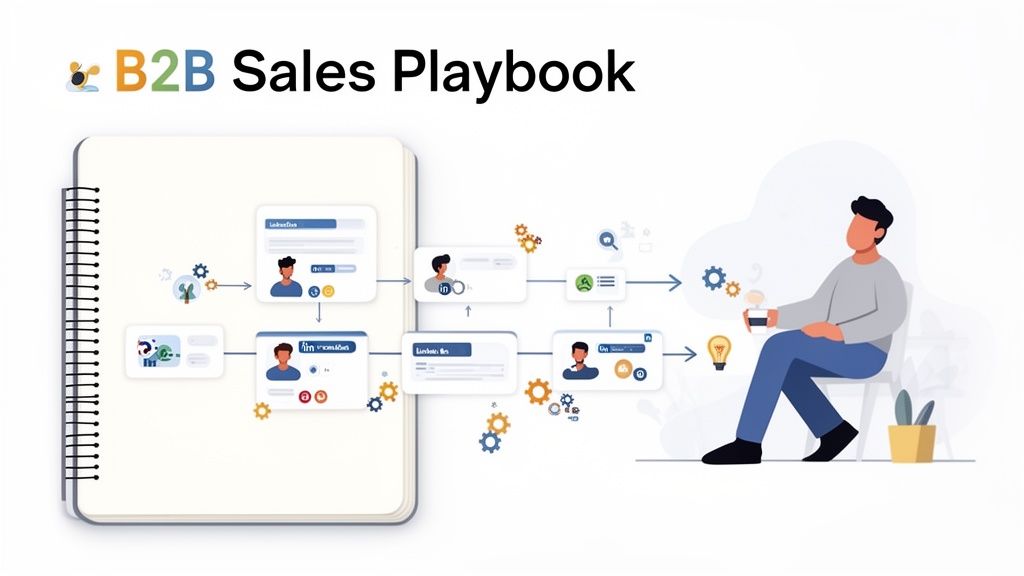
Ready for the playbook? These are the field-tested strategies that turn automation from a cool toy into a revenue-generating machine. Let’s get tactical.
Strategy 1: Automated Saved Searches
This is your foundation. Instead of manually searching for leads every day, you set up the perfect search once and let the tool do the daily work.
- -How to Set It Up: Go to LinkedIn Sales Navigator and use its advanced filters to build a hyper-specific list of your Ideal Customer Profile (ICP). Save this search. Then, in your automation tool, simply link your campaign to this saved search.
- -Best Practices: Get granular with your filters: job title, industry, company size, seniority, and keywords are your best friends. Create multiple niche searches instead of one giant, broad one.
- -Expected Results: This strategy alone can save you 3-5 hours per week and feed your campaigns with dozens of fresh, highly qualified leads every single day.
Strategy 2: Personalized Connection Requests
Your connection request is your first impression. A generic "I'd like to connect" is a wasted opportunity. The goal is personalization at scale.
- -Template + Personalization: Use a simple, proven formula:
Hi {firstName}, saw you work in {industry} at {companyName}. I'm also focused on [Your Area of Focus] and thought it would be great to connect with other leaders in the space. - -Connection Acceptance Rates: You should be aiming for 30% or higher. If you're below that, your targeting is too broad or your message isn't resonating. Test new angles!
- -Follow-Up Strategy: Once they accept, don't pitch immediately! Your first message in the sequence should be a simple "Thanks for connecting!" with zero sales pressure.
Strategy 3: Automated Message Sequences
This is where you nurture the connection. A single message is easy to ignore, but a thoughtful, multi-step sequence keeps you top of mind.
- -Day 1: Thank you for connecting (no pitch).
- -Day 4: Offer value. Share a relevant article, a helpful stat, or a quick insight about their industry.
- -Day 9: Gentle CTA. Frame your ask around a common pain point. "I help companies like yours solve [Problem]. Open to a quick chat next week to see if it’s a fit?"
Strategy 4: Engagement-Based Prospecting
This is a more subtle, "warm-up" strategy. Before you even send a connection request, you can automate soft-touch engagements.
- -Profile Visits: The tool automatically views your prospect’s profile. They get a notification: "{Your Name} viewed your profile."
- -Likes & Comments: Some tools can automatically like a prospect's recent post. This puts your name in their notifications again.
- -Conversion to Leads: After a few of these gentle touchpoints, your name is familiar. When your connection request finally lands in their inbox a few days later, they're much more likely to accept.
Strategy 5: CRM Integration & Automation
This is what ties it all together and creates a seamless workflow. Your LinkedIn automation software should talk directly to your CRM.
- -Automatic Lead Syncing: When a new connection is made or a lead replies, their contact information is automatically created or updated in your CRM.
- -Workflow Automation: You can set up rules, like automatically creating a new deal in Pipedrive when a prospect replies with positive intent.
- -Data Accuracy: This eliminates human error from manual data entry and ensures your sales pipeline is always 100% accurate and up-to-date.
Want to learn more about turning social into sales? Dive into our guide on B2B social selling.
Key Features to Look For in LinkedIn Automation Tools
So, you’re ready to pick a tool. But with so many options, what features actually matter? Don’t get distracted by shiny objects. Here's your non-negotiable checklist.
- -Advanced Search Filters: The tool must integrate smoothly with LinkedIn Sales Navigator's deep search capabilities. If you can't build hyper-targeted lists, nothing else matters.
- -Personalization Capabilities: Go beyond
{firstName}. Look for tools that allow for custom variables and "if-then-else" logic in your messaging. Can it pull in info from a prospect's "About" section? That's a huge plus. - -Multi-Channel Outreach: The best campaigns don’t live on LinkedIn alone. Top-tier tools let you combine LinkedIn messages with automated email follow-ups for a more resilient outreach strategy.
- -CRM Integration: This is a must-have. The tool needs to have native, reliable integrations with major CRMs like HubSpot and Salesforce. Manual data entry is a deal-breaker.
- -Analytics & Reporting: A clear dashboard is critical. You need to easily track connection acceptance rates, message response rates, and A/B test results to see what's actually working.
- -Compliance & Safety: Does the tool offer a dedicated IP address? Does it have built-in, customizable daily limits and randomized delays to mimic human behavior? This is paramount for account safety.
- -Ease of Use: A powerful tool is useless if it's impossible to navigate. Look for a clean, intuitive UI and good onboarding resources.
- -Customer Support: When something goes wrong (and it will), is there a responsive, knowledgeable support team you can turn to? Check reviews for feedback on their support quality.
- -Pricing Flexibility: Does the pricing scale reasonably as your team grows? Avoid tools with confusing pricing tiers or long-term contracts until you've tested them.
Top LinkedIn Automation Tools for Lead Generation in 2025
Let's put some of the top players under the microscope. Based on industry research, user feedback, and case studies, these five tools consistently come up as reliable choices for different types of teams.
1. Dux-Soup
- -Overview & Specialization: Often considered one of the OGs in the space, Dux-Soup is a Chrome extension-based tool known for its reliability and strong safety record. It's a favorite among solo entrepreneurs and small sales teams.
- -Key Features: Funnel-flow analytics, CRM integration (HubSpot, Pipedrive), both browser and cloud-based options, and robust safety settings.
- -Pricing: Starts with a limited free plan. Paid plans range from ~$15/month for the Pro version to ~$55/month for the cloud-based Turbo plan.
- -Pros & Cons: Pros: Very affordable, trusted brand, excellent safety features. Cons: The UI can feel a bit dated, and the best features are locked behind the highest-tier plan.
- -Best for: Solo sales reps and small teams who prioritize safety and affordability.
- -User Feedback: Users consistently praise its reliability and the detailed control it offers over campaign settings and safety limits.
2. MeetAlfred (now Oktopus)
- -Overview & Specialization: MeetAlfred positions itself as an all-in-one, multi-channel campaign manager. It's built for teams that want to coordinate outreach across LinkedIn, Email, and even Twitter from a single dashboard.
- -Key Features: Multi-channel sequences, built-in CRM functionality, team management features, and advanced campaign analytics.
- -Pricing: Tends to be pricier, with plans starting around $59/month per user.
- -Pros & Cons: Pros: Powerful multi-channel capabilities, great for team collaboration. Cons: Can be more complex to set up, higher price point than competitors.
- -Best for: Agencies and larger sales teams that need a unified platform for multi-channel prospecting.
- -User Feedback: Marketers find its ability to manage LinkedIn and email in one sequence to be a major workflow advantage.
3. Expandi
- -Overview & Specialization: Expandi is a fully cloud-based platform that heavily emphasizes account safety. It's known for providing each user with a dedicated, localized IP address, making it one of the safest options on the market.
- -Key Features: Dedicated IP address, smart sequences with conditional logic, A/B testing, and unique personalization options like sending dynamic GIFs and images.
- -Pricing: A premium option, typically around $99/month per user.
- -Pros & Cons: Pros: Top-tier safety features, advanced personalization, sleek UI. Cons: One of the more expensive tools, may be overkill for beginners.
- -Best for: Advanced users and agencies who prioritize maximum account safety and cutting-edge personalization.
- -User Feedback: Based on feedback, the image and GIF personalization features lead to significantly higher response rates.
4. Salesflow
- -Overview & Specialization: Salesflow is designed for growing sales teams and enterprises. It's a cloud-based platform that offers robust reporting, team analytics, and dedicated account management to help larger organizations scale their outreach efforts effectively.
- -Key Features: Advanced team reporting, unlimited campaign creation, seamless CRM integration, and optional dedicated account management services.
- -Pricing: Geared towards teams, with per-user pricing often starting around $79/month, with discounts for annual plans.
- -Pros & Cons: Pros: Excellent for team management and reporting, great customer support. Cons: Higher price point, might be too feature-heavy for individual users.
- -Best for: B2B sales teams, enterprises, and agencies that need to manage multiple users and track team-wide performance.
- -User Feedback: Users report that the detailed analytics help sales managers effectively coach their teams and optimize campaign performance across the board.
5. HeyReach
- -Overview & Specialization: HeyReach is another safety-focused, cloud-based tool that is gaining popularity, especially among agencies. It offers features like an "AI-powered warmup" system and a content-roaming feature to mimic human behavior convincingly.
- -Key Features: AI account warm-up, dedicated IP, a unified inbox for managing all conversations, and strong agency features for managing client accounts.
- -Pricing: Plans typically start around $49/month.
- -Pros & Cons: Pros: Strong focus on safety, user-friendly interface, good for managing multiple accounts. Cons: A newer player in the market compared to some of the established names.
- -Best for: Agencies and users managing multiple LinkedIn profiles who need a centralized and secure platform.
- -User Feedback: Agency users love the unified inbox, which saves them hours switching between different LinkedIn accounts.
Comparison Table: LinkedIn Automation Tools
Need a quick side-by-side? Here’s how the top tools stack up on the features that matter most.
| Feature | Dux-Soup | MeetAlfred | Expandi | Salesflow | HeyReach |
|---|---|---|---|---|---|
| Advanced Search | ✅ | ✅ | ✅ | ✅ | ✅ |
| Personalization | Good | Very Good | Excellent | Very Good | Good |
| Multi-Channel | ❌ | ✅ | ❌ | ❌ | ❌ |
| CRM Integration | ✅ | ✅ | ✅ | ✅ | ✅ |
| Analytics | Good | Very Good | Excellent | Excellent | Very Good |
| Pricing (Starts at) | ~$15/mo | ~$59/mo | ~$99/mo | ~$79/mo | ~$49/mo |
| Ease of Use | ★★★☆☆ | ★★★★☆ | ★★★★☆ | ★★★★☆ | ★★★★★☆ |
| Best For | Solo Reps | Multi-Channel | Max Safety | Sales Teams | Agencies |
LinkedIn Automation vs Manual Prospecting
Is automation really better? Let's break it down.
| Factor | Manual Prospecting | LinkedIn Automation |
|---|---|---|
| Time Investment | 10–15 hours/week | 2–3 hours/week (setup & review) |
| Cost | "Free" (but your time is expensive) | $50 – $100/month per user |
| Lead Quality | High (if done well) | High (with good targeting) |
| Lead Volume | Low & inconsistent | High & predictable |
| Scalability | Very low (limited by your time) | Very high (just launch more campaigns) |
When to Use Each Approach
The most effective strategy is a hybrid one.
- -Use Automation for Top-of-Funnel: Let the software handle the high-volume, repetitive tasks: finding prospects, sending connection requests, and delivering the first few follow-ups.
- -Use Manual for Mid-to-Bottom-of-Funnel: The moment a prospect replies, a human should take over. This is where you build rapport, answer complex questions, and close the deal.
Automation gets the conversation started. You close it. That's the winning formula.
LinkedIn Automation Best Practices
Using a tool is easy. Using it well is what separates the pros from the amateurs. Here are eight rules to live by.
- Maintain Personalization: Never send a message that could apply to anyone. Reference their industry, a recent post, or a shared connection.
- Balance Automation & Authenticity: Automate the task, not the relationship. Use the tool to start conversations, then step in to build genuine rapport.
- Monitor Account Health: Keep a close eye on your connection acceptance rate. If it dips below 25%, pause and rethink your targeting or messaging.
- Test & Optimize Relentlessly: A/B test everything: your connection request copy, your follow-up messages, your call-to-action. Small tweaks can lead to huge wins.
- Follow LinkedIn's ToS: Stay within safe daily limits for requests and messages. Don't be greedy; aim for sustainable growth.
- Integrate with Your CRM: This is non-negotiable. A seamless CRM sync ensures no lead gets lost and saves you from hours of manual data entry.
- Track the Right Metrics: Don't just look at vanity metrics. Focus on what matters: qualified meetings booked and deals closed.
- Combine with Human Follow-up: The best automation campaigns are a prelude to a human conversation. Be ready to jump in the moment someone responds.
Conclusion: Turn LinkedIn Into a Predictable Growth Engine
LinkedIn automation isn’t about spamming or cutting corners. Used the right way, it’s about working smarter, not harder: scaling your prospecting, staying consistent, and freeing up your time to focus on what actually closes deals—real conversations with real buyers.
The winning formula is simple:
👉 Automate the repetitive, low-value tasks.
👉 Keep the human touch where it matters.
👉 Measure, optimize, and scale what works.
If you want to go one step further and stop guessing who to contact, the real leverage comes from combining automation with high-intent signals—knowing when and who to reach out to, not just how.
That’s exactly what Gojiberry is built for.
🚀 Gojiberry helps you identify high-intent B2B leads showing real-time buying signals and automates your prospecting so your team can focus on closing deals.
No more wasted outreach. No more cold guessing. Just a predictable, scalable pipeline.
👉 Discover how Gojiberry can turn LinkedIn into your #1 growth channel:
https://gojiberry.ai

More High-Intent Leads = Your New Growth Engine.
Start Now and Get New High Intent Leads Delivered Straight to Slack or Your Inbox.