
LinkedIn Automation Compliance: How to Stay Safe & Avoid Account Restrictions

Heard about LinkedIn's 97% detection rate for non-compliant automation? That means trying to hide rule-breaking activity is nearly impossible. So, how do you get the power of automation without risking that dreaded "your account has been restricted" notification? 🤔
Let's get one thing straight: LinkedIn automation isn't about blasting a thousand generic messages and hoping for the best. That’s a surefire way to get flagged. True compliance is about using tools smartly to scale your outreach without looking like a robot, breaking LinkedIn's rules, or waking up their ever-watchful algorithms.
The core problem is that everyone wants the efficiency automation brings, but nobody wants to lose their entire professional network in the process. The solution? Understand LinkedIn's rules of the road and implement an automation strategy that puts compliance first.
This guide will cut through the noise and show you exactly what LinkedIn allows and what's strictly forbidden. You’ll learn the rules, the risks, and the best practices to build a system that keeps your account safe and your pipeline full.
Ready to finally automate the right way? Let's dive in.
LinkedIn's Stance on Automation: The Official Rules
Before you automate a single click, you need to understand where LinkedIn draws the line. Think of it like a professional networking event—there are spoken rules, and then there are the unspoken rules of etiquette. Ignoring either is the fastest way to get shown the door.
At its core, LinkedIn is obsessed with protecting the user experience. They want a high-quality, professional environment. Aggressive, spammy automation cheapens that experience, so they have every reason to police it.
What LinkedIn Allows
There's a myth that LinkedIn has a blanket ban on all automation. That's just not true. The platform actually allows—and even encourages—certain types of it. The real question is whether the automation adds value or just creates noise.
Here’s a look at what’s generally considered safe territory:
- -LinkedIn's Official Tools: Features built into products like Sales Navigator and LinkedIn Ads are designed to automate and simplify your work. These are your gold standard for what LinkedIn considers good behavior.
- -Approved Third-Party Integrations: LinkedIn has a partner program for apps that play by the rules. Integrations with major CRMs like HubSpot or Salesforce are generally safe because they use LinkedIn's official API to sync data.
- -Workflow Automation: Tools like Zapier or n8n can link LinkedIn with other apps. For instance, setting up a workflow that automatically adds a new connection to your CRM is usually fine. This "if-this-then-that" style automation doesn't feel spammy to the platform.
What LinkedIn Prohibits
This is where people get into trouble. LinkedIn's User Agreement is crystal clear about activities that damage the platform's integrity. If a tool sounds too good to be true (like promising thousands of connection requests a day), it's almost certainly breaking the rules.
These are the big red flags:
- -Scraping Data from LinkedIn: Using any software to rip data from profiles is a massive violation. It's one of their biggest no-nos.
- -Automated Connection Requests (without personalization): Sending hundreds of generic, templated connection requests is a classic spam signal.
- -Automated Messaging (without human review): Blasting out identical messages at scale with no personalization is a quick path to restriction.
- -Using Bots or Extensions: Any unauthorized tool that sits on top of LinkedIn's website to automate profile views, connections, or messages is explicitly forbidden.
- -Violating Terms of Service: This includes creating fake profiles or misrepresenting your identity.
LinkedIn's Detection Technology
Ever wonder how LinkedIn actually catches people? It's not a team of humans watching your every move—it's sophisticated machine learning. Based on 2026 projections, their algorithms are hitting a 97% detection rate for non-compliant tools.
They're watching several key things:
- -Machine Learning Algorithms: These analyze your activity volume. A sudden, unnatural spike in connection requests or messages is an instant red flag.
- -Behavioral Pattern Analysis: Their algorithms can spot unnervingly consistent timing, like viewing a new profile exactly every 5.0 seconds. Humans are a little random; bots are often perfect.
- -Real-Time Monitoring: They can identify when multiple accounts are operating from the same IP address in a suspicious way.
- -Account Risk Factors: A low connection acceptance rate tells LinkedIn you're likely spamming people who don't know you.
Trying to outsmart the system is a fool's errand. The only way to win in the long run is to work with the platform, not against it.
Understanding LinkedIn's Terms of Service
Diving into a legal document like the Terms of Service might sound boring, but it's where the most important rules for LinkedIn automation compliance are hiding. Knowing what these clauses mean is your best defense against accidental violations.
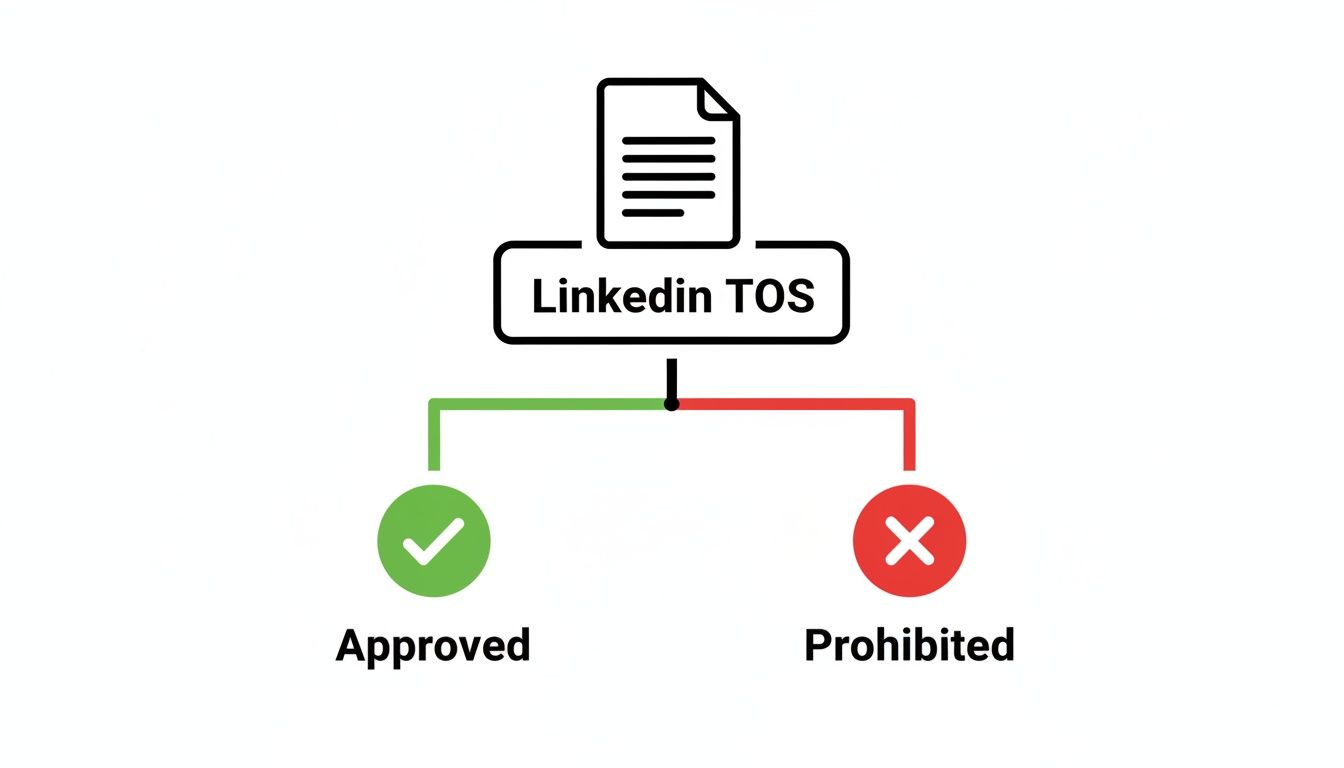
Key Clauses Related to Automation
While you should read the full User Agreement, a few sections are particularly relevant:
- -Section on Automated Activity: LinkedIn explicitly prohibits the use of software, bots, or other methods to access their services, scrape data, or simulate human activity.
- -Restrictions on Third-Party Tools: The agreement forbids using software that isn't authorized by LinkedIn to automate actions on the platform.
- -Data Usage Limitations: You are not allowed to "scrape or copy profiles and information of others through any means."
- -Account Suspension Conditions: LinkedIn reserves the right to restrict, suspend, or terminate your account if you violate the agreement.
What Constitutes "Automated Activity"
From LinkedIn's perspective, "automated activity" is any action not performed manually by a human through their standard interface. However, there are gray areas.
- -Acceptable: Using Sales Navigator to save a lead list.
- -Unacceptable: Using a Chrome extension to send 200 connection requests in an hour.
- -Gray Area: Using a tool to schedule personalized messages for later delivery. This is where rate limits and personalization become critical.
The key is frequency. An action becomes problematic when it's repeated at a scale or speed a human couldn't realistically achieve.
Consequences of Violation
Ignoring the rules isn't a risk worth taking. The consequences can be severe and escalate quickly.
- -Account Restrictions (Temporary): Your ability to send invitations or messages might be paused for a few hours or days. This is your first warning shot.
- -Account Suspension (30-90 days): For repeat offenses, LinkedIn may lock you out of your account for an extended period.
- -Account Ban (Permanent): The worst-case scenario. Your account and entire network are gone for good.
- -Data Loss: If your account is banned, you lose access to all your connections, messages, and content.
- -Legal Implications: In cases of severe data scraping or privacy breaches, there could be legal action.
LinkedIn Automation Compliance Framework
Jumping into automation without a solid plan is like building a house without a blueprint. A safe, sustainable strategy needs a strong foundation. To keep your outreach effective and your account in good standing, you need to build your process around five core principles. 🛠️
Think of these as the non-negotiable pillars of LinkedIn automation compliance.
The 5 Pillars of Compliant Automation
- Pillar 1: Personalization: Every automated message must feel like it was written by a human, for a human. This goes beyond a
[First Name]tag. It means weaving in unique details about a prospect's role, company, or recent activity. - Pillar 2: Rate Limiting: The fastest way to get flagged is to act like a bot. Respecting LinkedIn’s unwritten daily and weekly limits for connections, messages, and profile views is critical. Mimic natural, human behavior.
- Pillar 3: Transparency: Engage honestly. Avoid deceptive tactics like auto-endorsing skills for people you've never met. Your automated actions should reflect genuine interest.
- Pillar 4: Data Privacy: Your strategy must comply with laws like GDPR and CCPA. This means handling personal data with care and respecting a user's right to privacy.
- Pillar 5: Account Health: Automation is not "set it and forget it." Actively monitor your account's health, including connection acceptance rates and message response rates, to spot potential issues early.
Compliance Checklist
Ready to put this into action? Use this checklist to audit your current setup or build a compliant process from scratch.
- - Using approved automation tools only: Stick to tools that use official APIs or prioritize safety features.
- - Personalizing all outreach messages: Ensure every message includes unique, relevant details.
- - Respecting rate limits: Keep connection requests, messages, and profile views within safe daily/weekly boundaries.
- - Maintaining account health: Mix automated actions with manual, authentic engagement.
- - Monitoring for warnings: Immediately pause automation if you receive any alerts from LinkedIn.
- - Keeping data secure: Store any prospect information in a secure, encrypted system.
- - Following GDPR/CCPA rules: Have a clear process for handling data privacy requests.
- - Documenting automation processes: Keep a record of your workflows and settings.
- - Regular compliance audits: Review your automation strategy quarterly to ensure it's still compliant.
- - Team training on rules: Make sure everyone on your team understands and follows these guidelines.
Rate Limiting: LinkedIn's Automation Boundaries
Think of LinkedIn as a neighborhood with unwritten rules. Everyone knows not to speed, but there's always a cop watching. Crossing LinkedIn's invisible boundaries is the fastest way to get your account flagged, so sticking to the "speed limit" is everything.
Let's break down the specific rate limits you need to follow. The goal is to mimic human behavior so your activity never raises a red flag. 🚦
Connection Request Limits
Going overboard here is the #1 reason accounts get restricted. While LinkedIn keeps official numbers secret, the community has figured out the safe zones.
- -Daily Limit: Recommended: 50-100/day (Start lower with new accounts).
- -Weekly Limit: Recommended: 300-500/week.
- -Monthly Limit: Recommended: 1000-2000/month.
Factors Affecting Limits: Your account's age, connection count, and Social Selling Index (SSI) score all play a role. A new account needs to start much slower. A consistently low acceptance rate will also trigger tighter limits.
Message Limits
Once connected, don't unleash a flood of messages. High-volume messaging is another major red flag.
- -Daily Message Limit: Recommended: 20-50/day (new conversations).
- -Weekly Message Limit: Recommended: 100-250/week.
- -Monthly Message Limit: Recommended: 400-1000/month.
- -Timing Between Messages: Always leave a natural delay of 2-3 days between follow-ups. Hitting someone with multiple messages in one day is asking to be reported.
Profile View Limits
An automation tool that views thousands of profiles a day leaves an obvious digital footprint.
- -Daily Profile View Limit: Recommended: 50-100/day.
- -Weekly Limit: Recommended: 300-500/week.
- -Detection Risk: This is a "softer" signal, but excessive, robotic viewing patterns can contribute to an account flag when combined with other aggressive actions.
Engagement Limits
Likes and comments should look authentic, not automated.
- -Like/Comment Limits: Recommended: 20-50/day.
- -Share Limits: Recommended: 5-10/day.
- -Authenticity: Automated engagement should be genuinely relevant. Auto-liking hundreds of random posts is a clear bot signal. Focus on building real relationships.
Data Privacy & GDPR Compliance
Following LinkedIn’s rules is only half the battle. The moment your automation tools gather prospect information, you enter the world of data privacy law. Getting this wrong can lead to huge fines and tarnish your brand's reputation.
Let's walk through the two heavy-hitters: Europe's General Data Protection Regulation (GDPR) and the California Consumer Privacy Act (CCPA).
GDPR Requirements for LinkedIn Automation
If your prospect list includes anyone in the European Union, GDPR applies to you, no matter where your company is based.
Key requirements include:
- -Consent Requirements: You need a lawful basis for processing data, which often means explicit opt-in consent or a well-documented "legitimate interest."
- -Data Processing Agreements: If you use a third-party tool, you need an agreement that ensures they also handle data compliantly.
- -Right to be Forgotten: You must have a process to delete a person's data completely if they request it.
- -Data Retention Policies: Don't hold onto data forever. Define how long you'll keep prospect information.
CCPA Compliance
The CCPA grants California residents similar rights over their personal data.
- -Opt-Out Mechanisms: You must provide a clear and easy way for users to opt out of having their data processed or sold.
- -Data Disclosure Obligations: If requested, you must disclose what information you've collected about a person.
- -Consumer Rights: This includes the right to know, the right to delete, and the right to opt-out.
LinkedIn's Data Privacy Policy
LinkedIn's own Privacy Policy aligns with these global regulations. Using automation to scrape data is a double whammy—you're breaking both LinkedIn's rules and potentially data privacy laws.
Best Practices for Data Privacy
- -Collect only necessary data: Don't grab extra details just because you can.
- -Secure data storage: Any data you pull should be stored in a secure, encrypted system like a trusted CRM.
- -Regular data audits: Periodically review the data you hold and delete what's no longer needed.
- -Vendor compliance verification: Ensure any automation tool you use is also GDPR and CCPA compliant.
- -Privacy policy transparency: Be clear in your own privacy policy about how you collect and use data for outreach.
Account Safety: Monitoring & Maintenance
Automation is never a "set it and forget it" activity. You have to actively monitor your account's health and watch for red flags. Spotting issues early lets you pause campaigns and adjust your strategy before a small warning snowballs into a serious restriction.
Warning Signs of Account Risk
Pay attention to these signals from LinkedIn:
- -Unusual Activity Warnings: A pop-up asking you to verify your identity or agree to the terms again.
- -Temporary Restrictions: A notification that you can't send connection requests for a period of time.
- -Message Delivery Failures: Your messages aren't going through.
- -Connection Request Rejections: An unusually high number of your requests are being ignored or marked as "I don't know this person."
- -Reduced Visibility: Your posts and profile seem to be getting less engagement than usual.
Account Health Monitoring
Track these metrics daily to stay ahead of problems:
- -Daily Activity Tracking: Are you staying within your set rate limits?
- -Engagement Pattern Analysis: Does your activity look natural and varied?
- -Connection Acceptance Rates: A healthy rate is typically above 20-25%. If it dips below 15%, you need to rethink your targeting or messaging.
- -Message Response Rates: Low response rates can signal that your outreach isn't resonating.
Maintaining Account Health
- -Vary Activity Patterns: Avoid robotic, repetitive behavior. Mix up the times of day you're active.
- -Mix Automation with Manual Activity: Spend time each day genuinely using the platform—liking posts, writing thoughtful comments, and engaging in groups.
- -Take Breaks: Don't run automation 24/7. Schedule breaks over weekends and holidays.
- -Monitor Account Regularly: Check your inbox and notifications daily for any warnings.
Recovery from Restrictions
If your account gets restricted, don't panic. Here’s the game plan:
- Immediate Actions: Pause ALL automation immediately.
- LinkedIn Support Contact: Follow the prompts in the restriction notice to understand the issue. You may need to contact support.
- Appeal Procedures: If you believe the restriction was a mistake, file an appeal. Be polite, professional, and explain your situation clearly.
- Timeline for Restoration: This can range from 24 hours to several weeks, depending on the severity.
- Prevention Strategies: Once restored, analyze what went wrong and adjust your strategy. Often, this means lowering your rate limits or improving your personalization.
Compliant Automation Tools & Practices
Not all automation tools are created equal. The right tool acts as a responsible copilot, while the wrong one is a reckless driver speeding toward an account ban. How do you tell them apart? Look for features designed for safety, not just speed.
Approved Automation Methods
The safest methods work with LinkedIn's ecosystem, not against it.
- -LinkedIn's Native Tools: Sales Navigator and LinkedIn Ads are 100% compliant because they are built and endorsed by LinkedIn.
- -Zapier Integration: Connecting LinkedIn to other apps via Zapier's approved API is a safe way to automate workflows, like adding new connections to a CRM.
- -n8n Workflow Automation: Similar to Zapier, n8n allows for compliant, API-based automation between platforms.
- -HubSpot & Salesforce Integrations: CRMs with official LinkedIn integrations provide a compliant bridge for data syncing.
Tool Compliance Features
When evaluating a third-party automation tool, look for these critical safety features:
- -Personalization Capabilities: The tool must allow for deep customization of messages, not just basic
[First Name]tags. - -Rate Limiting Controls: You should be able to set and enforce strict daily and weekly limits on all activities.
- -Activity Randomization: The tool should add small, random delays between actions to mimic human behavior.
- -Account Health Monitoring: A good tool will track your acceptance and response rates and warn you if they drop to dangerous levels.
- -Compliance Reporting: Dashboards that show your activity levels help you stay within safe boundaries.
Red Flags in Automation Tools
If you see any of these, run the other way. 🚩
- -No Personalization Options: Tools focused only on volume are a recipe for disaster.
- -"Unlimited" Automation: Promises of unlimited connections or messages are unrealistic and non-compliant.
- -No Rate Limiting: A tool without customizable limits is putting your account at extreme risk.
- -No Account Health Monitoring: This shows the developer doesn't prioritize user safety.
- -Lack of Transparency: Vague claims and no clear explanation of how the tool keeps you safe.
Personalization at Scale: The Key to Compliance
Let's be real: personalization is no longer just a "nice-to-have" for boosting response rates. It’s a fundamental requirement for LinkedIn automation compliance. LinkedIn's algorithms are specifically designed to sniff out and penalize generic, spammy outreach.
Why Personalization Matters
- -Bypasses LinkedIn's Detection: Thoughtful messages look human. Generic, identical messages look like bot activity.
- -Improves User Experience: Nobody likes getting spam. Personalization shows respect for the prospect's time and attention.
- -Skyrockets Response Rates: A message that references a prospect's recent post, a shared interest, or a company announcement is infinitely more likely to get a reply.
- -Builds Real Relationships: Automation should start conversations, not just send messages. Personalization is the first step in building genuine rapport.
Personalization Techniques
This goes way beyond plugging in a name and company.
- -Dynamic Variable Insertion: Use custom fields for the prospect's
[Role],[Industry], or even a[Shared Connection]. - -Research-Based Customization: Include a line about a recent project they worked on, an article they wrote, or an award their company won.
- -Contextual Messaging: Reference how you found them (e.g., "I saw your comment on [Influencer]'s post about AI...").
- -Genuine Value Proposition: Clearly explain why you're reaching out to them specifically and what value you can offer.
Tools for Personalization
- -CRM Integration: Pull rich prospect data directly from your CRM into your message templates.
- -AI-Powered Suggestions: Some tools use AI to scan a prospect's profile and suggest personalized "icebreakers." This assists, but shouldn't replace, human oversight.
- -Template Variables: Create multiple versions of your templates with different angles and value propositions.
- -Manual Review Process: Before a campaign goes live, have a human review a sample of the messages to ensure they sound authentic.
Real-World Case Studies: Compliance Lessons
Theory is great, but learning from real-world wins and losses is even better. Let’s look at three common scenarios that businesses face and break down the key lessons for maintaining LinkedIn automation compliance.
Case Study 1: Account Restriction & Recovery
- -What Happened: A fast-growing SaaS startup used an aggressive automation tool to send over 150 generic connection requests per day. Within two weeks, their main sales account was hit with a temporary restriction, blocking all new invitations.
- -Root Cause Analysis: The violation was twofold: exceeding safe rate limits and sending low-quality, unpersonalized messages, which led to a dismal 8% acceptance rate.
- -Recovery Process: They immediately paused all automation. After the restriction was lifted a week later, they implemented a new strategy: 40 highly personalized connection requests per day, a 75% reduction.
- -Lessons Learned: Volume is a vanity metric. A low connection acceptance rate is a massive red flag for LinkedIn. It’s better to send 40 requests that get a 30% acceptance rate than 150 that get 8%.
Case Study 2: Compliant Scaling Success
- -Company Profile: A mid-sized B2B marketing agency wanted to scale its lead generation without putting its team's accounts at risk.
- -Compliance Framework Implemented: They chose a compliant tool with strict rate-limiting controls. They set a cap of 80 connection requests and 100 new messages per account per week. Crucially, they integrated it with their CRM to pull in custom icebreakers for each prospect.
- -Results Achieved: Within three months, they booked 45% more sales meetings from LinkedIn. Their connection acceptance rate hovered around 35%, and they had zero account warnings.
- -Key Success Factors: A "safety-first" approach, deep personalization using custom variables, and regular monitoring of account health metrics.
Case Study 3: GDPR Compliance Challenge
- -Challenge: A recruitment firm targeting candidates across the EU was concerned about GDPR. They were collecting candidate data from LinkedIn but weren't sure if their process was compliant.
- -Solution Implemented: They audited their entire workflow. They created a documented "legitimate interest assessment" for their outreach. They also configured their automation tool to automatically stop all sequences and delete a prospect's data if they received a reply containing keywords like "unsubscribe" or "remove me."
- -Results: They achieved full GDPR compliance and avoided any potential fines. This documented process also built trust with candidates, who appreciated the transparent approach.
- -Best Practices Identified: Proactively document your legal basis for outreach and build automated opt-out mechanisms into your workflow.
Common Compliance Mistakes to Avoid
Navigating LinkedIn automation can feel like walking through a minefield. Here are the five most common mistakes that get accounts flagged—and how you can sidestep them.
Mistake 1: Ignoring Rate Limits
- -Why it happens: The temptation to go for maximum volume is strong.
- -Consequences: This is the fastest way to get a temporary restriction.
- -How to avoid: Set conservative daily/weekly limits for all activities (connections, messages, views) and stick to them religiously. Start slow and gradually increase.
Mistake 2: Generic Messaging
- -Why it fails: It screams "automation" to both prospects and LinkedIn's algorithms.
- -Detection Risk: Low acceptance and response rates are huge red flags.
- -How to personalize: Use custom fields, reference recent activity, and write like a human. A little research goes a long way.
Mistake 3: Neglecting Account Health
- -Why it happens: "Set it and forget it" thinking.
- -Consequences: Small issues snowball into major restrictions because warning signs are missed.
- -How to avoid: Monitor your connection acceptance rate, response rate, and notifications daily. If metrics drop, pause and diagnose the problem.
Mistake 4: Data Privacy Violations
- -Why it happens: Ignoring regulations like GDPR and CCPA.
- -Consequences: Legal risks, hefty fines, and serious reputational damage.
- -How to ensure compliance: Understand the rules, collect only necessary data, and have a clear process for handling opt-out requests.
Mistake 5: Using Prohibited Tools
- -Why it happens: Choosing a cheap or shady tool that promises unrealistic results.
- -Consequences: These tools (especially data scrapers and simple bots) are easily detected and can lead to a permanent ban.
- -How to avoid: Choose reputable tools with built-in safety features like rate limiting and activity randomization. If it sounds too good to be true, it is.
Compliance by Use Case
Compliance isn't one-size-fits-all. The rules of engagement change slightly depending on what you're trying to achieve. Let's break down best practices for the most common automation use cases.
Cold Outreach Compliance
This is the highest-risk activity, so it requires the most care.
- -Connection Request Rules: Never send a request without a personalized note. Keep daily requests well within safe limits (start around 25-50/day).
- -Message Personalization: The first message after connecting is critical. Reference their profile or a shared interest.
- -Follow-Up Sequences: Keep follow-ups to a maximum of 2-3 messages, spaced several days apart. Be respectful, not pushy.
Lead Qualification Compliance
Here, automation can save time by enriching data and scoring leads.
- -Automated Lead Scoring: Use automation to tag prospects in your CRM based on their title, industry, or company size.
- -CRM Integration: The key to compliance is using approved API integrations to sync data between LinkedIn and your CRM, avoiding prohibited scraping methods.
- -Data Handling: Ensure any data you pull into your CRM is handled according to GDPR and CCPA rules.
Content Engagement Compliance
Automating likes and comments can be risky if done poorly.
- -Authenticity is Key: Only automate engagement on highly relevant content from your target audience. Generic comments like "Great post!" are easily spotted as spam.
- -Frequency Limits: Keep automated engagement low (e.g., 10-20 likes/comments per day) to appear natural.
- -Relationship Building: The goal is to start a conversation, not just to get noticed. Use engagement automation to identify active prospects, then follow up with a manual, personalized message.
Team Automation Compliance
Managing multiple accounts adds another layer of complexity.
- -Multi-Account Management: Use a platform designed for teams that provides separate, dedicated IP addresses for each account to avoid being flagged.
- -Shared Automation Rules: Establish a clear, written compliance policy for the entire team, including universal rate limits and messaging guidelines.
- -Compliance Monitoring: A team manager should regularly audit all accounts to ensure everyone is following the rules.
Compliance Monitoring & Auditing
A compliant automation strategy isn't a one-time setup; it's an ongoing process. You need to constantly monitor your activities and conduct regular audits to ensure you're staying on the right side of LinkedIn's rules.
Setting Up Compliance Monitoring
- -Daily Activity Tracking: Use a dashboard (either in your tool or a separate spreadsheet) to track daily connections sent, messages sent, and profile views for each account.
- -Warning Sign Alerts: Set up alerts for key health metrics. For example, get notified if an account's connection acceptance rate drops below 20%.
- -Performance Metrics: Track what's working. High response rates on a particular message template are a good sign; low rates mean it's time for a rewrite.
Conducting Compliance Audits
Perform a full audit at least once per quarter.
- Tool Compliance Verification: Check if your automation tool has released any updates. Ensure your settings are still aligned with best practices.
- Data Privacy Audit: Review your data handling processes. Are you honoring opt-out requests promptly? Are you deleting old data?
- Rate Limit Compliance Check: Review your activity logs for the past quarter. Did you have any unusual spikes in activity? Were you consistently pushing the limits?
- Documentation Review: Is your internal compliance policy up-to-date?
Compliance Reporting
- -Internal Reporting: Create a simple monthly report for your team that shows key health metrics and any compliance issues.
- -Stakeholder Communication: Keep leadership informed about your compliance efforts and the steps you're taking to mitigate risk.
- -Incident Documentation: If you do receive a warning or restriction, document what happened, the suspected cause, and the steps taken to resolve it.
Future of LinkedIn Automation Compliance
The game is always changing. LinkedIn is constantly refining its detection algorithms, and data privacy laws are only getting stricter. Staying compliant tomorrow means preparing today.
2025-2026 Trends
Based on current trajectories, here's what to expect:
- -Stricter Detection (97%+ Rate): LinkedIn will continue to invest heavily in AI to identify and restrict non-compliant automation with even greater accuracy.
- -AI-Powered Enforcement: The platform will likely use AI not just to detect bots, but to analyze message content for spammy language or sentiment.
- -Increased GDPR/CCPA Focus: Expect more scrutiny on how third-party tools handle and transfer data, especially across international borders.
- -Rise of Industry Standards: The market will mature, with a clearer distinction between "white hat" compliant tools and "black hat" risky ones.
Preparing for Future Changes
- -Stay Informed: Follow industry blogs and LinkedIn's official announcements to keep up with any policy changes.
- -Build Flexible Systems: Don't rely on a single tactic. Diversify your outreach strategies so you can adapt if one channel becomes more restricted.
- -Invest in Compliance: Treat compliance as a feature. Choose tools and partners who prioritize safety and are transparent about their methods.
- -Prioritize Team Training: Continuously educate your team on the latest best practices for safe, ethical, and effective automation.
Take Control of Your Compliance
Navigating LinkedIn automation compliance doesn't have to be a headache. It all boils down to a simple framework: respect the platform, respect the user, and use automation to enhance human connection, not replace it.
By following the five pillars—Personalization, Rate Limiting, Transparency, Data Privacy, and Account Health—you can build a powerful lead generation engine that is both effective and sustainable. You’ll generate better leads, have more meaningful conversations, and protect your most valuable asset: your professional network.
Ready to put this into practice? Your next step should be a full compliance audit of your current LinkedIn activities. Use the checklist in this guide to review your tools, processes, and metrics. It’s the best way to identify risks before they become problems.
FAQ
What are the first signs LinkedIn has flagged my account?
Usually, the first sign is a pop-up warning that asks you to agree to LinkedIn's Professional Community Policies again. You might also notice your connection requests are "pending" for an unusually long time, or you're suddenly unable to send any new invitations. These are gentle warnings to pull back immediately.
Are cloud-based automation tools safer than Chrome extensions?
Users and industry experts overwhelmingly report that cloud-based tools are significantly safer. Chrome extensions operate within your browser, leaving a technical footprint that LinkedIn can more easily detect. Cloud-based platforms often run on dedicated servers with unique IP addresses, which makes your automation activity appear much more like normal, human-managed browser activity.
How does my Social Selling Index (SSI) score affect compliance?
A higher SSI score acts as a trust signal to LinkedIn. While it doesn't give you a free pass to break the rules, accounts with high scores (75+) are often given a bit more leeway on rate limits. This is because a high SSI indicates you're an active, engaged member of the community who shares content, builds relationships, and provides value—the opposite of a spam account. Improving your SSI is a great long-term strategy for account health.

More High-Intent Leads = Your New Growth Engine.
Start Now and Get New High Intent Leads Delivered Straight to Slack or Your Inbox.