
Marketing Automation LinkedIn: Complete Comparison Guide 2026

You’re using marketing automation for your email, your ads, your social scheduling… but what about LinkedIn? 🤔 If you're like most B2B teams, LinkedIn is still a frustratingly manual island, disconnected from the rest of your growth engine.
Let’s be real: in B2B, that’s a huge missed opportunity. Marketing automation is now a baseline requirement for growth. When your LinkedIn prospecting is siloed, your team is stuck with hours of copy-pasting, missed follow-ups, and a pipeline that moves at a crawl.
This guide compares the best marketing automation solutions for LinkedIn and helps you pick the right one. We'll break down the top tools, show you a clear ROI comparison, and give you a simple decision framework so you can choose with confidence. Let's get your LinkedIn game automated.
What Is LinkedIn Marketing Automation?
So, what are we actually talking about here? LinkedIn marketing automation isn't about spamming your network with robotic messages. Done right, it's about using smart tools to handle repetitive tasks, freeing you up to build real relationships. It’s the engine that powers workflows involving LinkedIn, like messaging, follow-ups, data syncing, and engagement.
Here are a few common use cases:
- Lead Nurturing: Create sequences that combine email and LinkedIn touchpoints for a powerful one-two punch.
- B2B Prospecting: Automate connection requests and follow-up messages to build your pipeline on autopilot.
- Recruiting: Streamline outreach to top candidates with personalized LinkedIn and email workflows.
- Community Management: Automate posting schedules and engage with your network more efficiently.
What’s the payoff? Users consistently report saving 5–10 hours per week while often generating 2x more qualified leads. It’s not uncommon to see a +50% lift in leads and a +30% boost in conversions. For B2B, this often translates to a solid 3–5x ROI, proving that personalization at scale isn't just possible—it's profitable.
How to Choose a LinkedIn Marketing Automation Tool (Selection Criteria)
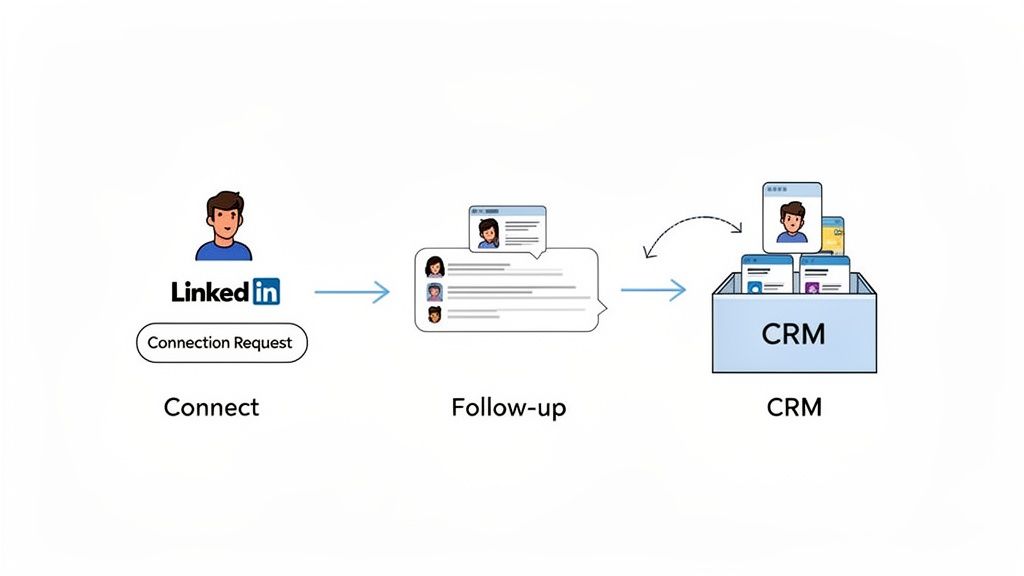
Picking the right tool can feel overwhelming. To cut through the noise, you need a simple framework. Forget the feature lists for a second and focus on these seven critical criteria. Getting these right is the key to choosing a platform you’ll actually love using.
- LinkedIn Capability: How well does it actually handle LinkedIn? Can it send messages reliably? Does it track interactions? Can it sync profile data back to your system? This is non-negotiable.
- Email Automation: What's the email situation? Can it send automated sequences? Does it track opens and clicks? Some tools are email-first, while others treat it as an add-on.
- Built-in CRM: Does it help you manage your pipeline? Look for lead tracking, simple lead scoring, and the ability to manage deals through different stages. A good
crm linkedin integrationis a game-changer. - Safety and Compliance: This is huge. Does the tool openly respect LinkedIn’s Terms of Service? Does it have anti-ban safeguards? A transparent approach here is a sign of a trustworthy provider.
- Ease of Use: If it’s clunky, your team won’t use it. Is the interface intuitive? Can you set up campaigns without writing code? Is quality support available when you need it?
- Pricing: Don't just look at the monthly cost. Think about the cost per lead and the potential ROI. A cheap tool that delivers zero results is a lot more expensive than a premium one that fills your pipeline.
- Integrations: Does it play nicely with your existing tools? Check for connections to Zapier, Make, Slack, and your existing CRM. A tool that operates in a silo creates more work, not less.
Got these criteria in mind? Great. Now you have a scorecard to evaluate the options.
Comparison: The 5 Best LinkedIn Marketing Automation Solutions
You have the framework, now let's meet the contenders. The goal isn't to find the one "best" tool, but the best fit for your specific strategy. To help you decide, we've broken down the top 5 linkedin automation software options on the market.
Here’s a quick-glance comparison to see where each platform shines.
| Tool | CRM | Safety | Price | Verdict | ||
|---|---|---|---|---|---|---|
| Gojiberry | ★★★★★ | ★★★★☆ | ★★★★★ | ★★★★★ | €€ | 🏆 Best overall |
| Lemlist | ★★★★☆ | ★★★★★ | ★★★☆☆ | ★★★★☆ | €€€ | Best for email-first |
| Dex | ★★★★☆ | ★★★☆☆ | ★★★★★ | ★★★★☆ | €€€ | Best CRM priority |
| HubSpot | ★★★☆☆ | ★★★★★ | ★★★★★ | ★★★★☆ | €€€€ | Too expensive for most |
| Pipedrive | ★★☆☆☆ | ★★★☆☆ | ★★★★☆ | ★★★☆☆ | €€ | Limited for LinkedIn |
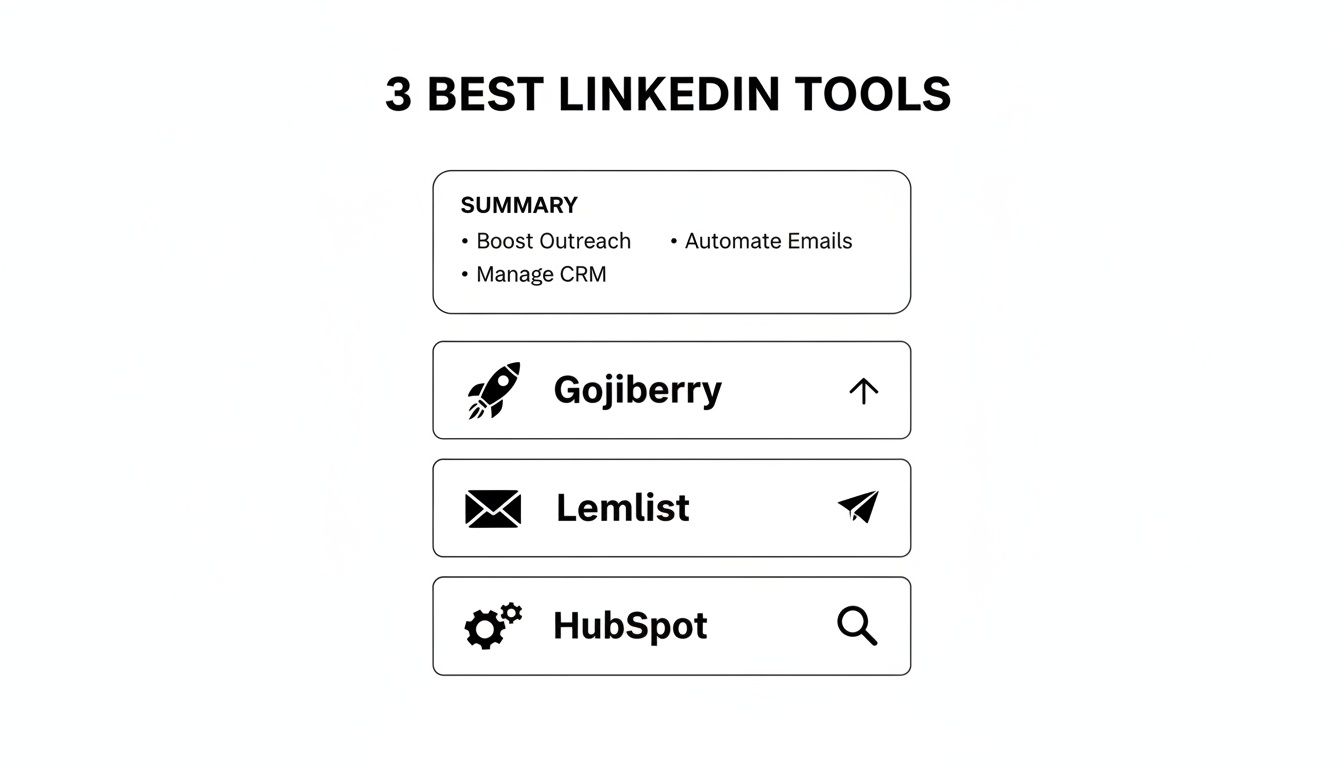
Now, let's dive into the details for each one.
1. Gojiberry (Best for LinkedIn automation)
- LinkedIn: ⭐⭐⭐⭐⭐
- Email: ⭐⭐⭐⭐ (via integrations like Brevo/Mailchimp)
- CRM: ⭐⭐⭐⭐⭐ (full CRM built-in)
- Safety: ⭐⭐⭐⭐⭐ (ToS-first approach, strong safeguards)
- Pricing: ~$99/month
Pros:
- LinkedIn-Specialized: It's built for deep LinkedIn outreach and tracking. Marketers find its personalization capabilities are top-notch.
- Maximum Safety: Its entire architecture is designed to protect your account, a key factor users praise in reviews.
- Advanced Personalization: Goes beyond basic tags to make your outreach feel genuinely human.
- French Support: A great bonus for French-speaking teams.
Cons:
- Simpler Email Suite: Its email features are solid but less advanced than a dedicated tool like Lemlist.
- Niche CRM: The built-in CRM is powerful for sales but isn't as broad as an enterprise platform like HubSpot.
Verdict: Gojiberry is the best overall choice for teams where LinkedIn is the primary growth channel. It's the specialist you hire for a specific, important job.
2. Lemlist (Best for email + LinkedIn)
- LinkedIn: ⭐⭐⭐⭐
- Email: ⭐⭐⭐⭐⭐
- CRM: ⭐⭐⭐
- Safety: ⭐⭐⭐⭐
- Pricing: ~€99–€299/month
Pros:
- Excellent Email Capabilities: Simply one of the best
email marketing automationtools out there, especially for cold outreach. - Strong Multichannel Sequencing: Users love how seamlessly it blends email and LinkedIn steps.
- Advanced Personalization: Features like dynamic images and landing pages are a huge plus.
- Strong Community: A very active and supportive user base.
Cons:
- More Expensive: It comes at a higher price point than Gojiberry for similar features.
- Limited CRM: The CRM is more of a contact manager than a full-fledged sales pipeline tool.
- Less LinkedIn-Specialized: LinkedIn is a powerful feature, but it's not the core focus.
Verdict: Lemlist is your winner if email is your #1 channel and you want to support it with smart LinkedIn touchpoints.
3. Dex (Best CRM-focused option)
- LinkedIn: ⭐⭐⭐⭐
- Email: ⭐⭐⭐
- CRM: ⭐⭐⭐⭐⭐
- Safety: ⭐⭐⭐⭐
- Pricing: ~€99–€299/month
Pros:
- Very Strong CRM Foundation: Ideal for teams that live and die by their sales pipeline.
- Good LinkedIn Integration: It connects well to feed leads directly into your sales process.
- Lead Scoring & Pipeline Management: Advanced features that sales teams report are incredibly useful.
Cons:
- Limited Email Automation: The email functionality is more basic and not designed for complex outreach.
- More Expensive: You're paying for the robust CRM at its core.
- Not LinkedIn-Specialized: Like Lemlist, LinkedIn is a feature, not the main event.
Verdict: Choose Dex if your absolute priority is a powerful, centralized CRM to manage your entire sales process.
4. HubSpot (Powerful but expensive)
- LinkedIn: ⭐⭐⭐
- Email: ⭐⭐⭐⭐⭐
- CRM: ⭐⭐⭐⭐⭐
- Safety: ⭐⭐⭐⭐
- Pricing: ~€500–€2,000/month
Pros:
- Strong All-in-One Suite: It does everything—marketing, sales, and service.
- Powerful Workflows: The automation capabilities are nearly limitless.
- Many Integrations: Connects to almost any other tool you can think of.
Cons:
- Overkill for Most: It's a massive platform, often too complex and expensive for startups and SMBs.
- Higher Learning Curve: Be prepared to invest time in training.
- Basic LinkedIn Automation: The native LinkedIn features are surprisingly limited for such a powerful tool.
Verdict: HubSpot is only worth it if you're an enterprise-level company needing a single platform to rule them all.
5. Pipedrive (Limited for LinkedIn)
- LinkedIn: ⭐⭐
- Email: ⭐⭐⭐
- CRM: ⭐⭐⭐⭐
- Safety: ⭐⭐⭐
- Pricing: ~€39–€99/month
Pros:
- Affordable: A great entry point for a solid CRM.
- Simple and Sales-Friendly: The UI is clean and focused on moving deals forward.
Cons:
- Very Limited LinkedIn Automation: Its LinkedIn capabilities are minimal and often require third-party add-ons.
- Basic Email: Not built for sophisticated outreach campaigns.
- Little Advanced Personalization: Lacks the dynamic features of more specialized
marketing automation tools.
Verdict: Pipedrive is a budget-friendly CRM, but not a true LinkedIn automation leader.
Mini Case Study: Gojiberry vs. Lemlist vs. HubSpot (ROI Comparison)
Features are great, but what about the results? Let's run a quick ROI scenario. 💰
Imagine a B2B startup with 10 employees, generating a baseline of 100 leads per month. Let's assume each lead is worth €100. They're deciding between three popular b2b marketing automation platforms.
Here's how the numbers could stack up:
- Gojiberry
- Cost: $99/month
- Leads: 150/month (+50%)
- ROI: 500% (150 leads × €100 value / €100 cost)
- Verdict: The best ROI by a wide margin.
- Cost: €150/month
- Leads: 140/month (+40%)
- ROI: 300% (140 leads × €100 value / €150 cost)
- Verdict: Strong performance, but the higher cost eats into the return.
- Cost: €500/month
- Leads: 160/month (+60%)
- ROI: 200% (160 leads × €100 value / €500 cost)
- Verdict: Generates the most leads, but it's far too expensive to be efficient for this scenario.
The takeaway? For a startup where every dollar counts, Gojiberry delivers the most efficient path to growth if LinkedIn is your primary lever. It’s not just about getting more leads; it’s about acquiring them profitably.
How to Choose the Right Tool (Decision Paths)
So, how do you make the final call? It all comes down to your primary goal.
- If LinkedIn is your #1 priority → Choose Gojiberry. It’s a specialist built for one thing: mastering LinkedIn outreach safely and effectively.
- If email is your priority, supported by LinkedIn → Choose Lemlist. Its email capabilities are best-in-class, perfect for sophisticated multichannel campaigns.
- If a full CRM is your priority → Choose Dex. It puts pipeline management first, with strong LinkedIn features to feed your sales engine.
- If budget is unlimited for an enterprise stack → Choose HubSpot. It does everything, but at a price that reflects its massive scope.
- If you’re on a small budget → Choose Gojiberry's entry plan or Pipedrive. Gojiberry offers more LinkedIn power, while Pipedrive is a simple, affordable CRM.
Still unsure? Let's map it to your budget.
Decision Matrix: Budget vs. Priority
Your Monthly BudgetYour Best Bet< €100Gojiberry€100 – €200Gojiberry or Lemlist€200 – €500Lemlist or Dex> €500HubSpot
Checklist: Before You Choose
You're almost there! Before you sign up, run through this final checklist. A few minutes here will save you hours of headaches later. ✅
- Define your #1 priority: Is it LinkedIn, email, or CRM? Be honest.
- Set your budget: Know what you can afford and stick to it.
- Test free trials: Nothing beats hands-on experience. Does the UI feel intuitive to you?
- Validate integrations: Confirm it connects smoothly with your must-have tools.
- Verify safety & compliance: Read up on their approach to LinkedIn's ToS. How do they keep you safe?
- Read recent reviews: Check G2 and Capterra for feedback from the last 3-6 months.
- Request a demo: Get your specific questions answered by a real person.
- Choose and launch! You've done your homework. It's time to get started.
Decided to choose Gojiberry? You're in good company.
It stands out as the best option specifically for marketing automation LinkedIn because it's:
- LinkedIn-Specialized: Built from the ground up for outreach on the platform.
- Safe: Industry-leading anti-ban safeguards to protect your account.
- Affordable: Plans range from just $99/month.
- Best ROI: Delivers the most bang for your buck, as our case study showed.
Ready to see for yourself?
👉 Try Gojiberry free for 14 days
You get access to a powerful tool, a detailed comparison guide, and world-class support to help you get started.
We've compared the 5 best solutions, from LinkedIn specialists to all-in-one giants. The core takeaway is simple: choosing the right tool for your priority can easily double your leads without doubling your workload.
So, what are you waiting for? Pick a tool and start your free trial this week. The sooner you automate the manual work, the sooner you can focus on what really matters: closing deals.
FAQs About LinkedIn Marketing Automation
Is LinkedIn automation actually safe in 2026?
Yes, but only if you use the right tool. The key difference lies in how the automation works. Reputable tools like Gojiberry prioritize safety by mimicking human behavior: they add random delays, respect LinkedIn's daily limits, and often use a dedicated IP address for your account. This makes your activity look natural. Cheaper, older tools that rely on risky browser extensions are the ones that get accounts flagged. Do this: Always ask a provider to explain their safety features before you buy.
How much personalization is really possible with automation?
A lot more than you might think. We've moved way beyond just {FirstName}. Modern linkedin automation software can pull almost any data point from a profile—like {CompanyName}, {JobTitle}, or {Industry}—and use it in your message. The real magic, though, is in custom fields. Do this: Create a column in your lead list called "Icebreaker" and write one unique, personal line for each prospect (e.g., "Saw your post on AI in marketing..."). The tool can then pull that genuinely human touch into your automated sequence, giving you the best of both worlds.
Can I connect these tools to my existing CRM?
Absolutely—and you should. A solid crm linkedin integration is essential. Most top-tier tools offer native integrations with major CRMs like HubSpot and Salesforce. For everything else, they typically connect to workflow platforms like Zapier or Make. Do this: During your free trial, test the integration with your CRM. Set up a simple workflow, like "When a new connection is accepted in Gojiberry, create a new contact in my CRM." This ensures the connection is as seamless as promised.

More High-Intent Leads = Your New Growth Engine.
Start Now and Get New High Intent Leads Delivered Straight to Slack or Your Inbox.