
LinkedIn Outreach Automation: Your Complete Guide for 2026

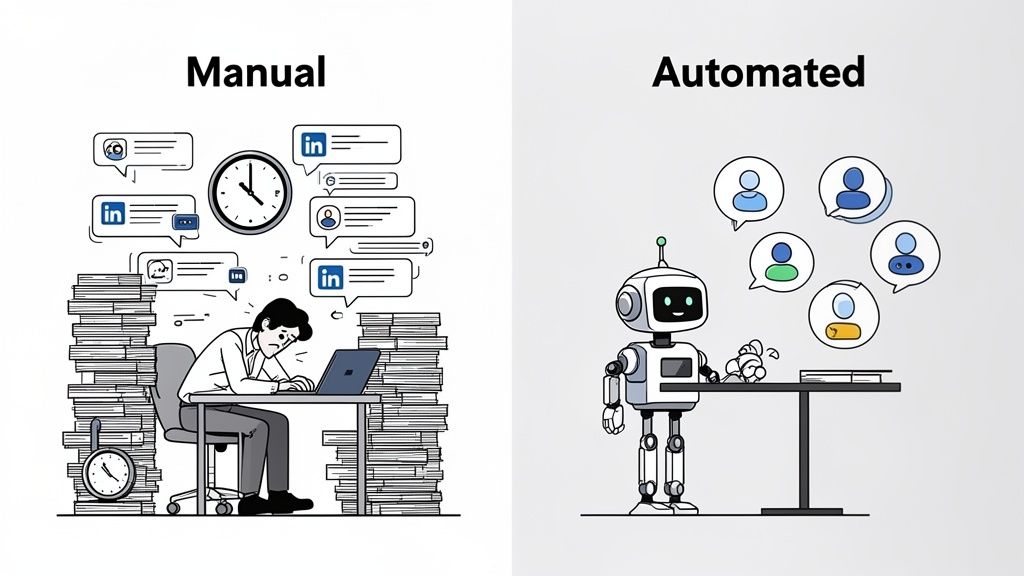
Trying to send 100 LinkedIn messages manually? Get ready to lose a full 10 hours of work. That’s not just slow; it’s a strategic bottleneck that kills any hope of scaling your B2B outreach. LinkedIn is the undisputed king of professional prospecting, but the manual grind of finding, connecting, and messaging prospects one by one is a fast track to burnout.
This is where a smart LinkedIn outreach strategy comes in. Automation isn’t about blasting thousands of generic, spammy messages. It’s about using technology to handle the repetitive tasks so you can focus on what actually moves the needle: building real relationships and closing deals.
This complete guide will show you how to automate your LinkedIn outreach safely—step by step. Ready to turn LinkedIn into a predictable lead machine? Let's dive in. 😉
What Is LinkedIn Outreach Automation?
Let's clear the air. LinkedIn outreach automation means using specialized tools to handle repetitive actions like sending connection requests, messages, and follow-ups. But it's crucial to understand the line between smart automation and outright spam.
Automation vs. Spam: A Critical Difference
The moment people hear "automation," they often picture those awful, irrelevant DMs that flood their inboxes. That couldn't be further from what we're talking about here.
- Smart Automation is Personalized & Respectful: It uses data like
{{firstName}}and{{company}}to make every message feel relevant. It operates within safe, rate-limited boundaries to mimic human behavior. - Spam is Generic & Risky: It’s that lazy, high-volume message sent to anyone with a pulse, regardless of fit. It ignores platform limits and is the fastest way to get your account banned.
The goal of LinkedIn outreach automation is to scale personalized communication, not to blast generic pitches.
Who Benefits from LinkedIn Automation?
So, who is this for? Put simply, automation is a game-changer for anyone whose success hinges on starting conversations at scale.
We see it used most effectively by:
- B2B Sales Teams: For building a consistent, predictable LinkedIn lead generation engine.
- Recruiters: To source and engage with top-tier candidates without spending all day on manual tasks.
- Founders & Startups: To build partnerships, find investors, and land those critical first customers.
- Marketing Agencies: To generate a steady stream of leads for their clients.
What Results Can You Expect?
While manual outreach often gets stuck with a disappointing 2-5% reply rate, a well-designed automated campaign can easily hit a 10–20% reply rate. Some top performers even see rates north of 30%. With over 1.1 billion professionals on the platform, getting this right can transform your pipeline.
Step 1: Define Your Target Audience
Before you write a single automated message, you have to nail the most crucial question: who are you actually trying to reach? A brilliant message sent to the wrong person is just noise. Let's get this right from the start.
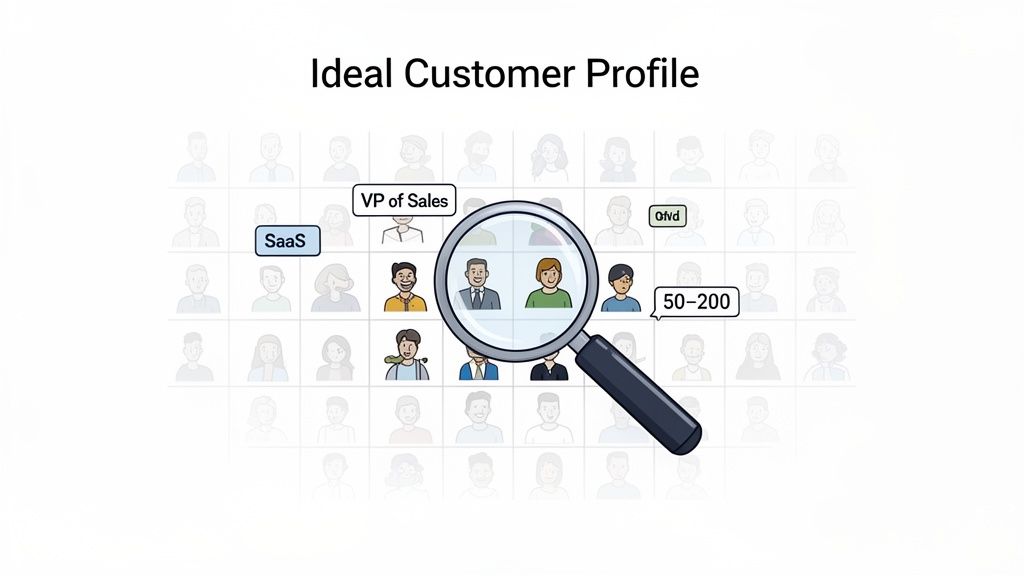
Great outreach starts with a rock-solid Ideal Customer Profile (ICP). We're talking about layering different criteria to pinpoint the exact people who will genuinely benefit from what you're offering.
Who Are You Targeting?
Get as specific as possible. Start by defining these core attributes:
- By Role: Are you targeting CEOs, VPs of Sales, or Recruiters? "VP of Sales" is infinitely more useful than just "Sales."
- By Industry: Get granular. Instead of "Tech," narrow your focus to "FinTech" or "Cybersecurity." This lets you speak their language.
- By Company Size: A 10-person startup has different pain points than a 1,000-person enterprise. Define a clear range, like "50–500 employees."
For example, a weak target is "salespeople." A strong, actionable ICP is a "VP of Sales at a Tech company with 50–500 employees in North America." See the difference?
Where to Find Them on LinkedIn
Once you know who you're looking for, it's time to find them.
- LinkedIn Search: The basic search with advanced filters is a decent starting point for simple queries.
- LinkedIn Sales Navigator: This is the best tool for serious B2B prospecting. It unlocks incredibly detailed filters like company headcount growth, years in a role, and recent job changes. If you're serious about your linkedin prospecting automation, this tool is non-negotiable.
- Pre-built Lists: LinkedIn Groups and event attendee lists are goldmines. The people there have already self-identified their interests, making them much more receptive.
For a deeper dive, check out our guide on how to find leads on LinkedIn. Tools like Hunter.io and RocketReach can also help enrich these lists with additional contact data.
Step 2: Write a Personalized Message That Gets Replies
Let's be real: your message is the entire ballgame. You can have the most precise targeting in the world, but if your message lands with a thud, your whole campaign is dead on arrival.
So, how do you write something that gets a real person to stop scrolling and actually reply? It’s about building a repeatable framework for short, personal messages that don't feel like a pitch.
A Message Structure That Works
The messages that consistently win follow a simple, effective structure. It’s designed to grab attention, build rapport, and state your intention without being pushy.
- Line 1: Personalized Opener: Go beyond
{{firstName}}. Mention their{{company}}or a recent industry trend. - Lines 2–3: Why You’re Reaching Out: Connect your observation to the specific value you offer.
- Lines 4–5: Clear CTA: Make a low-friction ask. A "quick chat" is better than a "30-minute demo."
- Line 6: Signature: Keep it clean with your name and title.
Example Message Template You Can Use Today
Here’s a LinkedIn message template that gets great results. Notice how it’s short, personal, and has a specific ask.
Hi {{firstName}},I saw {{company}} is growing fast in {{country}}.We help teams like yours increase sales by ~40% by automating LinkedIn outreach—safely.Open to a quick chat this week?{{yourName}}
Mistakes to Avoid
Knowing what not to do is just as important. Avoid these common mistakes:
- Too Long: Keep it under 150 words. Anything longer is a huge ask for a stranger's attention.
- Generic Messaging: Phrases like "I'd love to connect" are instant red flags. Show you've done your homework.
- Vague CTA: "Let me know your thoughts" is a dead end. Ask a direct question, like "Are you free for a brief call next Tuesday?"
- Failing to A/B Test: Always test 2-3 message variations. Track reply rates and double down on the winner. It's the only way to know what truly works.
Ready to craft your own winning message?
Step 3: Set Up the Automation (Safely)
You’ve defined your audience and crafted a compelling message. Now it’s time to put the machine to work. This is where the real leverage kicks in, but it's also where you need to be smart. The goal is to mimic human behavior so you stay on LinkedIn’s good side.
Choose Your Outreach Automation Tool
The market is full of options, each with different strengths. Based on user feedback and industry reports, here are a few solid choices:
- Gojiberry: Often recommended for teams prioritizing safety and deep personalization. It’s built to operate well within LinkedIn’s limits and uses AI to enhance messaging.
- Lemlist: A popular choice for multi-channel outreach, combining LinkedIn actions and cold email into a single sequence. Marketers find it effective for engaging prospects across platforms.
- Dex: More of a personal CRM with light automation. It’s fantastic for nurturing an existing network but may not be the ideal tool for high-volume, top-of-funnel prospecting.
Basic Configuration Workflow
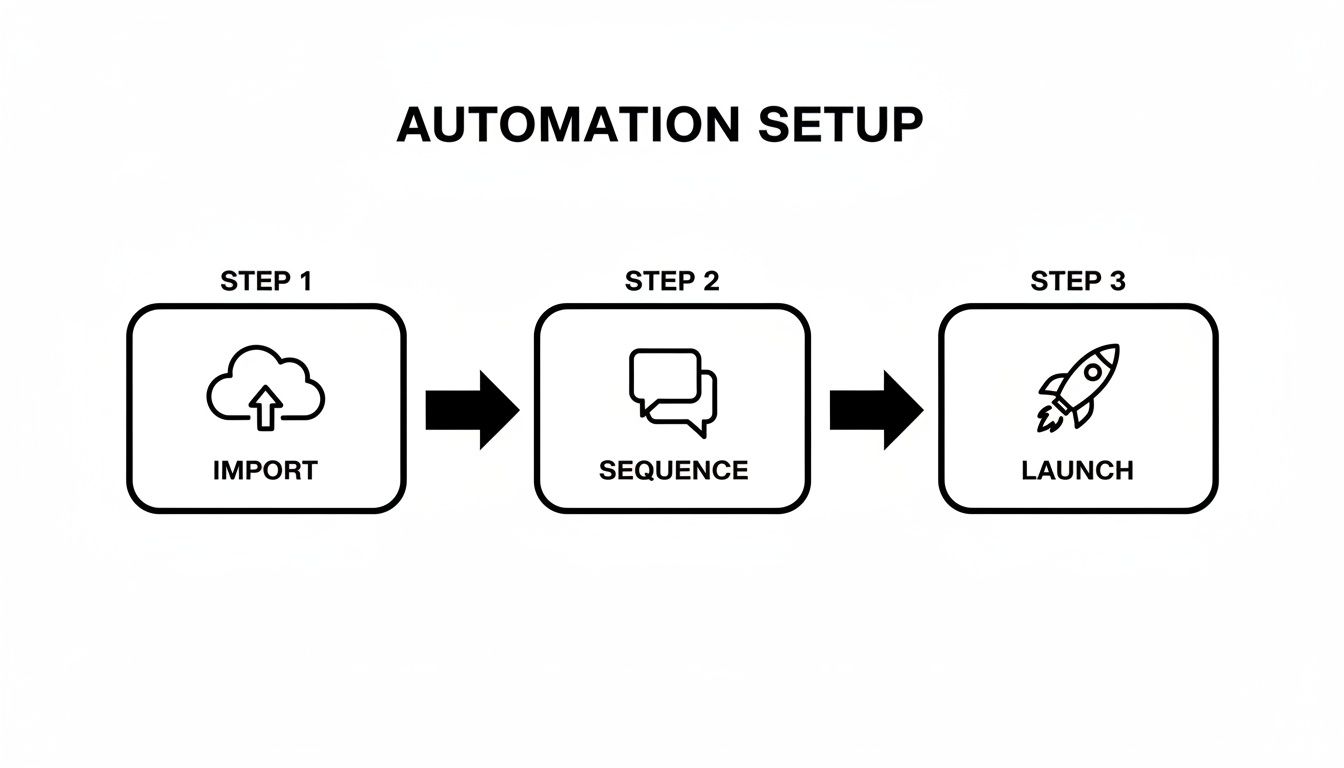
Once you've picked a tool, getting a campaign live is usually a straightforward process:
- Import Prospects List: Upload the curated list you built in Sales Navigator.
- Build Message with Variables: Plug in your copy and use personalization tokens like
{{firstName}}. - Define Daily Pacing: This is critical. Start with conservative daily limits (more on this below).
- Launch Campaign: Hit "go" and shift your focus from sending to monitoring and engaging.
Safety Limits You Must Respect
Ignoring LinkedIn's limits is the fastest way to get your account restricted. To keep your account healthy, you have to respect these guardrails.
- Max ~100 Connection Requests/Week: LinkedIn strictly enforces this weekly limit.
- Max ~50 New Messages/Day: This volume is high enough to make an impact but low enough to avoid spam filters.
- Delay Between Actions (2–5 seconds): A human doesn't click a new button every 1.0 seconds. Random delays make your activity look natural.
- Vary Behavioral Patterns: Good tools avoid repetitive, robotic sequences.
The secret to safe automation is making your tool act like a person, not a bot. For larger teams, it's also worth learning how to create a LinkedIn farm and automate multiple accounts to manage risk.
Step 4: Handle Replies and Follow-Up Properly
Let's be clear: automation is fantastic for opening the door, but a real, human conversation closes the deal. The second someone replies, the bots need to clock out. This hybrid approach is where the magic happens.
Your job is to take that initial positive signal and turn it into a meaningful business discussion.
Response Triage: Sort Your Inbox
Once replies start hitting your inbox, you need a simple system to sort them:
- Interested (Yes / Maybe): They've replied positively. These get your immediate, personal attention.
- Not Interested (No / Not Now): A "no, thanks" is a gift. Thank them for their time and move on.
- No Response: This will be your biggest group. They'll go into a gentle, automated follow-up sequence.
Manual Follow-Up is Non-Negotiable
For those "Interested" leads, it’s your time to shine. Reply personally. Read their message, acknowledge their question, and guide them to the next step, like a call or demo. Offer a link to your calendar to make it easy. Automation is for generating replies; human interaction is for generating revenue. For more on this, check out how to automate customer service without losing the human touch.
The Automated Follow-Up Sequence
For those who didn't reply, a tasteful follow-up can work wonders.
- Day 7: "Did you see my last message?" A simple, brief check-in.
- Day 14: "Last note before I close the loop." A final, polite nudge.
- Day 21: Stop. If they haven't replied by now, continuing will only damage your reputation.
Finally, track every lead and their status in your CRM to ensure no one slips through the cracks. For more specific scripts, our Warm DM Playbook can help.
Step 5: Measure and Optimize (Your Metrics Dashboard)
Launching your campaign is just the beginning. The difference between a campaign that fizzles out and one that becomes a lead-gen engine is a ruthless focus on data. You have to test, measure, and tweak.
Key Metrics to Track
Forget vanity metrics. For a solid linkedin sales automation strategy, only a few KPIs really matter:
- Reply Rate: The percentage of people who write back. This is your north star.
- Conversion Rate (Calls Booked): How many positive replies turn into actual meetings?
- Cost Per Lead (CPL): Your total spend divided by the number of qualified leads.
- Return on Investment (ROI): The ultimate bottom line. Is this effort making you money?
Sample Metrics Dashboard
You don't need a fancy platform. A simple table is all you need to spot trends.
MetricValueMessages Sent1,000Replies Received150 (15%)Calls Booked30 (20% of replies)Deals Closed5 (16.7% of calls)Campaign ROI500%
Optimization Rules
Turn these numbers into action with simple "if-then" rules:
- If Reply Rate < 10% → Improve your message and targeting. Your outreach isn't connecting.
- If Call Conversion < 15% → Improve your manual follow-up process. The breakdown is happening after the first reply.
- If ROI < 200% → Adjust your audience and offer. The fundamental math isn't working.
The key is continuous iteration. Make one change at a time, let it run for a week, and measure the impact. This simple cycle is how you build a campaign that gets better over time.
Case Study: How a B2B Startup Generated 50 Leads/Month
Need to see this framework in action? Let's look at a realistic example of how a B2B startup went from zero to a predictable pipeline.
The Starting Point: A B2B tech startup with 0 leads from outbound and relying entirely on manual prospecting.
The Strategy:
- Audience: VPs of Sales at tech companies with 50-500 employees.
- Message: A short, personalized message with a clear CTA to a 15-minute chat.
- Automation: A safe cadence of 50 messages/day, with all positive replies handled manually by the founder.
The Results Timeline:
- Weeks 1–2: 5 qualified leads booked.
- Weeks 3–4: 15 qualified leads booked as the message was optimized.
- Month 2: A consistent, predictable flow of 50 leads/month.
The Cost:
- €500/month (tool subscription + time) = €10 per qualified lead.
The Key Lesson: Smart automation combined with authentic, human follow-up is the formula for a predictable sales pipeline. It's not about replacing humans; it's about empowering them to do what they do best.
Pre-Launch Checklist (Before You Start)
Ready to go live? Not so fast. A final pre-flight check ensures every part of your LinkedIn outreach automation is ready to deliver.
Run through this list before you hit "go":
- Audience defined and segmented: Your list is clean, targeted, and uploaded correctly.
- Message personalized and tested: Your copy is proofread, and personalization variables work.
- Automation tool configured: Your sequence flow and delays are set to mimic human behavior.
- Safety limits applied: Daily caps are set (~50 messages/day, ~100 connections/week).
- CRM ready to track responses: Your integration is active and ready to catch new leads.
- Follow-up plan defined: The team knows who handles replies and how to triage them.
- Metrics selected: You know exactly what success looks like for this campaign.
Ready to launch your LinkedIn outreach automation?
Gojiberry makes it simple and safe. It offers advanced personalization, built-in safety limits to protect your account, and integrated follow-up tracking to ensure no lead is left behind.
👉 Try Gojiberry for free — launch your first campaign in 5 minutes.
You'll also get access to proven message templates, a comprehensive safety checklist, and dedicated support to guide you.
You now have the complete 5-step framework to build a powerful and safe lead generation machine on LinkedIn. The core takeaway is simple: automation + human follow-up = qualified leads. Don't just read this guide—use it. Launch your first campaign this week and start turning conversations into customers.
If you're still hesitating between tools, this Lemlist vs Waalaxy comparison breaks down exactly which one fits your outreach strategy.
FAQ: Your Questions, Answered
Is LinkedIn Outreach Automation Actually Safe?
Yes, but only if you're smart about it. Safety in LinkedIn sales automation isn't about the tool; it's about how you use it. The goal is to mimic natural human behavior.
This means sticking to realistic daily limits (e.g., ~50 new messages per day) and choosing tools that randomize the time between actions. Avoid risky browser extensions that get accounts flagged.
What Is a Realistic Reply Rate for Automated Outreach?
While manual outreach often yields a 2–5% reply rate, a well-executed automated campaign can easily achieve 10–20%. Top-performing campaigns, which obsess over targeting and message relevance, can even see reply rates of 30% or more. The quality of your prospect list and messaging makes all the difference.
How Long Does It Take to See Real Results?
You'll see the first replies within a day or two. However, building a predictable, scalable pipeline takes patience.
- Month 1: This is your testing and learning phase. You'll gather data on what messages and audiences work.
- Month 2: This is where you scale. By doubling down on winning strategies from month one, you'll start to see a reliable flow of qualified leads.

More High-Intent Leads = Your New Growth Engine.
Start Now and Get New High Intent Leads Delivered Straight to Slack or Your Inbox.