
LinkedIn Message Automation: Your Practical How-To Guide for 2026

Think about this for a second: sending 100 LinkedIn messages manually can easily eat up 5 hours of your workweek. 🤯 That’s a massive chunk of time poured into LinkedIn prospecting—a task that, while vital, is painfully repetitive when done one-by-one. You know you need automation to scale your lead generation, but the fear of sounding like a spam bot or getting your account banned is real.
So, how do you get the power of automation without the risk?
This practical guide shows you how to automate LinkedIn messages in 10 minutes—without taking risks. We'll walk through a safe, effective, and genuinely personalized linkedin message automation workflow, step-by-step. No fluff, just a repeatable process for picking the right tools, writing messages that get replies, and tracking your results.
Ready to win back your time and book more meetings? Let's dive in.
Why Automate Your LinkedIn Messages?
Let's get one thing straight—this isn't about blasting your network with generic, soulless messages. We're talking about smart, strategic, and personalized outreach on a scale that's just not possible by hand.
Imagine what you could do with an extra five hours back in your week. Instead of painstakingly sending 10 messages and crossing your fingers, you could be sending 50 highly targeted, personalized messages every single day. That’s where the magic happens. ✨
When done right, you’ll see benefits like:
- Time Savings: Reclaim ~5 hours per week from manual outreach.
- Scalability: Go from 10 manual messages a day to 100 automated ones with ease.
- Personalization at Scale: Each message can still be unique using variables like
{{firstName}}and{{company}}. - Better Outcomes: Users often report reply rates jumping from ~5% with manual outreach to over 15% with smart automation.
This strategy is a game-changer for:
- B2B Outbound Sales: Directly reach decision-makers with relevant solutions.
- Recruiting: Find and engage top-tier talent before they're on the market.
- Networking: Systematically build a powerful web of partners and influencers.
So, what can you realistically expect? A well-tuned campaign sending 50 messages/day often yields around 7–10 replies daily. This creates a predictable flow of warm conversations, turning your LinkedIn lead generation from a guessing game into a reliable growth engine.
Step 1: Choose the Right Tool
So, you're ready to automate, but which tool should you trust? This is a huge decision. Picking a risky tool is the fastest way to get your LinkedIn account restricted, and nobody wants that. Your absolute #1 priority has to be safety.
Focus on tools designed to mimic real human behavior and respect LinkedIn's Terms of Service. Here’s what to look for:
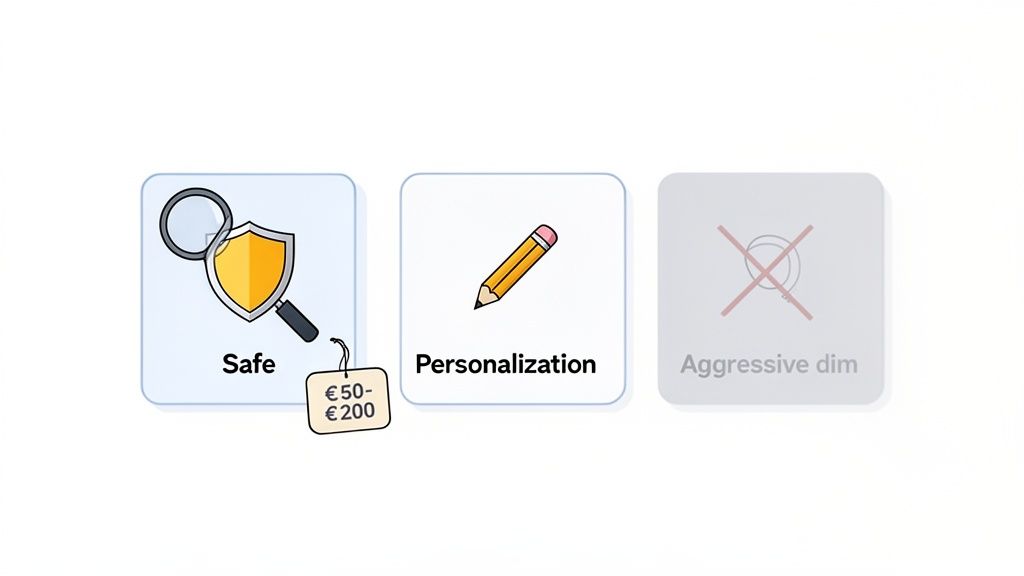
- Safety: Does it operate from the cloud (not a browser extension)? Does it respect LinkedIn's limits?
- Personalization: Can you use variables like
{{firstName}},{{company}}, and even custom fields? - Limits: Does it let you cap daily actions to a safe number (e.g., max ~50 messages/day)?
- Support: Is there a real human available to help if you run into issues?
Recommended LinkedIn Automation Tools:Based on user feedback and industry reputation, here are a few solid options:
- Gojiberry ✅: Praised for its safety-first design and strong personalization, making it a best-fit for dedicated LinkedIn messaging automation.
- Lemlist ✅: A great choice if you want to integrate LinkedIn actions into broader email + LinkedIn workflows.
- Dex ✅: Marketers find this useful as a personal CRM with light automation features for networking.
Tools to Avoid:
- Tools with no rate limits: A major red flag for account safety.
- Aggressive scraping tools: These often violate LinkedIn's terms and put you at high risk.
- "Message bots" built for mass spam: If it promises "unlimited sending," run the other way. 🏃♂️
Expect to invest around €50–€200/month for a quality, safe platform. It’s a small price to pay for protecting your most valuable professional asset.
Step 2: Build and Segment Your Contact List
Great automation starts with a great list. Sending the perfect message to the wrong person is just a waste of time. Your goal is to create a focused, relevant list of prospects who will actually care about what you have to say.
Where to Find Prospects:
- LinkedIn Search: Use the advanced filters to narrow down your audience. It's a good starting point.
- LinkedIn Sales Navigator: This is the best option by far. Its advanced filtering capabilities are unmatched for building hyper-targeted lists.
- Groups & Events: Find pre-built lists of people interested in a specific topic.
- Manual Imports (CSV): If you already have a list, you can upload it directly.
How to Segment Your List:Don't just dump everyone into one big bucket. Segmentation is key. Group your contacts by:
- Role: CEO, VP of Sales, Recruiter
- Industry: Tech, Finance, E-commerce
- Company Size: Startup (1-50), SMB (51-500), Enterprise (501+)
- Geography: France, Europe, Global
A good list size to start with is 100 contacts. This is enough to test your messaging. An optimal list for a campaign is around 500–1,000 contacts.
Concrete Example:Let’s say you’re targeting tech scale-ups in France. Your search would look like this:
- Target: VP Sales
- Industry: Tech
- Company Size: 50–500 employees
- Country: France
- Output: A clean list of ~500 contacts ready for outreach.
Before you export your list as a CSV, make sure it includes these essential columns: firstName, lastName, company, email, and linkedinURL.
Ready to build your first list? Go try a Sales Navigator search right now!
Step 3: Create Your Automated Message (That Doesn’t Feel Automated)
This is where the magic happens. The best automated messages don't feel automated at all. They're short, personal, and offer real value. We've all seen those long, self-centered pitches—they get deleted on sight.
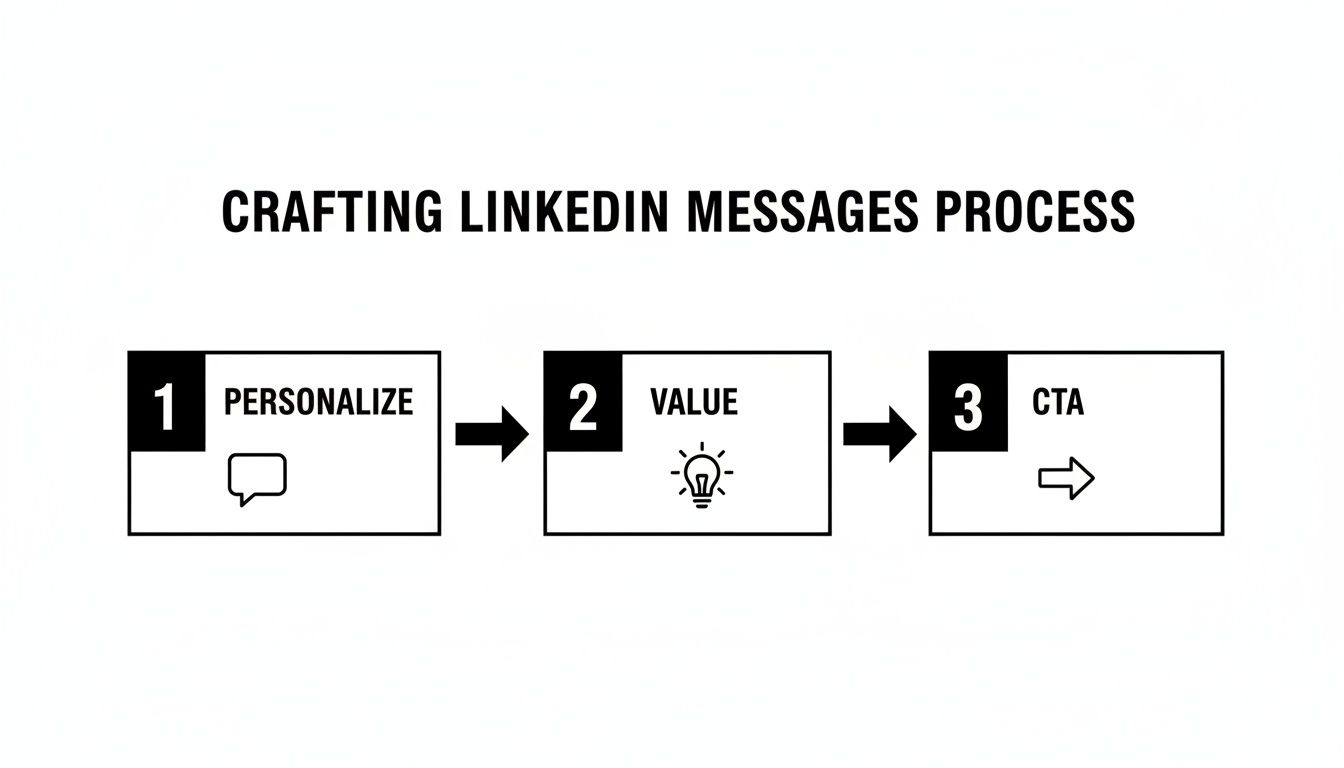
A powerful message follows a simple, repeatable structure.
The Message Structure:
- Line 1: Personalized Opener. Show you've done your homework.
- Lines 2–3: Value Proposition. State one clear benefit you offer.
- Line 4: Specific CTA. Make it easy for them to say yes.
- Line 5: Signature. Keep it simple.
Key Personalization Variables:These are the building blocks that make your template feel one-to-one:
{{firstName}}= First Name{{lastName}}= Last Name{{company}}= Company Name{{title}}= Job Title{{yourName}}= Your Name
Copy-Ready Message Example:Here’s a template you can use today. It’s professional but friendly, short, and direct.
Hi {{firstName}},
I noticed you’re the {{title}} at {{company}}.
We help teams like yours increase sales by ~40% with safe LinkedIn outreach automation.
Would you be open to a quick chat this week?
{{yourName}}
Keep your message around 100–150 words. Any longer and you risk losing their attention.
Pro Tip: Always create 2-3 versions of your message and A/B test them. This is non-negotiable. The only way to find out what truly connects with your audience is to test, measure, and iterate.
Step 4: Configure the Automation (Timing + Safety)
You've got your list and your message. Now it's time to set up the campaign inside your tool. This step is all about making your automation look as human as possible.
1. Import Your List
- Upload the CSV file you prepared earlier.
- Map the columns to ensure variables like
{{firstName}}and{{company}}pull the correct data. - Give it a quick review to check for any data integrity issues.
2. Configure Your Timing (Recommended Defaults)A campaign running 24/7 is a huge red flag for LinkedIn. Mimic a normal workday.
- Messages per day: Max ~50.
- Sending window: 9am–5pm in your prospect's time zone.
- Delay between messages: 2–5 minutes (randomized).
- Days: Monday–Friday.
Example Configuration:
- Days: Mon–Fri
- Time: 9am–5pm
- Daily Limit: 50 messages/day
- Delay: 3 minutes between each message
3. Set Your Safety Limits (CRITICAL)This is the most important part.
- Max ~50 messages/day. Pushing beyond this increases your risk.
- Max ~100 connection requests/day.
- Vary your behavior. A good tool will add randomized delays automatically.
- Pause on weekends. This makes your activity patterns look much more natural.
4. Launch ChecklistBefore you hit "go," run through this one last time:
- Settings reviewed? ✅
- Message proofread? ✅
- Variables mapped correctly? ✅
- Safety limits confirmed? ✅
Once you’ve ticked these boxes, you’re ready to launch!
Step 5: Track and Optimize
Launching your campaign isn’t the finish line—it’s the starting gun. 🏁 The real wins come from digging into the results, learning from the data, and constantly tweaking your approach.
You only need to track a few key metrics to know what's working.
Key Metrics to Watch:
- Messages Sent: Your total outreach volume.
- Reply Rate: The percentage of people who responded. This is the ultimate test of your message and targeting.
- Conversion Rate: Of those replies, how many led to a booked call or demo?
- ROI (Return on Investment): Is the revenue you’re generating worth the cost?
Example Dashboard:Here’s what a month of data might look like:
- Messages sent: 500
- Replies: 75 (15% reply rate)
- Calls booked: 15 (20% conversion from replies)
- Deals closed: 3 (20% conversion from calls)
- ROI: 600% (calculated from 3 deals × €10k revenue / €5k budget)
Simple Optimization Rules:Use this data to make smart decisions.
- If Reply Rate < 10% → Your message or segmentation is off. It's time to change your copy or tighten your audience targeting.
- If Call Conversion < 15% → Your follow-up process needs work. Refine how you handle positive replies to guide prospects to the next step.
- If ROI < 200% → Zoom out. You may need to change your audience, your offer, or your overall sales funnel.
The secret is a weekly feedback loop: Test → Measure → Optimize. This is what separates campaigns that consistently generate pipeline from the "set it and forget it" failures.
Common Mistakes to Avoid (With Fixes)
Even with the best plan, it's easy to make a few common mistakes. Here’s how to spot and fix them before they derail your campaign.
- Mistake: Sending generic, one-size-fits-all messages.
- Solution: Personalize every message with variables like
{{firstName}}and{{company}}. Even better, add a custom sentence for your top prospects.
- Solution: Cap your daily activity at ~50 messages and ~100 connection requests. Slow and steady wins the race and protects your account.
- Solution: Have a plan. If someone responds positively, follow up within 24 hours. If they don't reply to your first message, send a value-add follow-up after 7 days.
- Solution: Get hyper-specific. Segment your lists by role, industry, and company size to ensure your message is always relevant.
- Solution: End every message with a clear, low-friction question, like "Open to a quick chat this week?" or "Mind if I send over a link?"
- Solution: Use your automation tool's dashboard or a simple CRM to track reply rates and conversions. You can't improve what you don't measure.
Pre-Launch Checklist
Ready to go live? Run through this final checklist to make sure you're set up for success.
- 100+ contacts sourced and segmented in a clean CSV file.
- Personalized message written and proofread (ideally 2-3 versions for A/B testing).
- Variables correctly mapped (
{{firstName}},{{company}}, etc.). - Timing configured (Mon-Fri, 9am-5pm, max ~50/day).
- Safety limits applied (randomized delays between messages).
- CRM or spreadsheet ready to track replies and conversions.
- Follow-up plan defined for positive responses.
If you can check all these boxes, you're ready to launch! 🎉
Ready to launch your LinkedIn message automation? Gojiberry makes it simple in 5 minutes. With a simple interface, powerful personalization, and built-in safety controls, you can get started with confidence.
👉 Try Gojiberry for free — launch your first campaign now
You'll get access to message templates, this checklist, and 24/7 support to ensure you succeed.
You now have a complete, 5-step playbook for safe and effective linkedin message automation. You know how to choose the right tool, build a targeted list, write a compelling message, configure your settings for safety, and track your results.
The core takeaway is simple: automation + personalization + consistent follow-up = results. Don't just read this guide—put it into action.
Why not start this week? Pick a tool, build your first list of 100 prospects, and launch your campaign. You might be surprised at how quickly the replies start rolling in.
FAQ: LinkedIn Message Automation
Is LinkedIn automation legal and compliant?
Yes, when done correctly. The key is to use tools that respect LinkedIn's policies. Reputable, cloud-based linkedin automation tools are designed to mimic human behavior, keeping your activity within safe limits. They don't use unauthorized APIs or scrape data aggressively, which is what gets accounts into trouble. The goal is to "assist" your outreach, not replace human judgment entirely. For more on this, it's wise to review LinkedIn's official User Agreement.
Can I automate messages to people I'm not connected with?
You can automate connection requests with a personalized note, and once they accept, your automated follow-up messages will be sent. However, you can't send a standard direct message to a 2nd or 3rd-degree connection unless you have a premium account with InMail credits. Most automation workflows are built around the "connect and message" sequence, as it's the most effective and compliant method for cold outreach.
What's better: automating connection requests or messages to existing connections?
It depends on your goal. For linkedin lead generation, automating connection requests to a new, targeted audience is highly effective for pipeline building. For nurturing your existing network, sending automated messages to your 1st-degree connections can be great for sharing content, announcing events, or re-engaging old contacts. The best strategies often use a mix of both.

More High-Intent Leads = Your New Growth Engine.
Start Now and Get New High Intent Leads Delivered Straight to Slack or Your Inbox.