
LinkedIn Automation Team Collaboration: Coordinate, Align & Scale

So, you've decided to bring LinkedIn automation to your sales team. Awesome! But wait... are you ready for the chaos? 😬 One rep sends a connection request, another messages the same person a day later, and a third targets the same account with a totally different pitch. It’s a fast track to confusing prospects, annoying your best leads, and making your brand look disorganized.
The real win isn't just using automation; it's using it together. Teams that collaborate on LinkedIn automation see up to 2x better results. The problem is, uncoordinated automation leads to duplicate outreach, wasted effort, and serious account risks. The solution? A structured team collaboration framework.
In this guide, you’ll learn exactly how to coordinate, align, and scale your team's LinkedIn automation efforts. We'll cover shared workflows, performance management, and the best practices that separate the pros from the amateurs. Ready to get this sorted?
Why Team Collaboration Matters for LinkedIn Automation
When every sales rep runs their own little automation island, you're not really a team—you're just a bunch of individuals creating noise. This is where a unified, collaborative approach changes everything. It’s the difference between a garage band where everyone is playing a different song and a finely tuned orchestra working from the same sheet music. 🎶
Here’s why getting your team on the same page is a non-negotiable for success:
- -Avoiding Duplicate Outreach: A shared system is the only way to guarantee you aren't bombarding the same prospect from different directions. It prevents your team from looking sloppy and wasting precious outreach opportunities.
- -Preventing Account Restrictions: When you manage connection requests and message volumes as a team, you can set smart, coordinated rate limits that keep everyone safe. This dramatically lowers the risk of any single account getting flagged for overly aggressive activity.
- -Improving Lead Quality: Imagine one rep discovers an opening line that gets a 30% higher reply rate. In a collaborative setup, that insight is shared instantly, lifting the performance of the entire team. It creates a powerful, real-time feedback loop based on shared intelligence.
- -Increasing Efficiency: A central playbook with battle-tested message templates and sequences means your reps can stop guessing. They grab what's proven to work and focus their energy on building relationships, not writing copy from scratch.
- -Scaling Faster: A structured framework makes growth simple. Onboarding a new team member or launching a new campaign becomes a repeatable process instead of an exercise in chaos management.
In short, a coordinated strategy doesn't just make things tidier; it fundamentally improves every important metric, from lead quality to brand perception.
Team Collaboration Challenges with LinkedIn Automation
So, if team collaboration is so great, why doesn't everyone do it? Because it's hard! Without a plan, you'll run head-first into some pretty common (and painful) challenges. Have you experienced any of these yet?
- -Challenge 1: Duplicate Outreach to the Same Prospects: This is the big one. Two reps messaging the same lead within a week. It looks unprofessional and instantly kills credibility.
- -Challenge 2: Inconsistent Messaging Across the Team: Rep A is super formal, while Rep B is all emojis and GIFs. This brand schizophrenia confuses prospects and weakens your message.
- -Challenge 3: Account Health Monitoring Across Multiple Users: Who’s watching the total number of connection requests sent by the whole team? If nobody is, you're flying blind toward a potential account restriction.
- -Challenge 4: Knowledge Silos: Rep C just found a killer sequence that books meetings like crazy, but she keeps it to herself. The rest of the team misses out, and overall performance stagnates.
- -Challenge 5: Performance Visibility: You think the automation is working, but you can't prove it. You have no way to see which rep, which message, or which workflow is actually driving results.
Recognize your team in any of these? Don't worry, we're about to fix them.
Setting Up Team Collaboration Infrastructure
Alright, let's get into the nuts and bolts. A winning team automation strategy isn't built on hope; it's built on a solid operational foundation. This is where you lay the groundwork to prevent crossed wires and give your team the structure it needs to scale.
The path from individual reps doing their own thing to a truly collaborative sales engine is a journey. It starts messy but evolves into a smooth, unified system.
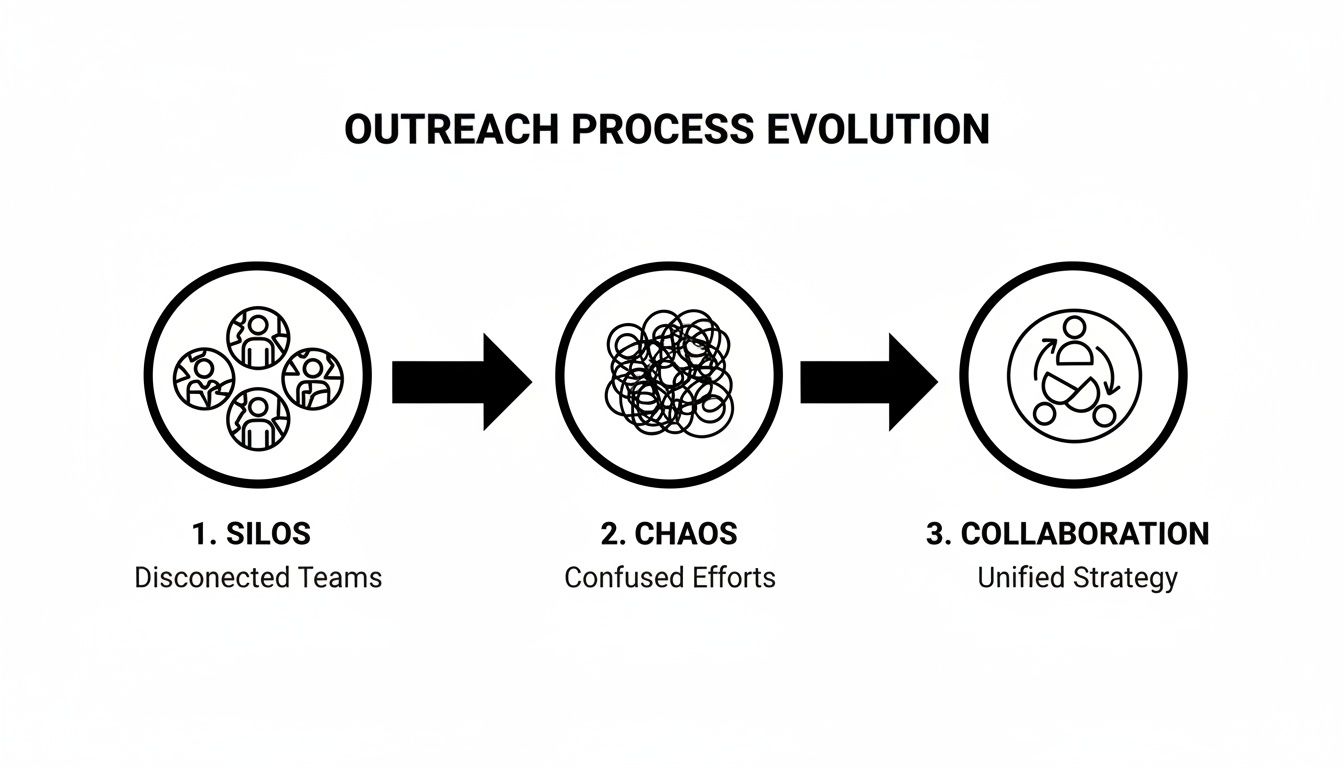
This graphic perfectly illustrates that evolution—from disconnected silos to a cohesive machine. Let's talk about how to build it.
Shared Lead Lists & Databases
Your entire operation hinges on a centralized lead database. This is your single source of truth. Without it, you'll have reps tripping over each other. With it, everyone can see who has been contacted, by whom, and what the outcome was.
For this to work, you need a clear system for lead ownership and assignment. Decide the rules upfront: will leads be assigned by territory, industry, or company size? Getting this right prevents reps from fighting over the same hot prospect.
Actionable Steps:
- Use a CRM as the Hub: Ban rogue spreadsheets immediately. Your CRM is the master database.
- Define Lead Statuses: Create unambiguous statuses like 'New,' 'Contacted,' 'Replied,' or 'Disqualified.'
- Run Regular Deduplication: Use your CRM's tools to merge or purge duplicate contacts. Do this weekly.
- Schedule Data Audits: Put a recurring monthly meeting on the calendar to review data hygiene and ensure everyone is following the process.
Shared Message Templates & Sequences
Nothing tanks response rates faster than inconsistent messaging. A shared template library is your quality control, ensuring every touchpoint is polished, on-brand, and field-tested.
Think of it as a living playbook. This library should be stocked with approved templates for:
- -Connection requests that get accepted
- -Initial outreach messages that start conversations
- -Multi-step follow-up sequences
This isn't about turning reps into robots. It's about giving them a high-quality foundation to personalize. The goal is consistency in quality, not conformity in style.
You'll also need a lightweight template approval process and a simple A/B testing framework. This lets you test messages across the team, identify the winners, and roll them out to everyone, creating a powerful feedback loop. Marketers find this approach can nearly double response rates. You can discover more about the impact of automation on B2B lead generation here.
Shared Automation Workflows
Your automation workflows are the connective tissue. Document every single workflow: what it does, who it targets, and how it's triggered. More importantly, assign a clear workflow owner who is responsible for monitoring its performance and making updates.
Do:
- -Document everything: Create a simple doc for each workflow explaining its purpose and logic.
- -Test before rollout: Never launch a new workflow team-wide without testing it on a small batch of leads first.
- -Track performance: Regularly review which workflows are booking the most meetings.
Don't:
- -Let anyone and everyone create workflows.
- -Forget to turn off old or underperforming workflows.
CRM Integration & Synchronization
Real-time, two-way synchronization between your automation tool and your CRM is completely non-negotiable for LinkedIn automation team collaboration. When an automated sequence engages a lead on behalf of a rep, that activity needs to appear in the CRM instantly.
Actionable Steps:
- Map Fields Correctly: Ensure data from your automation tool (like 'Replied') maps to the correct field in your CRM.
- Enable Automatic Syncing: This should be a real-time or near-real-time connection.
- Perform Data Integrity Checks: Once a month, have someone spot-check a few dozen contacts to ensure data is syncing correctly.
Looking for the right tools to build your stack? Our guide on the top free LinkedIn lead generation tools is a great place to start your research.
Team Roles & Responsibilities
You've got the tech in place, but that’s only half the battle. Now, who’s actually going to drive this thing? Without clear ownership, even the slickest setup will devolve into chaos. To keep your LinkedIn outreach running like a well-oiled machine, everyone needs to know exactly what their job is.
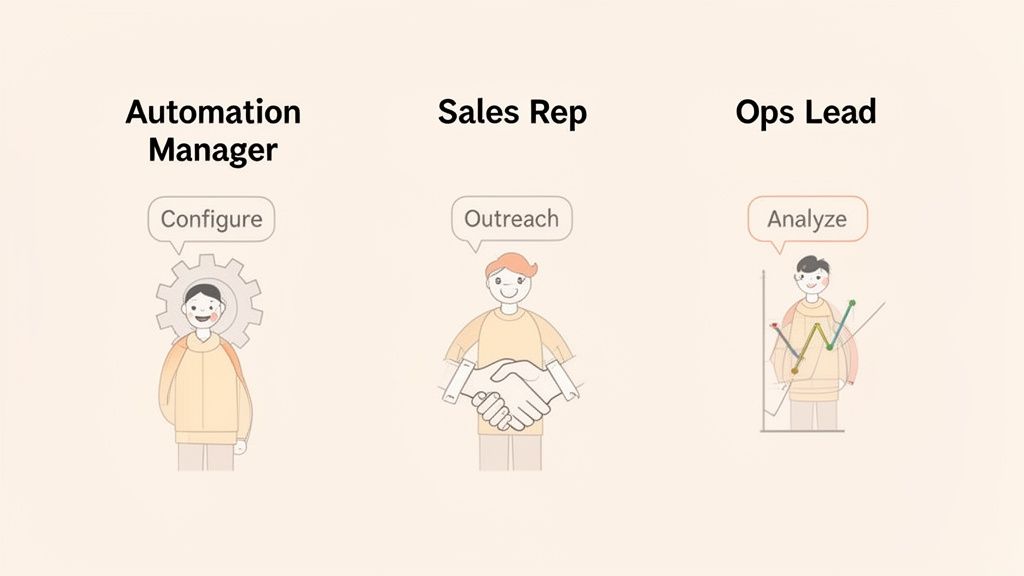
Automation Manager/Lead
This person is the quarterback of your entire LinkedIn program. They’re more than a tech guru; they're the strategist who keeps the system humming along safely and efficiently.
Responsibilities:
- -Oversees all automation activities and tool configuration.
- -Manages the shared template and workflow libraries.
- -Monitors team-wide account health and compliance.
- -Conducts regular audits of the system.
- -Reports on overall program performance and ROI.
Sales Representatives
Your sales reps are the face of the company, turning automated outreach into real conversations. Their job isn’t just to hit "start"; it’s to bring the human touch that closes deals.
Responsibilities:
- -Execute outreach campaigns using approved workflows.
- -Manage their inbox and follow up on all positive responses.
- -Provide feedback on what's working (messages, offers).
- -Contribute ideas for new templates and sequences.
- -Keep their lead data updated in the CRM.
Operations/Analytics Lead
This is your data wizard. 🧙♂️ While the Automation Manager keeps the system running, the Ops Lead is obsessed with its performance. They live in the dashboards, always digging for insights.
Responsibilities:
- -Tracks team and individual performance metrics.
- -Analyzes automation effectiveness (e.g., A/B test results).
- -Identifies optimization opportunities from the data.
- -Manages CRM data quality and reporting.
- -Generates reports and dashboards for the team.
Compliance Officer
In larger or more regulated organizations, this role is crucial. They are the guardian of your team's reputation and legal standing.
Responsibilities:
- -Ensures all outreach complies with LinkedIn's ToS, GDPR, and CCPA.
- -Monitors rate limits and account health warnings.
- -Conducts compliance audits.
- -Manages data privacy and security protocols.
- -Handles any account restrictions or appeals.
By giving each of these roles clear ownership, you build a system of checks and balances that makes your entire outreach effort smarter. You can find powerful outreach tool alternatives that offer role-based permissions to support this structure.
Communication & Coordination Strategies
A great infrastructure and clear roles are fantastic, but what glues it all together? Communication. A steady rhythm of meetings, shared channels, and feedback loops turns a group of individuals into a high-performing team.
Regular Team Meetings
Don't let meetings be a time-suck. Keep them short, focused, and actionable.
- -Weekly Sync (15-30 mins): What worked last week? What are we trying this week? Any roadblocks?
- -Monthly Performance Review (1 hour): Deep dive into the numbers. What did we learn? What campaigns do we double-down on?
- -Quarterly Strategy Session (2 hours): Look at the bigger picture. Are we targeting the right accounts? Do we need to adjust our core messaging?
Shared Communication Channels
Real-time updates are critical. Don't let important info get lost in email.
- -Slack/Teams Channel (#linkedin-outreach): For quick questions, sharing wins, and flagging issues.
- -Shared Documentation (Wiki or Google Docs): A central home for your playbook, workflow guides, and best practices.
- -Performance Dashboards: A shared, real-time dashboard that everyone can see. Transparency builds trust.
Knowledge Sharing & Training
Your team's collective brainpower is your biggest asset. Make it easy to share.
- -Onboarding Process: A structured program for new hires that covers tools, processes, and compliance.
- -"What's Working" Sessions: Dedicate 10 minutes in your weekly sync for reps to share successful tactics.
- -Documentation Library: Create simple how-to guides and FAQs. If a question is asked twice, document the answer.
Feedback & Continuous Improvement
Create a culture where feedback is a gift, not a criticism.
- -Regular Feedback Collection: Use simple surveys or 1-on-1s to ask reps what could be better.
- -Suggestion Box: An anonymous way for team members to suggest improvements to templates or workflows.
- -Celebrate Learning: When an A/B test fails, celebrate the learning! It tells you what not to do, which is just as valuable.
Avoiding Duplicate Outreach
Honestly, nothing screams "we're disorganized" faster than two reps from your company hitting up the same prospect. A rock-solid deduplication strategy is your best defense, and it all starts with your centralized database.
Deduplication Strategies
Your CRM has to be the single source of truth—the ultimate referee. Before any rep or sequence can reach out, a check must run against that central database to see if the person is already owned or in an active conversation.
Think of your CRM as air traffic control for your outreach. No new campaign takes off until it gets clearance, ensuring no two reps are heading for the same destination at the same time.
Lead Assignment & Ownership
Clarity here is everything. The process for assigning leads must be simple and transparent.
- -Clear Assignment Process: Is it based on territory? Round-robin? First-come, first-served? Document it.
- -Ownership Field in CRM: Have a dedicated "Lead Owner" field that is always filled out.
- -Handoff Process: Define how a lead is passed from an SDR to an AE, or from one rep to another if needed.
Shared Lead Lists
Shared lists are fantastic but require strict rules. The goal is to treat them as dynamic, real-time resources.
- Control Access: Be clear about who can view and, more importantly, who can edit the lists.
- Update in Real Time: This is non-negotiable. As soon as a lead is contacted, their status must be updated universally.
- Clean and Archive: Regularly remove contacted leads from active lists. It keeps things tidy and focused.
Maintaining Account Health Across the Team
Let's talk about the big fear: getting your team's accounts restricted. When you have multiple reps running automation, the total volume of activity can create a spike that sets off alarm bells. The fix is proactive, team-wide management.
Coordinated Rate Limiting
Instead of letting every rep decide their own sending velocity, the Automation Manager must set team-wide daily and weekly limits.
- -Team-Wide Cap: Start with a conservative total number of actions for the entire team (e.g., 400 connection requests per week).
- -Individual Guardrails: Give each rep their own daily limit that contributes to the team total (e.g., 15-20 requests per day).
- -Smart Scheduling: Stagger automation times across the team to look more like natural, human activity. Don't have everyone run at 9 AM on Monday.
This simple approach keeps everyone’s activity well under LinkedIn’s radar. If you're running a larger operation, our guide on how to create a LinkedIn farm has more advanced strategies.
Activity Monitoring & Alerts
You can't manage what you don't monitor. Your Automation Manager should have a dashboard that provides a real-time view of team activity.
- -Daily Activity Tracking: Keep an eye on total connections, messages, and profile views.
- -Warning Sign Alerts: Set up alerts for unusual activity spikes or if the team is approaching its daily limits.
- -Account Health Dashboard: Many modern automation tools provide a central dashboard to see the health status of all connected accounts.
Compliance Monitoring
Beyond LinkedIn's rules, you also have data privacy laws like GDPR and CCPA to consider.
- -Regular Audits: The Compliance Officer or Automation Manager should conduct quarterly audits to ensure all outreach follows documented procedures.
- -Documentation: Keep records of how you source leads and handle data.
- -Team Training: Make compliance a key part of onboarding and ongoing training
Performance Management & Metrics
"It feels like it's working" doesn't cut it. If you can’t measure your efforts, you can’t improve them. This is where you graduate from guesswork to a data-driven strategy.
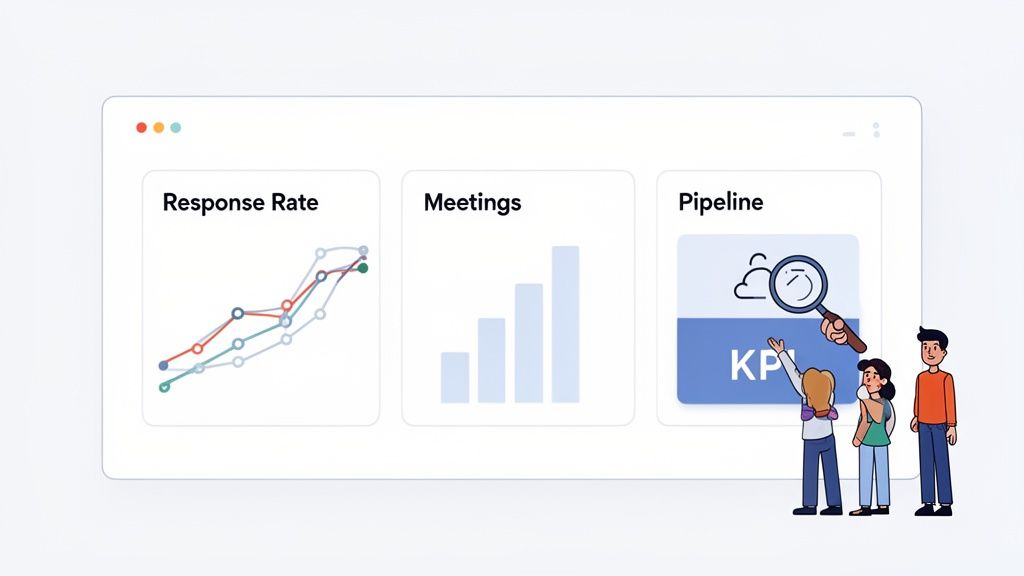
Individual Performance Tracking
This isn't about micromanagement; it's about empowering reps with the insights they need to win.
- -Connection Acceptance Rate: Is their targeting and initial message hitting the mark?
- -Message Response Rate: How many connections are turning into conversations?
- -Meetings Booked: The bottom line. How many sequences lead to a qualified conversation?
- -Time Saved Per Rep: A great metric to show the efficiency gains from automation.
Team Performance Tracking
Aggregate numbers show the true impact of your outreach program and are essential for calculating ROI.
- -Total Leads Generated & Meetings Booked: The numbers your sales leader cares about most.
- -Team-Wide Acceptance & Response Rates: A blended average gives a high-level pulse on campaign health.
- -Team Conversion Rate: From first connection to closed deal, what’s the end-to-end success rate?
- -ROI & Payback Period: How long did it take for the automation program to pay for itself?
Workflow Performance Analysis
This is where the real magic happens. Your Ops Lead should be obsessed with answering these questions:
- -Which workflows are winning? Double down on what works, kill what doesn't.
- -Which segments convert best? Are VPs in tech responding better than Directors in finance? This should inform your next campaign.
- -Which message templates get the most replies? A/B test and let the data decide the winner.
Reporting & Dashboards
Make data visible and accessible to everyone.
- -Daily Performance Dashboard: A real-time dashboard for reps to see their own progress.
- -Weekly Reports: A summary of team performance and key learnings for the leadership team.
- -Monthly Analysis: A deep dive into trends and insights.
- -Quarterly Reviews: To inform strategic adjustments.
Team Collaboration Tools & Platforms
The right tech stack makes all of this possible. You need tools that are designed for teams, not just solo users.
Automation Platform Features
Look for a LinkedIn automation platform with built-in team features:
- -Team Management: User roles and permissions (e.g., Admin, Manager, User).
- -Shared Workflows & Templates: A central library accessible to the whole team.
- -Activity Monitoring: A team dashboard to track collective activity and account health.
- -Reporting & Analytics: The ability to see performance by rep, campaign, and team.
CRM Integration
As we've said, this is non-negotiable. Your CRM must integrate seamlessly with your automation tool for:
- -Centralized lead management.
- -Real-time data synchronization.
- -Team-wide visibility into who is working on what.
Communication & Collaboration Tools
These tools support the human side of your collaboration framework:
- -Slack/Microsoft Teams: For real-time alerts and communication.
- -Google Docs/Confluence: For your shared documentation and playbook.
- -Asana/Monday.com: To manage projects like launching a new large-scale campaign.
Onboarding New Team Members
A structured onboarding process ensures new reps ramp up quickly and follow the rules from day one.
Training Program
Your training should be hands-on and cover four key areas:
- Tool Training: How to use the automation platform and CRM.
- Process Training: Your team's specific workflows and rules of engagement.
- Best Practices Training: What messages work, what doesn't, and why.
- Compliance Training: LinkedIn's ToS, rate limits, and data privacy.
Documentation & Resources
Give new hires a "getting started" kit:
- -A Step-by-Step Guide: The first 5 things they need to do.
- -A Link to the FAQ: For common questions.
- -Access to the Template Library: With examples of great messages.
- -A Troubleshooting Guide: For common issues and solutions.
Mentoring & Support
No one should feel like they're on an island.
- -Assign a Mentor: Pair the new hire with an experienced team member for the first month.
- -Regular Check-ins: The manager should have daily check-ins for the first week.
- -Encourage Peer Support: Foster a culture where asking for help is encouraged.
Scaling Team Collaboration
Once you've got a smooth-running system for a small team, how do you scale it without breaking everything?
Adding New Team Members
With a solid onboarding process in place, adding new reps is straightforward. The key is to monitor team-wide rate limits and adjust individual quotas as you grow.
Expanding Automation Scope
Ready to do more?
- -Add New Workflows: Target new use cases (e.g., event follow-up, engaging with post commenters).
- -Expand to New Segments: Carefully test your existing messaging on new industries or roles before going all-in.
- -Increase Volume Slowly: Gradually increase your team's daily limits while closely monitoring acceptance and response rates.
Managing Complexity
As you scale, complexity is your enemy. Fight it with:
- -Standardization: Keep your processes and workflows as consistent as possible.
- -Documentation: Don't let your playbook get out of date.
- -Automation: Automate manual reporting and data checks where possible.
- -Regular Reviews: Continue your weekly and monthly reviews to ensure everything is still effective.
Real-World Team Collaboration Case Studies
Let's look at how this works in practice. Based on user feedback and industry case studies, here are some common scenarios.
Case Study 1: SaaS Sales Team Coordination
- -Team: 8 SDRs targeting mid-market tech companies.
- -Challenge: High duplicate outreach and inconsistent messaging were damaging their brand's reputation.
- -Solution: They implemented a central CRM (HubSpot) as the single source of truth. All leads were assigned via round-robin, and a shared message template library was created in their automation tool. A dedicated Slack channel was created for sharing wins.
- -Results: Duplicate outreach dropped by 90%. Team-wide reply rate increased from 4% to 9% in 60 days.
Case Study 2: B2B Services Multi-Rep Scaling
- -Team: A 4-person sales team at a marketing agency, looking to grow to 10.
- -Challenge: Their "everyone for themselves" approach was chaotic and impossible to scale.
- -Solution: They defined clear roles, appointing one person as the Automation Manager. They set up team-wide rate limits and created a shared dashboard to monitor activity. New hires went through a 2-week structured onboarding program.
- -Results: They successfully scaled to 10 reps in 6 months with no account restrictions. New hire ramp-up time was cut in half.
Case Study 3: Enterprise Team Alignment
- -Team: A 25-person enterprise sales team with complex territories.
- -Challenge: Knowledge was siloed, and there was zero visibility into what was working across different regions.
- -Solution: They established monthly performance review meetings where reps presented their best-performing campaigns. An Ops lead was tasked with analyzing the data and identifying global best practices, which were then added to a central Confluence wiki.
- -Results: They identified a 3-step follow-up sequence that worked universally, increasing meetings booked by 22% team-wide.
Common Team Collaboration Mistakes
Want to fast-track your success? Avoid these five common pitfalls.
Mistake 1: Lack of Coordination
- -Problem: Duplicate outreach, wasted effort, and annoyed prospects.
- -Solution: A centralized lead database (your CRM) with clear lead ownership rules.
- -Prevention: Regular data audits and a dedicated Slack channel for quick coordination checks.
Mistake 2: Inconsistent Messaging
- -Problem: Confuses prospects and delivers low response rates.
- -Solution: A shared library of approved, tested message templates.
- -Prevention: A lightweight approval process for all new messaging and regular A/B testing.
Mistake 3: Poor Account Health Monitoring
- -Problem: Leads to account restrictions and lost access.
- -Solution: Coordinated team-wide rate limiting and daily activity monitoring.
- -Prevention: A central dashboard with alerts for when the team approaches its limits.
Mistake 4: Knowledge Silos
- -Problem: Best practices aren't shared, slowing down team-wide improvement.
- -Solution: Regular "what's working" sessions and a central documentation library.
- -Prevention: Build a culture that celebrates shared learning, not just individual wins.
Mistake 5: Lack of Performance Visibility
- -Problem: You can't track progress or optimize effectively.
- -Solution: Shared performance dashboards and regular reporting.
- -Prevention: Make key metrics transparent to the entire team to foster accountability.
Building a Collaborative Culture
Tools and processes are important, but a true collaborative culture is what sustains success. How do you build it?
Fostering Teamwork
- -Celebrate Team Wins: When the team hits its monthly meeting goal, celebrate it together.
- -Share Learnings Publicly: Use your Slack channel to post screenshots of great conversations or successful templates.
- -Encourage Peer Support: Create an environment where it's normal for reps to help each other out.
Continuous Improvement
- -Test New Approaches: Always be running at least one A/B test as a team.
- -Implement Learnings: When a test reveals a winner, update your playbook immediately.
- -Iterate and Optimize: A collaborative culture is never satisfied. It's always asking, "How can we make this 1% better?"
Accountability & Transparency
- -Clear Expectations: Everyone knows their roles and what they're responsible for.
- -Visible Metrics: Performance dashboards are open for everyone to see. This isn't for shaming, but for learning.
- -Address Issues Quickly: When problems arise, tackle them as a team to find a solution, not to assign blame.
Ready to Make It Happen?
Feeling fired up? Good. Let's channel that into a concrete plan. This isn't just a wrap-up; it's your starting point.
We’ve covered the full playbook for creating a LinkedIn automation team collaboration system that’s coordinated, scalable, and actually works. You know how to build the infrastructure, clarify roles, and measure what moves the needle.
The real trick is to start small, communicate constantly, and make shared learning a core part of how your team operates.
The goal isn't just automation for automation's sake—it’s about enabling better collaboration. When you bring your team's collective brainpower together with smart tools, you're building a reliable engine for growth.
So, what's next? Don't try to tackle everything at once.
Book a 30-minute meeting with your team. The only agenda item? Pick one thing from this guide to implement this week. Maybe it’s setting up a shared Slack channel. Or creating one shared messaging template.
Just pick one thing. Get it done. Now, go make it happen.
Frequently Asked Questions
Still have questions? Here are some common things that come up when teams first start collaborating on LinkedIn outreach.
What Do We Do When a Key Prospect Changes Jobs?
Ah, the classic job-change scenario! If you don't have a plan, good leads will fall through the cracks. Your LinkedIn automation team collaboration framework needs a simple 'lead reassignment' rule.
When a tool flags a job change, it should trigger an alert in your CRM. The original rep or Automation Manager then decides: is the person still a good fit at their new company? If so, the lead gets cleanly passed to the rep who owns that new account. The secret isn’t a complex workflow; it’s a documented process that prevents that awkward "Oh, I thought you were following up" moment.
What’s the Best Way for Our Team to A/B Test Message Templates?
The biggest mistake is letting A/B testing become a free-for-all. To get real insights, you need organized, team-wide experiments. Your Operations Lead should manage this.
Here’s how to do it right:
- Divide and Conquer: Split the sales team. 'Team A' uses Message A, and 'Team B' uses Message B.
- Set a Timeframe: Run the test for a specific period (e.g., 2 weeks) on similar prospect lists.
- Measure What Matters: Track acceptance and reply rates for each template in your shared dashboard.
After the test, review the numbers as a team, declare a winner, and roll it out to everyone. This structured approach is fundamental to smart LinkedIn automation team management.
Can We Just Use One "Master" LinkedIn Account for the Whole Team?
Let me be blunt: absolutely not. Based on user feedback and LinkedIn's own rules, this is a terrible idea. Sharing a single login is a direct violation of LinkedIn's terms of service and one of the fastest ways to get an account permanently shut down.
The entire framework we've discussed is designed for each person to use their own, authentic profile. The right automation tools coordinate outreach across these individual accounts. Sticking to individual profiles protects your brand, keeps your accounts safe, and, frankly, it just works better.
Ready to build a pipeline on autopilot without the manual grind? GojiberryAI is your AI copilot for B2B prospecting. We identify high-intent leads from real-time buying signals and deliver them right to you, so your team can focus on what matters—closing deals. See how Gojiberry works.

More High-Intent Leads = Your New Growth Engine.
Start Now and Get New High Intent Leads Delivered Straight to Slack or Your Inbox.