
LinkedIn Automation Software: The Complete Guide to Automating LinkedIn Outreach


Manually sending connection requests and follow-up messages on LinkedIn? That’s a grind. For sales teams, founders, and agencies, that approach just doesn’t scale. If you're spending hours on repetitive tasks instead of actually talking to qualified leads, you're leaving money on the table. This is where LinkedIn automation software becomes a total game-changer, turning a manual chore into a streamlined, consistent lead-generation machine. 🚀
But let's get one thing straight right away: automation is not a synonym for spam. Not even close. When done right, it’s about strategically engaging the right people with personalized, relevant messages at scale. Think of this guide as your complete playbook for navigating this powerful ecosystem. We’ll break down the best tools, give you a framework for safe implementation, and share best practices that actually work. We'll even look at modern cloud-based options like Gojiberry, which are built for today's sales teams.
Ready to see how it all works? Let’s dive in.
What Is LinkedIn Automation Software?
LinkedIn automation software is a tool designed to mimic human behavior on LinkedIn, allowing you to perform repetitive tasks automatically. Instead of manually clicking "connect" or copy-pasting follow-up messages, the software does it for you based on rules you define.
So, what exactly can these tools automate?
- Connection Requests: Sending personalized connection requests to a list of target prospects.
- Follow-ups: Creating message sequences that automatically follow up after a connection is accepted.
- Message Sequences: Building multi-step "drip" campaigns with delays between messages to nurture new connections.
- Analytics & Inbox Management: Tracking key metrics like acceptance and reply rates, and often providing a centralized inbox to manage conversations.
It's crucial to distinguish between sophisticated automation software and basic scripts or bots. True software offers features like smart scheduling, randomized delays, and safety limits to appear more human-like. Simple bots or scripts often perform actions too quickly and predictably, putting your account at a much higher risk.
How LinkedIn Automation Software Works
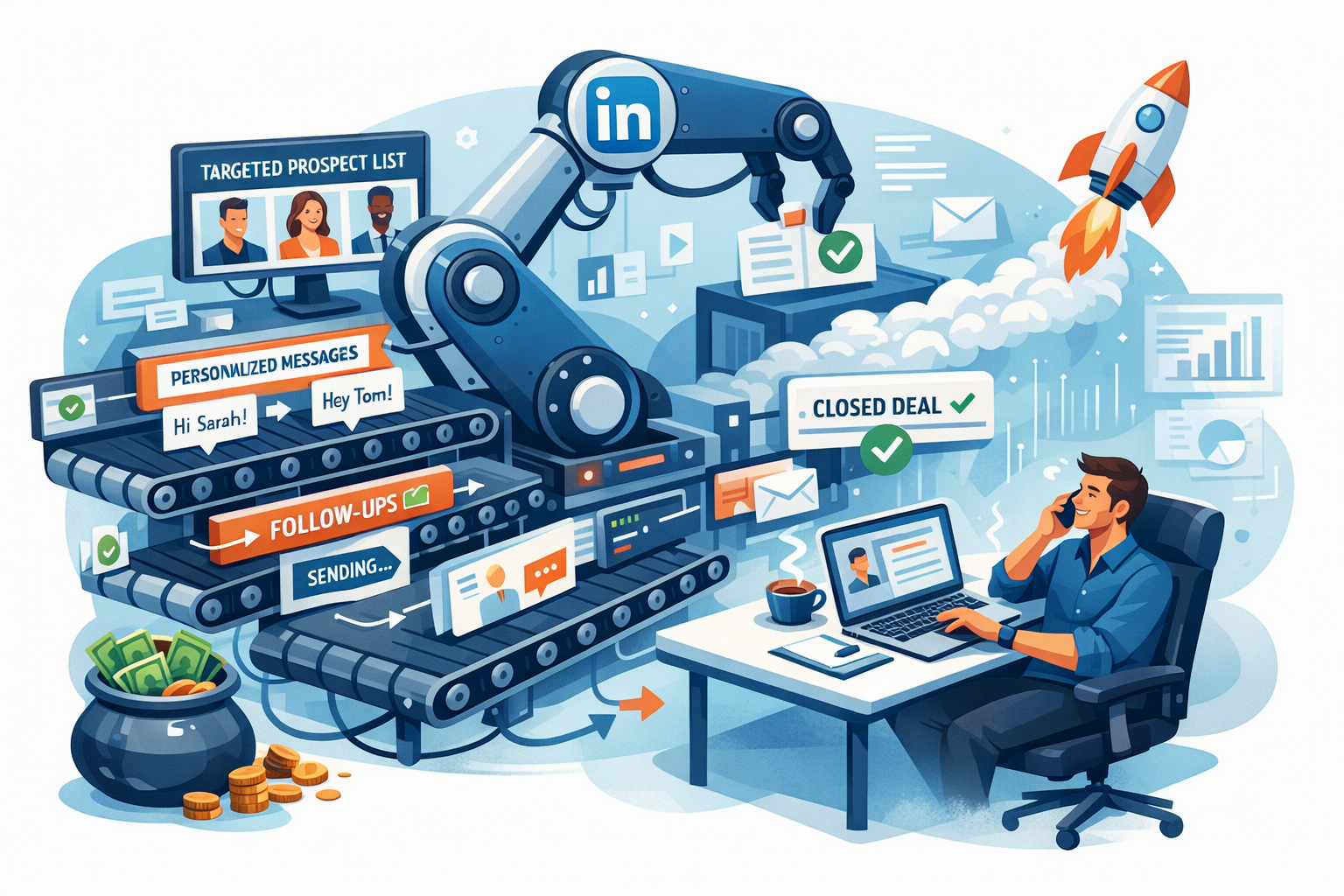
Ever wondered what’s happening behind the scenes? The entire process follows a clear, repeatable loop designed to move a prospect from a name on a list to a conversation in your inbox.
Prospecting & Targeting
It all starts with a list. You can build your lead list directly from LinkedIn Sales Navigator, a basic LinkedIn search, or even by uploading a CSV file. The software then uses this list as its source for outreach. The better your targeting here, the better your results will be. Garbage in, garbage out.
Message Sequencing & Personalization
This is where the magic happens. You’ll write a sequence of messages, starting with the connection request. Good software allows you to use personalization tags (like {firstName} or {companyName}) to make each message feel unique. You can then build follow-ups that are sent automatically after a set number of days if the prospect doesn’t reply.
Scheduling, Limits & Throttling
To keep your account safe, the software doesn't just blast out 100 requests at once. It schedules actions throughout the day, adding random delays between them to mimic human activity. This is called "throttling." You also set daily limits (e.g., 25 connection requests per day) to stay within LinkedIn’s accepted usage patterns.
Inbox, Replies & Analytics
Once a prospect replies, the best tools will automatically pause the sequence for that person. You can then manage the conversation from a central inbox or directly on LinkedIn. The software also provides an analytics dashboard to track your campaign's performance: acceptance rates, reply rates, and other key metrics that tell you what’s working and what’s not.
Is LinkedIn Automation Software Safe?
This is the big question, isn't it? Let's be upfront: using any third-party automation tool violates LinkedIn's Terms of Service. There are no 100% guarantees. However, the risk is not the same for every tool or every user. It’s all about how you use it.
Your risk level depends on a few key factors:
- Browser Extensions: These tools run directly in your browser and are often easier for LinkedIn to detect than their cloud-based counterparts.
- Excessive Volume: Sending hundreds of requests and messages a day from a new or un-warmed-up account is a massive red flag. 🚩
- Low-Quality Messaging: If your connection requests are constantly ignored or marked as "I don't know this person," LinkedIn's algorithm will notice.
So, how do you automate safely? Think of it like driving. You can go fast, but you need to follow the rules of the road to avoid a crash.
Here’s a simple best practices checklist:
- Warm-Up Your Account: Start slow. Send 10-15 connection requests per day for the first week, then gradually increase to 25-40.
- Set Daily Caps: Never exceed 1-2% of your total connections in daily outreach. If you have 2,000 connections, stick to 20-40 requests per day.
- Use "Stop" Rules: Ensure your software automatically stops messaging a prospect once they reply.
- Maintain a Quality Profile: A complete, professional-looking profile increases your acceptance rate and looks more legitimate.
Cloud-Based Software vs Browser Extensions
When choosing a tool, one of the biggest decisions is whether to go with a cloud-based platform or a browser extension. The difference is huge for safety, scalability, and convenience.
Cloud-based tools run 24/7 on a remote server, often with a dedicated IP address for your account, making your activity look more natural. Browser extensions, on the other hand, run from your computer and require your browser to be open. They are often cheaper but carry a higher risk.
Here’s a quick breakdown:
CriteriaCloud-Based SoftwareBrowser ExtensionsSafetyHigher (generally)Higher riskScalabilityExcellentLimitedConvenienceRuns 24/7, even when you're offlineRequires your browser to be openTeam UsageDesigned for team collaborationDifficult to manage for teamsPriceHigherCheaper
For serious sales teams and agencies, cloud-based software like Gojiberry is the clear winner. The added safety and scalability are well worth the investment.
Best LinkedIn Automation Software in 2026
Alright, let's get to the tools. The market is crowded, but a few platforms consistently stand out based on user feedback, feature sets, and reliability.
Here’s a shortlist of the top players for 2026:
- Best for: Sales teams and agencies who want safe, scalable LinkedIn outreach.
- Cloud vs. Extension: Cloud-based.
- Starting Price: $99/month.
- Verdict: A modern, powerful platform designed for scalable, compliant outreach with a focus on team features.
- Best for: Agencies needing to manage multiple client accounts safely.
- Cloud vs. Extension: Cloud-based.
- Starting Price: $99/month.
- Verdict: Known for its strong safety features and agency-centric dashboard.
- Best for: Small teams wanting an affordable entry into multichannel (LinkedIn + email) outreach.
- Cloud vs. Extension: Cloud-based.
- Starting Price: $59/month.
- Verdict: Great value with solid features, though some advanced tools are on higher tiers.
- Best for: Solo users and data miners who need deep functionality on a budget.
- Cloud vs. Extension: Desktop App (not a simple extension).
- Starting Price: $15/month.
- Verdict: Extremely powerful and affordable, but its desktop nature can be less convenient.
- Best for: Users who want flexible deployment options.
- Cloud vs. Extension: Both options available.
- Starting Price: ~$15/month for the extension; cloud plans are higher.
- Verdict: A long-standing, reliable tool with plans for every budget.
- Best for: Teams looking for a tight integration between LinkedIn and cold email.
- Cloud vs. Extension: Cloud-based.
- Starting Price: $100/month.
- Verdict: Excellent for creating smart "if-then" sequences across channels.
- Best for: Teams wanting AI-powered features for message generation and post scheduling.
- Cloud vs. Extension: Cloud-based.
- Starting Price: ~$157/month.
- Verdict: A premium option with robust AI and CRM integrations.
- Best for: Users who want to automate across LinkedIn, email, and Twitter/X.
- Cloud vs. Extension: Cloud-based.
- Starting Price: $59/month.
- Verdict: A true all-in-one campaign manager with a slightly steeper learning curve.
If you’re looking for a cloud-based LinkedIn automation software built for sales, explore gojiberry.ai.
How to Choose the Right LinkedIn Automation Software
Feeling a little overwhelmed by the options? Don't worry. Choosing the right tool comes down to understanding your specific needs. Let's break it down.
Define Your Use Case
First, who are you? Your role dramatically changes what you need from a tool.
- Founder-Led Sales: You're probably looking for simplicity, affordability, and something that saves you time so you can focus on building your business. A tool with a clean UI and solid core features is ideal.
- SDR Teams: You need scalability, team management features, and robust analytics. The ability to manage multiple accounts from one dashboard, track team performance, and integrate with your CRM is non-negotiable.
- Agencies: You need all the SDR features, plus multi-account management, client dashboards, and potentially white-label options. Safety is paramount, as you're managing your clients' reputations.
Key Criteria to Compare
Once you know your use case, compare tools based on these five criteria:
- Safety Architecture: Is it cloud-based or a browser extension? Does it offer dedicated IPs? What are its warm-up and throttling features?
- Personalization Depth: Can you use advanced personalization tags beyond just
{firstName}? Can you create conditional logic in your sequences? - Team Features: Does it have a centralized inbox, role-based permissions, and team-level reporting?
- Reporting: How detailed are the analytics? Can you track acceptance rates, reply rates, and campaign performance over time?
- Pricing vs. ROI: Don't just look at the monthly price. Consider the value. A $150/month tool that books 10 extra demos is a better investment than a $50/month tool that books two.
Here’s a simple decision matrix to help guide you:
Your Primary GoalBest Software TypeKey Feature to Look ForSaving time on my own prospectingCloud-Based (Solo Plan)Simple campaign builderScaling a sales team's outreachCloud-Based (Team Plan)Team management & CRM syncManaging multiple client accountsCloud-Based (Agency Plan)Multi-account dashboard & safetyAdvanced data scraping on a budgetDesktop AppData export capabilities
LinkedIn Automation Software for Sales Teams (Framework)
Having the right software is only half the battle. Success comes from a repeatable process. Here is a five-step framework for using LinkedIn automation to generate predictable pipeline.
Step 1 – Define ICP & Offer
Before you write a single message, get crystal clear on your Ideal Customer Profile (ICP). Who are you selling to? What is their job title? What industry are they in? What problem does your offer solve for them? Without this clarity, you're just spamming.
Step 2 – Build Lead Lists
Use LinkedIn Sales Navigator to build highly targeted lead lists based on your ICP. Get specific with filters like company size, geography, and keywords in their profile. A targeted list of 100 prospects is far more valuable than a generic list of 1,000.
Step 3 – Write Sales Sequences
Craft a 3-4 step message sequence.
- Connection Request: Keep it short, personalized, and focused on them, not you. Mention a mutual connection, a shared group, or a piece of content they engaged with.
- Follow-Up 1 (Day 3): Thank them for connecting and provide a piece of value (a blog post, a case study, a helpful tip). No pitching!
- Follow-Up 2 (Day 7): Gently introduce your solution in the context of a problem they likely face. Ask an open-ended question to start a conversation.
Step 4 – Launch with Limits
Start your campaign with conservative limits. Aim for 25-30 connection requests per day. Monitor your acceptance rate closely for the first week. A good benchmark to aim for is 30% or higher. If it's lower, your targeting or connection message needs work.
Step 5 – Measure & Iterate
Track your key metrics:
- Acceptance Rate: 30%+ is good.
- Reply Rate (to follow-ups): 15-25% is a strong target.
- Meetings Booked: This is the ultimate goal. Track how many positive replies turn into actual meetings.
Use this data to A/B test your messaging and targeting. The goal is to build a predictable system where you know that for every 100 prospects you add, you get a certain number of meetings.
Using Gojiberry as LinkedIn Automation Software (Example)
So, how does this framework look in practice with a modern tool like Gojiberry? This platform is built specifically to help sales teams execute scalable and compliant outreach.
It solves the core problem of managing outreach across a team while ensuring everyone stays within safe limits.
Here’s an example workflow:
- Import Leads: Build your target list in Sales Navigator and import it directly into a Gojiberry campaign.
- Create Sequence: Use the campaign builder to write your connection request and follow-up messages. Use personalization tokens to make your outreach feel human.
- Launch & Monitor: Launch the campaign. Gojiberry's cloud-based system will automatically send out the messages according to the schedule and limits you've set. It runs 24/7, so you don't have to worry about it.
- Track Replies: As replies come in, the sequences for those prospects are automatically paused. You can manage all conversations from the unified inbox, assign leads to different reps, and track everything in your CRM.
What should you track? Gojiberry’s dashboard makes it easy to see your campaign’s acceptance and reply rates, helping you quickly identify what’s working so you can double down on it.
Ready to see it in action?
👉 Look at the best LinkedIn automation tools
Common Mistakes with LinkedIn Automation Software
Even with the best software, it's easy to make mistakes. Here are the most common pitfalls and how to avoid them.
- Automating Without an ICP: The fastest way to get ignored is to send generic messages to everyone. Fix: Spend 80% of your time on defining your ICP and building targeted lists.
- Pitching in the First Message: This is the equivalent of proposing on the first date. It never works. Fix: Your connection request should be about starting a conversation, not a transaction.
- Too Much Volume: Sending 100 requests a day from day one is a one-way ticket to getting your account restricted. Fix: Warm up your account slowly and never exceed safe daily limits.
- No Tracking: If you aren’t tracking your metrics, you're flying blind. Fix: religiously monitor your acceptance and reply rates. If they're low, pause your campaigns and fix your targeting or messaging.
- Ignoring Profile Optimization: Your LinkedIn profile is your landing page. An incomplete or unprofessional profile will kill your acceptance rate. Fix: Make sure you have a professional headshot, a benefit-driven headline, and a compelling "About" section.
FAQ
What is the best LinkedIn automation software?
There's no single "best" tool for everyone. It depends on your needs. For sales teams and agencies needing safe, scalable, and compliant outreach, a cloud-based platform like Gojiberry is often the top choice. For solo users on a tight budget, something like Linked Helper might be a better fit.
Are LinkedIn automation tools legal/safe?
Automation tools are legal, but they do violate LinkedIn's Terms of Service. Using them carries an inherent risk. However, you can significantly minimize this risk by choosing a reputable cloud-based tool, warming up your account, and staying within reasonable daily limits. Safety is more about how you use the tool than the tool itself.
Cloud-based vs extension: which should I choose?
For any serious business use case (sales teams, agencies, founders), cloud-based software is the recommended choice. It’s safer, more scalable, runs 24/7 without your computer being on, and is built for team collaboration. Extensions are cheaper but carry a higher risk and are less convenient.
How many messages should I send per day?
For a warmed-up account, a safe limit is typically 25-40 connection requests and 50-80 follow-up messages per day. If your account is new or hasn't been used for outreach before, start with just 10-15 requests per day and gradually increase over several weeks.
Can I automate LinkedIn without getting banned?
Yes, thousands of sales teams do it every day. The key is to be smart about it. Use a high-quality cloud tool, warm up your account, send personalized and relevant messages, and don't get greedy with volume. The goal is to mimic human behavior, not act like a bot.
Is LinkedIn automation worth it for B2B?
Absolutely. When done correctly, it can be one of the most cost-effective and predictable channels for B2B lead generation. It saves hundreds of hours of manual work, allowing your sales team to focus on what they do best: building relationships and closing deals.
Automation isn't a magic bullet; it's a force multiplier. It's a process that combines the right software, a smart strategy, and a commitment to providing value. It's about turning LinkedIn from a simple networking site into a powerful revenue channel for your business.
The key is to remember that the tool handles the repetition, but you still drive the strategy. Emphasize quality over quantity, focus on safety, and always be iterating based on your data. When you combine smart automation with authentic human interaction, you create a scalable and highly effective pipeline for B2B growth. The technology is here; now it’s your turn to make it work. ✨
Ready to scale LinkedIn outreach with a modern automation platform? Try gojiberry.ai today.


More High-Intent Leads = Your New Growth Engine.
Start Now and Get New High Intent Leads DeliveredStraight to Slack or Your Inbox.