
LinkedIn Automation ROI: How to Calculate & Maximize Your Return on Investment

LinkedIn automation can be a goldmine for B2B growth… or a total money pit. 🤫 The difference? Actually measuring its return on investment (ROI). So many teams get caught up tracking vanity metrics like connection acceptance rates or messages sent. While those numbers feel productive, they don't tell you if you're making money. Are you generating profitable leads or just creating noise on the timeline?
This guide is your complete playbook for understanding and maximizing your LinkedIn automation ROI. We're cutting the hype and giving you what you actually need to make smart, data-backed decisions.
- -Clear ROI formulas to calculate your exact return.
- -A practical ROI calculator you can plug your own numbers into.
- -Realistic benchmarks and case studies (no fluff, just numbers).
- -Actionable strategies to turn your LinkedIn outreach into a predictable revenue engine.
We'll also look at how modern tools like Gojiberry.ai help you scale outreach, execute consistently, and track the results that actually matter. This isn't about just sending more messages; it's about sending smarter ones. Time to stop guessing and start growing.
Ready to see how different platforms stack up on ROI potential? Check out our guide to the best LinkedIn automation tools.
What Is LinkedIn Automation ROI?
So, what exactly is LinkedIn automation ROI? 🤔
Simply put, it’s a performance metric that tells you how much revenue you generate for every dollar you spend on your LinkedIn automation efforts. It’s the ultimate measure of profitability.
But here’s the key: "cost" isn't just your monthly software subscription. A true ROI calculation includes all your expenses:
- -Tool Cost: The subscription fee for your automation platform (e.g., Gojiberry.ai).
- -Labor Cost: The time your team spends setting up campaigns, writing copy, and handling replies.
- -Data Cost: Any expenses for lead lists or data enrichment tools.
- -Overhead: A portion of associated costs like your CRM or other sales stack tools.
Why does this matter so much? Because knowing your ROI helps you justify your budget, forecast future growth, and keep your customer acquisition cost (CAC) under control. It’s the difference between running a marketing activity and building a predictable revenue channel. The main drivers of a strong ROI are your targeting, messaging, follow-up strategy, and ultimately, your sales team's close rate and average deal size.
LinkedIn Automation ROI Formula
Let’s get down to the numbers. Calculating ROI can be as simple or as detailed as you need. Here are two formulas every team should know.
Basic ROI Formula
This is the quick-and-dirty version. It’s great for a high-level snapshot.
ROI = (Revenue − Cost) / Cost × 100
- -Revenue: The total revenue generated from deals that originated from your LinkedIn automation.
- -Cost: The total cost of your automation tool.
Full-Funnel ROI Formula (The One You Should Actually Use)
This formula gives you the complete picture by including all associated costs, especially the often-overlooked cost of labor.
ROI = (Attributed Revenue − Total Cost) / Total Cost × 100
Where Total Cost = Tool Cost + Labor Cost + Data Cost
Payback Period
Another critical metric is the Payback Period, which tells you how long it takes to recoup your initial investment.
Payback Period (Months) = Total Monthly Cost / Monthly Gross Profit from Channel
Let’s run a quick example:
Imagine you spend:
- -$200/month on an automation tool like Gojiberry.ai.
- -$800/month in labor costs (e.g., 20 hours at $40/hour).
- -$100/month on data enrichment.
Your Total Monthly Cost is $1,100.
If your campaigns generate $5,500 in new monthly revenue, your basic ROI looks amazing. But your full-funnel ROI is the real story:
- -ROI = ($5,500 - $1,100) / $1,100 × 100 = 400%
That’s a number your CFO will love. 📈
Key ROI Metrics to Track
Beyond the main ROI formula, you need to monitor a few key performance indicators (KPIs) that show you the health of your funnel.
Cost per Lead (CPL)
- -Definition: How much it costs you to generate one qualified lead.
- -Formula:
CPL = Total Cost / Leads Generated - -What's good?: This varies wildly by industry, but B2B SaaS teams often aim for a CPL between $50 and $400 for outbound leads.
- -How to improve it: Better targeting (a sharper ICP) and more relevant messaging are the fastest ways to lower your CPL.
Cost per Acquisition (CPA or CAC)
- -Definition: The total cost to acquire one new paying customer.
- -Formula:
CPA = Total Cost / New Customers Acquired - -What's good?: This depends entirely on your product's price and customer lifetime value (LTV).
- -How to improve it: Improve your lead-to-meeting conversion rate and your sales team's close rate.
Customer Lifetime Value (LTV)
- -Definition: The total gross profit a single customer is expected to generate over their entire relationship with your company.
- -Formula:
LTV = Average Monthly Gross Margin × Average Customer Lifetime (months) - -What's good?: Higher is always better!
- -How to improve it: Focus on customer retention, upselling, and cross-selling.
LTV:CAC Ratio
- -Definition: This magic ratio compares the value of a customer to the cost of acquiring them. It’s a crucial indicator of business health.
- -Formula:
LTV:CAC = LTV / CAC - -What's good?: A common rule of thumb for healthy, scalable growth is a ratio of 3:1 or higher. An LTV of $9,000 and a CAC of $3,000 gives you a 3:1 ratio.
LinkedIn Automation ROI Calculator
Ready to plug in your own numbers? Use this framework to build your own ROI calculator. You can copy this into a spreadsheet and start modeling different scenarios.
Calculator Inputs:
Input MetricExample: SDR TeamYour NumbersTool Cost/Month$500Hours Saved/Month80Your Hourly Labor Cost$40Leads Generated/Month400Reply Rate %15%Meeting Rate % (of replies)25%Close Rate % (of meetings)20%Average Contract Value (ACV)$12,000Gross Margin %80%
Calculator Outputs:
Based on the SDR team example above, here’s what the math looks like:
- -Total Monthly Cost: $500 (tool) + (80 hours * $40) = $3,700
- -Positive Replies: 400 leads * 15% = 60
- -Meetings Booked: 60 replies * 25% = 15
- -New Customers: 15 meetings * 20% = 3
- -CPL: $3,700 / 400 leads = $9.25
- -CPA (CAC): $3,700 / 3 customers = $1,233
- -Monthly Attributed Revenue: 3 customers * $12,000 ACV = $36,000
- -Monthly Gross Profit: $36,000 * 80% margin = $28,800
- -Full-Funnel ROI %: ($28,800 - $3,700) / $3,700 * 100 = 678%
- -Payback Period: $1,233 (CAC) / ($12,000 * 80% / 12 months) = ~1.5 months
Now, try it with your own numbers. What does your ROI look like?
Real ROI Case Studies (Illustrative Examples)
Let's look at a few realistic scenarios to see how ROI plays out in different business contexts. These are illustrative examples based on common performance ranges.
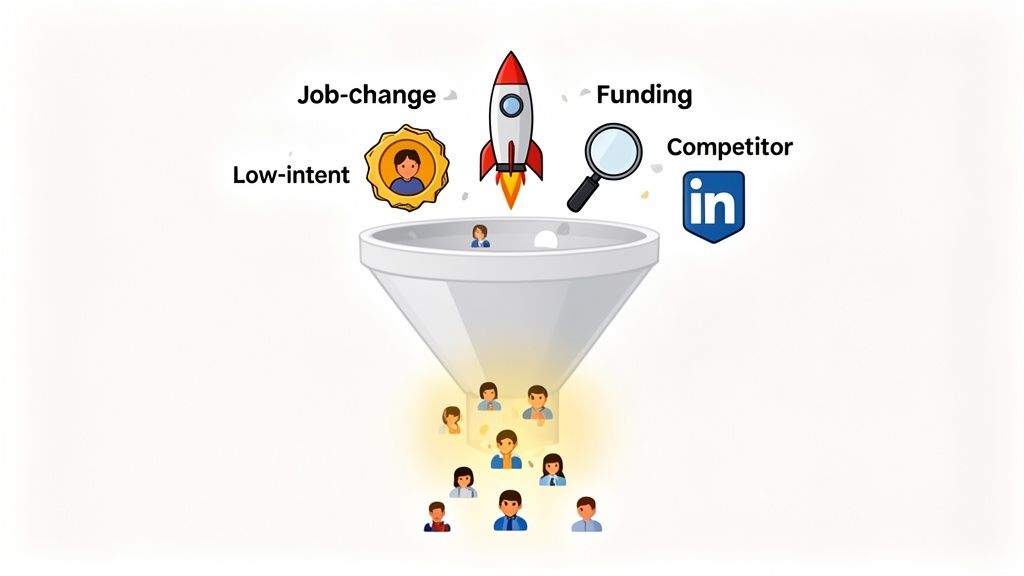
Case Study 1 — B2B SaaS Team
- -Context: A Series A SaaS company selling a $15,000 ACV project management tool. Their target personas are VPs of Operations in mid-market tech companies. The sales cycle is typically 60 days.
- -Tool: Gojiberry.ai at $500/month.
- -Labor: One RevOps specialist spends 20 hours/month managing campaigns ($50/hr) = $1,000.
- -Total Monthly Cost: $1,500.
- The campaign targets 500 new VPs each month.
- -It achieves a 12% reply rate, generating 60 conversations.
- -From those, they book 12 qualified meetings (a 20% meeting rate).
- -The sales team closes 2 of those meetings (a 17% close rate).
- -Revenue: 2 deals * $15,000 ACV = $30,000.
- -ROI: ($30,000 - $1,500) / $1,500 = 1900%.
Case Study 2 — Sales/Lead Gen Agency
- -Context: A lead generation agency charges clients $3,000/month for a set number of qualified meetings. Profitability depends on generating those meetings for less than they charge.
- -Cost: $150/month for a seat on their automation platform + 15 hours of an account manager's time at $40/hr ($600) = $750 total cost per client
- -Goal: Deliver 10 qualified meetings per month.
- -Revenue: $3,000 per client.
- -Gross Profit: $3,000 - $750 = $2,250 per client.
- -Margin: 75%.
Case Study 3 — Solo Consultant/Freelancer
- -Context: A marketing consultant selling high-ticket strategy packages ($8,000 each). Volume is low, but each deal is highly valuable.
- -Why Personalization Matters: A generic, high-volume approach would damage their personal brand. They need to be highly selective and personalized.
- -Cost: $100/month for a simple automation tool + 10 hours of their own time/month (valued at $150/hr) = $1,600.
- -They target only 50 hand-picked prospects per month.
- -Each message is semi-automated, with a custom-written first line.
- -This approach yields a 40% reply rate and 8 meetings. They close 1 deal every month.
- -Revenue: $8,000.
- -ROI: ($8,000 - $1,600) / $1,600 = 400%.
Case Study 4 — Multi-Rep / Enterprise
- -Context: A large software company with a 20-person SDR team. They need to scale outreach while maintaining brand consistency and avoiding overlapping targets.
- -Scale + Governance: They use an enterprise-grade automation platform like Gojiberry.ai with team features. Each SDR manages their own campaigns, but a central admin sets message templates, safety limits, and exclusion lists (so they don't message existing customers or competitors).
- -Before: Each SDR spent 15 hours/week on manual prospecting.
- -After: Automation reduced that to 5 hours/week.
- -Time Saved: 10 hours/week * 20 SDRs = 200 hours saved per week.
- -Value of Time Saved: 200 hours * $40/hr (fully loaded) = $8,000/week in productivity gains. This time is reallocated to handling replies and conducting demos.
How to Maximize LinkedIn Automation ROI
Okay, you know how to calculate ROI. Now, how do you improve it? Here are five proven strategies.
Strategy 1 — Target Better Prospects
- -Before: You target broad titles like "Marketing Manager," leading to low reply rates and wasted effort.
- -After: You define a hyper-specific Ideal Customer Profile (ICP). You target "Marketing Managers at B2B SaaS companies with 50-200 employees who recently posted about demand generation." This precision increases relevance, boosting your meeting rate and close rate.
Strategy 2 — Personalize Messages (Smartly)
- -Before: Your message is a generic template: "Hi [FirstName], I saw your profile and..." 🥱
- -After: You use smart personalization. Mention a recent post they shared, a mutual connection, or a company trigger event. AI-assisted tools like Gojiberry.ai can help generate personalized icebreakers at scale, making your outreach feel one-to-one. This is a core part of any effective LinkedIn lead generation strategy.
Strategy 3 — Optimize Follow-Ups
- -Before: You send one message and give up if you don't get a reply.
- -After: You build a 2-3 step follow-up sequence. Messages are spaced 3-5 business days apart, each adding a new piece of value (like a case study or a helpful article). You also set stop rules, so the automation ceases the moment a prospect replies.
Strategy 4 — Scale Gradually (Protect the Channel)
- -Before: You get a new tool and immediately try to send 100 connection requests a day. Your account gets flagged, and your ROI is zero.
- -After: You create a ramp-up plan. Start with 20-30 actions per day and slowly increase over several weeks while monitoring account health and engagement metrics. Going too fast is the quickest way to kill your channel and your ROI.
Strategy 5 — Use the Right Tool (Cost vs. Capability)
- -Before: You pick the cheapest tool, but it lacks the analytics and team features you need to optimize.
- -After: You choose a tool based on its ability to support your strategy. You need clear analytics to A/B test messages, pacing controls to keep your account safe, and team features for collaboration. A platform like Gojiberry.ai is built for repeatable optimization, not just blasting messages.
For a full comparison of tools and features that impact ROI, see our guide to the best LinkedIn automation tools.
LinkedIn Automation ROI vs. Other Channels
How does LinkedIn automation stack up against other common B2B marketing channels? Every channel has its place, but here's a general comparison to help you allocate your budget.
ChannelTypical Time to ResultsCost ProfileTracking DifficultyBest ForLinkedIn AutomationWeeksLow-to-MediumMediumB2B outbound prospecting & ABMCold EmailWeeksLowMediumHigh-volume outbound outreachPaid Ads (e.g., Google, LinkedIn)ImmediateMedium-to-HighMediumCapturing existing demand, retargetingContent/SEOMonthsMediumMediumLong-term inbound lead generationOutbound CallingImmediateHigh (Labor)MediumHigh-value enterprise selling
This shows that LinkedIn automation often hits a sweet spot: faster results than SEO, lower cost than paid ads, and more scalable than outbound calling for top-of-funnel engagement.
Common ROI Mistakes to Avoid
Even with the best intentions, it's easy to make mistakes that tank your ROI. Watch out for these common pitfalls:
- Not tracking all costs: Forgetting to include the cost of labor is the #1 mistake. Your time isn't free!
- Using the wrong attribution window: Attributing a deal to the "last touch" can be misleading. A LinkedIn message might have started the conversation months earlier. Understanding what is marketing attribution is key.
- Ignoring LTV and gross margin: A high revenue number doesn't mean much if the margin is thin or the customer churns in two months.
- Optimizing for vanity metrics: A high connection acceptance rate is useless if none of those connections turn into conversations. Focus on replies and meetings booked.
- Comparing against the wrong benchmarks: Don't compare your high-ticket consulting CPL to a low-ACV SaaS product's CPL. Context matters.
- Failing to iterate: Setting up a campaign and letting it run forever without A/B testing messages or audiences is a recipe for diminishing returns.
Frequently Asked Questions (FAQ)
What’s a “good” ROI for LinkedIn automation?
This is highly dependent on your industry and business model. However, many well-run B2B campaigns aim for an LTV:CAC ratio of 3:1 or higher. A 300% to 1000% ROI is often achievable when targeting is precise and the offer is compelling.
How long does it take to see a positive ROI?
You can often see leading indicators like positive replies and meetings booked within the first 2-4 weeks. A positive financial ROI, where revenue exceeds costs, typically takes 3-6 months, depending on the length of your sales cycle.
How do I calculate the labor cost part of ROI properly?
Estimate the number of hours per week your team spends on tasks related to the automation campaign (strategy, copywriting, list building, managing replies). Multiply those hours by a fully-loaded hourly rate for the employee(s) involved.
Which tool provides the best ROI?
The tool with the best ROI is the one that best fits your strategy. For solo users, a simpler, cheaper tool might suffice. For teams, a platform with robust analytics, team management, and safety features like Gojiberry.ai will likely deliver a higher ROI by enabling optimization and scale.
Time to Measure What Matters
We’ve covered a lot of ground—from the core formulas to real-world case studies and optimization strategies. The single biggest takeaway should be this: your LinkedIn automation ROI improves the moment you start measuring it.
Success isn't about finding a magic message template. It's about building a system:
- Calculate your baseline using the full-funnel formula.
- Identify your biggest bottleneck (targeting, messaging, offer).
- Iterate weekly based on data, not guesses.
Your next step is simple. Stop wondering if your efforts are paying off. Plug your numbers into the calculator framework we provided and get your answer. That number is the starting point for turning your LinkedIn outreach from an expense into a powerful, predictable revenue engine.
Ready to choose the right stack? See our guide to the best LinkedIn automation tools. And if you're ready to test a platform designed for ROI-driven teams, explore Gojiberry.ai.

More High-Intent Leads = Your New Growth Engine.
Start Now and Get New High Intent Leads Delivered Straight to Slack or Your Inbox.