
LinkedIn Automation: Everything You Need to Know in 2026

Let's get straight to it. Ever feel like you're stuck in a loop of sending connection requests and follow-up messages on LinkedIn? You know it's valuable, but the manual grind is... well, a grind. This is where LinkedIn automation comes in. Think of it as your own personal, hyper-efficient virtual assistant for scaling your outreach.
In today's B2B world, leveraging some form of LinkedIn automation software isn't just a cool trick; it's a strategic necessity for modern sales and recruiting. But hold on, this is NOT about spamming people or breaking the rules. When done right, it's about connecting with the right professionals at the right time, safely and at scale.
We've seen companies using smart automation achieve a 3-5x ROI on their tool costs alone. So, how do they do it? This guide is your complete roadmap, taking you from the basics to advanced strategies. Ready to see how you can automate LinkedIn the smart way? Let's dive in. 🚀
What is LinkedIn Automation?
So, what are we actually talking about here? At its core, LinkedIn automation is the use of specialized software to perform repetitive LinkedIn tasks on your behalf. Think of all the clicks and keystrokes involved in:
- Sending connection requests
- Following up with new connections
- Liking relevant posts
- Endorsing skills
- Scheduling your own content
These tools work by integrating with LinkedIn (often via the cloud) to handle these actions based on rules you set. For example, you can tell a tool: "Find all VPs of Sales in the SaaS industry in Austin, TX, and send them this personalized connection request." The software then gets to work.
But let's bust a major myth: Automation ≠ Spam. Spam is sending irrelevant, generic messages to a mass, untargeted audience. Smart automation is the exact opposite: sending highly relevant, personalized messages to a carefully curated audience.
What does LinkedIn think about all this? Officially, their policy prohibits unauthorized automation and scraping. However, the ecosystem has evolved. Modern, cloud-based tools that mimic human behavior and respect platform limits are generally tolerated. It's the old-school, aggressive data scrapers that get accounts banned. The difference between safe vs. unsafe automation is a crucial theme we'll explore.
Not all platforms are equal, which is why choosing the best LinkedIn automation software matters when scaling outreach safely.
Why Companies Use LinkedIn Automation
So, why are so many sales, marketing, and recruiting teams jumping on the automation train? It’s not just about saving a few clicks. The impact on the bottom line is real and measurable. Here’s the breakdown of why it's become a competitive advantage.
- Mind-Blowing Time Efficiency: How much time do you spend prospecting each week? Reports consistently show teams slash their prospecting time from 10+ hours per week down to just 2-3 hours. What could you do with an extra 8 hours? 🤔
- Serious Cost Reduction: Manually generating leads is expensive. By automating the top of the funnel, the average cost per qualified lead often drops by a staggering 60-70%.
- Unmatched Scalability: Need to reach more people? Instead of hiring another salesperson, automation lets you engage with 1,000+ targeted prospects every month without expanding your headcount.
- Data-Driven Decisions: Guesswork is a thing of the past. The best automation tools provide clear analytics on what's working—connection acceptance rates, message reply rates, and conversions. You can see your funnel in real-time.
- Staying Competitive: Let's be blunt: your competitors are almost certainly already doing this. Sticking to purely manual methods is like bringing a knife to a gunfight.
- Impressive ROI: On average, businesses see a 3-5x return on investment from their automation tool subscription costs. For every dollar spent, they get three to five back in pipeline value. It just makes financial sense.
It's about working smarter, not harder, and achieving a level of consistency that’s nearly impossible to maintain manually.
Types of LinkedIn Automation
Not all automation is created equal. Understanding the different types is key to building a strategy that actually moves the needle. Think of it like a toolkit—you need the right tool for the right job. 🛠️
Let's break down the five core pillars of LinkedIn automation.
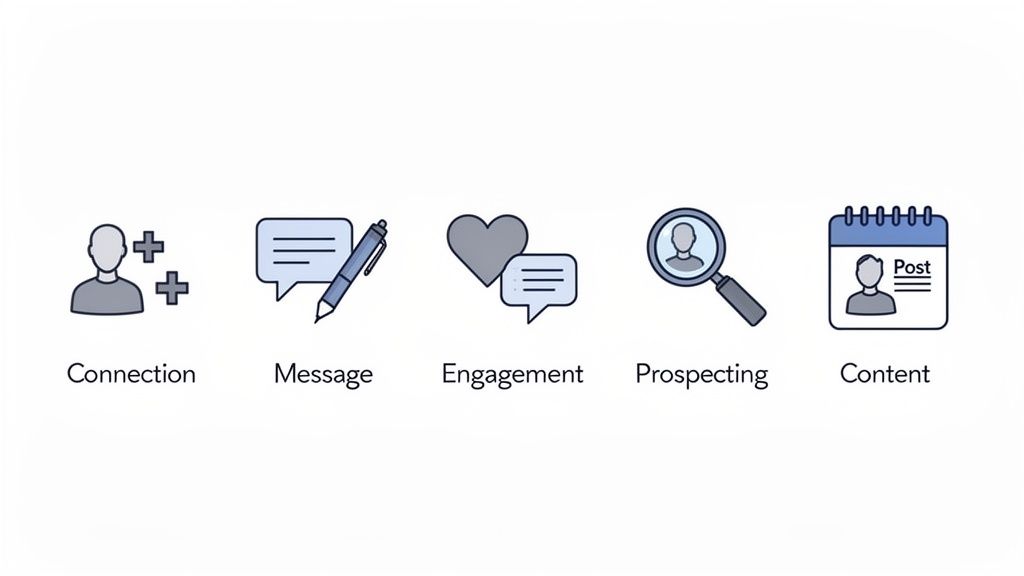
Connection Automation
This is your network-building engine. Connection automation handles the task of sending personalized connection requests to a targeted list of prospects, saving you from endless manual searching and clicking.
- What it does: Automatically sends connection requests based on filters like job title, industry, or Sales Navigator search results.
- Use cases: Ideal for sales reps building a territory, recruiters sourcing candidates, or anyone needing to expand their relevant network fast.
- Limits & safety: To stay safe, the industry standard is to limit requests to around 20 per day. This keeps you well under LinkedIn's radar.
- Expected results: With a well-crafted, personalized note, acceptance rates of 30-50% are very achievable.
Message Automation
Once you're connected, the real work begins. LinkedIn message automation allows you to send a sequence of follow-up messages to your new connections. This isn't about spamming; it's about warming up prospects and starting conversations at scale.
- What it does: Sends a pre-written sequence of messages after a connection request is accepted.
- Personalization strategies: The key is using variables like
{{firstName}},{{company}}, and{{jobTitle}}to make each message feel personal. - Day 1 (after connecting): A simple thank-you message.
- Day 3: A message offering a valuable resource or insight related to their industry
- Day 7: A soft call-to-action or an open-ended question.
Engagement Automation
This is the secret sauce for building authority and staying top-of-mind. Engagement automation interacts with your network's content by liking, reacting to, or commenting on posts from your target audience.
- What it does: Automatically likes or comments on posts from specific people or those containing certain keywords.
- Why it works: When a prospect sees you've engaged with their content, they are far more likely to accept your connection request and respond to your messages.
- Frequency guidelines: Keep it subtle. 5-10 automated engagements per day is enough to look active without appearing like a bot.
- Authority building: This consistent activity helps position you as an active, engaged expert in your field. Users often report a 2-3x higher connection acceptance rate when they engage with a prospect's content first.
Lead Generation Automation
Ready to build massive lead lists? This type of automation focuses on finding and extracting prospect data from LinkedIn.
- What it does: Scrapes data from LinkedIn or Sales Navigator searches to build lists of potential leads.
- Data enrichment: Many tools then enrich this data, finding verified email addresses and other contact details, turning a simple profile into a rich lead.
- Prospecting workflows: The process usually involves running a search, extracting the profiles, enriching the data, and then pushing it all to your CRM.
- Integration with CRM: The best tools integrate directly with Salesforce, HubSpot, and other CRMs, creating a seamless lead flow. Tools like PhantomBuster and Scalelist are popular choices here, with users generating 1,000+ enriched leads per month.
Content Automation
For founders, marketers, and consultants, building a personal brand on LinkedIn is non-negotiable. Content automation makes it manageable.
- What it does: Allows you to schedule your LinkedIn posts in advance so you maintain a consistent presence.
- Engagement automation: Some platforms, like Taplio or AuthoredUp, go a step further by helping you engage with comments on your posts or join engagement pods.
- Analytics tracking: These tools provide detailed analytics on your content's performance, showing you what resonates with your audience so you can double down on what works. This can lead to 2-3x more engagement than posting manually without a strategy.
LinkedIn's Stance on Automation
Let's address the elephant in the room: What does LinkedIn actually think about all of this? The official policy is pretty clear: LinkedIn prohibits scraping and the use of any unauthorized software that automates activity on the platform.
But here's the nuance. LinkedIn's primary goal is to protect its user experience. They crack down hard on aggressive, spammy bots that ruin the platform for everyone. However, the landscape of tools has changed.
This is why using safe LinkedIn automation tools—especially cloud-based platforms—is critical to protect your account.
What's Allowed vs. What's Forbidden
- What's (generally) allowed: Using tools that leverage LinkedIn's official API is always the safest bet. Many modern, cloud-based tools are designed to mimic human behavior so closely that they are difficult to detect and, if used responsibly, are often tolerated. Automating your own content scheduling is also widely accepted.
- Scraping massive amounts of data from profiles.
- Using browser extensions that directly manipulate the LinkedIn interface.
- Sending a high volume of generic, spammy messages.
- Any activity that clearly violates the Terms of Service.
Risks of Violation and How LinkedIn Detects Abuse
Violating these rules isn't without consequences. The risks include:
- A temporary restriction on your account (the infamous "LinkedIn jail").
- Permanent account suspension.
- In rare cases for large-scale abuse, an IP ban or even legal action.
So how does LinkedIn catch violators? Their algorithm is smart. It looks for:
- Unusual activity patterns: A sudden, massive spike in connection requests or profile views.
- High volume in a short time: Sending 100 messages in 10 minutes is a huge red flag.
- User reports: If enough people flag your messages as spam, you'll get on their radar fast.
- API monitoring: They can detect unauthorized calls to their backend systems.
Account Recovery Tips
If you do get a warning or suspension, don't panic. There's an appeal process. The best advice is to be honest, explain the situation, and promise to adhere to the rules moving forward. Recovery can take 2-4 weeks. But as they say, an ounce of prevention is worth a pound of cure. The best recovery tip? Use safe tools and respect the limits in the first place.
LinkedIn Automation Tools
The market is flooded with tools, each claiming to be the best. But the truth is, the "best" tool depends entirely on your needs. Let's categorize them to make your choice easier.
Outreach Tools
These are your workhorses for sales and recruiting. They are built to create and manage sophisticated outreach campaigns with multiple touchpoints.
- Best for: Connection and message automation sequences.
- Top tools: User feedback often points to Expandi, Waalaxy, and Dripify as leaders in this category.
- Pricing: Expect to pay between $50 - $150 per month per user.
Prospecting Tools
If your primary goal is to build large, high-quality lead lists, these are the tools for you. They specialize in data extraction and enrichment.
- Best for: Lead generation and data enrichment.
- Top tools: Marketers often use PhantomBuster, Scalelist, and LeadFuze for these tasks.
- Pricing: These typically range from $50 - $200 per month, depending on the volume of data you need.
Engagement Tools
Focused on building your personal brand? These tools help you schedule content and automate your engagement to stay visible and build authority.
- Best for: Content scheduling and engagement automation.
- Top tools: Taplio, Lempod, and AuthoredUp are frequently mentioned for their content-focused features.
- Pricing: Generally more affordable, ranging from $30 - $100 per month.
Ready to dive deeper? For a complete comparison of 25+ options, see our full comparison of 25+ tools.
LinkedIn Automation Best Practices
Owning a powerful tool is one thing; knowing how to use it effectively is another. Let's cover the best practices that separate the pros from the amateurs.
Safety First
Your top priority should always be protecting your account. The key is to make your automated activity look as human as possible.
- Respect LinkedIn's daily limits: Stick to around 20 connection requests and 50 messages per day.
- Use cloud-based tools: They are significantly safer than browser extensions because they operate from a dedicated IP address and don't inject code into your browser.
- Vary your timing: Don't send messages at the exact same time every day. Good tools randomize the timing between actions to mimic human behavior.
- Monitor your account: Keep an eye out for any warnings from LinkedIn and check your account health weekly.
Personalization at Scale
Generic messages get ignored. The goal is to make every prospect feel like you've reached out to them personally.
- Use variables: Go beyond
{{firstName}}. Use{{company}},{{jobTitle}}, or even custom variables to make your outreach specific. - Segment-based messaging: Don't send the same message to CEOs and Marketing Managers. Create different templates for different audience segments.
- Reference their activity: "I saw you recently posted about [topic]..." is a powerful way to show you've done your homework.
- A/B test your messages: Always be testing different subject lines, opening lines, and calls-to-action to see what resonates.
Timing & Frequency
When you send is almost as important as what you send.
- Optimal send times: Run your campaigns during business hours (9 am - 5 pm) in your prospect's local timezone.
- Spacing between actions: Don't bombard people. Wait 1-3 days after connecting before sending your first message, and another few days between follow-ups.
- Seasonal adjustments: Be mindful of holidays or summer periods when people are less likely to be active on LinkedIn.
Measurement & ROI
You can't improve what you don't measure.
- Connection Acceptance Rate (Aim for 30%+)
- Message Response Rate (Aim for 10-20%)
- Conversion Rate (How many responses turn into meetings?)
(Revenue Generated - Tool Cost) / Tool Cost. This will show you the real financial impact of your efforts.LinkedIn Automation Risks & How to Avoid Them
While powerful, automation isn't without its risks. But with a smart approach, you can easily mitigate them. Let's tackle the three big ones head-on.
Account Suspension Risk
This is the scariest one, but also the most preventable.
- What triggers it: Exceeding daily limits, sending spammy messages that get reported, or using a banned tool (usually risky browser extensions).
- Warning signs: You might notice a sudden drop in your post reach, or messages not being delivered. These are signs that LinkedIn might be throttling your account.
- Prevention strategies: The solution is simple: use a reputable cloud-based tool, respect the daily limits we've discussed, and focus on providing value in your messages.
- Recovery process: If your account is suspended, you can appeal to LinkedIn Support. Be polite, explain the situation, and commit to following their rules.
Poor Results Risk
What if you do all this and... nothing happens? It's a common fear.
- Why campaigns fail: The two most common culprits are poor targeting and bad messaging. You're either talking to the wrong people or saying the wrong thing.
- Common mistakes: Sending a generic sales pitch in your connection request, not personalizing your messages, and having a weak call-to-action.
- Optimization strategies: The fix is continuous testing. A/B test your message copy. Refine your audience targeting. Start with a small test group of 10-20 people before launching a full campaign.
Data Privacy Risk
In a post-GDPR world, you have to be careful with data.
- GDPR compliance: If you're targeting people in the EU, you need to be mindful of their data privacy rights. The general consensus is that legitimate interest can apply to initial B2B outreach, but you must provide an easy way to opt-out.
- Data collection limits: Only collect the data you actually need for your outreach.
- Tool selection criteria: Ensure the automation tool you choose is GDPR-compliant and takes data security seriously. Look for information on their website about how they handle data.
LinkedIn Automation Strategies by Use Case
Theory is great, but how does this look in practice? Here are four proven workflows for different business goals.
Use Cases for LinkedIn Automation
1) B2B Sales Outreach
Goal: Generate a steady stream of qualified sales leads.
Workflow:
- Build a highly targeted prospect list with Sales Navigator.
- Send an automated, personalized connection request.
- Once accepted, trigger a 3-step message sequence over two weeks.
- As soon as a lead replies with interest, pause automation and take over manually.
Personalization tactics:
- Reference their industry, company, or a recent post they shared.
Expected results:
- A well-tuned campaign typically converts 2–5% of prospects into qualified meetings.
2) Recruitment & Hiring
Goal: Find and engage qualified candidates for open roles.
Workflow:
- Use LinkedIn Recruiter to search for candidates with the right skills and experience.
- Send a connection request mentioning the specific role you’re hiring for.
- Follow up with a message detailing the opportunity and asking if they’re open to a confidential chat.
Engagement tactics:
- Like and comment on a candidate’s posts before reaching out to warm them up.
Expected results:
- Recruitment messages often see 20–40% response rates, higher than classic sales outreach.
3) Personal Branding & Thought Leadership
Goal: Build authority and grow your following in a specific niche.
Content automation:
- Use a tool like Taplio to schedule a month of content in advance.
- Post consistently 3–5 times per week.
Engagement automation:
- Set rules to automatically like posts containing specific keywords (e.g., “sales enablement”).
- This keeps you visible in relevant conversations.
Growth metrics:
- With consistent automation, users often grow their audience and engagement 2–3x faster than with manual efforts alone.
4) Lead Database Building & Enrichment
Goal: Build a large, enriched database of potential customers.
Workflow:
- Run a Sales Navigator search for your Ideal Customer Profile (ICP).
- Use a tool like PhantomBuster to extract profiles from that search.
- Enrich the list to find verified email addresses.
- Push the final, enriched list directly into your CRM.
Why enrichment matters:
- This is what turns a simple LinkedIn profile into a multi-channel lead.
Result:
- You can build a database of 1,000+ qualified leads per month.
Automation vs. Manual Outreach (The Hybrid Strategy)
Automation is best for:
- Building your network
- Initial outreach
- Lead generation at scale
Manual outreach is best for:
- Your top 10% high-value prospects
- Handling replies and warm conversations
- Strategic, high-touch accounts
Quick Comparison
AspectAutomationManual OutreachTime / week2–3 hours10–15 hoursCost / lead$5–10$20–50Consistency100%~70%Personalization~80% (Good)100% (Excellent)Scale1,000+ leads50–100 leads
Best practice:
Automate ~70% of your top-of-funnel activity and keep ~30% manual for strategic accounts and warm conversations.
How to Get Started (Step-by-Step)
Step 1: Define Your Goal
Be specific. For example:
- “10 sales demos per month”
- “50 new candidate conversations”
Step 2: Choose Your Use Case
Decide if you need:
- Outreach automation
- Prospecting automation
- Engagement automation
Step 3: Select a Tool
Pick a reputable, cloud-based tool that fits your use case and budget. Most offer free trials—use them.
Step 4: Create Message Templates
- Write 3–5 templates using personalization variables.
- Focus on value, not just selling.
Step 5: Test & Optimize
- Start with a small pilot (10–20 prospects).
- Track key metrics: acceptance rate, response rate.
- Improve your messaging based on real data.
Step 6: Scale Gradually
- Increase volume slowly.
- Don’t jump from 10 to 100 overnight.
- A gradual ramp-up is safer and more sustainable.
FAQ
Is LinkedIn automation legal?
Yes. The real question is compliance with LinkedIn’s Terms of Service. Using modern, responsible tools is standard industry practice.
Can I get banned?
Yes, if you abuse it. With a safe, cloud-based tool, reasonable limits, and non-spammy messaging, the risk is very low.
Best tool for beginners?
Waalaxy or Dux-Soup are often recommended for their ease of use and built-in safety features.
How long to see results?
You’ll see first activity within 1–2 weeks. Expect 2–4 weeks to optimize and get consistent results.
Can I automate multiple accounts?
Yes, but it requires advanced setups (separate tools, proxies, etc.). Not recommended for beginners.
Average ROI?
Most teams report 3–5x ROI on the cost of automation tools, thanks to time saved and pipeline generated.
Final Takeaway
LinkedIn automation is a force multiplier, not a magic shortcut.
It amplifies a good strategy—but won’t fix a bad one.
Your success still depends on:
- Precise targeting
- Strong messaging
- Real value for your prospects
Next step: Choose your main use case, pick the right tool, start small, and scale smart.
The era of 100% manual prospecting is over. 🚀

More High-Intent Leads = Your New Growth Engine.
Start Now and Get New High Intent Leads Delivered Straight to Slack or Your Inbox.